Skip to content
View in the app

A better way to browse. Learn more.

Power Forum - Renewable Energy Discussion

A full-screen app on your home screen with push notifications, badges and more.

To install this app on iOS and iPadOS
  1. Tap the Share icon in Safari
  2. Scroll the menu and tap Add to Home Screen.
  3. Tap Add in the top-right corner.
To install this app on Android
  1. Tap the 3-dot menu (⋮) in the top-right corner of the browser.
  2. Tap Add to Home screen or Install app.
  3. Confirm by tapping Install.

BrendanC

Members
  • Joined

  • Last visited

Everything posted by BrendanC

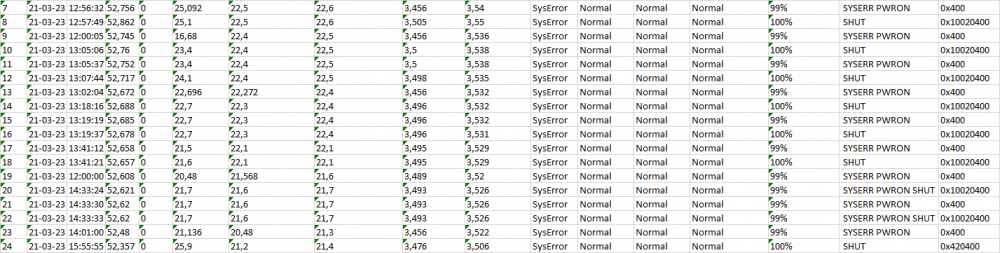
  1. here is what i got from the error log. Everything after this is essentially the same set of status as the battery was turned on and off as we looked to troubleshoot the issue Any hope of resetting this or is it battery return time ? Thanks B

  2. Thanks for all the help so far. Software and wiring diagrams all work a treat I am stuck with this.. Not sure if this can be reset in software or firmware update or if this is a warranty claim.... Any help would be appreciated. B

Account

Navigation

Search

Search

Configure browser push notifications

Chrome (Android)
  1. Tap the lock icon next to the address bar.
  2. Tap Permissions → Notifications.
  3. Adjust your preference.
Chrome (Desktop)
  1. Click the padlock icon in the address bar.
  2. Select Site settings.
  3. Find Notifications and adjust your preference.