MINUS
Members
-
Joined
-
Last visited
Everything posted by MINUS
-
1. depends on budget. personal rec: Sunsynk 5 or 8kw - bens: programmable, true hybrid. Work out your budget and demands. 2. again - depends on specific location. watch the sun a few mornings. there are also apps available - optimal tilt for e.g. that you can place on the roof angle of each to help make a call. garage roof - easily accessible but make sure not easily accessible to be stolen! but could be better in that no one knows you have solar.
-
Thanks YTM. Sorted on the CT coil. I don’t have the dongle yet so will hang 5 for an upgrade while I wait for mine. Appreciate the response.
-
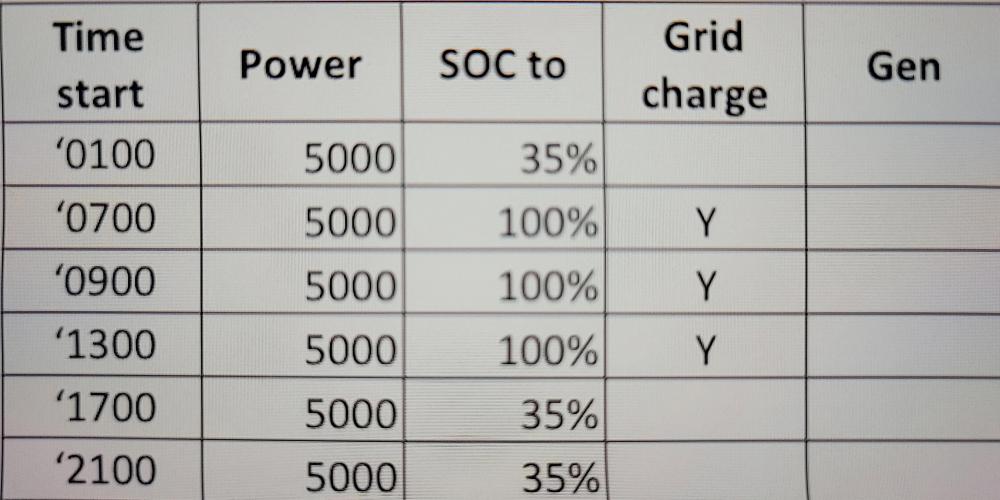
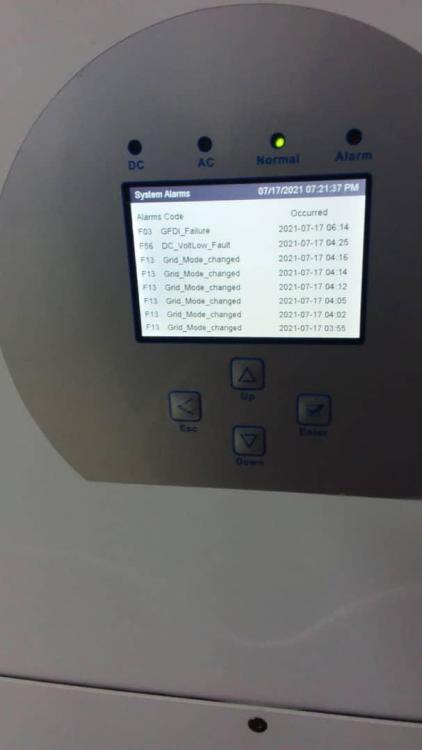
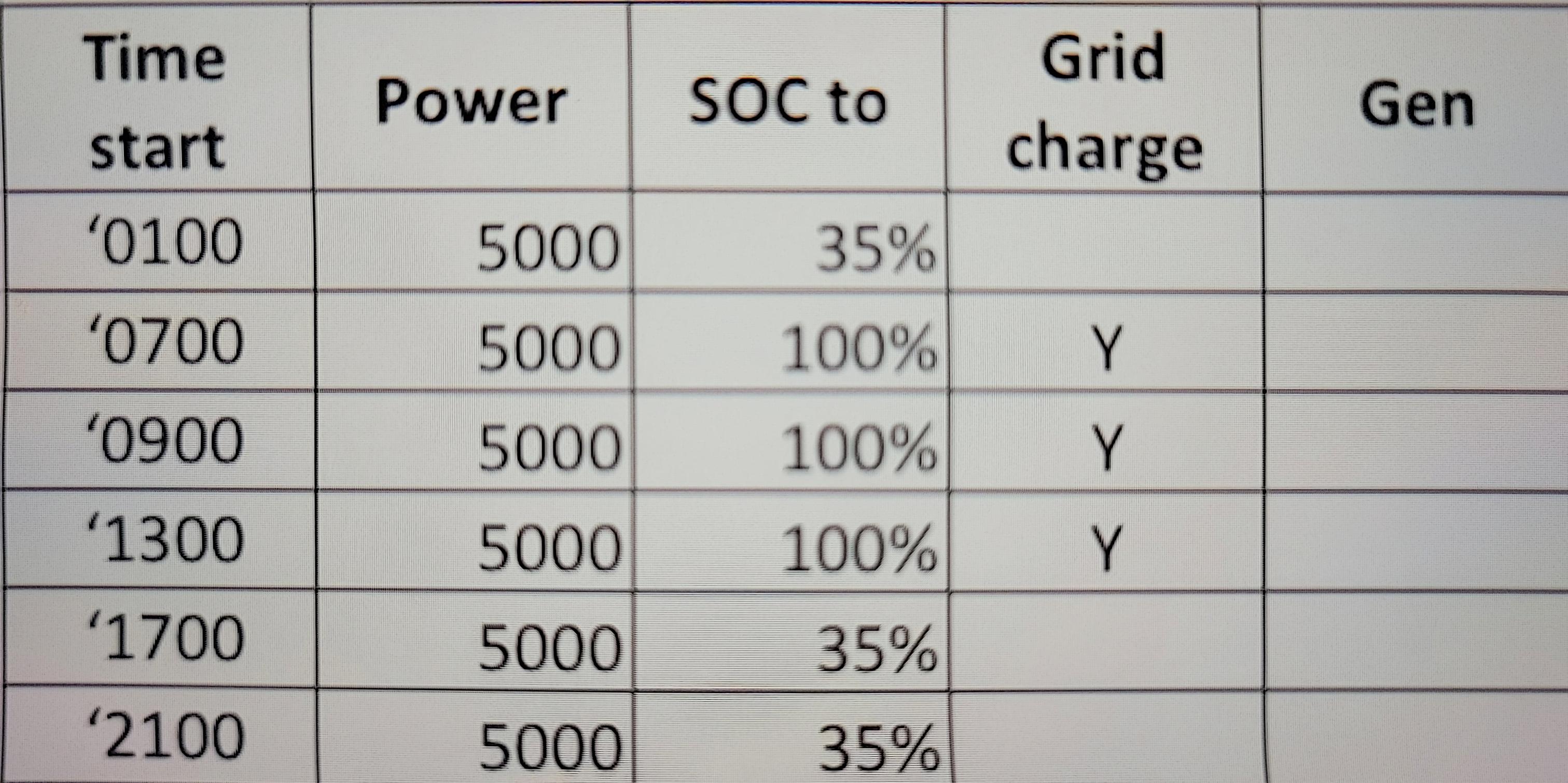
Hi all, Recently installed Sunsynk (5 weeks running OK and impressed with the machine). It threw out the following codes this morning - have checked forums and manuals - wondering if anyone has seen them before. I suspect bad grid power has something to do it - will see how it runs tonight again. Sunsynk 5Kw 2 x Pylontech US3000C 10 x JA 455s (Used in area with Prepaid meter) Hoping someone can help with: 1. Anyone seen any of the codes before? Particularly F03. Also why F13 is continuously coming up every 2/3mins before the DC Low came up. It might be linked to this - but what would prevent the inverter from switching to grid when the batteries reach the specified time of use SOC - e.g. 35% below? Bad grid being filtered by the inverter settings? 2. CT coil - have watched the videos - I have the old software. The software has a “HM” signal to show wattage and this is reflecting a negative wattage - which I take to mean they installed it the wrong way? I know it clearly says CT on the new software - just confirming my assumption that this used to be “HM” on the old screens? I’m set to Zero export>Load only so hopefully no impact. Will correct the CT coil and switch to HM load too. 3. When exporting once battery is full to non essentials - this is ONLY excess solar right? I.e. non essentials will not use battery. 4. My time of use functions are included below. I’ll tweak them a bit for loadshedding - however - what would happen if I changed the 35% to say - 50% in all lines that have 35%. And the Grid went off. Would the time of use settings mean that I couldn’t use my power if my batteries were down to 50%? Or does time of use get overridden when grid is shut down. Thanks - apologies if these have been asked elsewhere. Has anyone received the beta of the new data logger? Interested to know thoughts. Cheers and thanks in advance. Time of use: Fault codes - note grid was down when pic was taken. I suspect bad grid caused this but not sure why the inverter didn’t switch to the grid when the batteries hit 35%.