Neetz108
Members
-
Joined
-
Last visited
-
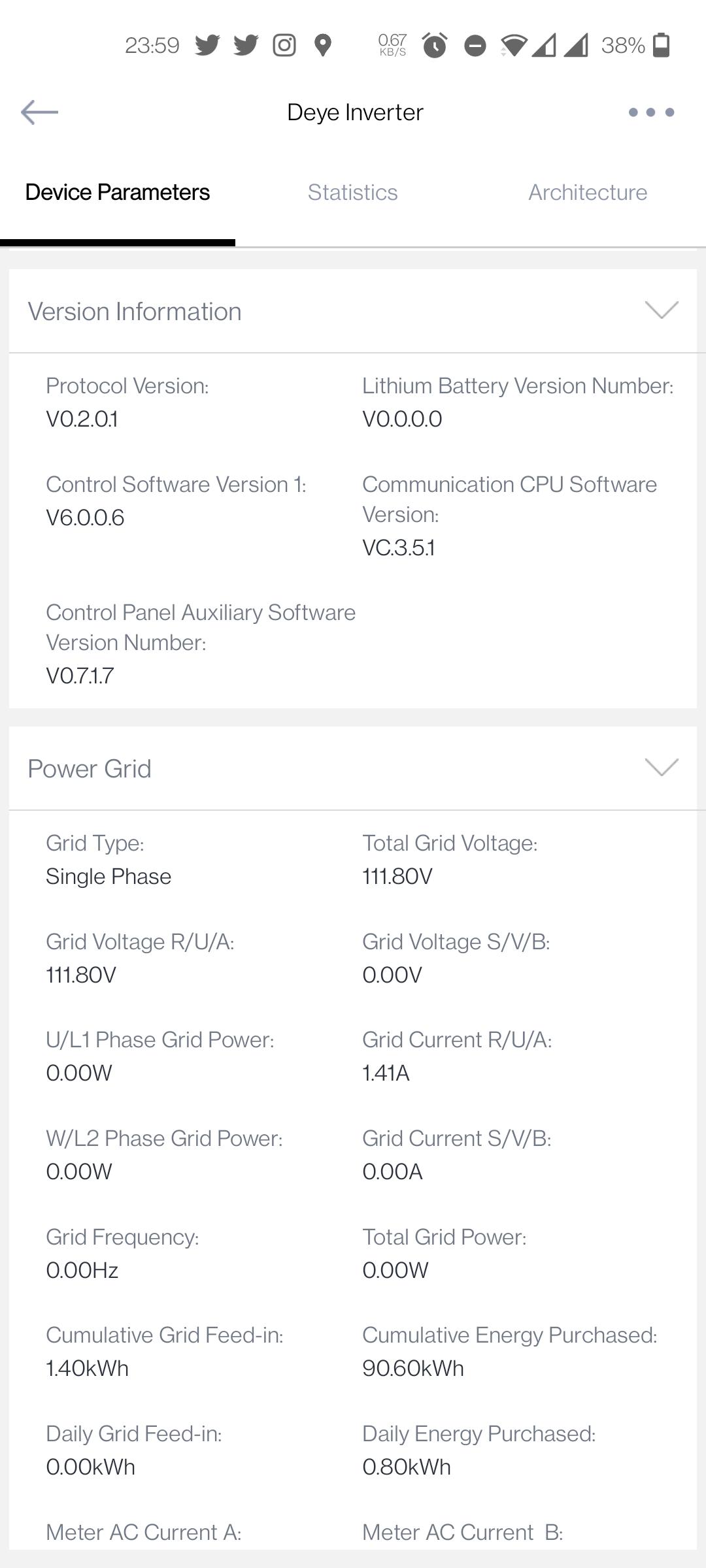
Thanks for the response. Seems it's resolved on my side for now after another software upgrade however now there is another issue. My earth leakage breaker keeps tripping when loadshedding starts. After hours of troubleshooting it now appears that new software upgrade has introduced a constant backfeed of 110v from Grid to AC causing tripping. Not sure if this is a software or inverter issue though in my mind it seems software. Do you mind sending me a screenshot of your inverter parameters from your solarman app as my one attached?
-
@MdFI'm having exactly the same issue as you've described since last week though it hasn't resolved itself as yet in my case. With time of use enabled I Iobserve that once batteries are fully charged up by mid day on full sunny day it drops PV production and immediately starts discharging batteries and grid supplements the load. Time of use must be disabled during the day in order for PV production. towards the evening around sunset, I need to enable time of use in order for batteries to supply my load. If not done, grid is constantly supplying all load with minmum battery discharge. In some instances it uses grid to charge batteries. All this nonsense started about 2 weeks ago after Deye support upgraded my inverter software. Prior to this I had absolutely no issues. I'm pulling out my of hair with this issue and can't seem to fathom out what to do. I've logged a call with deye and awaiting confirmation if the inverter software can be downgraded. As a matter of interest, what is your inverter software version?