Decsus
Members
-
Joined
-
Last visited
Everything posted by Decsus
-
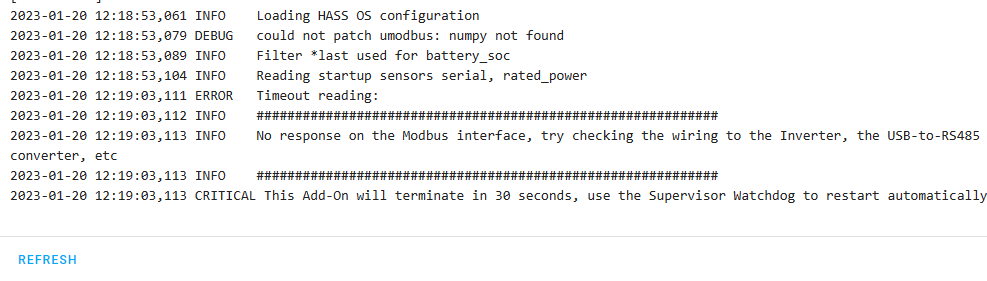
The problem still persists though. Still just getting timeout
-
Seems this is if the A an B cables are the wrong way around. Due to trying everything 😕
-
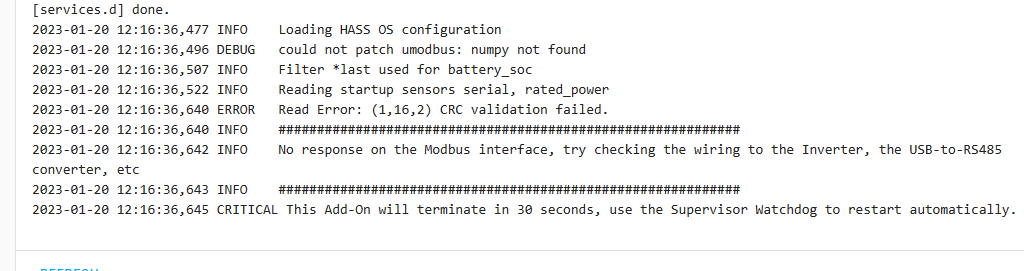
Awesome, I will stick to umodbus. My advanced settings are/were correct. Does a wrong serial number (not modbus SN) affect the connection at this stage, if so where do I get the correct one? I have tried all of these, thus also a second USB-rs485 module Can the mbusd also run on the same Raspi, or must i get a second device (pi or similar) to run that? Also what does this mean? 2023-01-20 12:55:37,640 ERROR Read Error: (1,16,2) CRC validation failed. Thanks guys

-
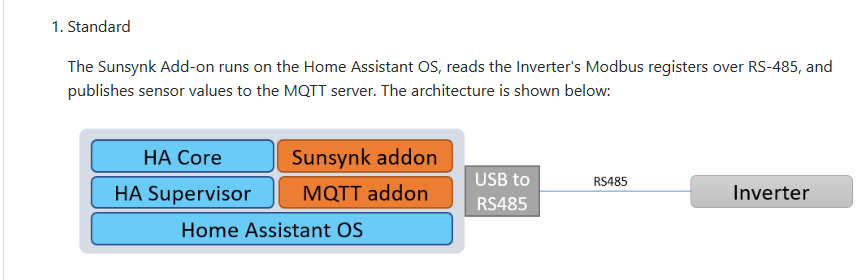
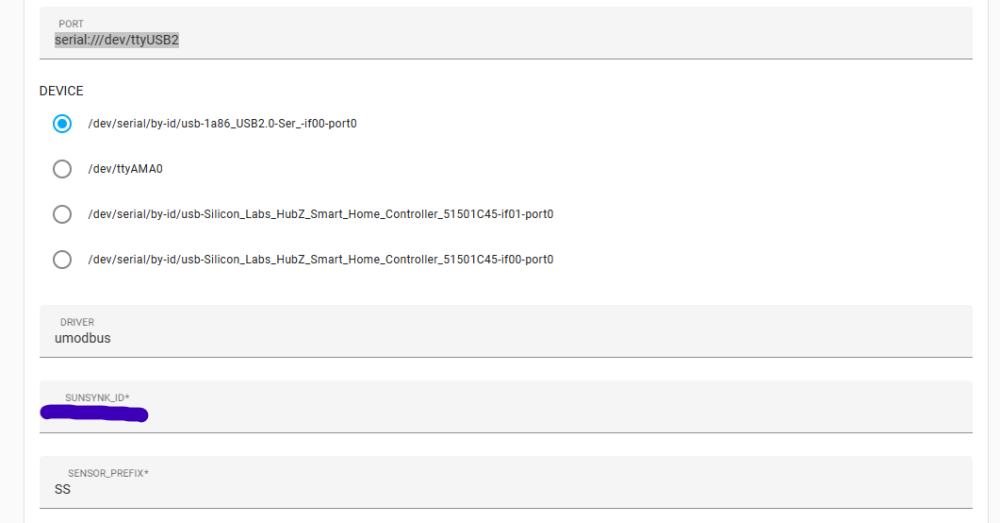
Hi Guys, I have been trying for days now and I am simply not winning. I get this My Setup, Sunsynk 8.8kw. Raspi 4 running Home Assistant, Core, Supervisor. mosquito MQTT installed and running (for other devices as well) Running Sunsynk Inverter Add-on. First of I believe this is the setup I have I am unsure which Driver to use - I get this and if I use currently using this as - USB to RS485 Converter - Micro Robotics Currently My Rasp1 4 has everything on I have this connected to the USB of the Pi4 - USB to RS485 Converter - Micro Robotics And cat5e running from there to the RS485 port ont he invertor, Short patch cable. I have also tried another rs485 module I am lost. Any help would be great.





-
Thanks for this info, I set it up like that now, will monitor and get back tomorrow
-
Hi everyone, Just an update. The System mode constantly re-ticking the "Use timer" was because of Grid peak shaving that was ticked, this is for future reference I have the CT Coil installed now Thanks for this Halcyon, the installer knew nothing about this either, and he almost installed the CT before the Non-essential loads instead of after 🙃 Picture 11 - What CT coil was supplied to you? It should be the 50ma / 100A model. The CT ratio should be set to 2000 and not 200, otherwise the reading will be wrong. On another note. At around 16:00 yesterday I changed my system mode settings to this (See System mode picture) yet, the batteries started charging at 22:00 until it reached 95%. (See graph). I think the system mode doesn't update, even though it displays the settings correctly. Any advice. SIDE NOTE - the batteries that drops to 0% earlier in the day was us testing the CT coil etc


-
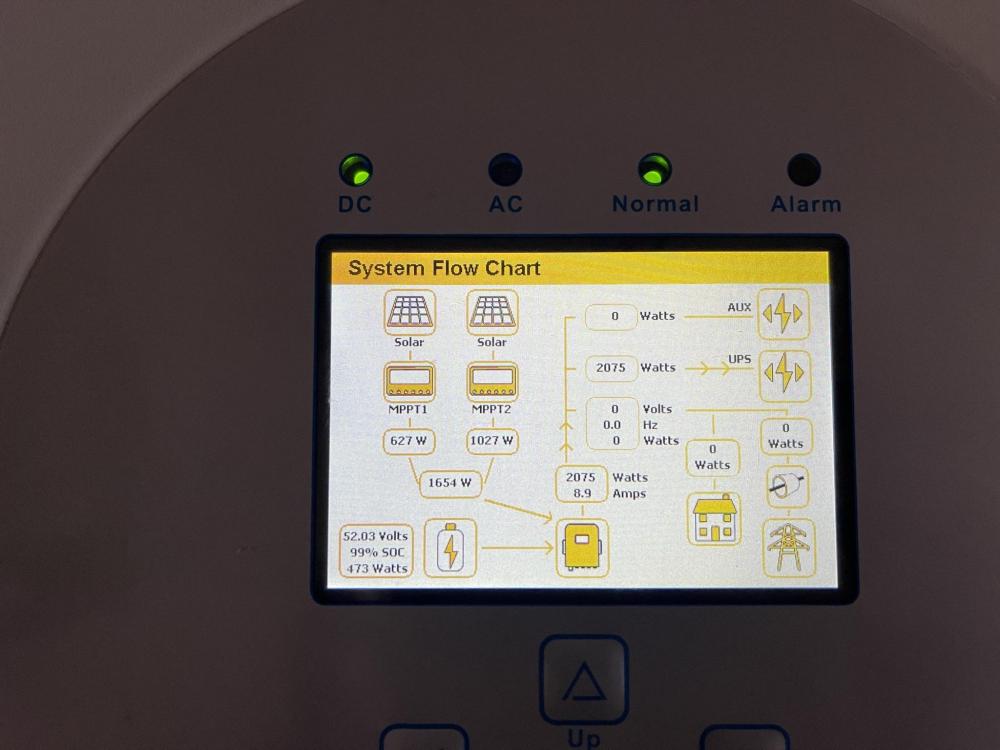
I had to add this, since this is something I picked up now. This is not the same as I had in the past where everything on the app says 0, (in this case the power flow didn't show it, but the graphs still had the readings logged) The app and web portal, show a different picture to that of the LCD screen, the app and web portal does not show the grid input. Not on the power flow or the graphs.


-
I did that, will check what happens and will read up on BMS Err stop as I dont know what that does I will check this out as well, though it seemed like it saved the settings after I did the what Halcyon said Thanks for this reply, I checked and cannot find a coil installed, I confirmed this because there are no wires running to the ports on the Inverter where the coil should be connected., I thus did not change anything according to points 2 and 3. Below is the grid feedback today, I will monitor this tomorrow. Image before settings change Image after settings change. Thanks for the help guys, I will monitor this and keep in touch. I am concerned about the fact that there is no CT coil and the fact that except for the "system mode" settings, I haven't touched any settings since the installer left. I am concerned about the installation, can anyone suggest a Sunsynk accredited installer in the Pretoria area, that I can get to come and have a look, second opinion? One last thing, I have found at night when I access the Sunsynk app (and the web portal) , and look at the power flow (I am aware of the 5 min delay), I often just shows 0 on PV, battery, load and grid. I think this is when the battery DOD reached its limit according to the system mode timer, but that should not stop the information being passed on.


-
grid peak shaving is on yes, here are all the settings https://gmacc-my.sharepoint.com/:f:/g/personal/casper_gmacc_co_za/EhF-p2StNDFOiGpGWKELsCUB_j71AfaMZt66rlG1iztlOw?e=VWf7Bp Thanks for the responses guys
-
-
I didn't get to changing any of these settings since I cant get the timer to go off. So just to be clear on this point, if Grid charge is not ticked and its on 20% that means that DOD of the battery will go to 80% during that time frame i.e only 20% remaining on the batteries. But if Grid is ticked it will only charge till 20% battery capacity.
-
Hi everyone, I am the new owner of a sunsynk 8.8kv inverter. I am having some issues and was hoping that you guys may be able to help me with some answers. 1. When I change settings on the LCD screen, they don't seem to take. During load shedding I would like to untick my "use timer" under (System). Simply to ensure that grid charge works and charges the batteries when there is grid. But what happens is I untick it and press "OK" (I have also tried pressings "Enter" ) but once I get to the default screen and go back to system, "Use timer" is ticked again. 2. I want to make sure what exactly should the settings be to ensure that I don't push back to the grid. This is my problem, see image, and I believe pushing back into the grid will also make my prepaid meter run "forward" Regards