Chad.Robin
Members
-
Joined
-
Last visited
Everything posted by Chad.Robin
-
I found the answer, its a setting in the work mode timer
-
I have a 8kw Sunsynk Inverter and 2 x 5Kw Hubble batteries, I have noticed that since load shedding started again, when my batteries discharge they only charge to 90% and then "trickle" charge the rest of the way at like 100w as can be seen on the image. I am not aware of any setting that changed and prior to this they would charge fully from Grid once the power was restored. Can anyone point me in the right direction to check a setting that might be causing this. I do have access to the Synsync App as an installer in order to make changes

-
Well I followed up today again being the 2 week mark and got told the same thing ... wait 3-4 weeks. I tried calling in at 9am and got a voice message saying "We are currently closed, our office hours are 8am to 5pm Mon to Fri" no wonder its such a mess, they cannot even answer the phone
-
Like I said earlier " Sunsynk might have a market share now, but given their dismal after sales support they would soon find the tables turned" ....
-
I think that you and a lot of installers are looking elsewhere, most consumers blame the installer when the Supplier drags their feet, Sunsynk might have a market share now, but given their dismal after sales support they would soon find the tables turned as @Keith Gough was quick to comment on here with his promises but then like his staff go silent when the ball is in their court. It is only a matter of time. If I need to replace my inverter myself, I too will request my installer to source Solis as a matter of principle and because I don't want to go through this bullshit again I just saw this as well Need to return a faulty Solis product? The SegenSolar team will test, diagnose and replace your inverter within 48 hours, allowing 24 additional hours for shipping
-
Well what do you know it has been there a week and no even been assessed yet

-
Yes, no feedback on whether they will replace, repair or even honour the warranty claim - I just get read receipts.
-
We didn't have a choice, they told us to send it in. I purchased it directly from Sun Solar so my installer told me to handle the claim, he just decommissioned it for me, obviously at a fee
-
@Keith Gough Very interesting considering you committed to 2 weeks Yet another staff member says something different It looks like no one really knows what is going on!!


-
I dont even use the App, I use a 3rd party App and device from Solar Assistant which I purchased for my old Mercer Inverter
-
Yes my installer is a friend and a client who did it as a favour and was now way obligated to do so, he is just an awesome guy who understands how important it is for me to stay online
-
My inverter which is a single Phase 8Kw, had a Dongle Failure after 3 months, it didn't worry me much as I use the Solar Assistant Dongle and I was not going to decommission it and send it in just for that ... Last week the screen and LED's died and it stopped reporting via the Solar Assistant Dongle. The RMA was done and it was received by the centre this morning, thankfully my installer happened to have a spare which he loaned me for 30 days, so let's see if @Keith Gough lives up to the promise and as per the attached document which also conveniently states ... " Timelines for assessment and repair are to be interpreted as a guide only, we endeavour to complete all repairs as quickly as possible." Sunsynk Repair Replacement Policy 13.04.23 (5)_AW.pdf
-
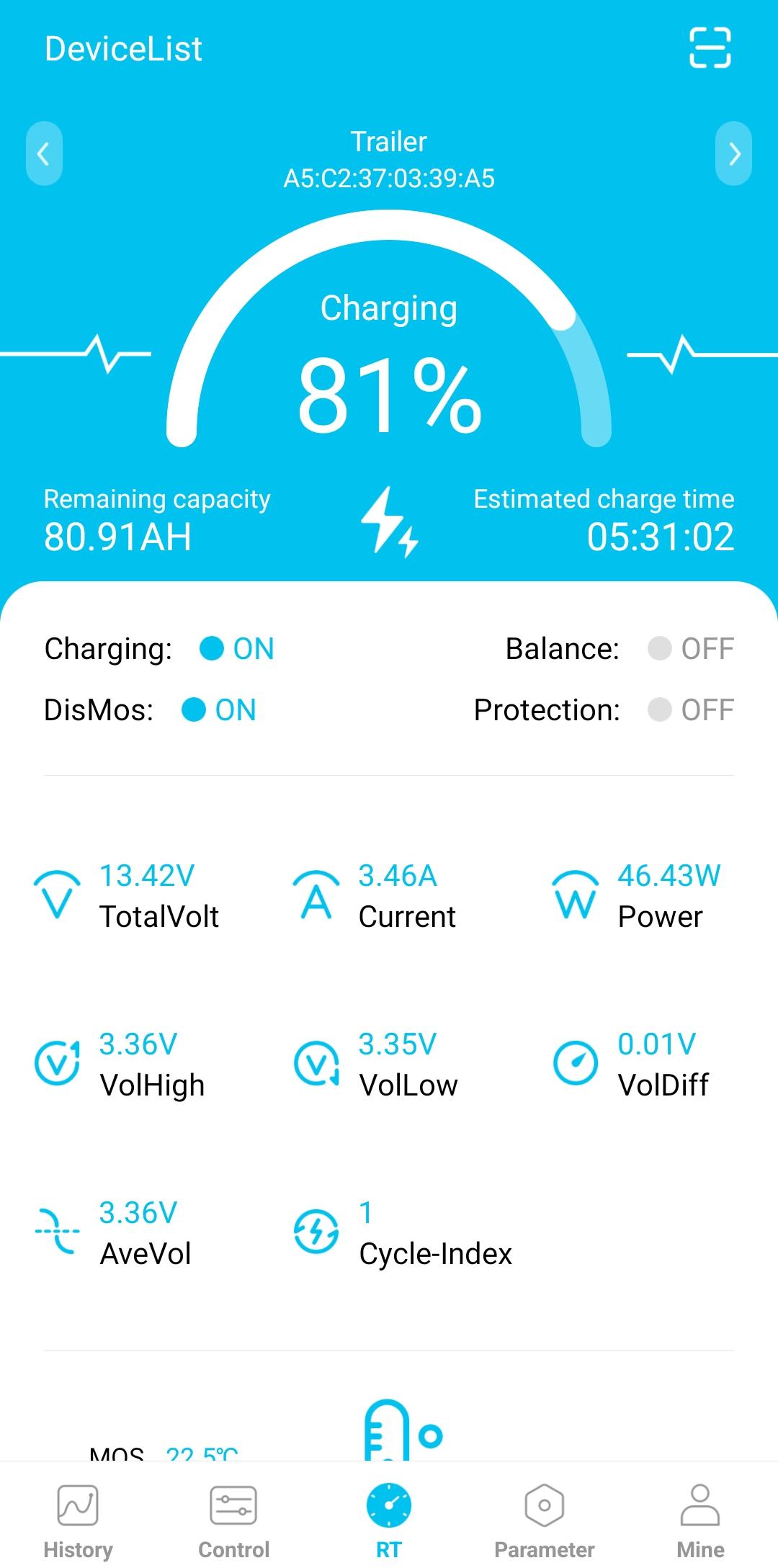
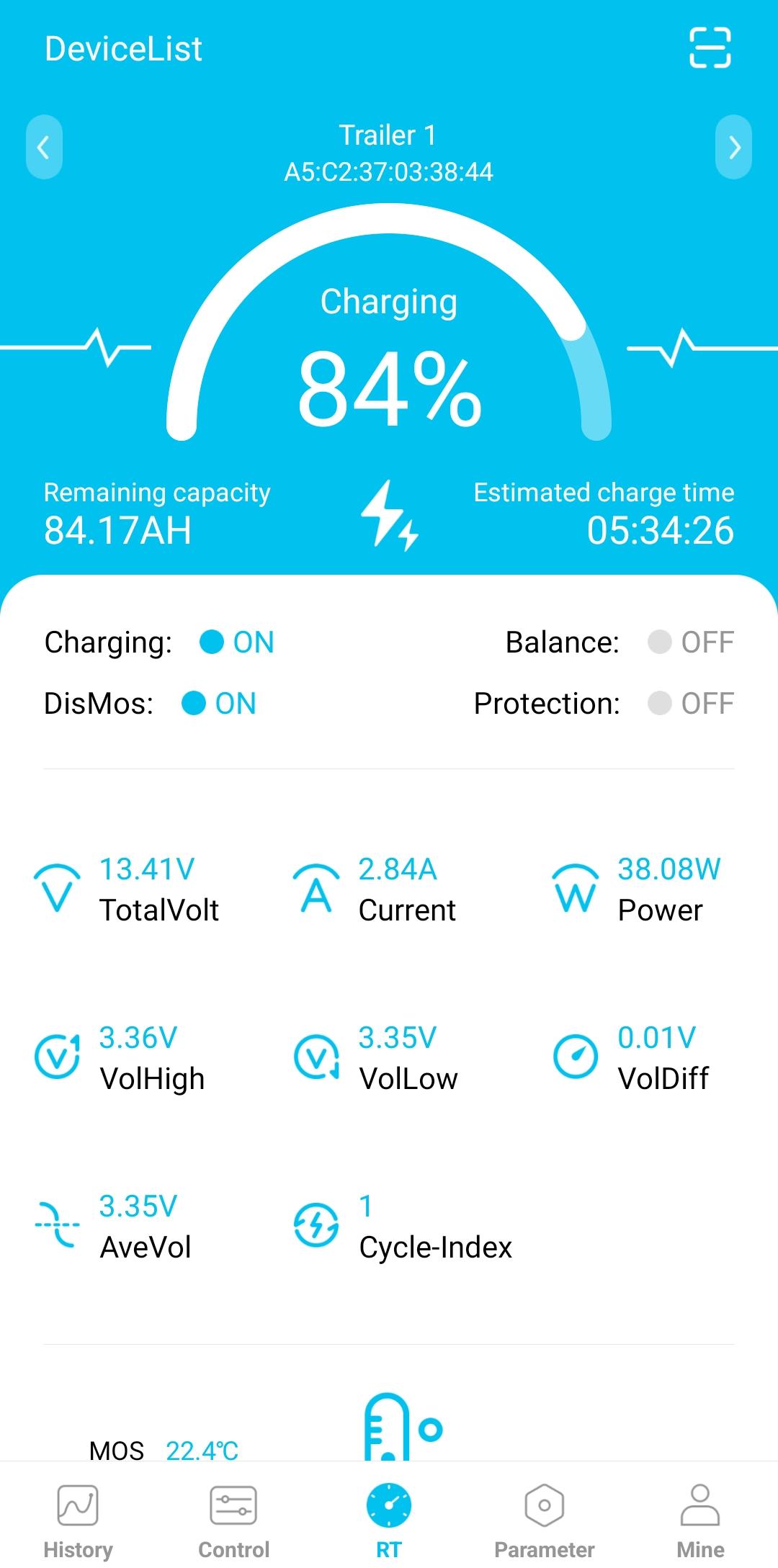
@TaliaB Thank you for your assistance and explanation. I will definitely look at getting a smart Shunt after Christmas. I am not sure about your question regarding Cell Balancing, but I have attached screenshots for you that may answer it. In the screen Shots the batteries are now charging from Solar, so again I am assuming with one being 46w and the other being 38w, the total charge is 84w


-
So I have 2 Revov 12v 100ah batteries in Parallel installed in my camping trailer, which is running a National Luna 50l Fridge. Obviously, on the XiaoXiang App both batteries are appearing. When I look at the Data, specifically the remaining time estimates, I am confused and this is where I need some advice. When I look at each of the Batteries when the fridge is running it shows consumption of 35w, which seems fine. My question is now when I look at each of the batteries on the APP it would firstly show a different percentage for each (not far out but 2-3%) and then it would indicate that I have, for example 87ah remaining ... Now my question is where the confusion starts ... Two Batteries in Parallel should give me 200ah, so would I effectively add the two remaining figures together, for example 87am remaining x 2 = 174ah remaining? and the second part, where it shows the consumption of 35w, is this also doubled for real consumption of should it be halved as the load is spread between two batteries. NB: A 200ah battery would not fit in the space provided as I replaced two deep cycle batteries hence why I opted for 2 x 100ah