muarray
Members
-
Joined
-
Last visited
Everything posted by muarray
-
I have now spoken to probably everybody in Sunsynk and no one can give me some sort of answer. And do not think for one moment it is easy to book a warrantee claim for something that was not finally installed and subsequently not registered for its warrantee. Unfortunately for me I am still waiting for wifi. So, they cannot look up on the logger. They do not answer phones. Do not call you back. But it seems after I took the matter up with their chief operations manager that something is happening.
-
I agree regarding to warranty. But why a barked relay. What causes it
-
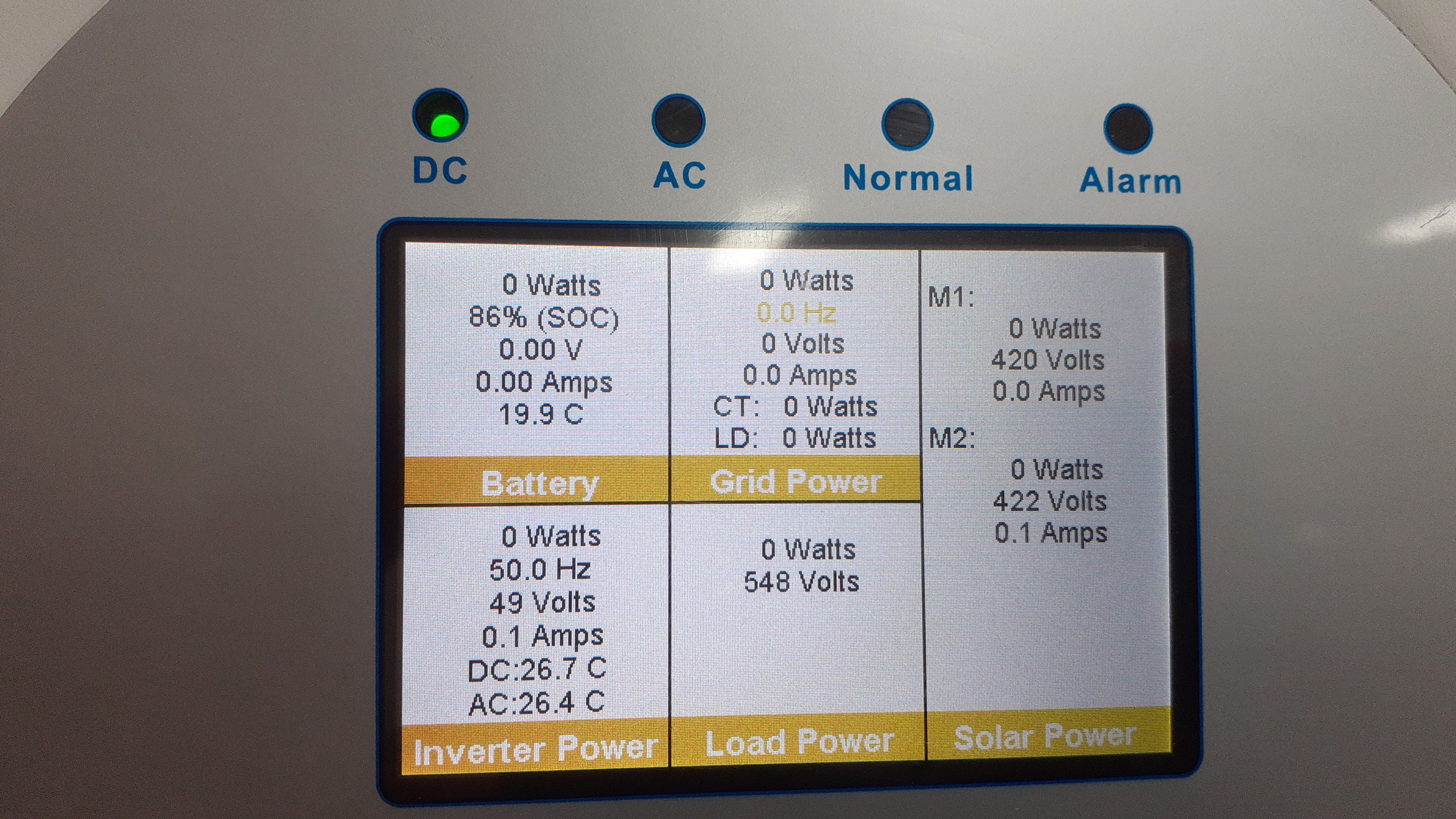
My 8kw Sunsynk inverter is installed and operated perfectly for the last week since it's on a test run. Yesterday we had loadshedding from Eskom and the inverter worked. The moment the power came on the inverter made a click sound and stopped giving power to the load (UPS). In the photo the AC is off as i am running on By-pass. There is power from mppt and battery. The load shows 548 volts. Did something blow up? I tried resetting but it gives alarm with code ID 2205264432. No fault codes though. Please help.

-
Hi, Ii have a problem. Eskom went off and when it came on my inverter stopped giving power to load. All 4 dials are zero. I did reset but of no use. Did Switching off procedure and switching on procedure. No use. All settings are correct. Green button is on. Also tried failing the incoming mains. Normal light stays off.