Leog
Members
-
Joined
-
Last visited
Everything posted by Leog
-
Hey guys, i am in Greece, no South African here, but you got a great forum, and have helped me a lot in DIYing my system with all the knowledge. It will be very difficult to get full irradiance (sunny) with 0c where i am. Heck we almost never have 0 with SUN. We can go 0 or negative only in the nights with clear skies. From your answers though i get its better to play it safe and not go 11.
-
I know my inverter is rated for 120-430V operating voltage with 450 open circuit max. I currently have 9x405 panels in series with ~37,5V open circuit which is 337,5V max open. System works like a champ on these settings. I want to add 2 more panels, which will take me to 412,5 Open circuit, which is somewhat close to the 450 max. This configuration would be ideal for my consumptions and 11kwh battery. Is it safe enough? Will i have peaks on cold/sunny days above that based on others experience with your systems? My axpert is close to running 2 years without problems, and i would like it to do another 2-3 years before i retire it/replace it, so running smoothly is of essence. Any advice appreciated. Chart of past 7 days

-
Ok now this makes sense. Not wanting to get it back to Spain i bought it, and send it back to Voltronic. This would be a nightmare. Is there any fix i should attempt? I did install Solar Assistant today so the display is pretty much useless now as i have realtime info.
-
Not willing to open the inverter at this point. Went ahead and restarted the inverter. Closed everything off, even the discharge on BMS to fully shut down. Guess what , started working again. Next day same problem occurred. May this be a software issue?

-
Hello everyone, My Axpert Mks IV 5600 was working fine for two months. Still is but the display is not showing all info since 2 days now. The bottom line info is corrupted, also the menu's. I have smartEss app, and i can do everything from there, and also i can see all necessary info. But if i would like to fix it if its something i could do. Anyone had the same issue before?

-
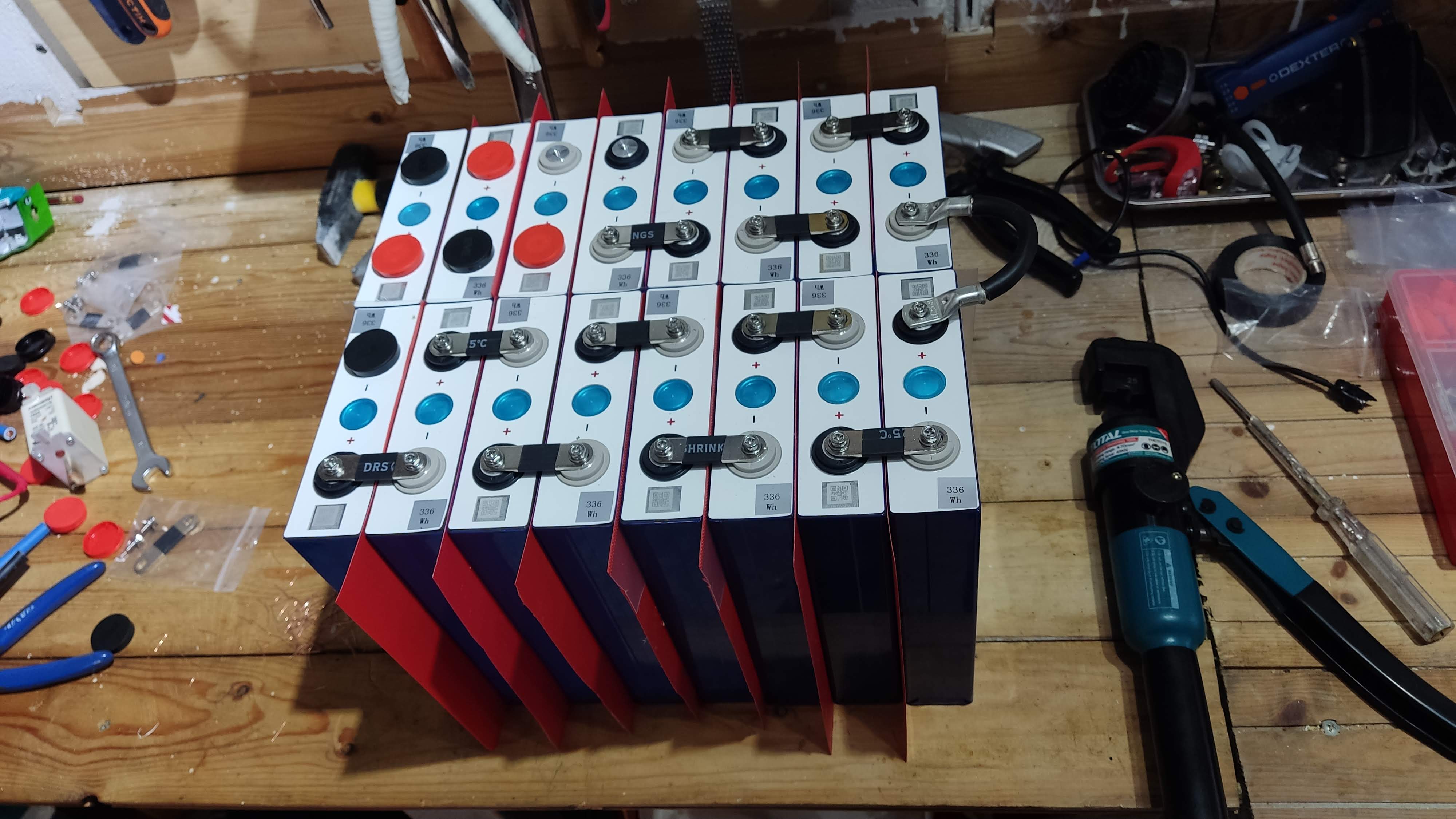
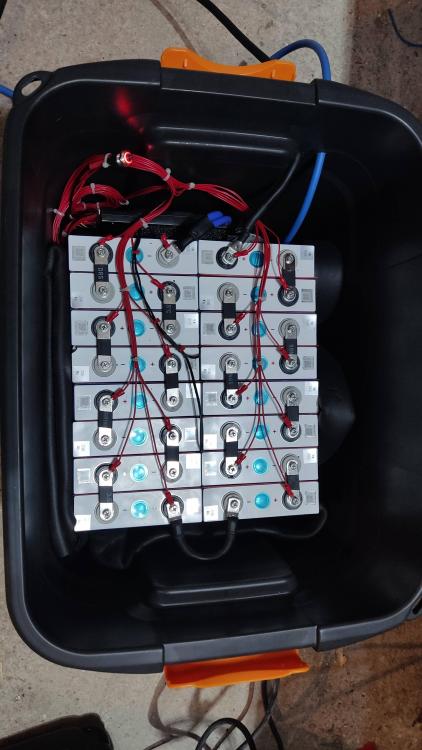
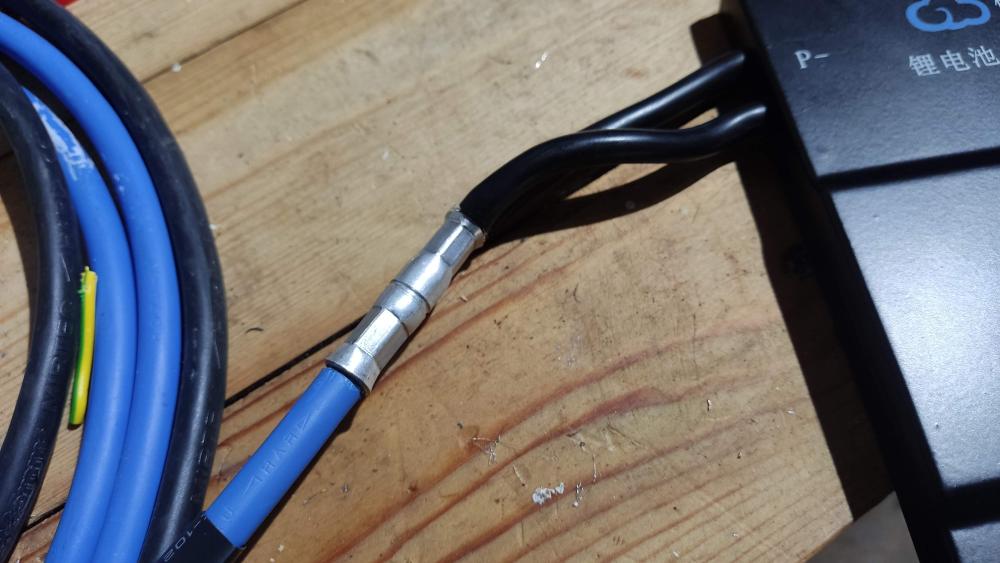
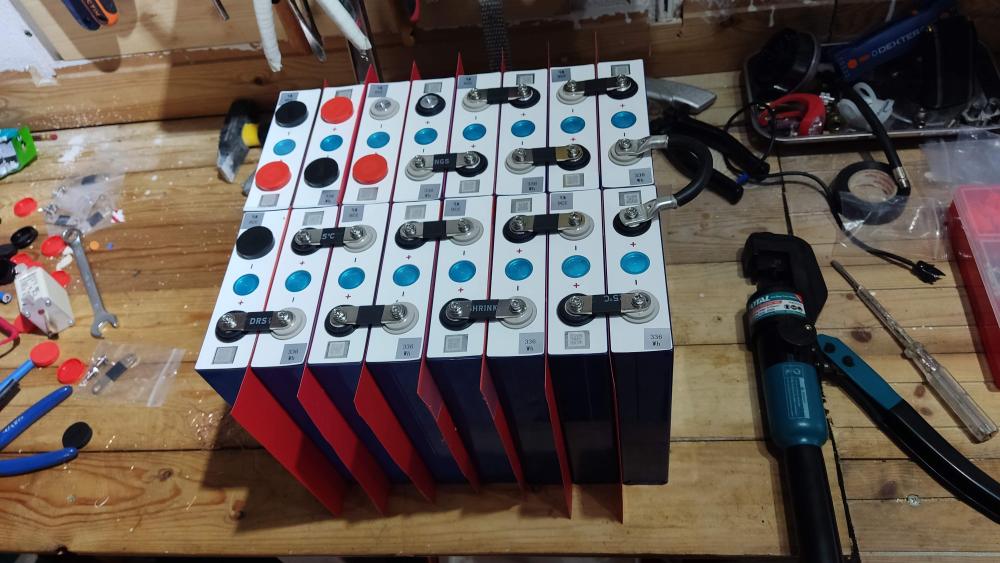
These are EVE LF105 cells, Grade A as per Seller (Nkon is reputable europe battery seller) I torqued with hand. Toughest was the small screws that bolt on the cells. These are miniature philips head. Had to buy a hydraulic press for the fittings as it gives me peace of mind on the connections. Also added plastic sheets in between the cells for added protection. Compressed only by some duct tape, not going the heavy compression route. Battery went into heavy duty plastic box with lid. Wiring is 4awg with 160A NH00 Fuse. The bms is the JK-BMS 100A version with bluetooth and 0.6A balancer integrated. The app in my phone is awesome and i see everything i need for the battery. Tested with my Uni-T210E bms is accurate. I do see the first cell always being an outlier , it just keeps having lower voltage. And the balancer keeps propping it up. In theory with bulk charging at 56v and float at 55v i wont see ever the OVP bms protection kick in as it is at 3,65v (58.4v). Nice thing about this BMS, you can put the battery connection without sparks or the need to precharge. Once you have everything wired up you can enable discharge from the app!
-
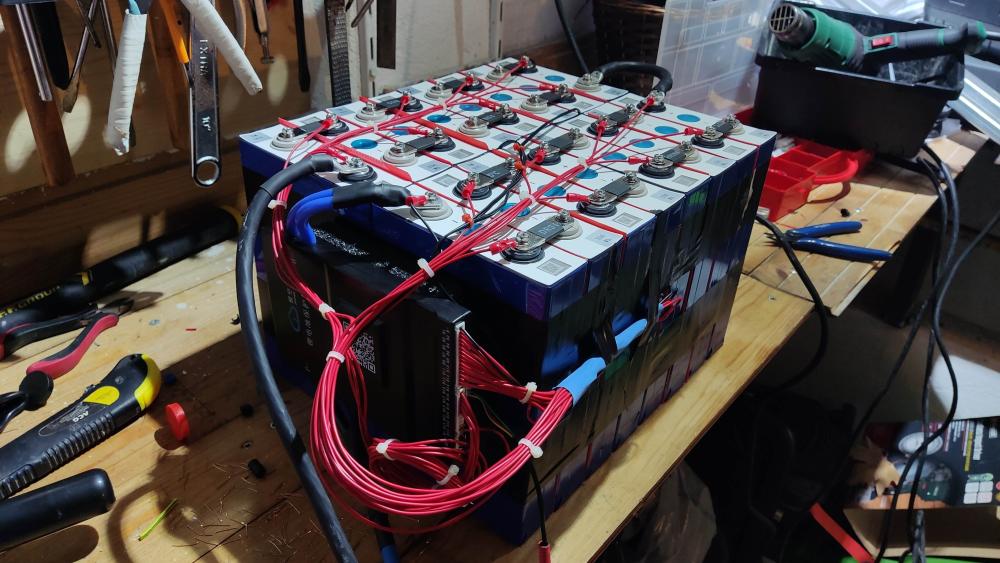
And the battery got installed! No more annoying beeping. In the course of 2 months, 3-4 times the inverter would start beeping around dawn giving no output. Still a mystery. But with the battery installed all looking much better. Jk-bms + 16x105 EVE grade A from Nkon. Super happy with the result. Though i am finding it hard to find the correct settings for the Battery parameters. So if anyone can comment. Currently i have: Battery Cut off voltage 47v Back to grid voltage 48v Back to discharge 54v Float voltage 55v Bulk voltage 56v Max charging current 30A Does this look ok? Goal is to minimize my electricity bills. Prolonging battery life is second priority though i am not planning to go above 3.5v per cell or below 3v per cell.
-
Writing a summary here for helping others on the baterryless feature of the MKS IV. It doesn't start immediately, beeps sometimes and if you leave it with load for 2-3 min it starts giving output ( no clue why this happens). With around 210v indeed its working batteryless together with AC IN fine. Went through the night with inverter going into bypass mode essentially providing the load from ac in completely. (average consumption of inverter around 50w), in the morning mppt engaged fine on its own. When PV is available it does have a minimum threshold of ac and pv it mixes. If the load is low < 300w (haven't found exactly) then around 220-240w come from the AC IN and rest from the PV. As soon as you put a 1000-2000w load then PV engages and ac IN load goes down to 100-150w and rest comes from PV. Load surges are first being supported by AC IN until mppt ramps up, then the load transfers to PV. Takes about 3-4seconds No lights are flickering nor other issues for now. My whole house is almost** supplied by the Axpert. Will come back after some time to report if running it batteryless has any impact at all overall. ** Except ceramic stove, well pump and heat geysers ( i have gas heater)
-
Exactly what i did, i have in total 4 surge arrestors in my whole setup just to make sure the inverter is not exposed to unsafe voltage spikes that will shorten its lifespan. 2 in the ac IN (house-inverter), 1 in ac out and 1 in dc. Not sure this would be enough for an axpert though.
-
Oh that is why my multimeter was reading something like 3.25a in AC in. But actual power was a Indeed somewhere around 100w when I made the math from the Shelly power meter which takes into account the Power factor. At night the inverter is drawing 50-60w being in bypass mode as Pv has stopped completely. Guess this is the absolute minimum.
-
This is good to know i suppose mine should do the same! Is this SUB setting right? Also Nice graph! What is it? HomeAssistant? I see you also have high Grid usage.
-
Yeap i get the battery is the next crucial addition to the system and i have to plan it faster it seems. Though from my research with batteries it cannot blend PV and AC if needed, it switches to AC if PV+Battery isn't enough. Correct?
-
Yeap this is exactly what i am witnessing also. My load is <300w 20/24 hours of the day. That possibly means i will make no electricity savings at all these hours, instead i will consume more due to inverter being powered by Utility mostly. Only when i have high load then i will be making any savings. This assumption really sucks!
-
I did change this 25 setting to ON after your suggestion. Also changed some battery related values, but i am sure it doesn't matter overall. I tried again today to open the inverter and as soon as i put a load before it starts beeping it worked. 😂 Not confident it won't do it again. Dang this was unexpected! Now i am trying to find out the high Utility consumption. My PV array is 6x405W JaSolar in series. Time was around 15.30 afternoon ( in 3hours sun has set) House load -> 200w -> Utility 240 -> Pv 60 ( inverter consumption around 100w?) House load -> 1000w -> Utility 150 -> Pv 950 House load -> 2400w -> Utility 950 -> Pv 1650 (inverter consumption 200w?) I am measuring the Utility Watts with a Shelly 3EM wifi meter. What i find hard to believe is that when load is low, it consumes most of the energy from Utility. Also on high load the inverter seems to be having a consumption close to 200w (give or take). Are these findings correct? Will try to put a usb otg to dump the settings and logs later today.
-
Is there an easy way to dump all settings? Also the inverter had logged 1664kw in total Pv energy generated which doesn't make sense. Maybe its not a new unit and had some weird settings. Maybe I should start from a factory reset.
-
Yeah its candles for me if Load shedding happens until i get a battery. But does anyone have any possible idea why it doesn't work? Do i need more panels for batteryless? Maybe i have a problematic unit? I am waiting for an official response from the shop i got the axpert. Have contacted Voltronic directly. I am already thinking i should buy a Deye already, and somehow return this to the shop.
-
Yeah beeps with no load and doesn't output any voltage. Does the same with AC input and Pv. No output at all. Plan was to work it with ac Input and Pv together from the start in order to blend. Yes SUB
-
I have the battery to user defined. But it should not make any difference i suppose as it no battery is connected! Watchpower with WIFI , does have 2 alerts that don't make sense as i had no battery connected when recorded.

-
Yeah it does say so, do you have personal experience on this? Original Voltronic manual doesn't say anything on the Axpert MAX 8kw. I have already ordered another 3 Panels going to 315-330 VOC from 205-215 i am now
-
This would make more sense than anything else. Manual isn't saying anything of a minimum pv voltage to support battery less operation.
-
Hey mate, yeah let me say what i am trying to achieve here. My endgame is to have a system with batteries (around 10kw) and with panels up to 5kwp. Grid will be backup if batteries/solar is not enough. I selected the Axpert MKS IV with that the above in mind and also because i can go gradually there. I have setup a secondary load panel in my house which at most it will peak at 4kw, so the 5.6kw of axpert will be enough. My daily consumption is around 7-10kw. I couln't buy batteries right from the beginning neither i could afford all 5kwp of panels. So i bought what i could for starters. Without batteries the plan was to run it with the 6 panels (2.4kwp) and Grid supplement. Run the heavy loads during the day while the sun is shining so the panels do the heavy lifting, and power the house from the grid at night. If the load is above what the panels offer the Grid is supplementing the load. I know the axpert does this. Next i would either buy batteries or more panels to reach my endgame. But i would do this gradually as i save some money (next 12months). Right now the inverter with 2.4kwp of panels can't even power a 70w lamp, as it constantly beeps and not gives any output (0v), and this is with AC in also connected. As soon as i connected the scooter battery it worked.
-
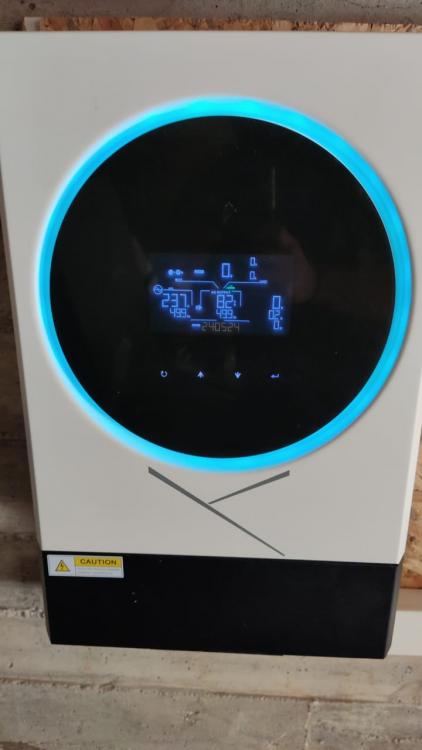
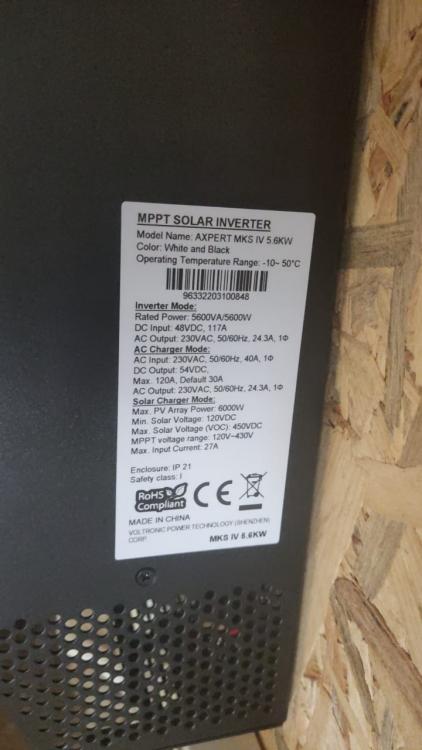
Hello everyone! this forum seems to have a lot of knowledge around axperts! I am in need of some assistance. I have bought and installed a Voltronic Axpert MKS IV 5.6kw (not an easun nor any other brand, i bought it as original). I have connected 6 JaSolar 405W panels in series (37 VOC) and AC IN, but not batteries yet! With just the PV in Inverter powers up just fine and all looking good (200-215 PV voltage). As soon as i try to turn it on the Inverter beeps every 3 seconds twice. (Derated output power ? ) No output at all from the inverter. Isn't this inverter supposed to work without batteries? This happens with either AC IN and PV connected or with PV alone. If i leave AC in without PV in -> Load powers just fine If i connect a 48v battery (i had one from a scooter laying around) with PV connected - > Load powers just fine. No errors visible on the LCD screen. Just beeping twice every 3 seconds. Also although my Inverter is new, i see 1664kw in total generated PV in the display. Shop tech i bought it from has not seen this problem again. Any help will be appreciated as i can't afford right now any batteries. WhatsApp Video 2022-10-13 at 15.28.55.mp4 WhatsApp Video 2022-10-13 at 15.28.55.mp4