


PhotonSmart
Members
-
Joined
-
Last visited
Everything posted by PhotonSmart
-
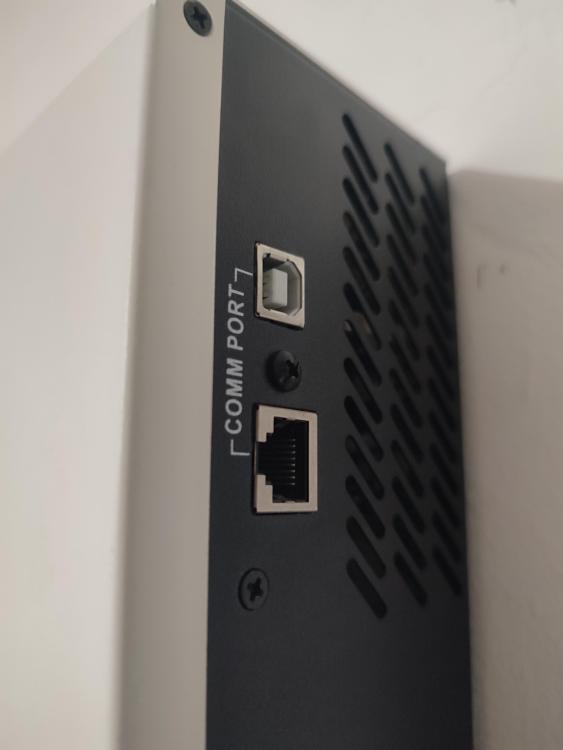
Update - I am now using the Synapse 3.0 V+ with a Hubble AM4 battery and the system is working well. I added a Hubble Cloudlink Logger to the battery and I can monitor the battery now. I see there is two comm ports on the side of the inverter - and there is open ports on the Cloudlink My question is - should it work when I connect the inverter to the cloudlink? Cheers
-
Thank you @jbroo for the info provided. I did not take the budget to split the DB board in to account. My latest plan is to use the Hubble AM4 battery https://www.hubblelithium.co.za/am-4 which is around R15k. It should last the two hours and I think the installation would be neater than with two big 200Ah batteries. I am also not so familiar with balancers so would prefer a single battery. also I did see earlier in this thread that @wimsza is using the Synapse 3.0 V+ with the Hubble AM4. If anyone that knows about these things think I am making a mistake please let me know! I assume I will be able to find the correct voltage settings for the AM4 somewhere
-
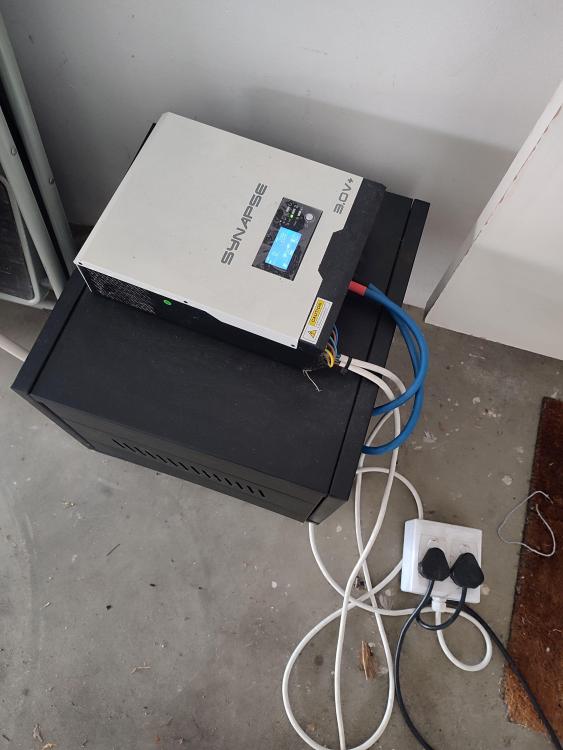
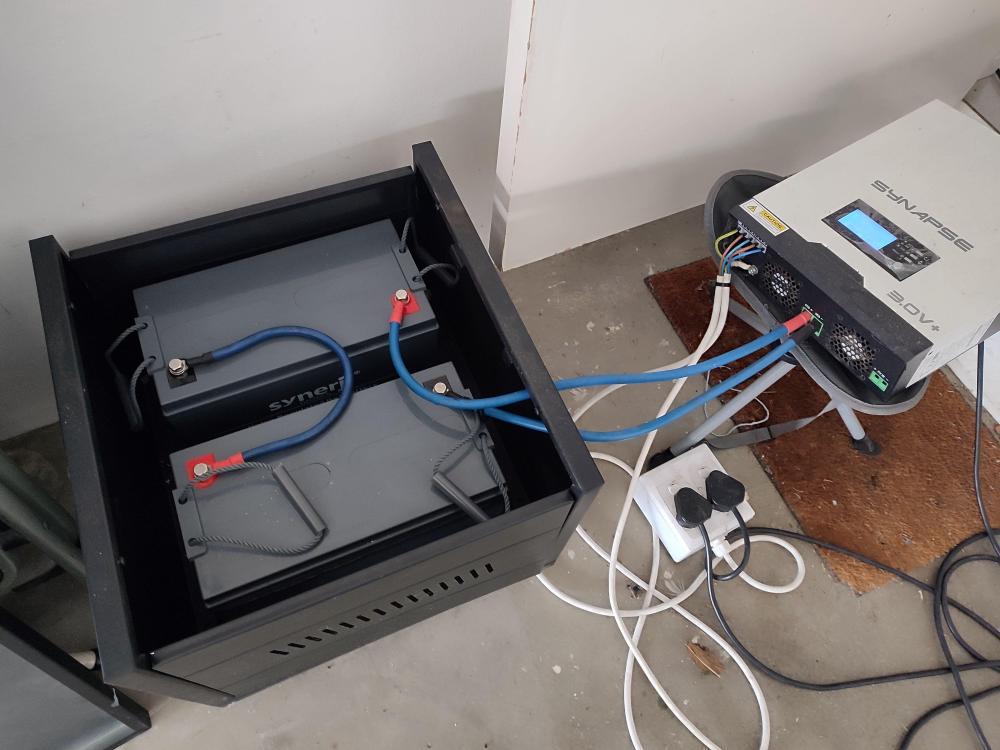
Thank you @jbroo for chipping in - very useful. I have a bunch of questions. This is not an area I have experience in and understand well. I did not think of using two 200Ah batteries - which I am now considering. Any reason why you went with the Securi-prod over something like this https://www.geewiz.co.za/lithium-ion-batteries/196088-vestwoods-200ah-vc12200-lithium-lifepo4-battery-with-bluetooth-monitoring-and-bms-128v-200ah-3-year-warranty.html I like the idea of having a balancer that has Bluetooth built in - I see that some reviewers on the sire that linked to say that their bluetooth app is not working - please confirm that it is not the case with you. Do you think I would also need to go through a calibration exercise as you did? Is it a common problem with these inverters? I use the inverter in a trolley set up currently (see photos attached) - but ideally would like to have it connected to the DB board - would that be advisable? If possible it would be another reason to go for the 200Ah batteries.
-
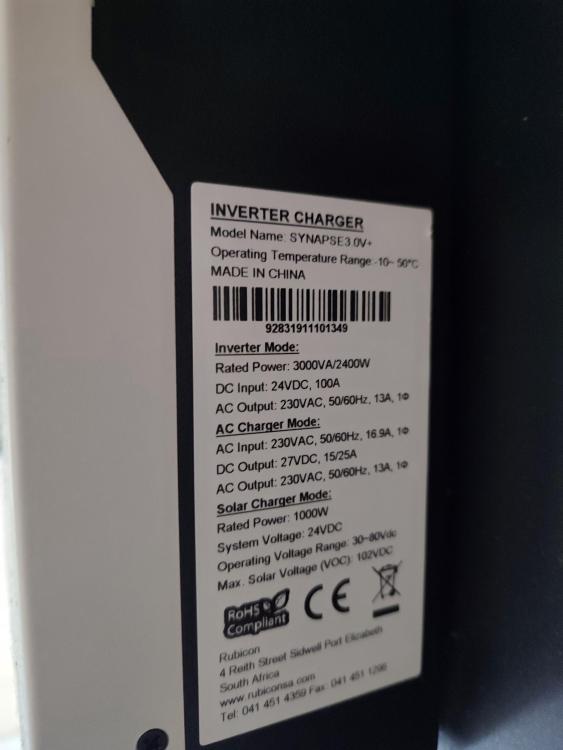
Thank you @jacquesretief for the reply. I am sure a number of people will benefit from what you have learnt. I unfortunately also have the V+ version - which is why mine is also in the garage. I know the inverter has a "battery type" setting that can be set to "Fld" for flooded batteries and "USE" for user defined settings. Did you define the the bulk charging voltage(26), floating charging voltage (27) and low DC cut off voltage (29) - or did you leave it on "Fld" Please send a link to the specific battery balancer that you used. I would like to copy your setup as closely as possible
-
Hi I also have a Synapse 3.0+ inverter. Currently charging 2 X 12V 100ah AGM batteries. I am considering moving to lithium because the AGM does not last 4 hours. I see in this thread that @jacquesretief has used this inverter with Hubble S100 and @wimsza with the Hubble AM4 lithium batteries. I would appreciate input from anyone that have used this inverter with success on lithium batteries - and specifically what the charging settings are.
-
Hi For those that are following this topic please see related thread here
-
Hi First post here. I would like any information about suppliers of "digital electricity" or POE for lighting specifically in South Africa. I first saw this concept in this video - see segment that starts at 11:18. Form the video I was able to look at https://voltserver.com/ and https://lumencache.lighting/ Are there similar systems available in South Africa ? Any feedback will be appreciated.


