


Marie1
Members
-
Joined
-
Last visited
Everything posted by Marie1
-
Hi Tinkerboy, sorry I've got behind with my work, and had to work! I've said to my husband we should get an electrician to take the kettle and microwave plugs of from the solar. I've noticed they are causing trouble. I havent looked at the reports yet, will do so during this weekend. The battery cables will get fixed this weekend. Will give an update by Monday! Thanks for asking.
-
Will do, try to do it tonight. Thanks Mark
-
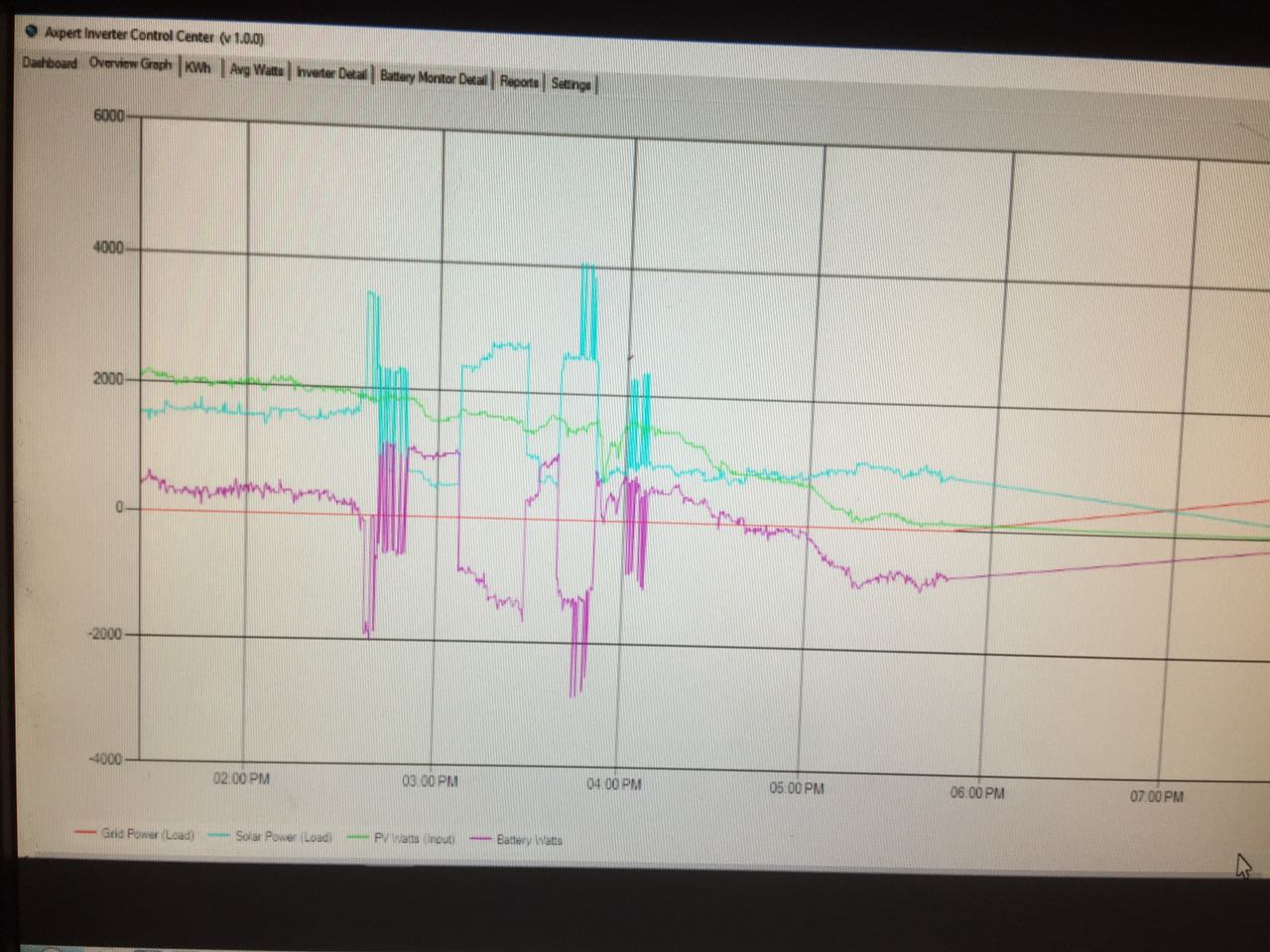
Thank you guys, I left the midpoint out for now. Software sorted. Everything 100% , no smoke so far. Will you be able to see something on the graphs lets say late tomorrow? Or should I get info over a couple of days?
-
Thank you Chris, now I understand when you guys talk about "float" I've been struggling with the other two cables that came with the BMV (+B1 & +B2) our current battery setup is more towards Fig 9, where can I put those cables?
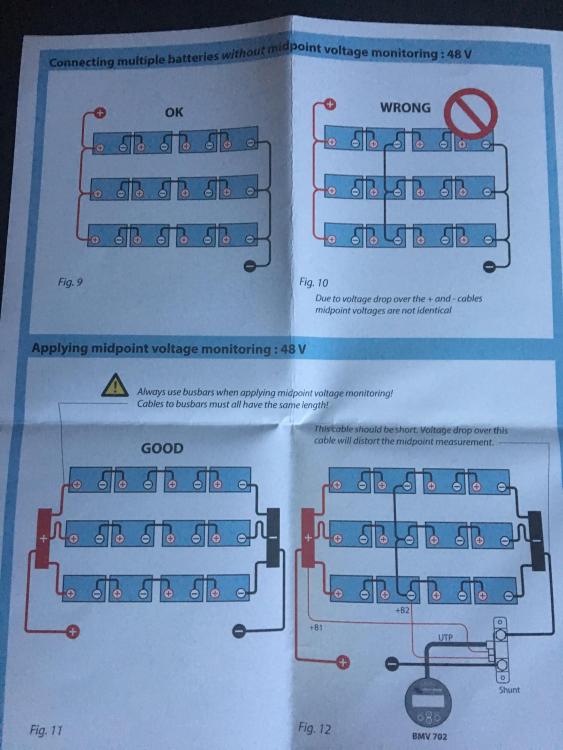
-
Batteries must be full? Is that now when the inverter tells me they are full? And from here I just let the software run?
-
Hi all, the monitor is now installed, now the midpoint cables... (I have someone helping me) When done, what do I have to change on the BMV settings exept the battery details (400ah), and I've read somewhere about setting the midpoint. I want to get everything ready for the night, so that I can take readings asap. I've fully charged the batteries from Eskom during the night,(according to Chris settings) changed the settings back at 9am, (when changing the settings back at 9am I've notice the batteries volts were 54, and not 56.4(so not totally full) Axpert showed system was on bypass till 1 this afternoon. Only start working then. I thought with the batteries full(or suppose to be full), system (available solar) will start at 9, when I changed the settings back. Anyways doesn't make sense to me, want to get the BMV and software running asap to sort out this problem. Got the cable to link BMV to software. Almost there!
-
Ha ha, I will do a lot of things, but the batteries and cables, I will leave for Saturday! How close should the monitor shunt be? The inverter are inside the house an the shed with batteries outside, with other words back to back with a wall inbetween. With the shunt inside under the inverter, it will be about 1meter from bank. Will that be to far?
-
The batteries are currently like this, the guy at the place where I bought the BMV said I should move the cables.(see green crosses in next pic) in the meanwhile untill Saturday when the new cables get installed. Want to confirm if it is correct.
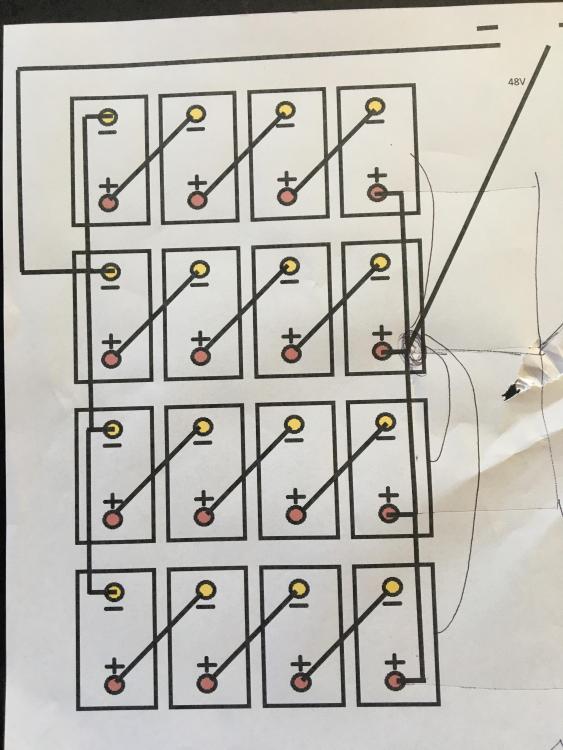 Didn't get the 8x50mm cables, they didn't stock it. I have an electrician friend that can help me on Saterday.Hi guys, got the BMV702, jayyy! I need help now, monitor set on factory value 200 Ah, should I set it to 400ah, which is the total size of our bank? See b):
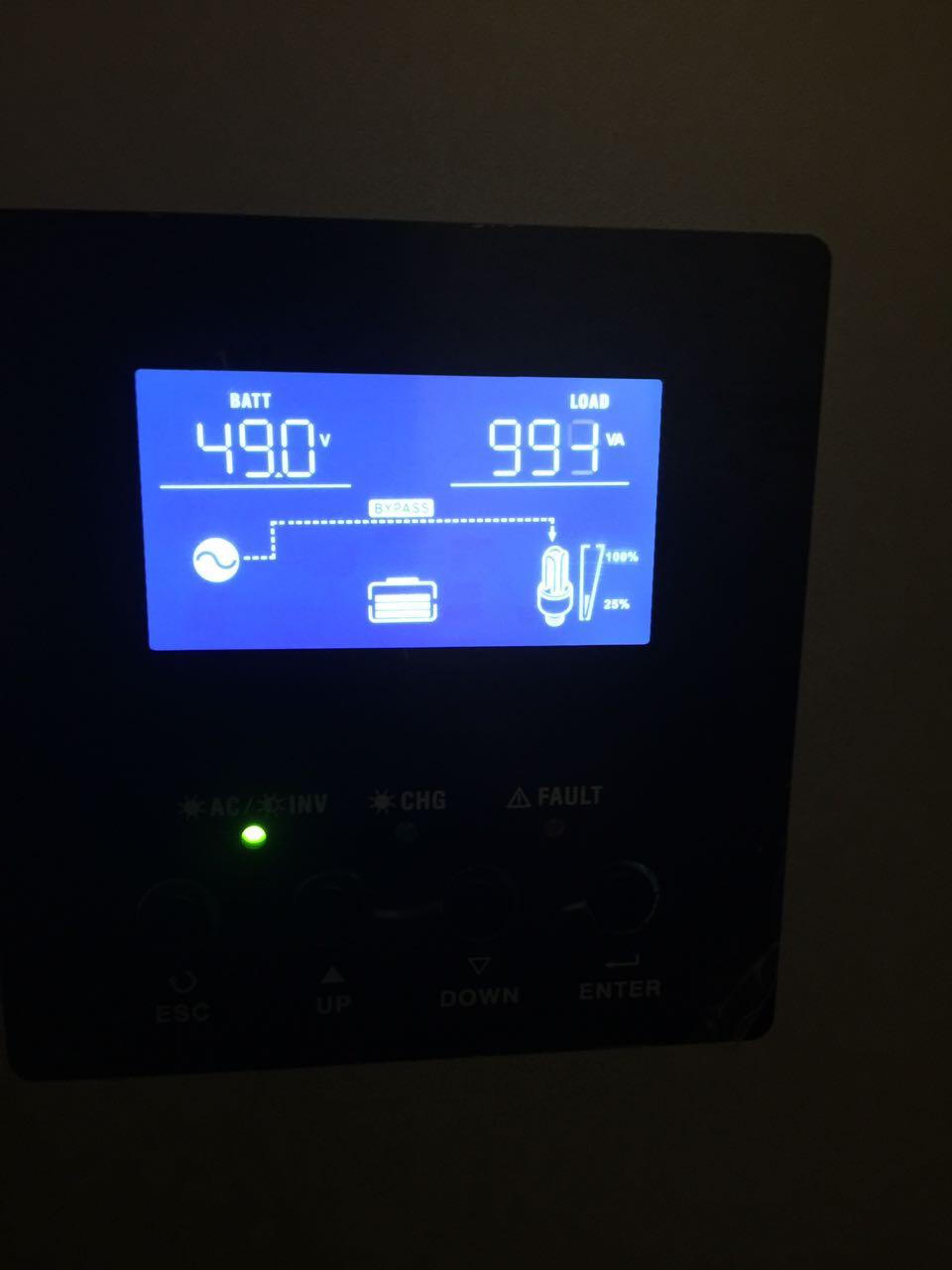
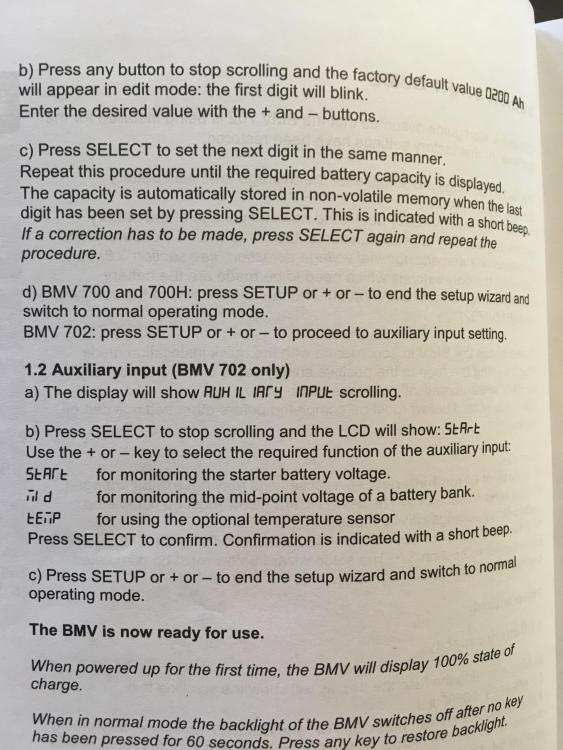 I'm on my way to Somerset to fetch the BMV and VE direct cable. Also want to get the battery bank cables. The question: the cables(links) on batteries are 50mm, the 2 cables going to inverter are 35mm. I need 8x same lenght cables and 2 bushbars. Those 8 x1meter cables: should they be 55mm or 35mm?I'm an accountant. My hubby buy's all this gadgets then teach me the basics on how they work so that I can "play" with them, when he's away, when he gets back I show him how his gadgets works and what they can do! That include Roku and Apple Tv, new cell phones etc. He calls me his google queen. I still have a lot to learnYes, that's it. And then I have another pc in my home office that connects to that tablet via teamviewer, that's why I asked if the software would or can work on pi, would be much easier.Will do, thank you Chris!Windows tablet with an usb to rs232 cable, into the inverter.I didn't do anything to the software, got there the first time now since early this afternoon when I took the other picture? Software shows it's been running for almost 7 hours (that is when I switched it on) Am I doing something wrong?Will it help if I get another 3 panels installed asap on current inverter? And add 6 more with a extra inverter in March?It seems that the batteries don't charge enough, if I set the charging current to 80 on a 400ah bank, will I still be able to carry the normal daily load?Hi Chris There is a fuse/battery disconnector between the bank and inverter, will send pick now. I am planning to get another smaller inverter and additional 6 panels in March, when I get bonus. I have someone coming to help me to get the battery bank wiring correct on Saturday, will buy the cables all the same lenght tomorrow, as well as the battery monitor and cable to connect to pc or pi. I've changed the settings as you mentioned in an earlier post, just checked, the inverter is on "bypass" again. I will get Mike out, but can only do so next month, as I didn't plan to buy a battery monitor and cables, and I can only spend so much now. See attached the battery fuse and current reading.
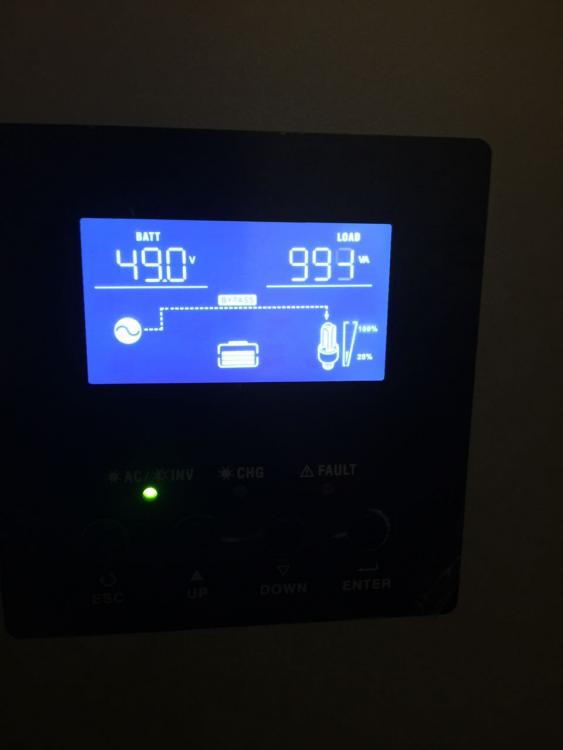 This was taken about 8am, it was sunny today, no clouds.Must I just just ask for a: ve.direct cable? At a solar company, computer supplier or any electrical supplier?Yes Tinkerboy, it changed several times. Whenever I called the solar company with complaints that my usage went up, they gave different settings. I had people at my house also changing settings, (who I paid to come out). I know with the correct settings the system will work 100%. With our 1st solar system and batteries it also took time to get it right, when the settings were right, it made a huge difference. I know how important the settings are, but I know nothing about volts, amp etc. which is making it very difficult for me, even more frustrating are when I get someone out, and they know lesser than me:-)



Account
Navigation
Search
Configure browser push notifications
Chrome (Android)
- Tap the lock icon next to the address bar.
- Tap Permissions → Notifications.
- Adjust your preference.
Chrome (Desktop)
- Click the padlock icon in the address bar.
- Select Site settings.
- Find Notifications and adjust your preference.
Safari (iOS 16.4+)
- Ensure the site is installed via Add to Home Screen.
- Open Settings App → Notifications.
- Find your app name and adjust your preference.
Safari (macOS)
- Go to Safari → Preferences.
- Click the Websites tab.
- Select Notifications in the sidebar.
- Find this website and adjust your preference.
Edge (Android)
- Tap the lock icon next to the address bar.
- Tap Permissions.
- Find Notifications and adjust your preference.
Edge (Desktop)
- Click the padlock icon in the address bar.
- Click Permissions for this site.
- Find Notifications and adjust your preference.
Firefox (Android)
- Go to Settings → Site permissions.
- Tap Notifications.
- Find this site in the list and adjust your preference.
Firefox (Desktop)
- Open Firefox Settings.
- Search for Notifications.
- Find this site in the list and adjust your preference.