


LeonMin
Members
-
Joined
-
Last visited
-
Thank you. I will try to get someone to help and update software. Have a good evening
-
No problem i appreciate your time and help
 Sorry was bussy with that when my phone died
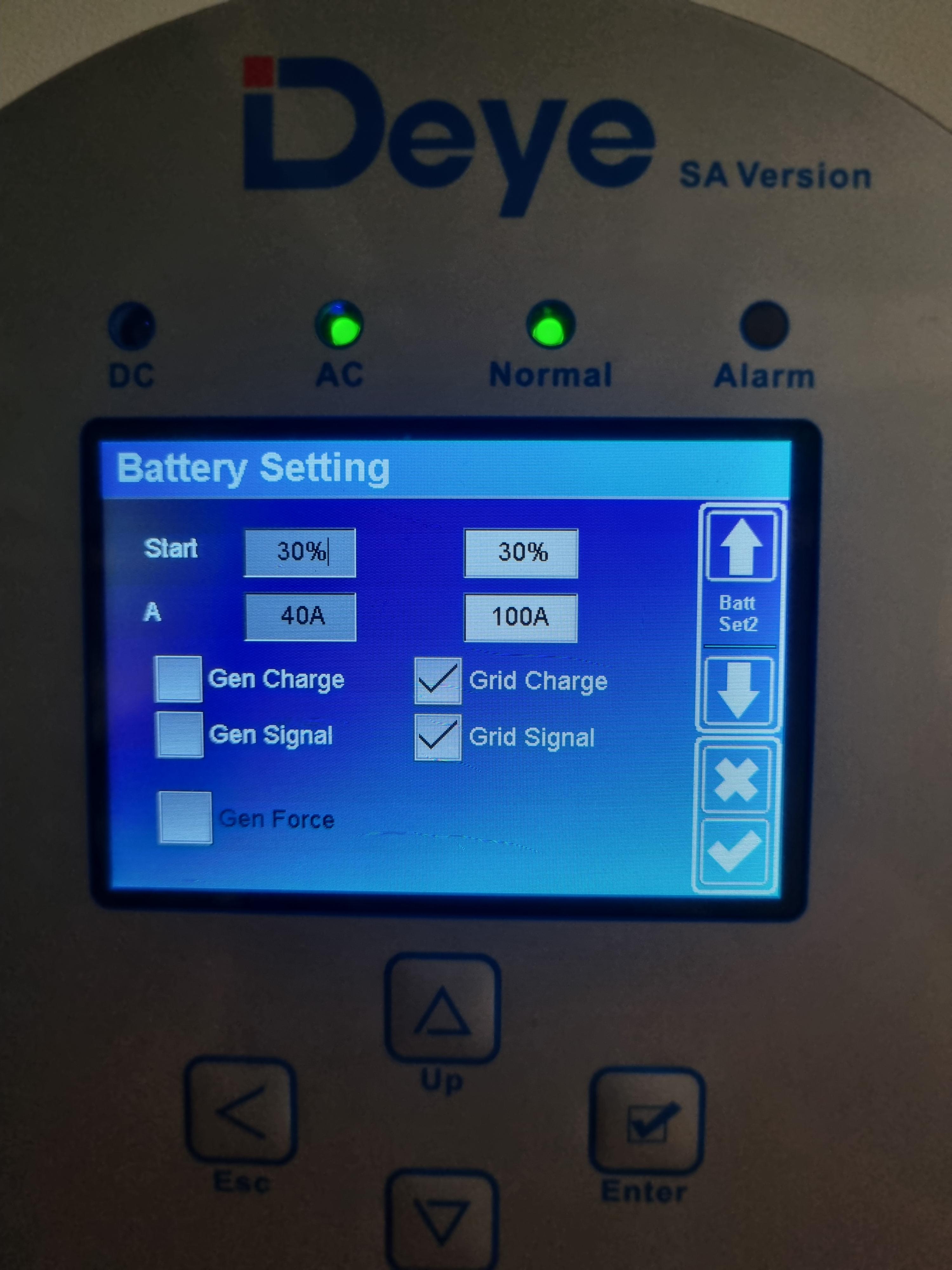
 That's what I'm struggling with so i change the setting to 100% and it charges the batteries for a few seconds and then reverse and feed it back draing the battery's. So at this stage it's not charging but does show the amps if it's chargingJa Eskom is. Thanks for the helpThanks still learning.Thats the plan thanks just trying to get it running smoothSorry it was only charging for a few seconds then went back to draing the batteryThanks it works and charging the batteries now. Does the other setting look okayI will do thanks for the help. How often should i drain the batteries. Not feeding to the grid must install panbut i first want to get more batteries




Account
Navigation
Search
Configure browser push notifications
Chrome (Android)
- Tap the lock icon next to the address bar.
- Tap Permissions → Notifications.
- Adjust your preference.
Chrome (Desktop)
- Click the padlock icon in the address bar.
- Select Site settings.
- Find Notifications and adjust your preference.
Safari (iOS 16.4+)
- Ensure the site is installed via Add to Home Screen.
- Open Settings App → Notifications.
- Find your app name and adjust your preference.
Safari (macOS)
- Go to Safari → Preferences.
- Click the Websites tab.
- Select Notifications in the sidebar.
- Find this website and adjust your preference.
Edge (Android)
- Tap the lock icon next to the address bar.
- Tap Permissions.
- Find Notifications and adjust your preference.
Edge (Desktop)
- Click the padlock icon in the address bar.
- Click Permissions for this site.
- Find Notifications and adjust your preference.
Firefox (Android)
- Go to Settings → Site permissions.
- Tap Notifications.
- Find this site in the list and adjust your preference.
Firefox (Desktop)
- Open Firefox Settings.
- Search for Notifications.
- Find this site in the list and adjust your preference.