


Yuri
Members
-
Joined
-
Last visited
-
 Noerhakim reacted to a post in a topic:
A much better way of connecting Home Assistant to your DEYE/Sunsynk inverter
Noerhakim reacted to a post in a topic:
A much better way of connecting Home Assistant to your DEYE/Sunsynk inverter
-
RenierBos reacted to a post in a topic:
A much better way of connecting Home Assistant to your DEYE/Sunsynk inverter
-
Gambit reacted to a post in a topic:
A much better way of connecting Home Assistant to your DEYE/Sunsynk inverter
-
I looked at it this weekend and it is not working Modbuspoll gave me a error checksum
-
Why not just use the esp32 all the work have been done?
-
-
What I will be testing is more like using 2x modbus poll at the same time on 1 meter only the meter will have a slave id...
-
I have not manage to do it I will have a look at it tomorrow
-
-
Lets first see if two will work...
-
If you are using parallel inverters only the master gets a CT/power meter input . The info is sheared with the slave over canbus master/slave connection cable with battery BMS
-
Yes you can tee them Normally you will have a server and client the server has the slave address and the client is reading/ writing info You will have one client with one or more servers in normal use I want to test 1 server with 2 clients ... You remove the CTs Normally thy say max number of servers 32
-
-
RS485 (Modbus RTU) you connect daisy chain On my PC i have modbus pole software and will see if my inverter will still get a reading when looking up registers with PC
-
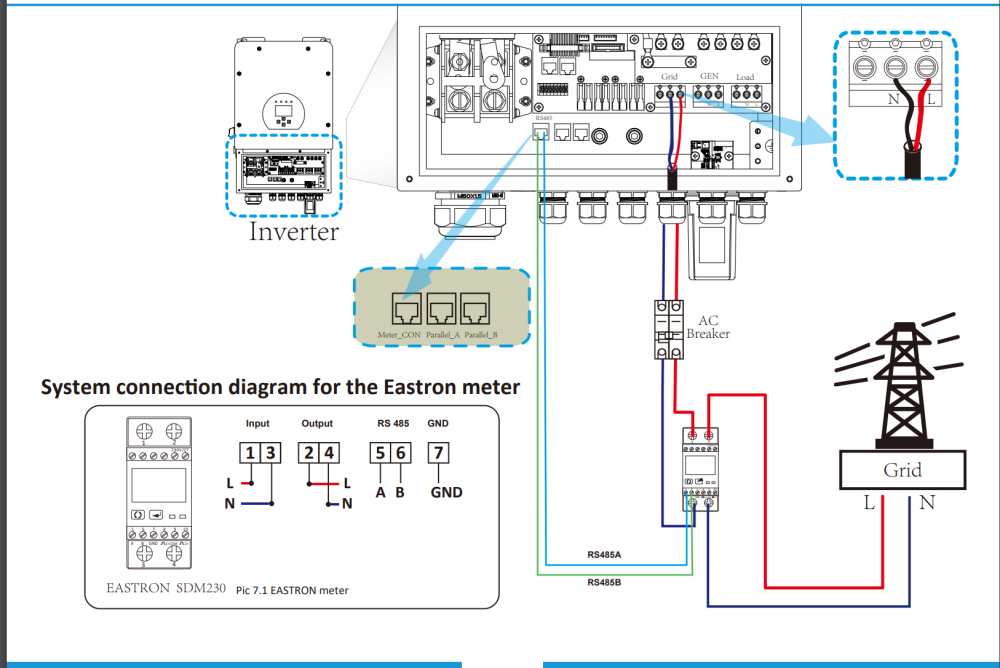
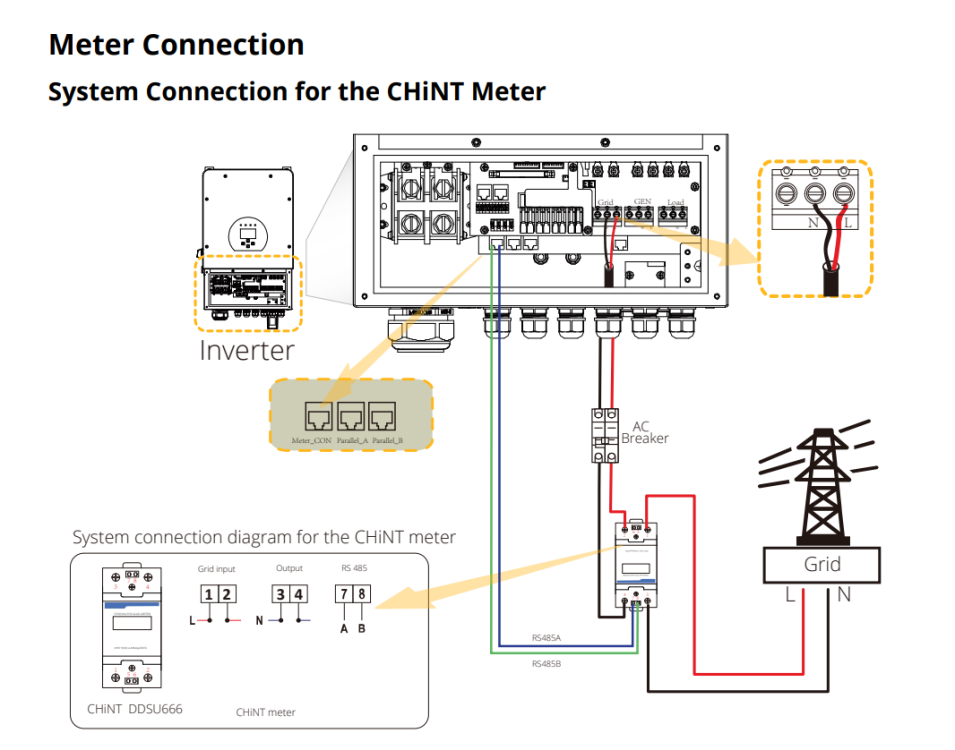
Yes, Centurion South Africa I was using the 8KW manual... Yes the Chint meter is using RS485 comms but if you read the Deye manual u will see Eastron is also compatible You need the Deye manual to get the meter_RS485 connection I will test for you this weekend If it is possible to read the meter from 2 different devices simultaneous this is the Eastron meter I am using and where I got it https://www.aliexpress.com/i/32845403260.html Yes the main supply to the house will feed through the power meter

-
-
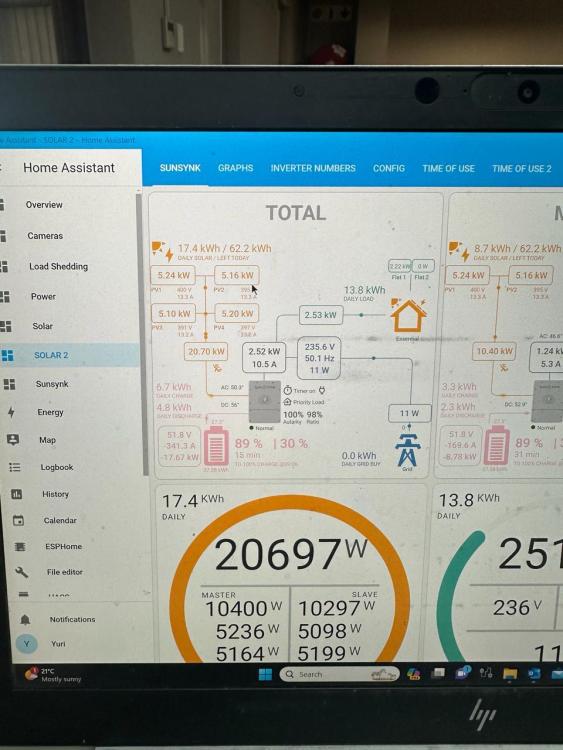
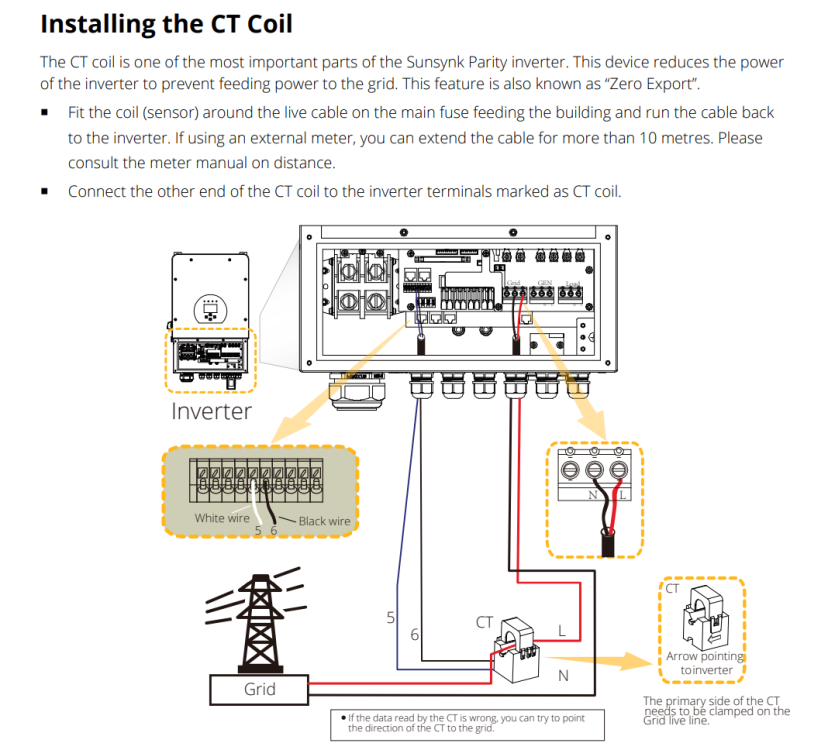
Remember the watt loss will go up and down depending on the current My setup is 2x 8KW Sunsynks with 44x 600W Canadian solar panels the inverters can only do 20800W but my panels are 26400W if you over panel it will just clip the excess The CT wires must only be max 10M If it is long distances there will be better accuracy and all inverters will get the same reading The Eastron one that I am currently using is 100A If you want to try my Chint one you are welcome I am in Centurion If you want a custom CT try V.A.C. Electrical Suppliers thy can make custom CTs

-
Same size and firmware is needed to parallel
-
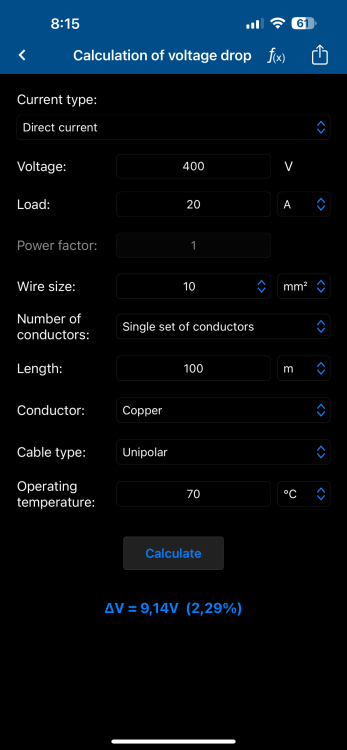
The low current higher voltage DC is not a problem on long runs There is also the inverter input (string inverter) on Sunsynks if you want to send AC long distance as for the CT try to use a power meter (Chint or eastron) paralleling the RS485 RS485 can go to 1Km

-
Why not sell the 3.6KW and 5,5KW then get a 8,8KW Parallel the 8,8KW next to each other with same battery and CT on the master AC cables can be long if volt drop is calculated...
-
-


