derek049
Members
-
Joined
-
Last visited
-
My Hubble Cloudlink won't even let me log in. Says there is no such user but there definitely is. Anyone else?
-
Hi, I have an inverter battery system that isn't designed to add solar (it's not hybrid) - Lalela system with 12V lithium battery. Can I add solar panels through a solar controller, and if so how?
-
Hi All, I discovered, with my inverter at least, that you can reset the problem of the inverter shutting down the solar power input (for no good reason) by switching off the mains to the inverter for about 20 seconds, then back on again (simulate short load shedding). Then it starts accepting input from the panels again
-
That graph looks a bit like mine today. Where are you? For me I believe it was the cloud cover moving in
-
Hi TheDoc, I have the same inverter, the Rentech, with the same firmware version. Did you ever find updated firmware for it?
-
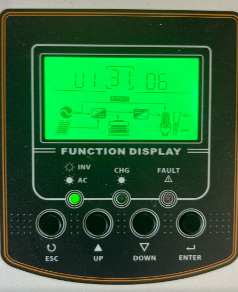
Thanks Coulomb, I appreciate you taking the time to respond. I've read so much about inverters turning to bricks I wouldn't try go from version 31.06 to 20.14. I'm brand new at this, I'd even have to first ask how you actually update the firmware. I have asked the supplier but no answer yet. I won't be surprised if they don't answer at all, but let's see.
-
Okay thanks, hopefully Coulomb is listening 🙂
-
Hi Phillip, the inverter is branded Rentech, it is from the Axpert family. The model is VM II-5K-48 - I don't know the firmware version, I'm not at home and CloudLink (from Hubble) doesn't seem to know. Can I get it from the LCD on the device?Morning guys, reading through this whole thread it appears there is still no clear solution to freeze and dip, am I right? Mine does complete freezes when solar has been strong for a while, like just after midday. It has been the case that an iron was working on and off at the time, but I don't know if this has anything to do with it. If I'm home I switch off the panels for a while, then back on again and it's fine. Is there any new information?Okay it seems the printed manual has been updated. I found another one that matches the stickerHi, I'm very new to this, so please don't shoot the enquirer 🙂 I'm trying to determine the solar panel voltage range I should be aiming for (to decide how many to put in series). The manual has this: which suggests to me 60 to 115V. but the sticker on the side of the device says this: which looks quite different at between 120 and 450V. What am I missing here?