GrantRichmond
Members
-
Joined
-
Last visited
Everything posted by GrantRichmond
-
This cloudlink is really not worth anything. I have 2 am-2 batteries --were not working well --support told me i need a firmware update. Went through all the hassle of getting the cable from them--did the upgrade --no idea if it worked or not. Hubble said I need a cloudlink so they can log into my system and check it worked. I bought one (big mistake). If I use the serial port to get power from my inverter I get very limited info--SOC - pv input etc---no other info on my batteries like cel voltage equalization staus etc. BUT they then cant log in---If I use the other cable they can log in but i get absolutely no info . So after hours on the phone ( at least 8 )i still have no idea if the update worked , if my batteries are equalizing or if one is faulty.!!! To try and justify the 3k I wasted all i use the cloudlink for now is to establish if I have enough battery capacity to last the night on a farm that uses the batteries as their only form of lighting, security camera's and wi fi. Only problem is their system is down so often that its useless . When its down i have no idea what is happening with the system and if I need to instruct the staff to run the gennie to charge up the batteries to last the night or not. Surely if you buy a Hubble cloudlink system the very least you should get from it is the most basic information you need to know if your batteries are working properly??? Really very disappointed P.S system down again
-
Thanks so if I just add another 3 in parallel i should be fine ??????? That would be a absolute max of 4000w
-
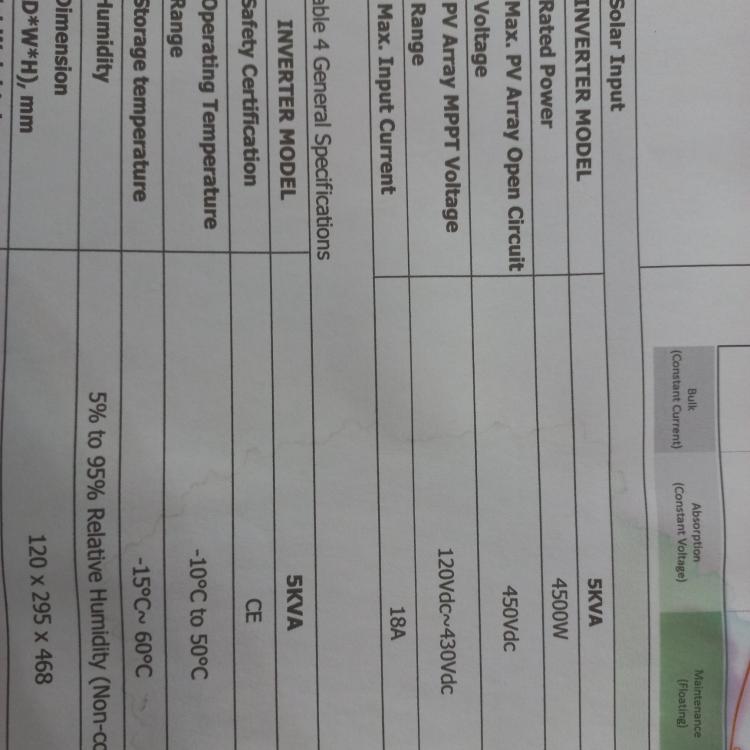
I have the above Axpert inverter 2* Hubble 5.5kw Batteries and 6 Canadian solar 455 w panels . I have purchased another 6 Solar panels but am unsure if this inverter can handle them. The inverter manual i downloaded from this forum (which seems to be a generic Axpert type manual and does not mention model numbers ) shows different specs to the specs on the inverter. see pics below Am i correct that if I go by the specs on the inverter which says rated current of 80 A and a max 145VOC I should be able to install a Max of 11600w of panels ????? I am planning to have 4 sets (in parallel) of 3 by 455w solar panels (in series) At the moment I have 2 sets of 3 and am below the max allowable of 145V and the max power they seem to generate is 2400w i.e if I install the other 6 I should end up with a max voltage of about 125 V and max 5000W i.e max 40 Amps Dont want to blow the inverter Much appreciated