JaVH
Members
-
Joined
-
Last visited
-
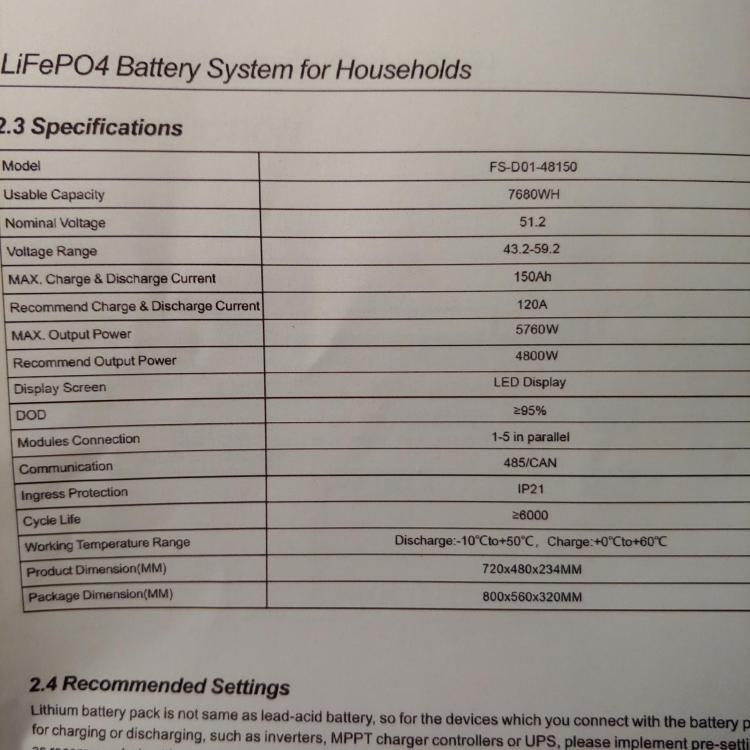
Hi, please can I ask if you tested or opened the cover of this battery? I also bought a fivestar 7.65kw battery (150ah) but inside is 92ah cells. The shop were I bought it is criminals and does not want to help me. I just ask to find out if its the make, fivestar, or that shop only. Regards
-
Hi wimsza, Please can you share the firmware file. I don't see it @ downloads tab. Thanks JaVH
-
Hi madness_za Ot does not state anything like that in the manual. Only states " can/485
-
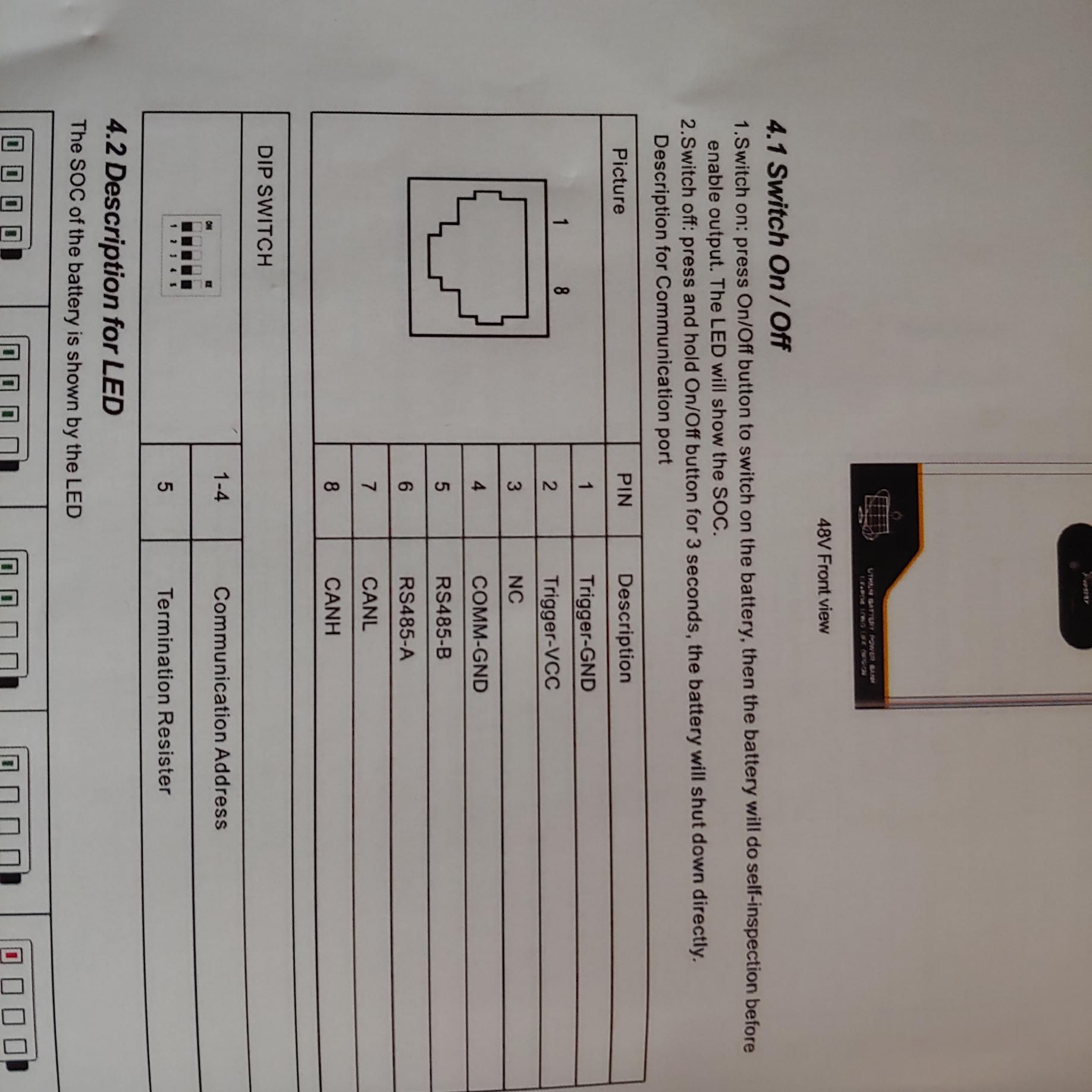
Hi madness_za, Do not know if you are a gent or a Lady, but for now, thanx for the info thus far. Ok so in the FiveStar manual, it states that if its the only battery, then all the dip switches is on the 'off' position.


-
Hi, No, its a FiveStar 7.6kWh battery


-
Hi madness_za, Already bought the BMS Box and did the plug in's like the manual states...however, no comms between the battery and the inverter. On the YT video it just works...in real life it does not. Can it be my inverters firmware?
-
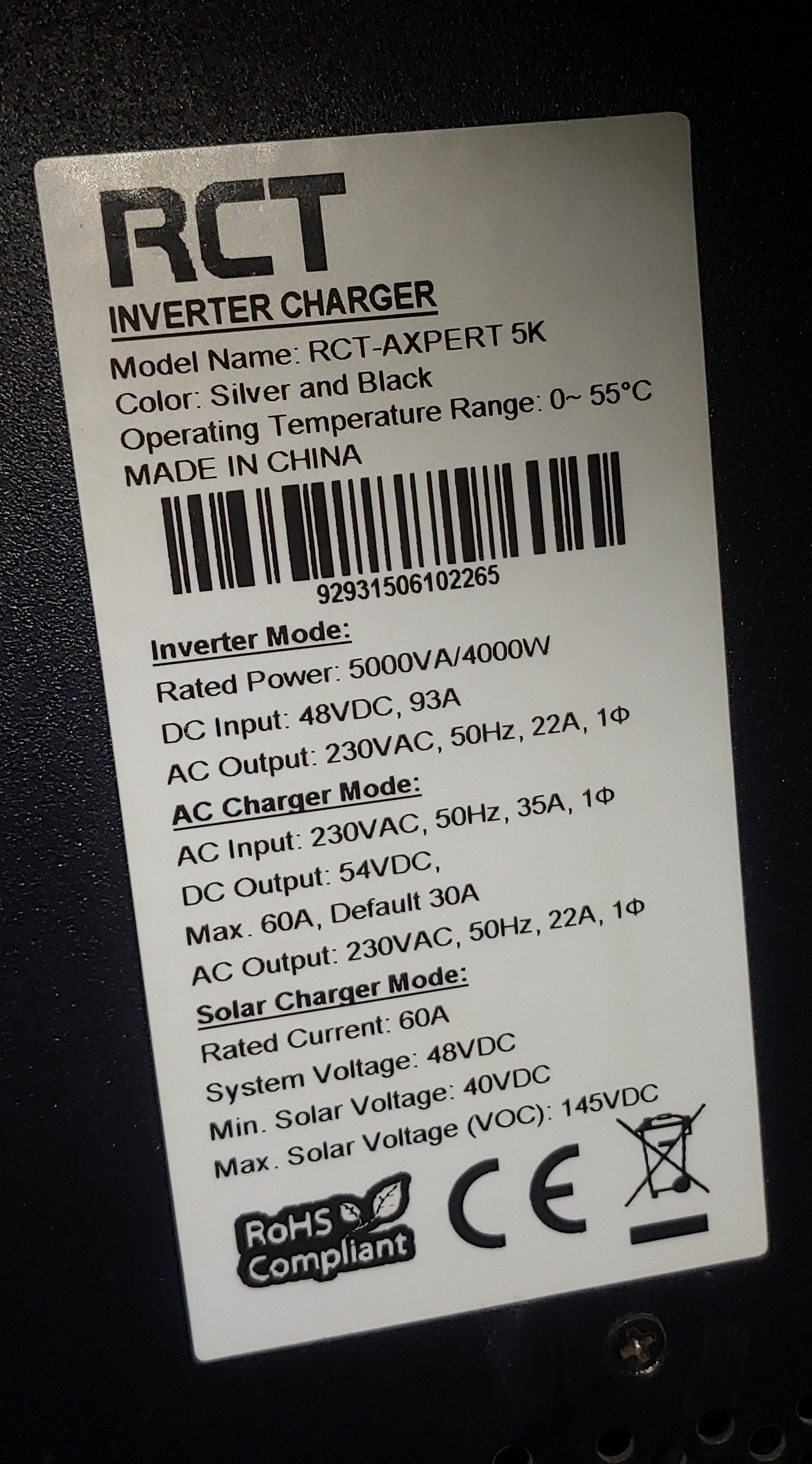
Good evening to all. I have a RCT-AXPERT 5K inverter and a Lifepo4 battery. On youtube there is a guy showing how you buy a AXPERT BMS BOX, plug the battery in tjehe BMS BOX and the BMS BOX into the inverter. On the video it works out of the box. The guy who made the video also say you can contact him for any advice. Sadly, the is no contact details and the "comments" is turned off. So dead end road. Is there any smart advice please?