MorphZan
Members
-
Joined
-
Last visited
Everything posted by MorphZan
-
It is for an IOT switch which does require a neutral Fear not - I have a genuine electrician coming next week to check and install
-
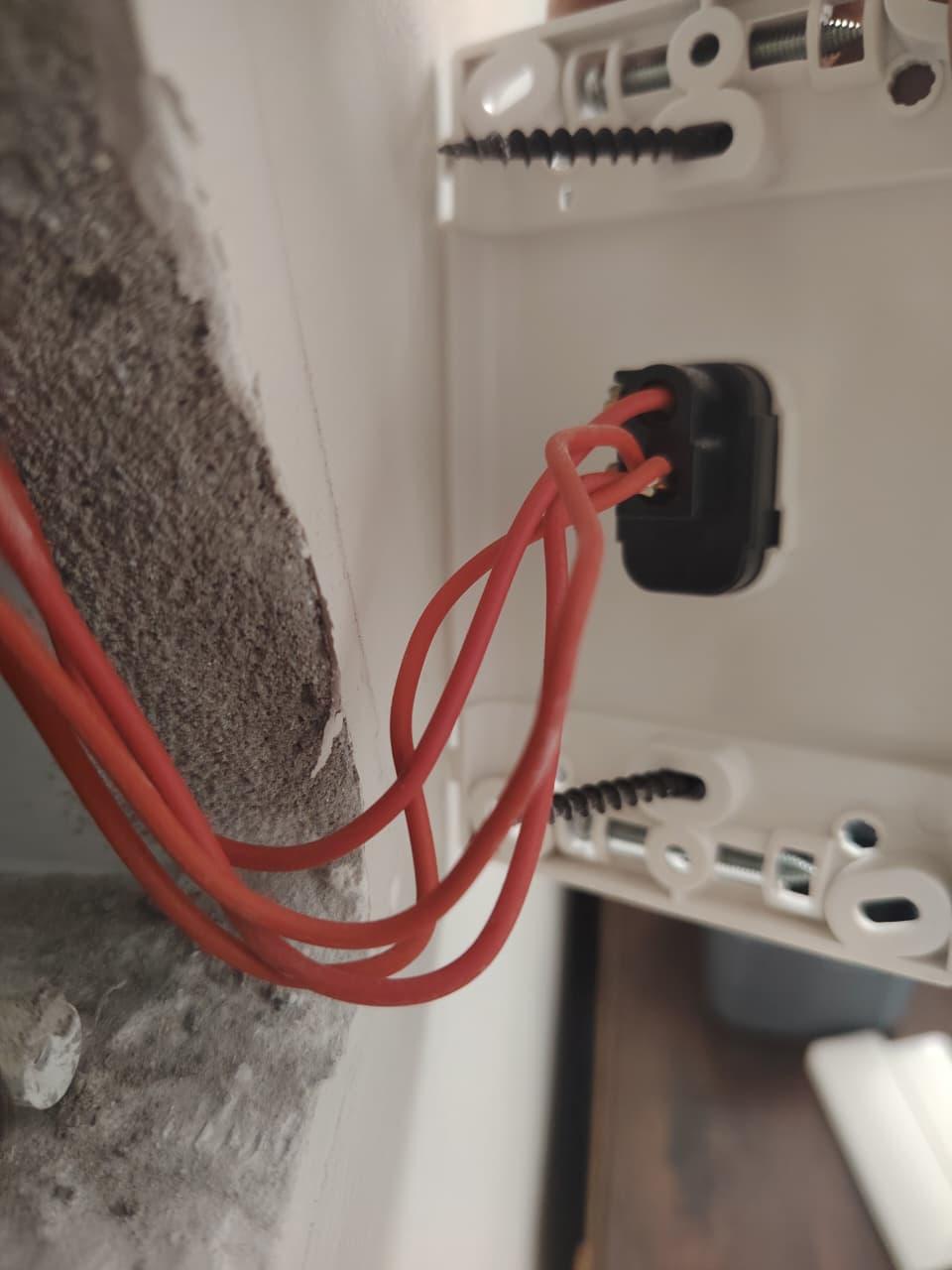
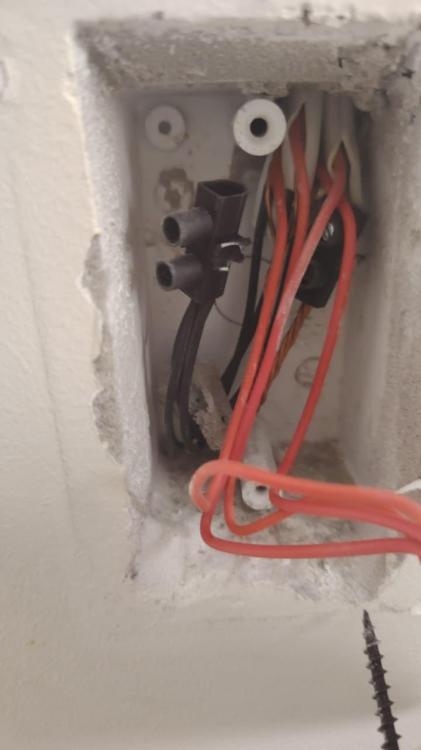
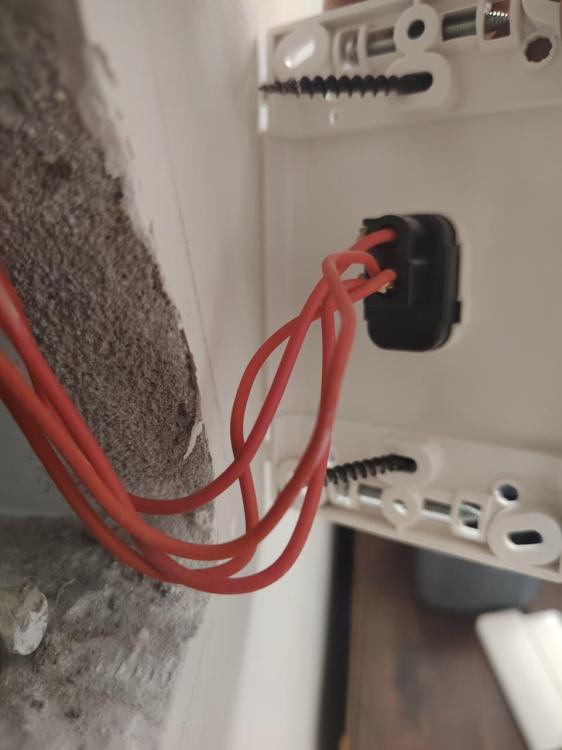
Hi All This is one of the light switches in my home. It is a 1 gang. It has one red wire in the top at the off position, and then three in the on position (SA Loop Wiring Shortcut?) I am wondering is this is normal and also - is the black wire my neutral?
-
I set my trickle to 30w and this stopped the meter from dropping.
-
I set my trickle to 30w and this stopped the meter from dropping.
-
Good Day All I recently noticed my plant showing offline in the Solarmon app. I have to unplug my LSW-3 dongle, then plug it back in and reconnec it to the Wifi network. This usually lasts no more than an hour or so then it loses connectivity again. Anyone who has had the same/similar issue and can offer some advice would be much appreciated
-
Thanks - it is set to 20 at the moment I will up it to 30 shortly and see how it goes for the weekend!!!

-
So if I change the range of the Grid Voltage/Frequency on the inverter it might solve this issue?

-
What error message do you see on the Conlog when the power trips. I have the same issue I logged it with Conlog and the sent me this:

-
The issue returned again today. Was chatting to someone and he mentioned he had the exact same issue and this was resolved by updating the firmware on his inverter.

-
No dropping of the Grid today other than the scheduled load shedding ... hopefully this "issue" has resolved itself.

-
I contacted Conlog with the error i was getting and they got back to me saying: "The LLr is a reverse energy detection. We can assist by providing you with tokens that will prevent that from happening. To do those tokens we require permission from your service provider/municipality. The tokens are adjusting settings placed on the meter at the request of our customer. Any changes done without their permission will be viewed as tampering. There are some municipalities who have given us blanket permission to do the tokens. Please provide your meter so i can confirm if your municipality is one of those. Once we get permission we require information that you can get off the meter by using the shortcodes provided below; Please use the shortcode provided below: Run #100# for the meter number. Run #030# for the supply group code (SGC). Run #006# for the tariff index(TI). Run #005# for the Key Revision Number."
-
@madness_za I can see every now and then my system appears to feed back into the grid which I'm sure it shouldn't be doing and this could be causing the prepaid meter to have an abnormal trip.

-
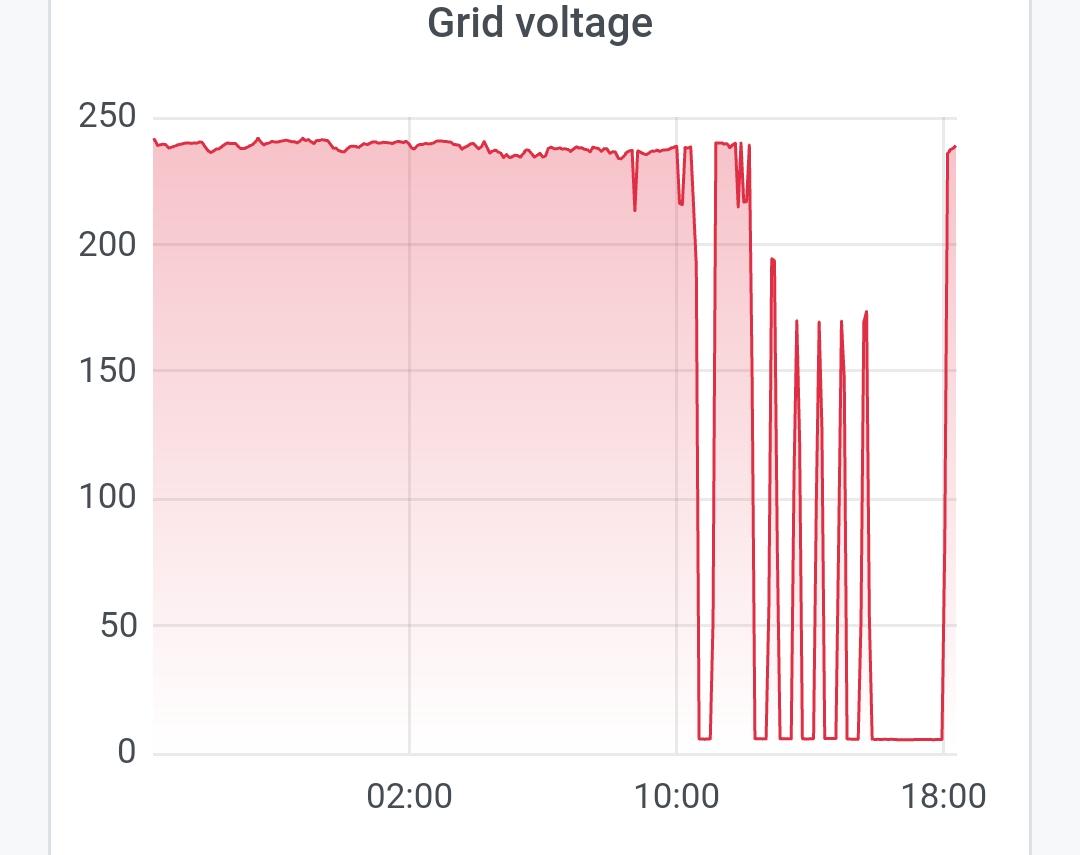
I have found the Grid Voltage Graph in Solar assistant. Now to work out if the issue is my side or from Eskoms side?

-
I'm assuming this can only be done from the browser?
-
@madness_za Manually as in ?
-
Interesting Are you able to post screenshots of where/how you picked this up in SA?
-
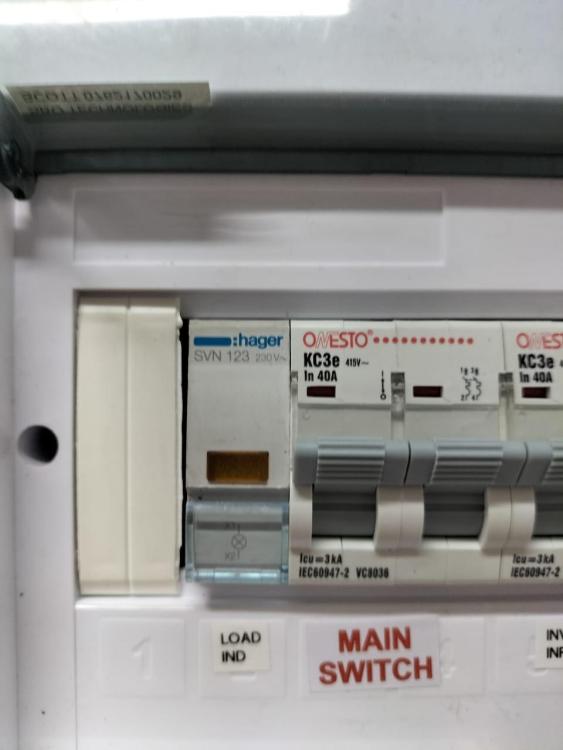
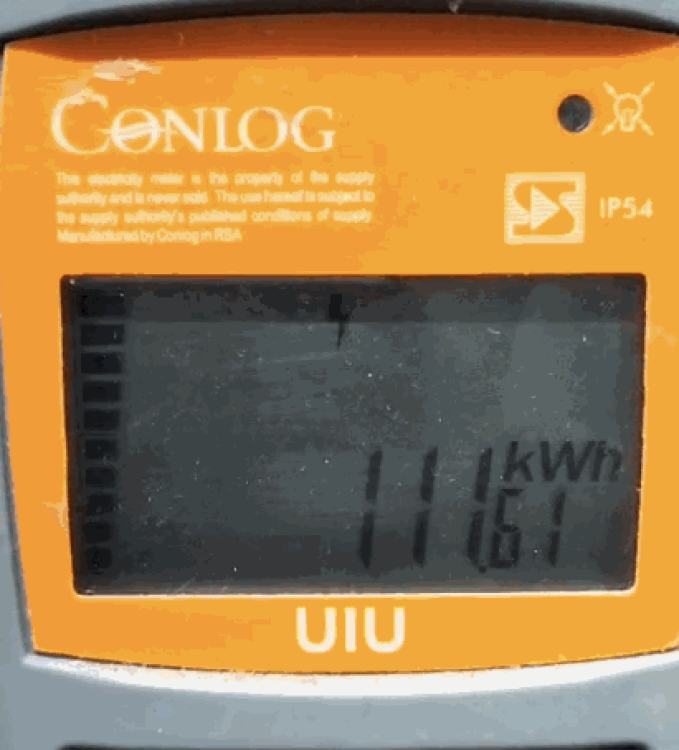
Hi All I have a Deye inverter and recently I switched on the Push Notifications in the Deye Cloud App so I would know when the Grid went from Connected to Disconnected.... I have since then picked up that my "Grid" Connection goes offline randomly throughout the day when there is no loadshedding. I was wondering if this is possibly a setting on my inverter and also, if anyone else has experienced this and if so how this was resolved: In this image you can see the "Connection" go offline and online randonly: I can confirm that the Deye Cloud App and my Instance of Solar Assistant then show the Grid Offline: I can see the Grid is Offline from my DB Board as the "Eskom" light is off: Nothing on any of the other DBs has tripped and then the power will come back online.... My Prepaid Meter is on.... But no power is being used and the Power Level Indicator and the lightning bolt flash on and off: SmartMeter.mp4



-
Apologies all - resolved this by making sure battery is charging while Geyser is on:

-
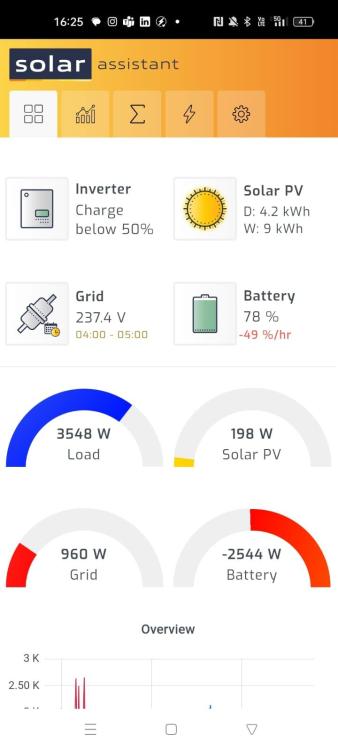
When I set my system to "Export to CT" and the turn on the geyser - when the grid is on, the system shows the geyser usage however it is pulling from the Grid and my battery. Is this correct? I was hoping to see the geyser usage (for monitoring correct usage) but having the geyser run off the grid/pv and NOT use my battery:
-
@LumexClipsal Thank you for picking that up. So many terms and setups that sometimes I wonder if I shouldn't throw it all away and deal with the darkness......😅
-
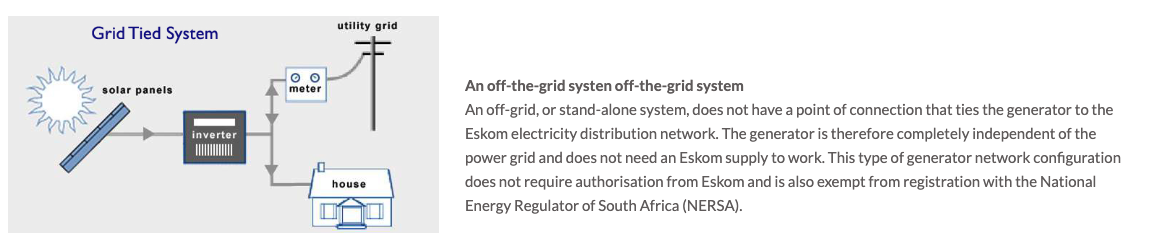
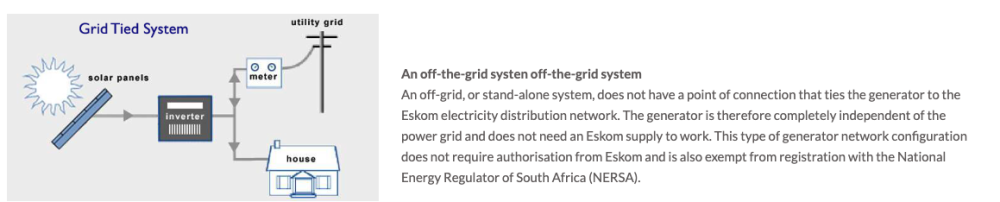
Am I correct in saying my system will also be Off-Grid as it looks as in this drawing:
-
Hi All I have a system installed at home. I am with Eskom and not the COCT. I am told that I do not need to register with COCT however I cannot find anything that can tell me that I have to register the system with Eskom. Is there anyone in Cape Town who gets their electricity from Eskom and not COCT that can assistant with any information on this.
-
Resolved: For some reason there I have a personal account and a merchant account setup and it had switched to the merchant. Switched back to personal and can now view my plant.
-
Hi All I use Solar Assistant so have not logged into my Deye Cloud for a few weeks if not months. I tried logging in last week for the first time and I find my plant has dissapeared. Has anyone else experienced this? (My Plant is externally authorised to an installer using Solarman Business and the plant is still there). I have mailed Deye but as of yet no response. I have logged in and out etc but to no avail.

-
Good Day All I can now confirm the CT coil is installed correctly. If I set the Inverter to Export to CT I can see the Geyser and the Oven through the inverter. And yes, I am in the process of finding a well recommended Electrician to come in and sort out my DB Board Thanks to all for you comments/assistance/suggestions...... Very Much Appreciated