


kiwibrick
Members
-
Joined
-
Last visited
-
Right so now I'm trying to get weewx (that is also running on my Pi) to post input to my emoncms server, somethings not quite right in the weewx conf yet though, then i can make up a nice dashboard with some weather info too
-
-
-
-
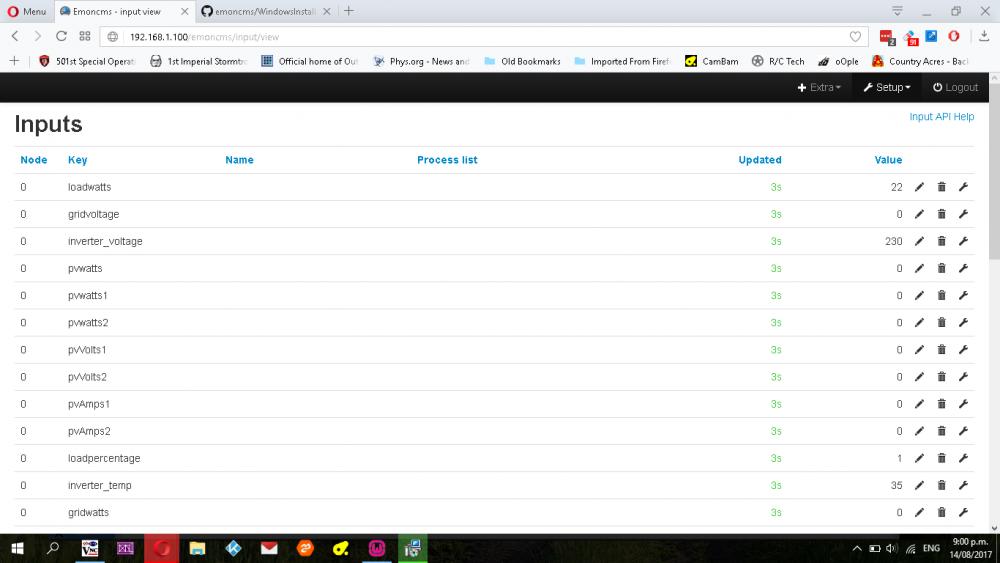
Eureka! 1 little forward slash was all it was, input page is populated now!Brilliant A picture says a thousand words I guess! Thanks guys, now on to making a dashboard
-
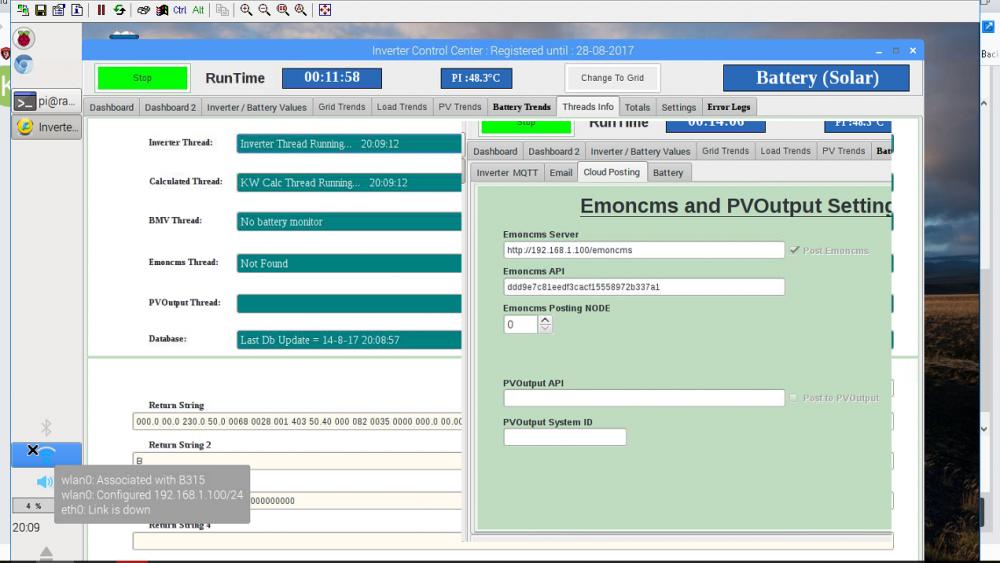
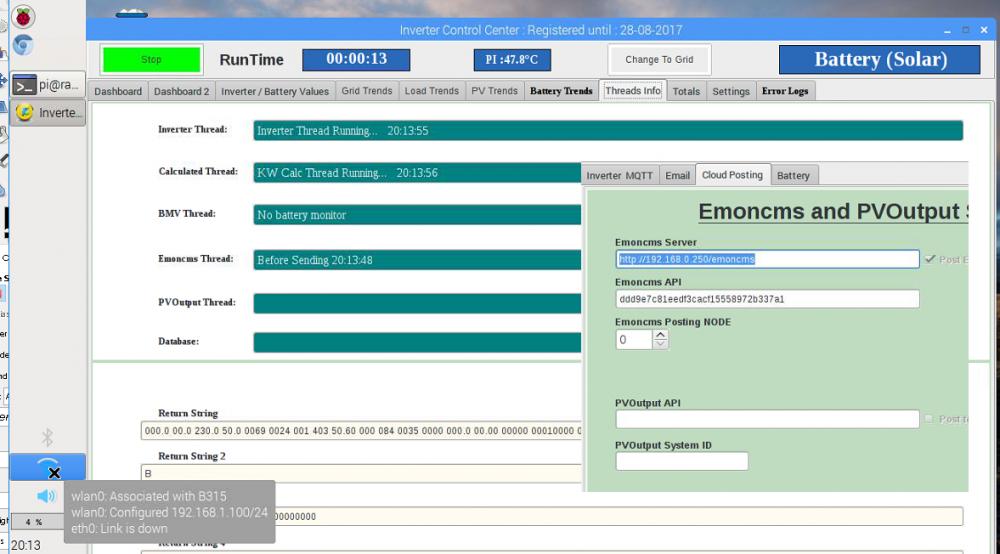
Yes emon is on same Pi as ICC, the different IP addresses is perplexing my a bit, I must say it's nice to be back bashing away at a terminal again though, it's been a while since I had a reason to do it! With 192.168.0.250 in emoncms server box in ICC I get a thread in the threads tab, with 192.168.1.100 (my Pi's IP address) I get no thread found in ICC. Yes have checkbox checked Node 0 Yes I copied write API key from emoncms My Account section Absolutely nothing shows up in inputs I have attached 2 pictures, cut and pasted so we can see the settings and thread pages on both Also I am now getting an error in the emon log 2017-08-14 00:46:22.598|WARN|feed_model.php|Feed model: Requested feed does not exist feedid=0 I might just have to uninstall all the emon stuff and delete all emon/apache/mysql data files and start from scratch with emon on my PI
-
I get a new input node category is blank with power 200, interestingly I have to use 192.168.1.100 (my rpi ip address), 192.168.0.250 doesn't exist. If I put 192.168.1.100 in ICC the emoncms thread shows an error, I have to put 192.168.0.250 in ICC
-
Thats got the the emoncms thread in the thread page saying something now "before sending 'the_time'" Nothing showing up on my local emoncms input webpage, I think I might have to fiddle with usernames in the emoncms setup, I followed the setup page from emoncms page here https://github.com/emoncms/emoncms/blob/master/docs/RaspberryPi/readme.md I didn't however install the last step which is emonhub, I think thats for the emoncms hardware? Again thanks for all the help!
-
Well I got the local emoncms up and running, logged into it from my laptop on the LAN, but I cannot enable 'Post emoncms' checkbox in ICC settings page, I have put in ttp://localhost/emoncms and the write key that my local emoncms gave me but the checkbox is greyed out. Is it maybe because I am using a trial key?
-
I changed my settings to Axpert 5kVa single on manie's advice and the PV watts gauge is working perfect now. Thanks for the help guys!
-
Its a single MPPT charger so MS I guess Here is my threads page, also my dashboard which shows the PV watts, not a very sunny day today!


-
OK so I managed to see the ICC mqtt output, but I 've not figured out how to separate the string of values being output, if I even can separate them. Next mission of discovery is emoncms! Otherwise seems to be going quite well apart from the PV watts not showing up on the dial, I just updated to the latest version this morning, PV dial wasn't working in the last version either.

-
Could anyone possibly copy/paste the text in the mosquitto.conf from the ICC Pi IMG and post it here for me?, I have mqtt running but I don't have any topics in it and I can't for the life of me mount the img in windows to extract them, I don't have a spare USB drive that I can boot a live linux install from to mount it either unfortunately. I managed to subscribe to all topics in a terminal but couldn't make head nor tails of the output, well apart from 'pip4048' that is so I guessed thats coming from ICC
-
Hello everyone, I joined up to the forum specifically for the ICC software, but I have also been reading alot of other threads. I have a pip4048 based inverter (4kw), we are full off grid just starting out. (no power to our site) I installed ICC on my existing raspbian install that I have weewx already running on for my weather station uploading to wunderground, ICC seems to be working well apart from not showing the PV watts on the dial on dashboard 2, it shows up on dashboard graph however. Since I did my own install of ICC I don't think the emoncms is running? also what do I do with the mosquitto server? I would like to be able to load up a dashboard on a web browser on various devices on my LAN, I think emoncms allows me to do this? Also can I put an argument in the autostart script for ICC that 'starts' ICC once it is started instead of having to press the start button in ICC? so I don't have to vnc into my rpi3 to do it everytime I have to reboot. Thank you everyone for any answers, sorry for all the questions.


