XianZA
Members
-
Joined
-
Last visited
-
awesome will have to give it another shot
-
-
Try this one as a trouble shooti g step found under Add intergration. At the start I found solcast incredibly inaccurate. It also out of the blue just stopped updating 2 weeks ago. I dont know if you aware you need to apply for an api key and all that stuff
-
Not gonna lie. I went with slipxs one as I didn't I understand yours and the whole mqqt thing. I was also under the impression that yours was outdated as it was a while ago that you mentioned updating something.
-
Hi @kellerza whats the main difference advantages/disadvantages between your implementation and slipx06s
-
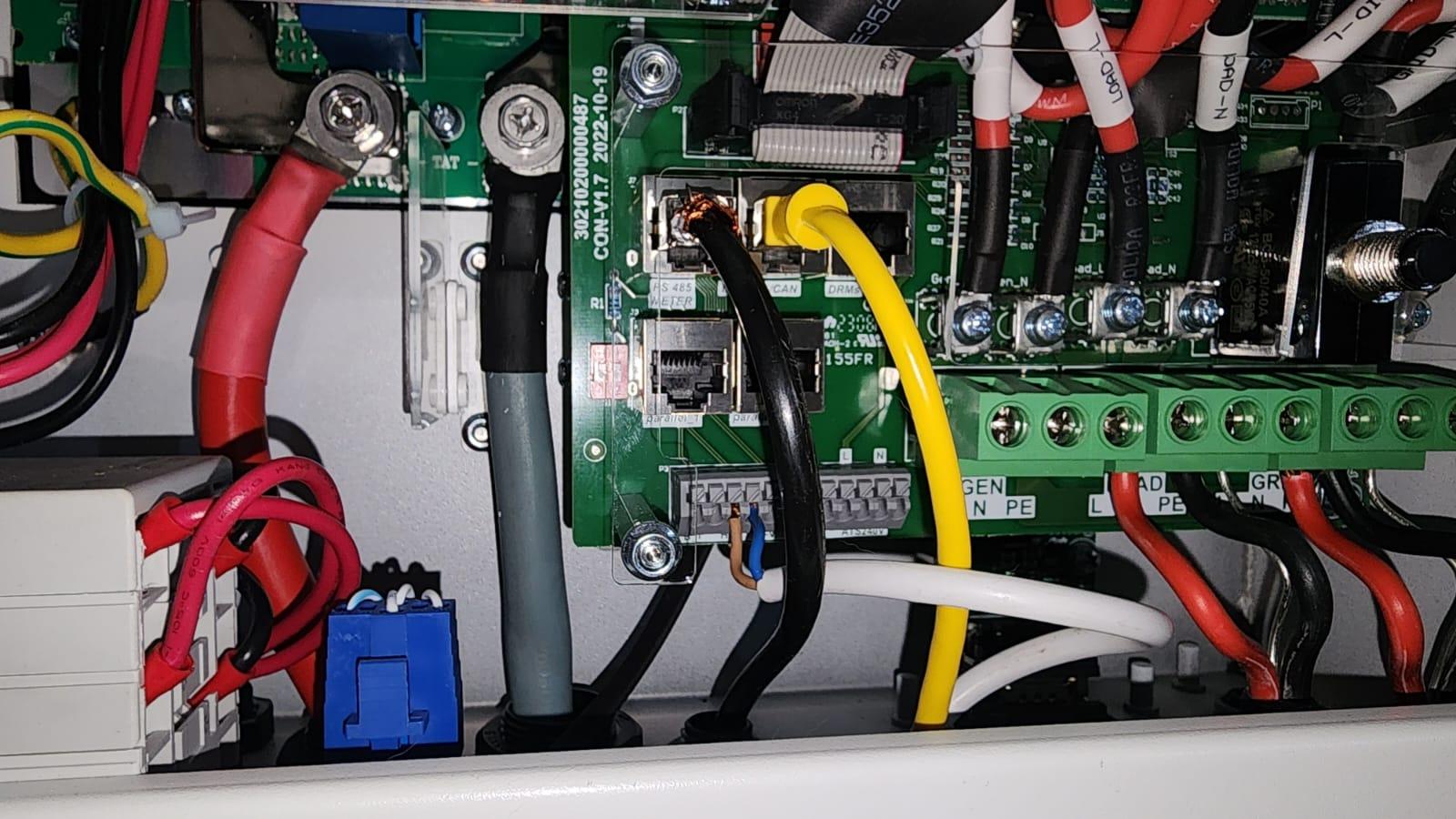
Ey Im not sure. if the cable is your battery coms plugged in to the bms port it should start communicating after like 20sec. I noticed the yellow cable alone took longer than my custom cable to start showing comms again. But yeah even though it couldn't com with the spiltter it didn't seem to do any harm as it still works with both my crimped cable and the yellow cable. Havnt had time to replace the yellow cable as it goes behind my dc breaker and behind the either breakers and in the trunking and thats possibly whats causing interference. I suspect maby rs458 is more sensitive to interence than the cam of the battery. Got a hubble battery btw.
-
We are now at the same point. I dont get values with my splitter. Either the esp32 or battery bms doesn't come through. But my own crimped cable works fine. Even though I have checked the spittler with a multi tool and the pinouts are exactly straight end to end. I guess one of the "unused" battery pins are conflicting with the rs458 or I must double check my crimps. Its allso possible that there is interference with a unshielded cable. As for slipxs flow card I think it needs his yaml code as it will make things easier but not nessary. His yaml file can be found in the same folder as the flow card. Im also getting some of the double sunsynk names, for now I just renamed the sensors in the code of the flow chart. I think Im going to redo my setup from scratch to make sure there is no unused entity sensors as I deleted some of them with the double sunsynk name and it didn't make a difference. Lastly his code to set up the all in card for the charts are not working. Scoobs has a video on this to setup the graphs individually each one on its own card but you will have to put each sensor in manually. And organize the cards yourself.
-
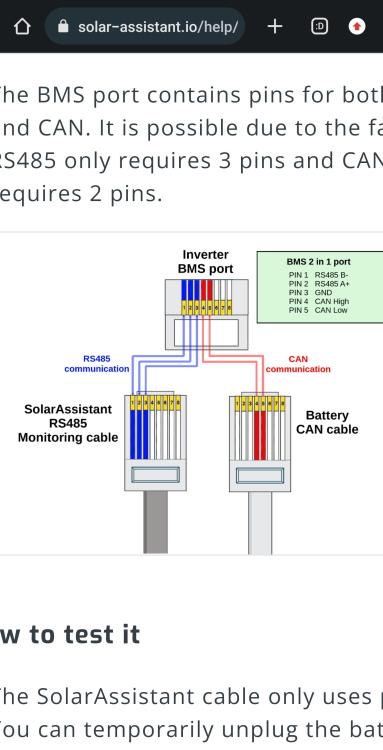
Hi follow this wiring diagram https://solar-assistant.io/help/deye/2_in_1_bms_port. The ground is not required as only certain RS458 boards have ground. Check on the sunsynk screen for the BMS menu screen. If there are figures its working. If there is errors and 0 values theres no battery communication. Sorry im not in detail at work at the moment.
-
Also if you using sunsynk 5kw have you tried the top middle port. Most likely the same one your battery can is plugged in. Marked rs458/can not the one marked with a red square

-
-
Hi @georgelzasorry for late reply. I didn't get notification. I see you found the code though. And maybe try trouble shooting the pi3 issue by putting HA on an old pc or or something. I kept getting failures to write to the esp32 when it did not have full bars of wifi signal.
-
Hi @georgelzayou getting there. I also looked at all the different code. I never saw a difference between the 8kw and 5kw. Eventually I settled on slipx version as his seems to be the most versatile and upto date. And he has intergrated certain things from other peoples code but most importantly hes got some things in that others dont have. In the end he has a 8kw and I used his code just fine on my 5kw
-
Hi @georgelza Im also new to esp32 but once you do it correctly one time its starts to make sense and become quite simple. I got a blue led on my esp32 when using GPIO2 and GPIO3 trying to troubleshoot.. But the esp32 supposed to be red led when its working. Make sure you using the top middle port marked RS458/CAN. If your battery is in there just unplug it to test. I also struggled the first 2 weeks as the esp did not have full wifi. Post some pics so we can see at which step you stuck at
-
Hi thanks for the advice @XAB@XAB it turned out to be exactly this. All the guides say top left port and it even says RS458. I came accros that 2 in 1 port and thought to myself there is no ways as mine is has a dedicated RS458 and its on the top left. Anyway when reading @fStofs post I thought just maybe and the plugged out battery cable and it just worked. sorry I couldn't reply been working. Made myself a 2 in one cable for the time being and have ordered one of those rj45 splitters. Just need to get the rest of the dashboards graphs working as some of the sensors have esphome in them.
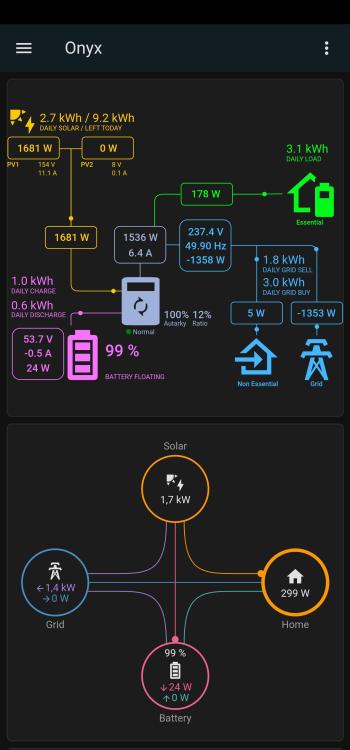
-
-
Hi Guys, Im hoping someone can help Im new here, but I have been following the forum and Sc00bs videos, I am brand new to home assistant and esp32/RASPI, and can not code. however I generally understand the code here and there due to Excel macros and so on. I have also been flashing custom roms on phones and GPS's from young. I have the following setup, 5kw sunsynk inverter with 5.5kw Hubble am2 battery connected with can bus and only 4x 550w panels for now. My home assistant OS is a fresh install running on a HP prodesk i5, ssd and 16gb ram in my room with my router and switch. I have a cat5e cable running from my router 25m to another router that is setup as a dedicated AP right next to the inverter, so I get a stable 50mb on wifi. So far I have managed to wire the ESP32 & RS485 up as in the picture's 1&7 to B an 2&7 to A. ESP32 is wired up like below Flow control to pin 20 GPIO4 - I saw in slipx newest code that his flow control is GPI016, I tried like this but then changed the code to GPIO4 - I was too scared to put the flow control on GPIO16 as this is RXO according to the diagram, and did not want the magic smoke to come out When I tried sjlouw code on page 3 I had used RXO-GPIO16 & TXO-GPIO17 as his code says, I got no response received - removed from send queue now tried SlipX06 and moved the pins to 28 GPIO1 - TXO & 27 GPIO3 RXO - I get the same result of no response received - removed from send queue as before but with added yellow text about duplicates [W][modbus_controller:113]: Duplicate modbus command found: type=0x3 address=70 count=10 My first cable was a factory made T-568B(starting with white/Orange) I then made a cat5e shielded cable also T-568B but my RS485 does not have ground unless soldered. I have tried this code at the beginning esp32: board: esp32dev framework: type: arduino version: 2.0.6 Because I don't have a multimeter and soldering iron at home, before install I took my RS485 to work and I measured the volts on the RS485 and got 0.5v and desoldered it straight away as I saw above most people with Sunsynk had to do so, and measured again to get 4.5v across A and B, I have checked my continuity on all my wiring to check for bad jumper wires. and lasly my Modbus SN is set to 01, the only thing I can think of is that my firmware is out of date. but from what I have read people get more issues the newer the firmware. Please see attached Pictures Any help will be much appreciated logs_sunsynk_logs.txt