LionKing
Members
-
Joined
-
Last visited
-
There's an option in SolarPower soffware to update settings so that PV is used to charge Battery first and then export to Grid.
-
I couldn't figure it out. I think upgrading inverter firmware fixed it but I'm not 100% sure. I did end up getting SolarAssistant software - which is much better than monitoring via its own snmp webpage.
-
Is there any additional benefit from installing smart meter like GM3000? https://en.goodwe.com/smart-energy-meter
-
 LionKing reacted to a post in a topic:
Extending CT wire vs Smartmeter with CT for long distance install
LionKing reacted to a post in a topic:
Extending CT wire vs Smartmeter with CT for long distance install
-
Our 3-Phase mains panels is 40ft away from the inverter. Is there any downside to extending CT wires to 40ft vs installing Smartmeter at mains panel - which then communicates with inverter via 485? Can I use 3-pairs in Cat6 cable for extending CT wires?
-
I got version 1.14SP8 of SolarPower and set Max. Feed-in grid power setting to 5,000. It reduced grid export without requiring a smart meter or CT, so I'm compliant with the grid now. Details: https://powerforum.co.za/topic/326-infinisolar-3k-plus-factory-password/page/3/#findComment-227000
-
-
Worked. Feed-in to grid is staying between 4.6-4.9 KW. Thanks!
-
I meant its asking for factory password even for Max. feed-in grid power setting. What's the factory password? My inverter is 8 years old and the white-label company that sold it to me is gone now.
-
Just tried to change setting but its asking for factory password?
-
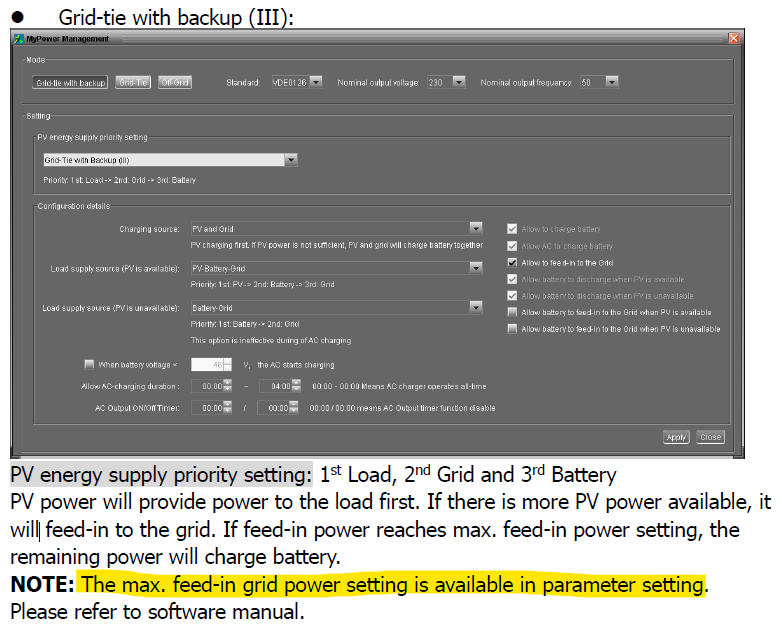
I see the option in older version, however, after reading the manual again I think max feed-in setting only works if Grid-Tie with Backup (III) is selected. I'm going to try it now.
-
Does this version show Max feed-in setting for you? what if I use an older version e.g. SolarPower v1.14SP8 from 2020/8/11, its closer to the inverter firmware date?
-
U1 & U2 = 20-04-02 b1
-
Was the max feed-in to grid setting removed from newer software version, if so, where can i get older software version ? or does it only show-up if the inverter firmware supports it?
-
I am able to change this setting. Are you sure it only limits Power generation/export of Inverter? If I set it to 5KW, would load on inverter still be able to pull 10KW from grid?
-
The inverter already knows, how much its sending to the grid. Wouldn't the max feed-in to grid setting just work without smartmeter? Can I just set upper limit of power generated by PV?
-
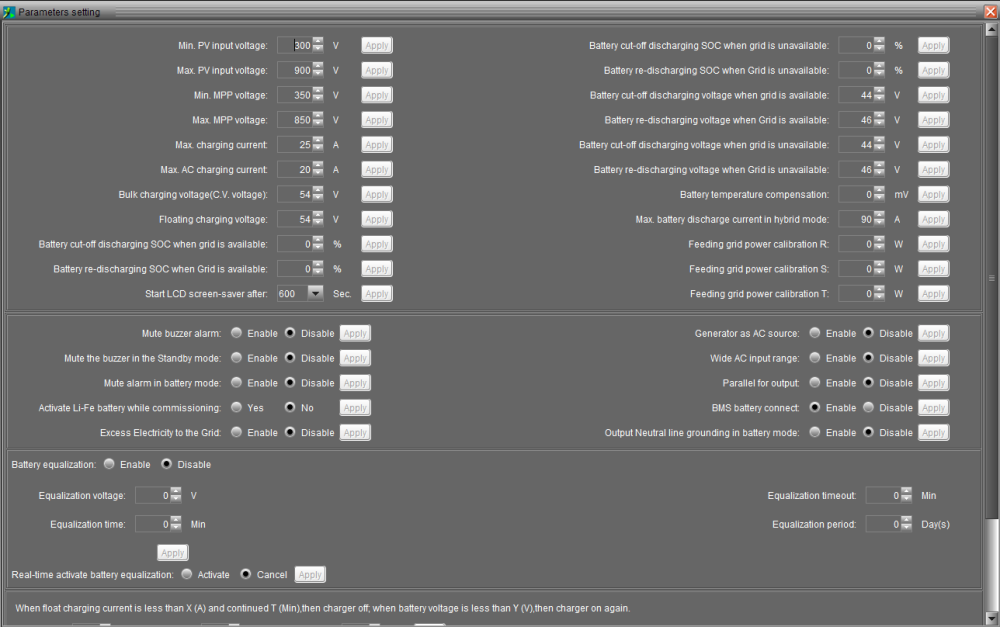
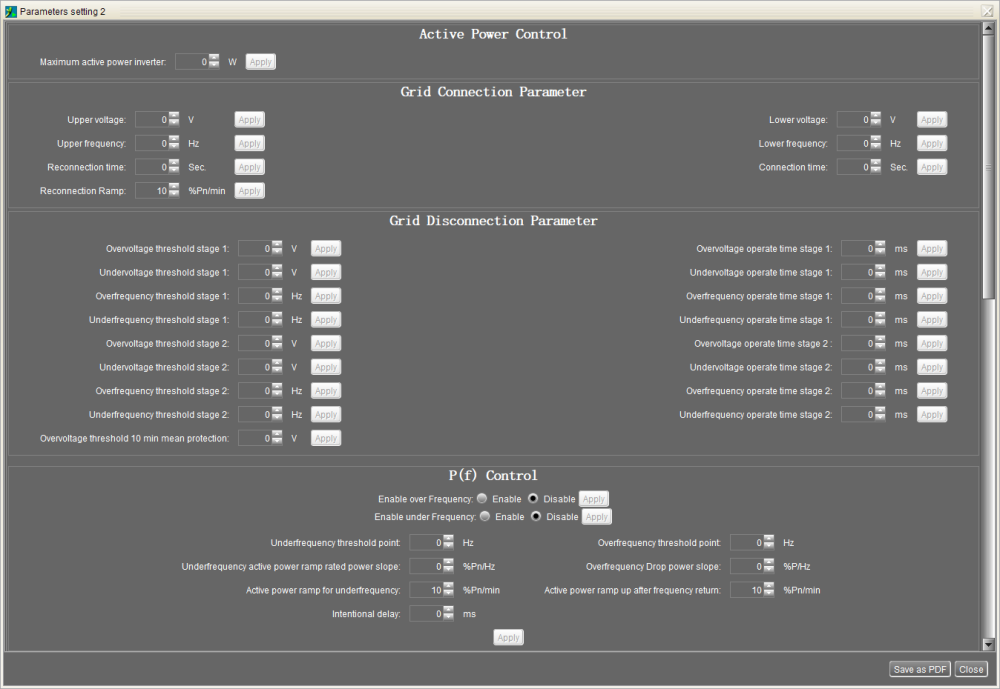
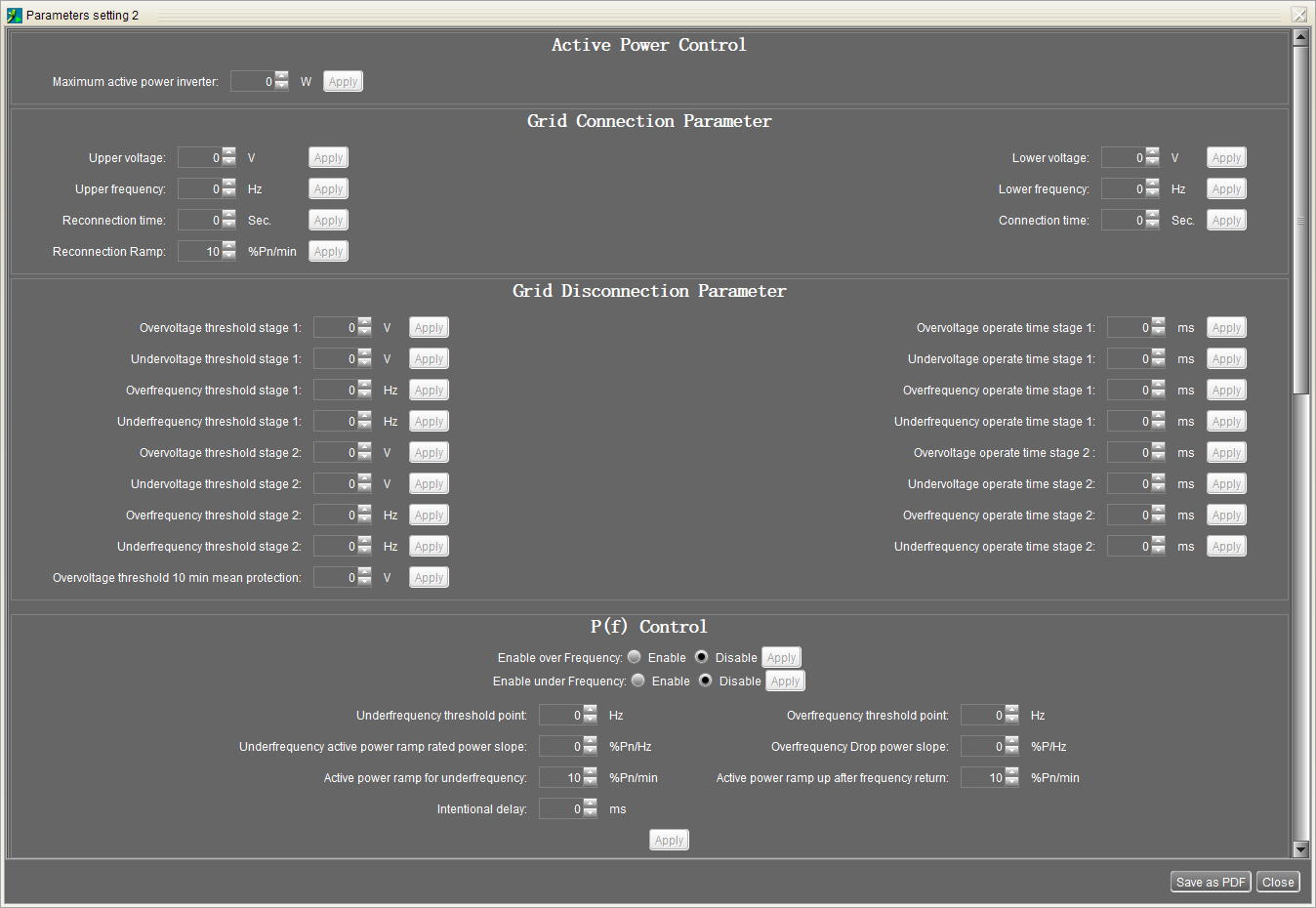
I got the SolarPower software and connected via USB to the inverter. As per manual on Parameter Setting 2 page, there should be an option for "Max. Feed-in grid power" but it's missing? I'm only seeing following options: