giangel84
Members
-
Joined
-
Last visited
-
Twin models has two AC output, this allow to prioritize some loads connected on L2 or L1 based on your settings. Axpert Twin and non-twin models shares the same display, so you can see L2 also in non-twin models.
-
-
-
-
-
I'm glad to read that it's working without any errors. I tested it on my inverter and it's working like a sharm.
-
-
Today the Italian vendor sent a newer firmware version for VM IV, the 61.65 This version works perfectly with 22.21 and it has the 12/13 params working as SoC, instead of voltages. Hope this can be helpful for others! VMIV_Ver61.65.7z
-
-
Hi @usr023, thanks. That's great to know. Have you any files to share about 61.01 or above? (except for the 61.03 version previously uploaded by @Coulomb on this thread) Or if you have other display firmware version, like the original 22.11. It can be useful for others to test with the same issues I have encountered. I would to understand if I have a corrupted version of this 61.64. Many thanks!
-
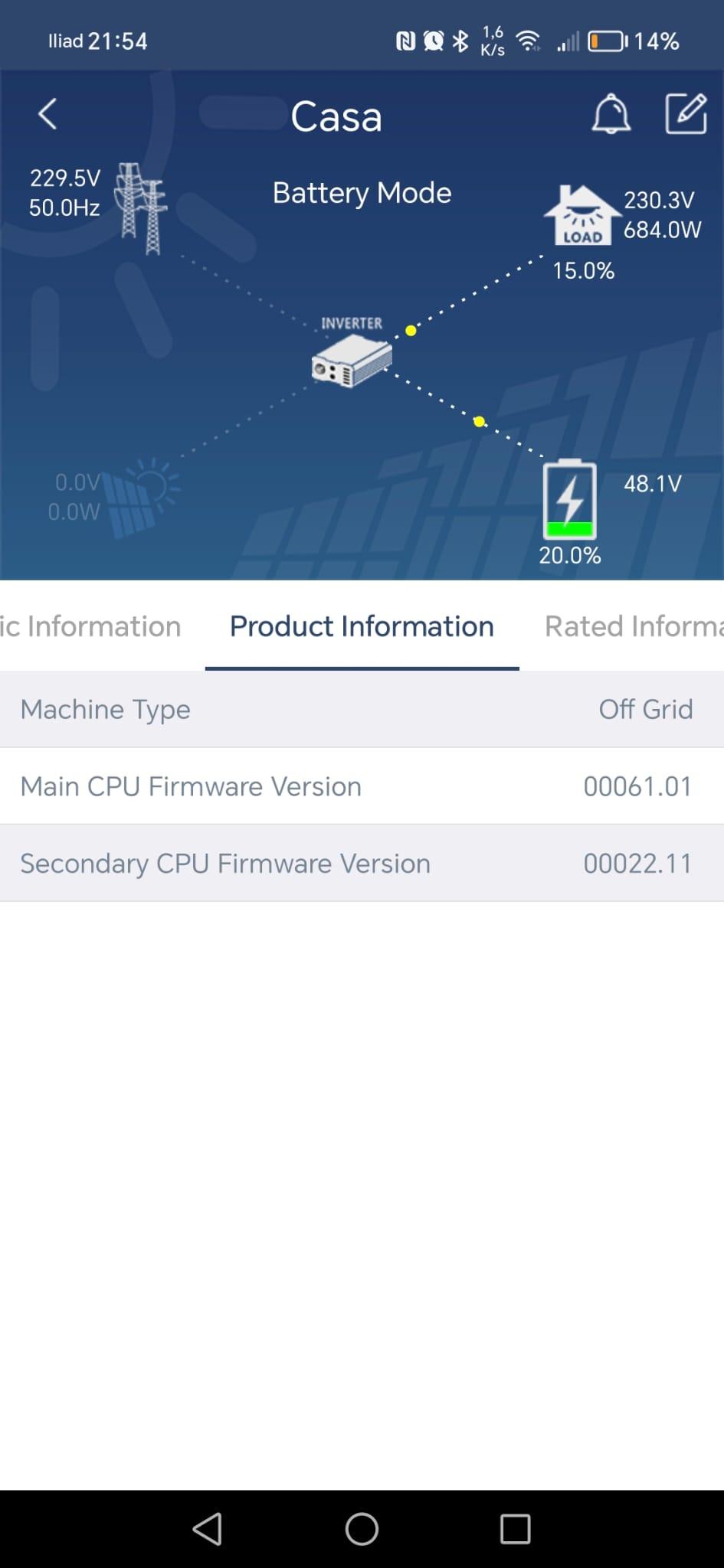
Hi @Coulomb Sorry for the late, I had a lot of issues with my job. Meanwhile I changed my inverter with a new one (I bought an MKS TWIN IV 6KW). Only today I had time to try the 61.03, and surprise: it's working! Obviously params 12/13 still work as voltage "breakpoints". But at least is working such as with 61.01 version. Then my VM IV inverter is come back alive, and moreover it work with 22.20 and also with 22.21 (tested). I have to thanks to you million of times! So I can update my list: 61.01 with 22.11 is OK 61.01 with 22.20 or 22.21 not tested is OK (tested by usr023) 61.03 with 22.20 is OK 61.03 with 22.21 is OK 61.64 with 22.11 is OK 61.64 with 22.20 is NOT OK The Italian vendor still saying that 61.64 with 22.20 should work, I think my inverter was built with strange cpu chipset. I will try to dismount it and check one more time, in order to get more informations about. Thanks!
-
No, I mean that I get warning code 32 after flashing the 22.20. I flashed the Main CPU from 61.01 to 61.64 precisely to get settings 12,13 working with SoC%, instead of voltages. However the vendor sent me both packages (61.64 and 22.20), and he told me that I should have to upload both, Main CPU first and then Remote Display. So I did the upgrade of Main CPU from 61.0.1 to 61.64, after restart the display seems working, but I not checked if the 12/13 settings was already to SoC%, I just followed the vendor instructions, then I performed the Remote display too, from 22.11 to 22.20, but after restart I got the error 32. Hope it is clear now I'm going to try the 61.03...I'll update you soon. Thank you!
-
Thanks @usr023, Before updating my Remote Panel version from 22.11 to 22.20 I did the upgrade of Main CPU version, exactly from 61.01 to 61.64. With the 61.64 the 22.11 still works. I think the issue is this: the 61.64 version is compatible with 22.11 but not with the 22.20. So: 61.01 with 22.11 is OK 61.64 with 22.11 is OK 61.64 with 22.20 is NOT OK. I don't have the 61.01 to test it with 22.20 and understand if it is working or not. I will try with 61.03 previously sent by @Coulomb. Thank you again.
-
Hi @usr023, I'm sure it is working in your case. But it isn't working on my device and I don't know why. Which version is your U1 (main CPU/DSP) Firmware? Thank you.
-
Hi Danilo, can you explain why this data cable modify is needed? Could the firmware be uploaded (apparently 100% ok) but not really working at all? On the fifth image it seems to be a "102" resistor (means 1k Ohm), but description say 3k Ohm. Which value is the right one? Thank you in advance.
-
Tried this firmware but doesn't work for me. Error 32 still appearing after flashing the Remote Panel mcu.hex I really would try to downgrade the U1 to original 61.01 (instead of 61.64) but I cannot find that version. @coulomb do you have the 61.01? Or you know a way to contact Voltronic in order to ask the firmware packages for that version (VM4 5648GK) ? Thank you
-
Doesn't work with my VM4 5600W (Not the TWIN version). After upgrade the display test itself while booting and after the countdown it goes black with Error 32. Main U1: 61.64 (don't know if does this have anything). VMIV 3.6K&5.6K_Ver61.64.7z
-
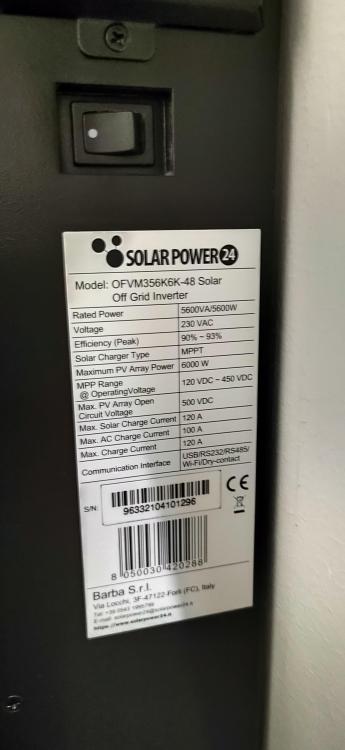
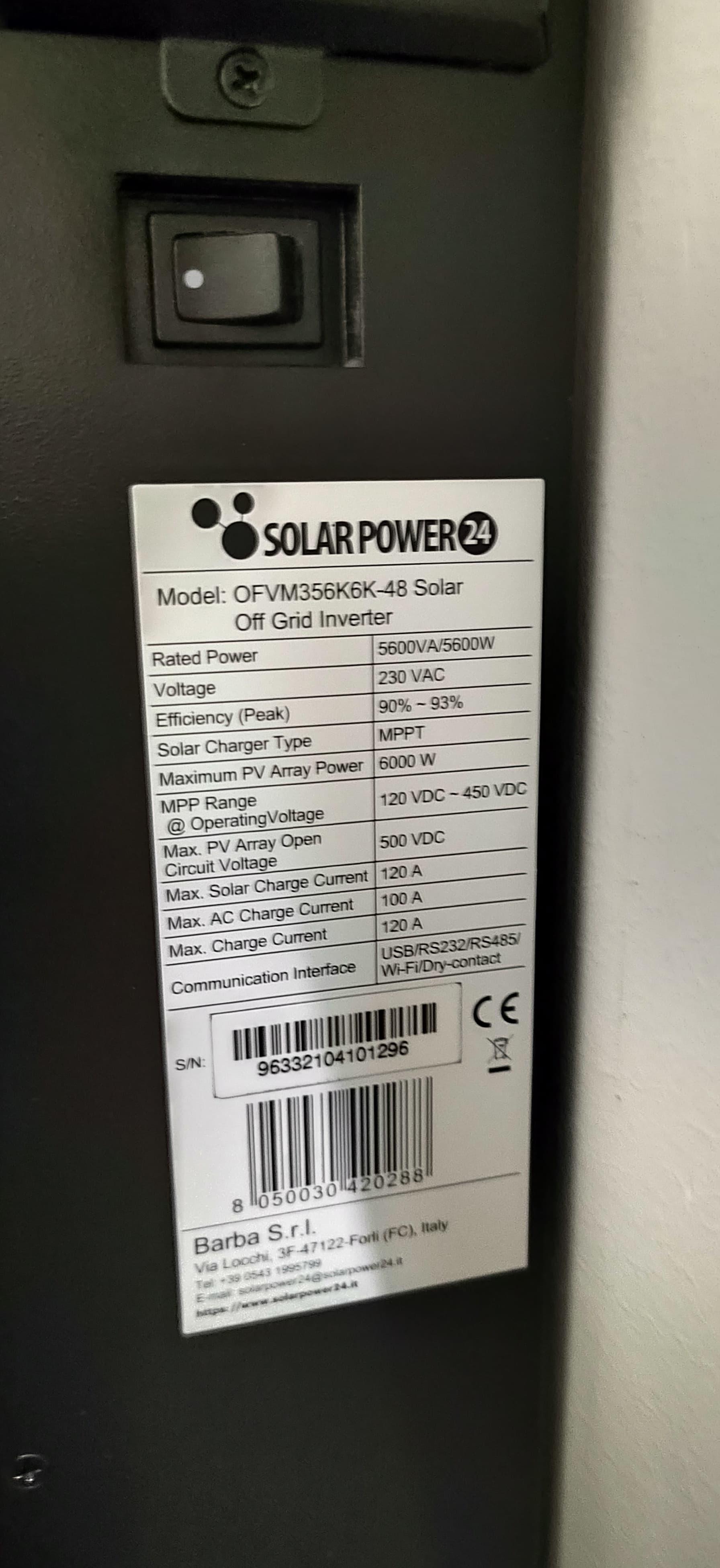
Solution is here: Hi all, I have an Axpert VM IV 5,6KW Inverter. It is very similar to this one (https://www.solarpower24.it/negozio/sp24-axpert-vm-iv-twin-6000watt-48v-off-grid-inverter/) except for the fact that mine is not TWIN version and is not 6K but it is 5,6K. Previous version of firmware was U1: 61.01 and U2: 22.11 The vendor sent me a new update composed by two packages: VMIV 3.6K&5.6K_Ver61.64, and the Remote Panel_Reflash_MCU_2220_VM IV By using an RS232-USB interface based on PL2303 I did the first U1 (61.64) upgrade without any error, but when I completed the last one (MCU Display 22.20) the display start with its test (all segments on) and then say error 32, the ring led start red flashing, and after few seconds the display switch off itself (black). I already tried to re-flash the U1 (61.64) and the upload work, but it didn't fix the issue. The inverter is accepting firmware loading, so it is not fully bricked. This upgrade should fix the "back to grid" and "back to discharge" behaviour, from battery voltage based, to SOC based. Now the inverter seem to work with PV and battery charging/discharging, but obviously it is uncontrollable, since it not communicate with WiFi or with my Solar Assistant interface. Can someone help me in order to get back the onboard display working again? Is the U2 22.11 version available to download from any resource? I can't find it on any places I searched for. I found this one (https://powerforum.co.za/topic/19607-firmware-voltronic-axpert-vm4-5600w/) that seems pretty similar to the original one received from vendor. I tried to upload this but got the same error. I read a lot of posts and manuals, Error 32 means the inverter can't communicate with the "Remote Panel", but this model doesn't have a "Remote panel". Is the Onboard display intended as "Remote Panel"? The vendor can't managed to help me, at the time it didn't replied to my questions. Thanks in advance. Best regards. Gianluca Video WhatsApp 2024-04-02 ore 14.12.15_ec077b0f.mp4