WelshDragon80
Members
-
Joined
-
Last visited
Everything posted by WelshDragon80
-
Changed cable and no issue Happy days
-
I read it could be the micro to usb cable I'm using that could be issue... so have to test and see
-
Hi managed to set mi rasberry pi up thanks for all the help only issue I'm having now is that I'm using this buck convter in the picture but keep this message "Device experienced 18 voltage dips since boot. Confirm USB power supply is 5V and 3A." So if anyone could tell me what I done wrong be big help

-
It sure would of done 😅 oh well 🥲
-
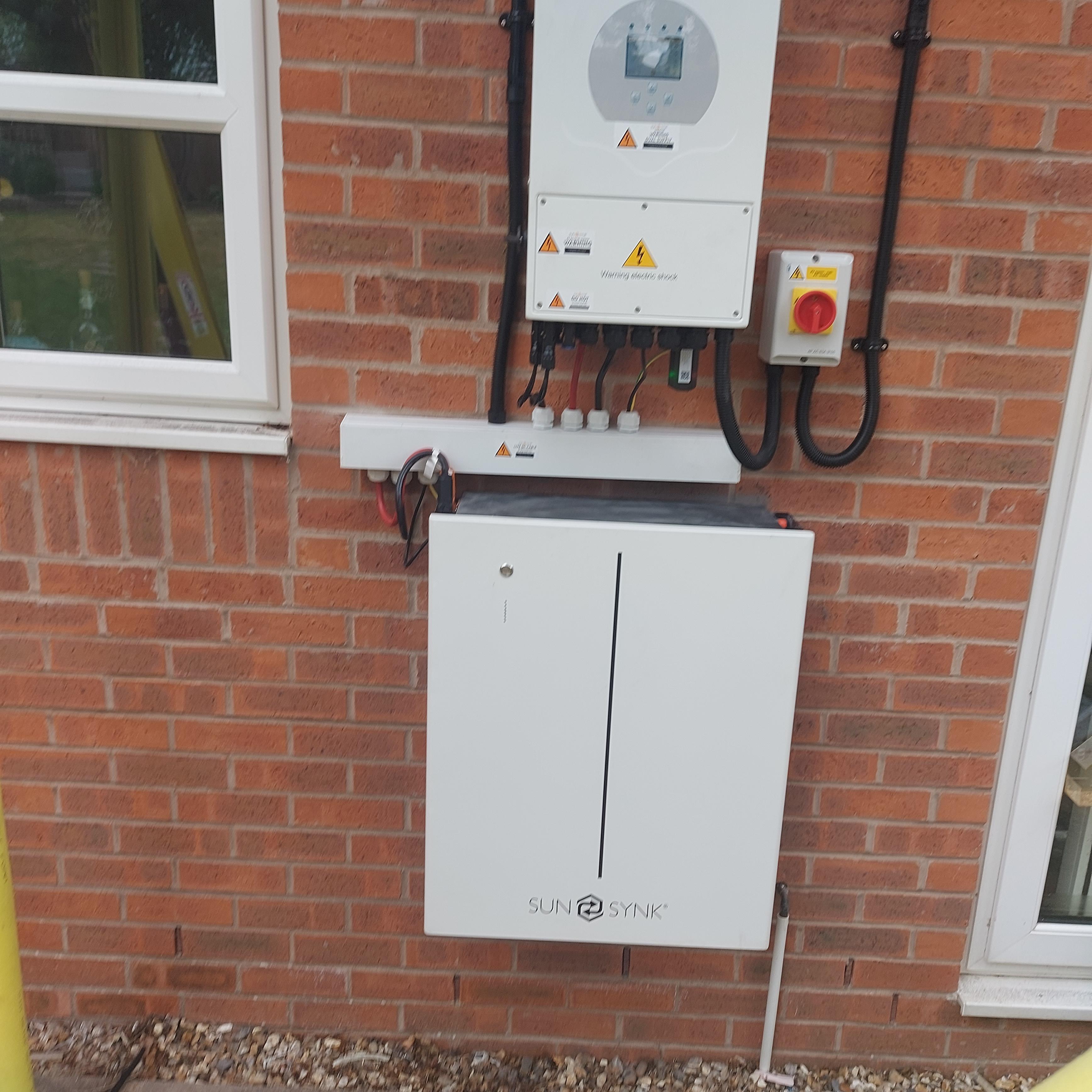
No roof that's the scaffolding as I only had it installed 2 days ago.. I will be building something like this around it

-
Ok thanks very much for ya input and advice. Il grab the bits and make sure it's all water proof and wait for my friend 😅
-
A friend did suggest that but I'd rather screw them on so I know nice and tight... I'd just have to see if any of my electrical friends will do it for me. So come to the conclusion put the pi in a ip rated outdoor box next to the invyer and run some conduit to from said box to invter to protect from the rain and weather. Would the pi be OK in a ip rated box, as I have the pi in a case with fan.. it would run too hot?
-
That does suck as could done it my self, as the wife does not want me or trust me more like to connect it to the battery terminals inside the invter 😅😅
-
Doesn't look like mine does Doesn't look like mine does

-
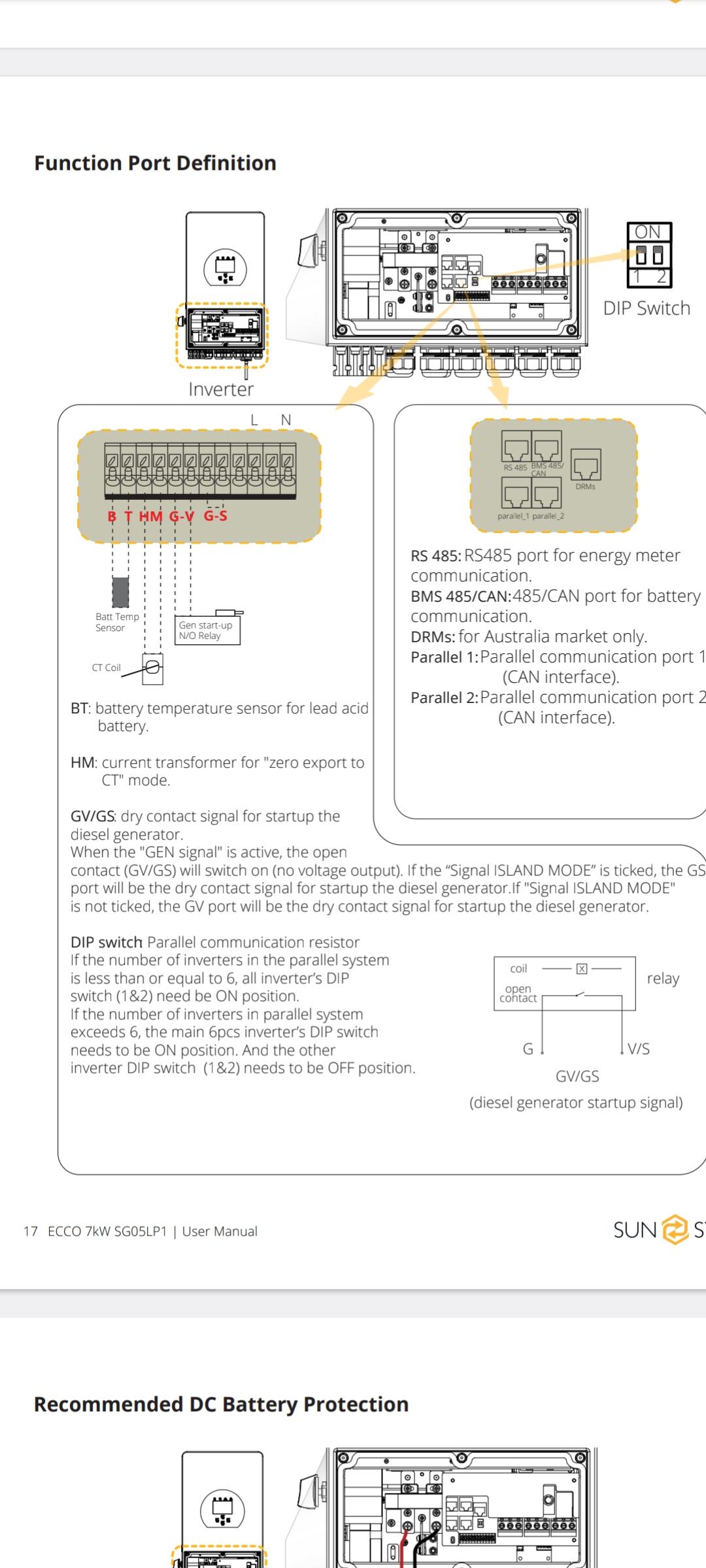
The invter I have is the Sunsynk 7kW ECCO Hybrid Inverter I will have to go down load the manual and see if there is such on mine as that be so much easier
-
Il drop them an email. Now it's just to work out where to pull power from. I appreciate you answering my questions thanks so much.
-
Unfortunately that is not possible it would be an ideal solution but can't
-
The buck convyer is 10V - 60V So what would be best way to power the pi. As u can tell I'm very new only had it installed and don't want to void warrenry or make it go bang.. and unsure where to locate a power source to power up the pi.
-
Yes I have something similar to that a buck convter. So does it connext to where the battery connects to in the invter or to the battery itself?
-
Think that is what I will have to do, is encase the pi in a ip rated box. Only other question is where can I pull power from the invter to power the pi, as I have no power sockets out side. Many thanks
-
Hi there is a wifi dongel yes... where would u say the lan port is? As I will be using S.A I need to connext the pi to the bms/can port. Thanks
-
Has anyone placed there rasberry pi insdie there invter to power it? If so have few questions. Where have you connected the pi to power.. did you connect it to battery terminal or did you find a 5v rail? How have you secured it insdei the invter? Does it invalidated your warrenty doing it his way? Do you have any pictures of such. As I have just had my install done but it is all outside and only way is to place the pi inside the invter and find a power rail / use battery rail to power it using a buck convter . Many thanks for looking and your replies.
-
Hey everyone I am completely new to home assist and solar systems. In few weeks I will be getting sunsync 10kw battery and hopefully 7kw invter as these are going out side it would be bit of pain to run cales from invter into my pi/ computer depending on what I use, I was looking at solar assit but sue to them going out side I am now looking into home assist So if anyone in generous to help or answer few questions for me. 1.) Will the sunsync dongale work to pull everything I need to edit export times / import times and be able to do it automatically rather than manual as I will be switching to octopus flux and you have set it manually In sunsync app. 2) what addons would I need to set it automatically import/ export from octopus flux . 3) any other help full addons to help stream this when I get my solar installed