Solar Deity PTY LTD
Pylontech
-
Joined
-
Last visited
Everything posted by Solar Deity PTY LTD
-
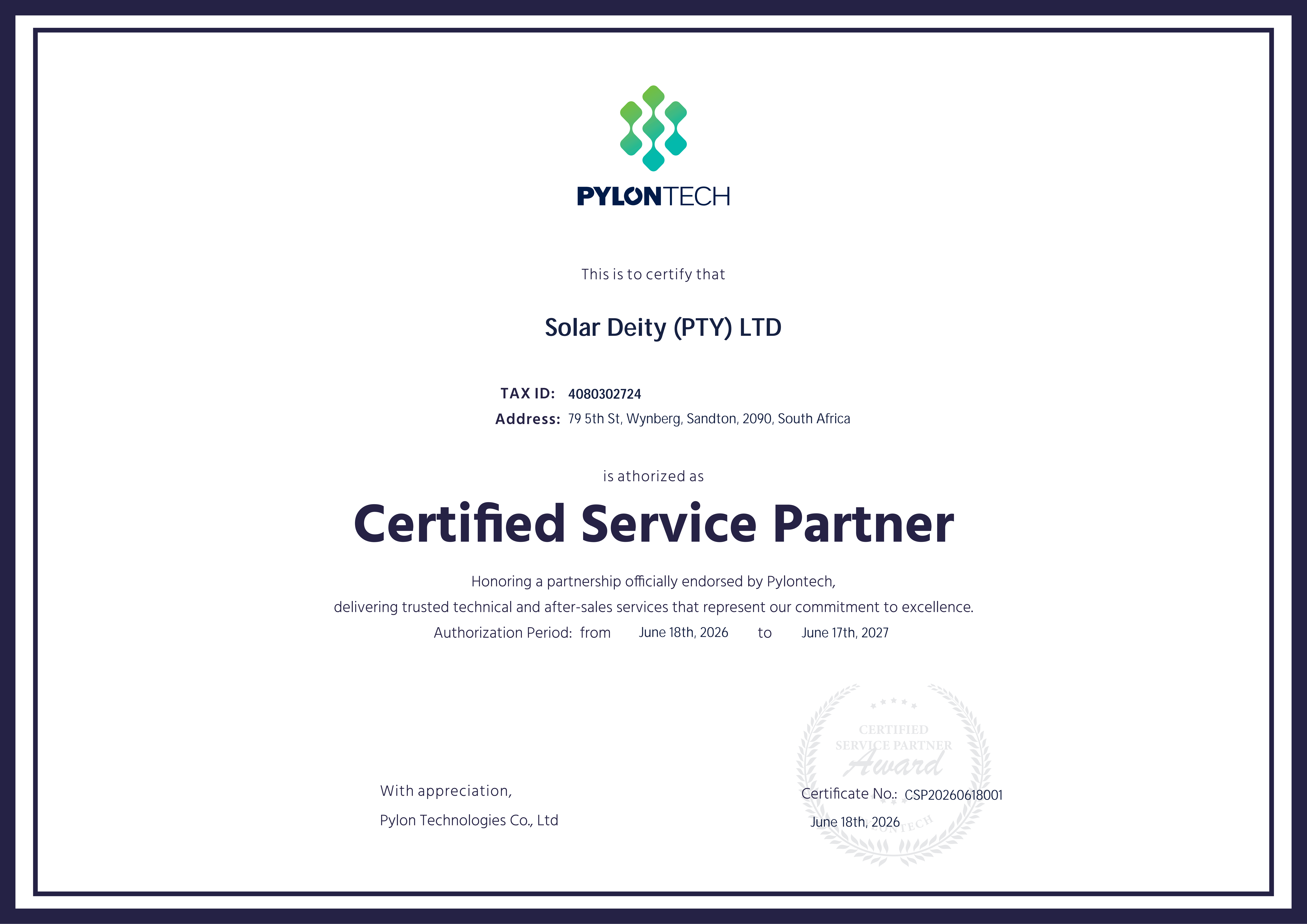
Hi, We are the new importer of Pylontech in South Africa and also an official Pylontech service centre. May you please contact us via WhatsApp: 066 342 4403, so i can ask our technician to contact you directly?
-
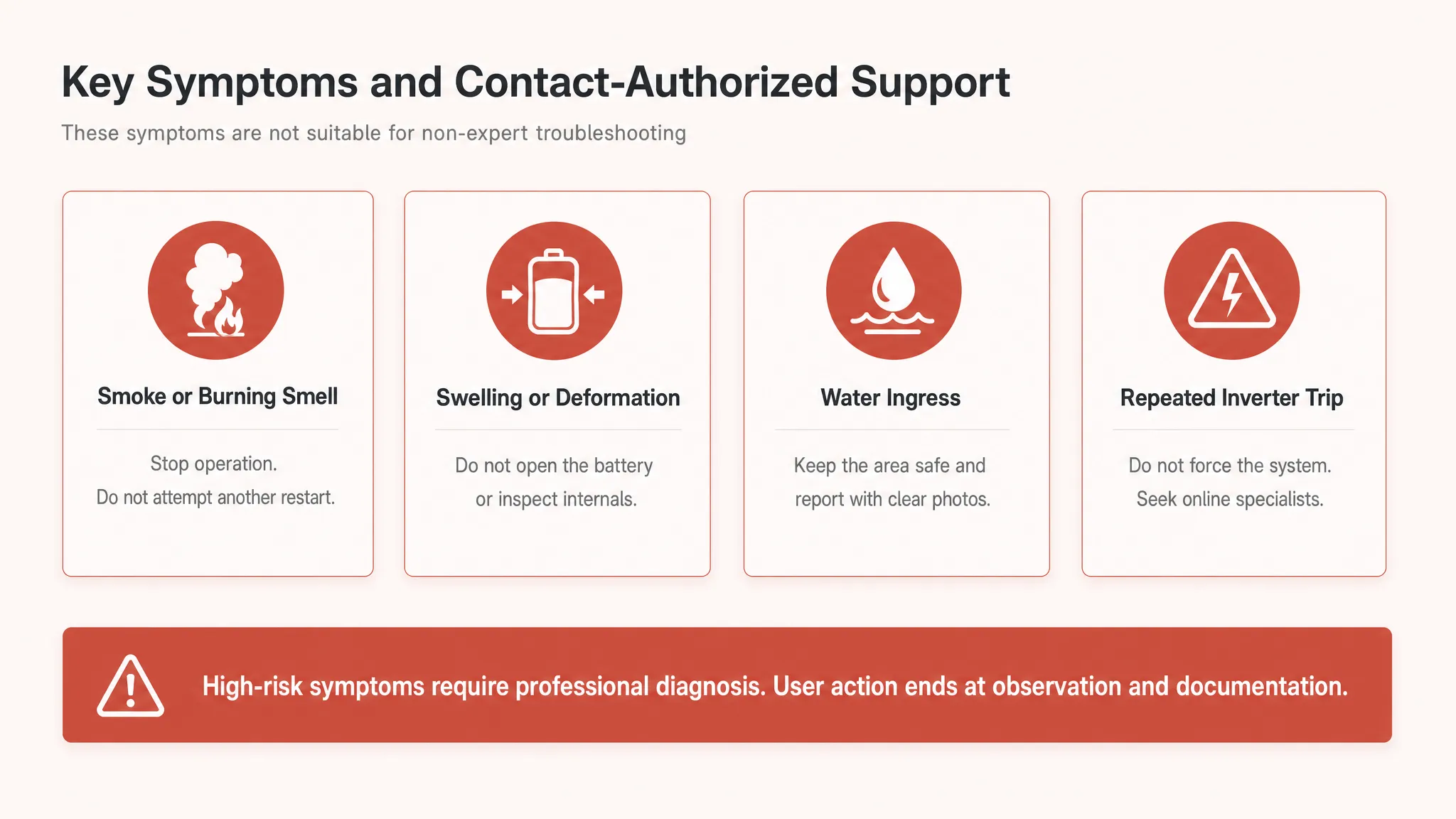
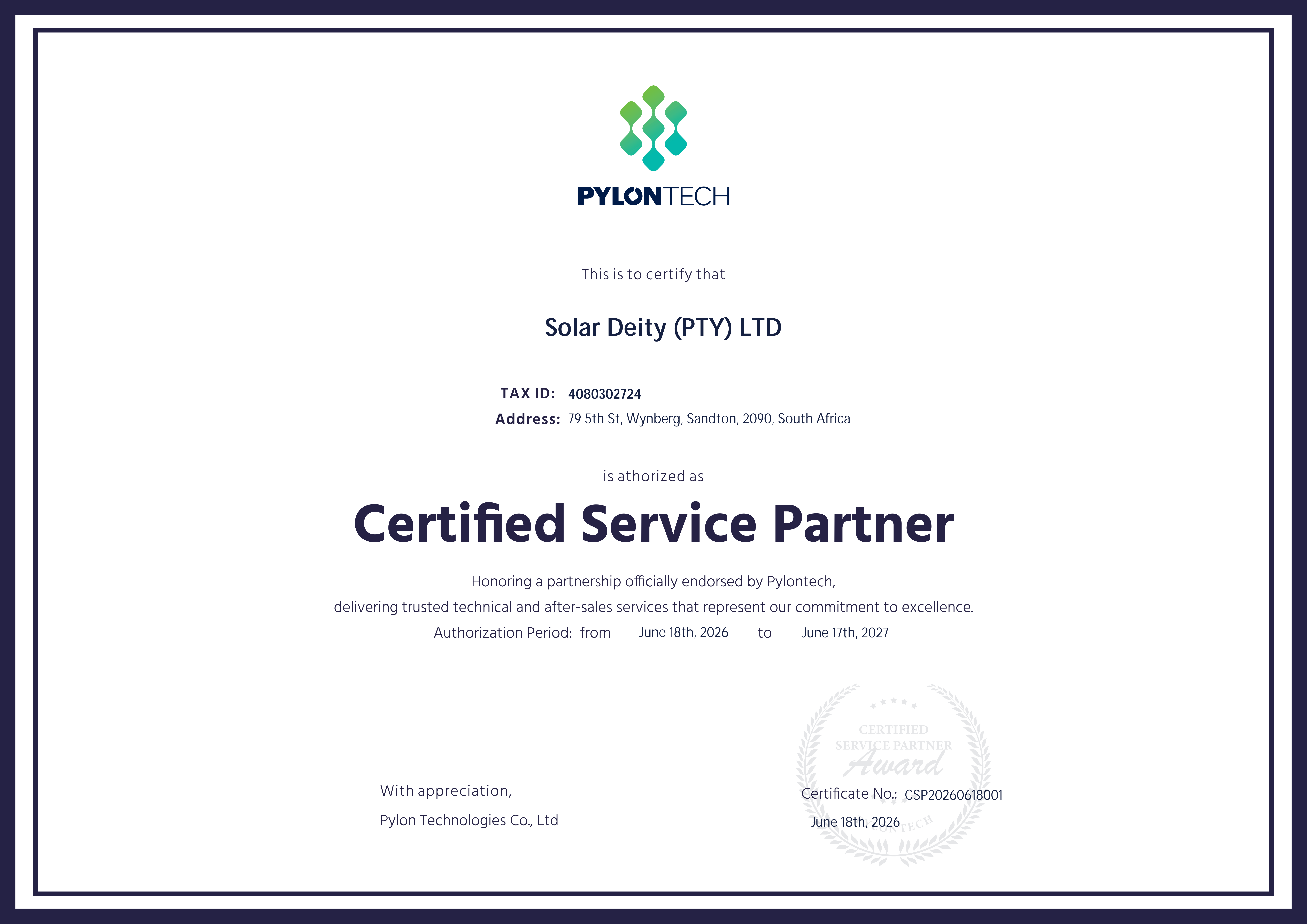
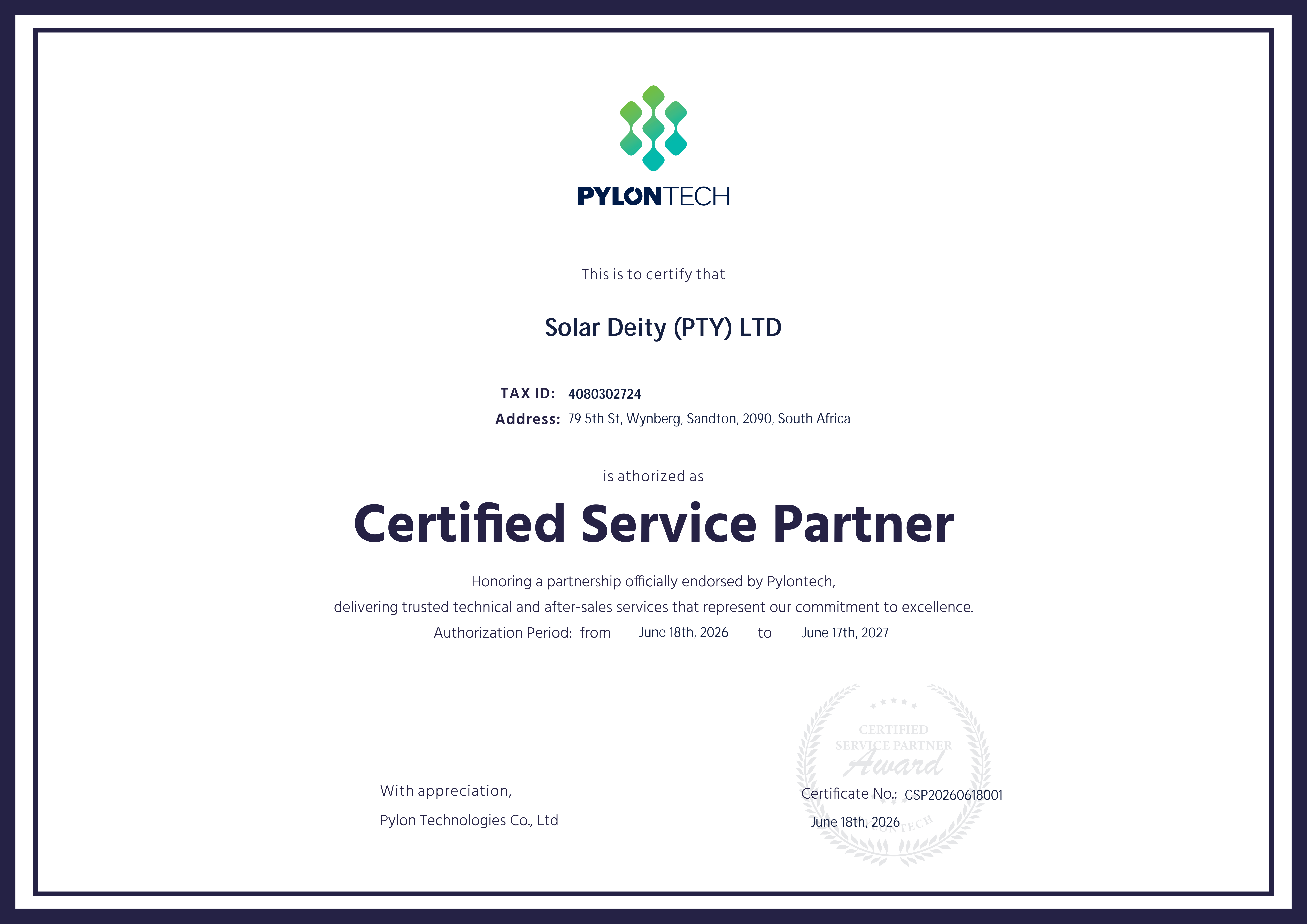
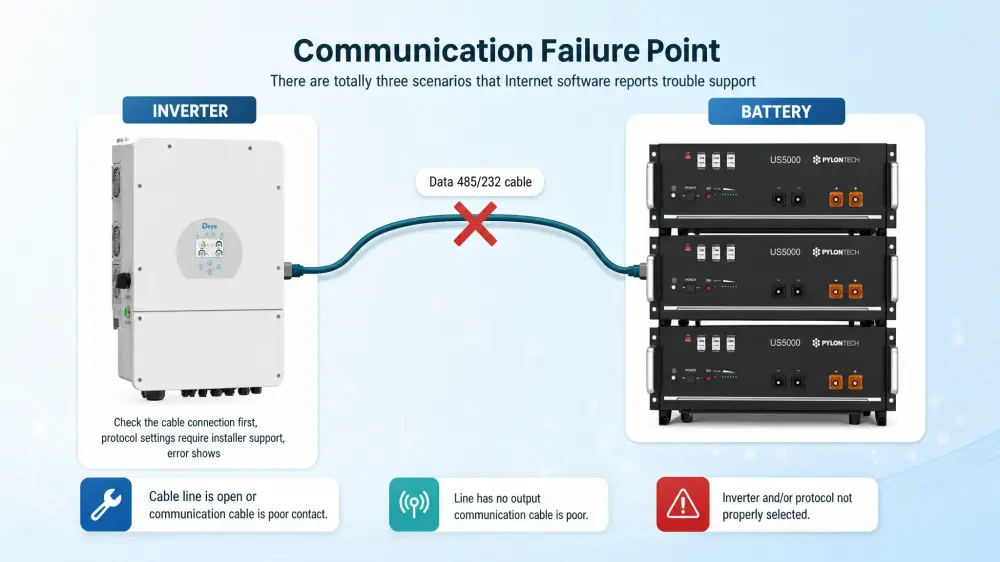
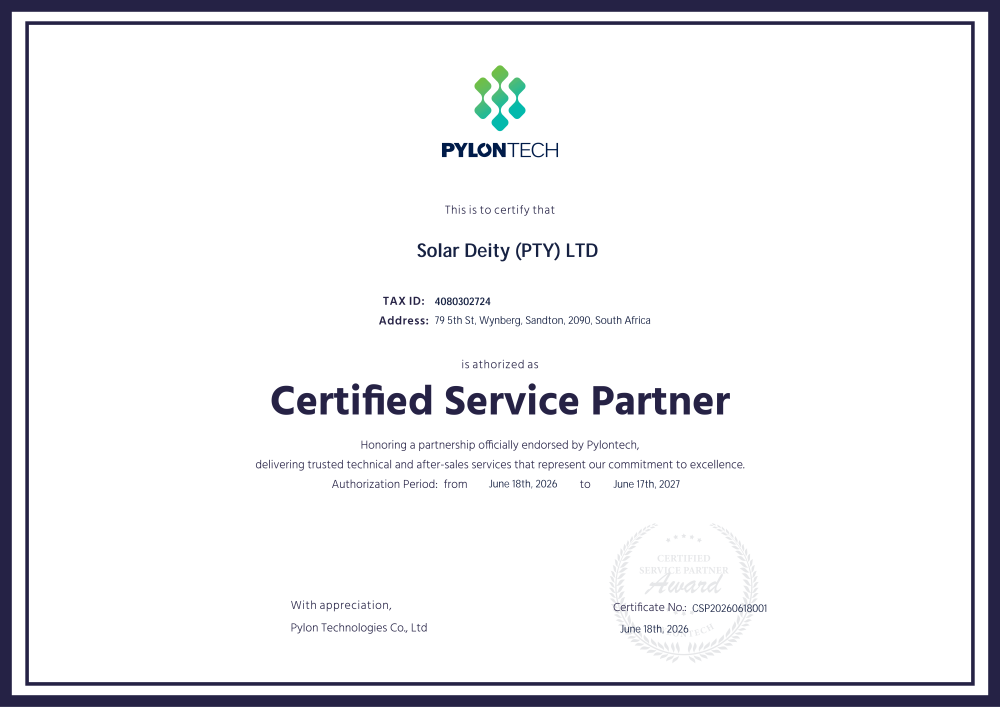
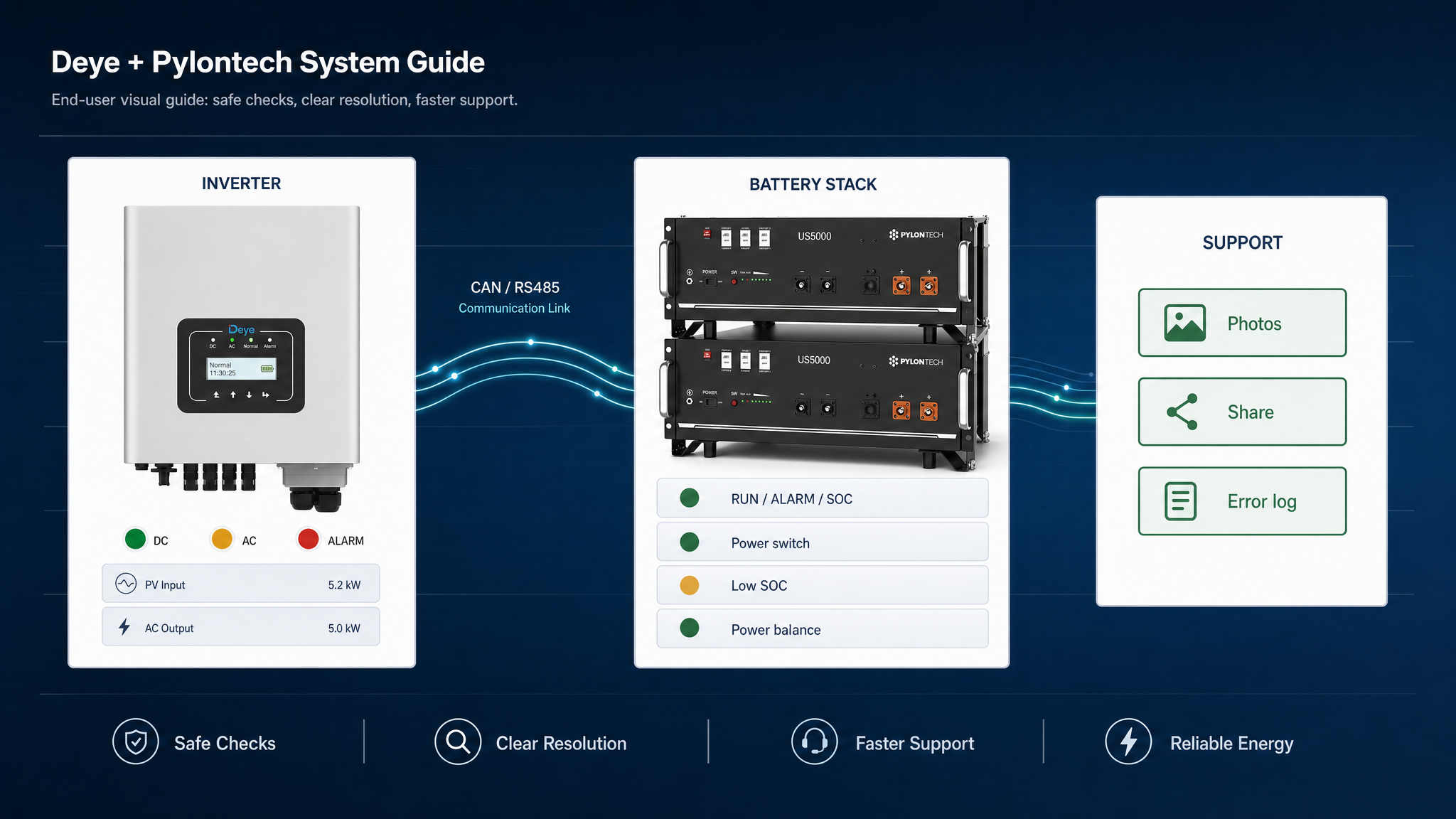
1. Topic ObjectiveHelp end users make a safe first judgment when a battery system shows an alarm, cannot start, loses communication with the inverter, or behaves abnormally. The goal is not internal repair. The goal is safe checking, clear documentation, and correct escalation. Key message: check safely, do not open the battery, and contact authorized support when the issue is repeated or unsafe. 2. 30-Second First Check Use this first-check sequence before deciding what to do next: battery power status, LED indicators, inverter alarm, breaker and visible cables, recent events, then decision. 1. Check whether the battery can be turned on. 2. Observe RUN, ALARM and SOC indicators. 3. Read the inverter alarm screen. 4. Check breaker status and visible cable looseness. 5. Think about recent loadshedding, overload, restart, cable movement, expansion, or setting change. 6. If unsafe signs are present, stop and contact authorized support. 3. Safety Boundary End users should only perform external, low-risk checks. Internal inspection, measurement, repair, and component replacement must be handled by authorized service personnel. Users can check: switch, breaker, LEDs, visible cables, inverter screen alarm, and installation environment.Users must not: open the enclosure, remove BMS or PCB, measure internal cell voltage, repair damage, force repeated restarts, or mix battery series without authorization.4. Common Troubleshooting Scenarios l Battery Cannot StartCheck power switch, breaker, and startup sequence. If one standard restart fails, contact support. l Communication FailureCheck CAN or RS485 cable connection first. If the error continues, the installer should verify protocol and master battery settings. l Temperature AlarmCheck indoor installation, ventilation, direct sunlight, and moisture. Do not inspect internal sensor wires. l Short Circuit or Repeated Breaker TripStop operation, avoid repeated restarts, take photos, and contact authorized support. l Cell Imbalance or Swelling RiskObserve external signs only. Do not open the battery or attempt internal inspection. 5. Standard Restart SOP 1. Turn off high-power loads first. 2. Shut down inverter and battery according to the installer-recommended sequence. 3. Wait for 1-3 minutes. 4. Check switch, breaker, power cables, and communication cable. 5. Restart according to the recommended sequence. 6. Observe LEDs and inverter display. 7. If the same alarm appears again, stop repeated restart attempts and contact support. 6. Communication Failure CheckCommunication failures may involve CAN cable, RS485 cable, inverter protocol, inverter settings, master battery selection, or internal battery faults. End users should only check visible cable connection and record the inverter error screen. 7. Stop Conditions Stop using the system immediately if there is smoke, burning smell, swelling, water ingress, abnormal heat, visible damage, or repeated breaker tripping. These conditions require authorized diagnosis. 8. Before Contacting Support Clear information helps the service team diagnose faster. Collect battery model and quantity, inverter brand and model, installation age, LED photos or video, inverter error screen, cable and breaker photos, recent event description, and any visible signs of damage. Contact With US: Solar Deity is an Authorised Pylontech Partner and Certified Service Partner in South Africa. Join our Pylontech SA community today!🎉 WhatsApp: +27 66 342 4403 WhatsApp Technical Support: https://chat.whatsapp.com/Fh5L8WtsgNL9Fh6LsMXLkE Facebook Community: https://www.facebook.com/share/g/16T6xwAGm9/ Book a Ticket: https://solardeity.co.za/pylontech-servicesupport/

.thumb.png.d1b04ca44d61f426b86a940e54f35c3f.png)




-
Hi, Please advise where and when did you book in the batteris? and you can contact our official Tel/Whatsapp: +27 66 342 4403, to book in the batteries to complain.
-
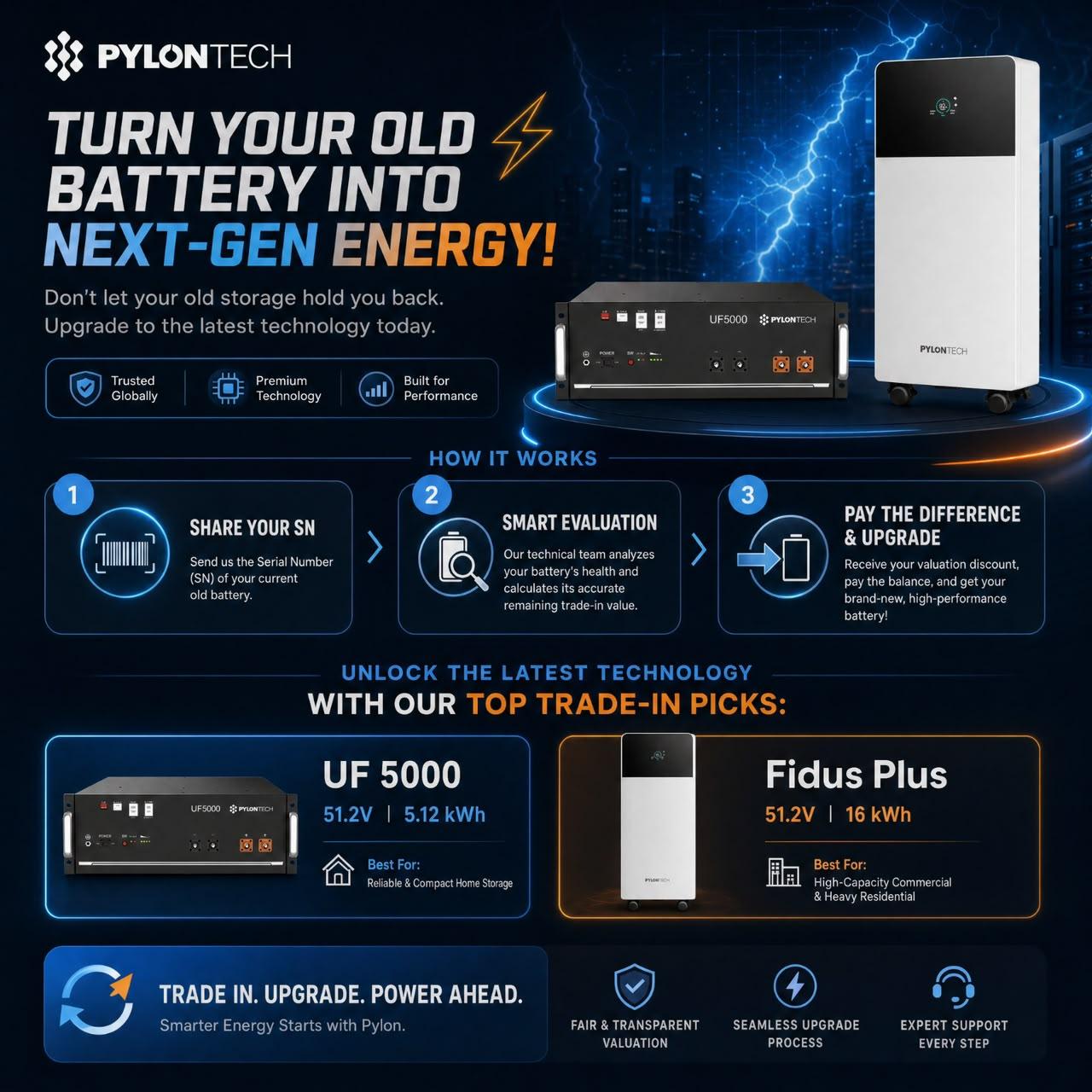
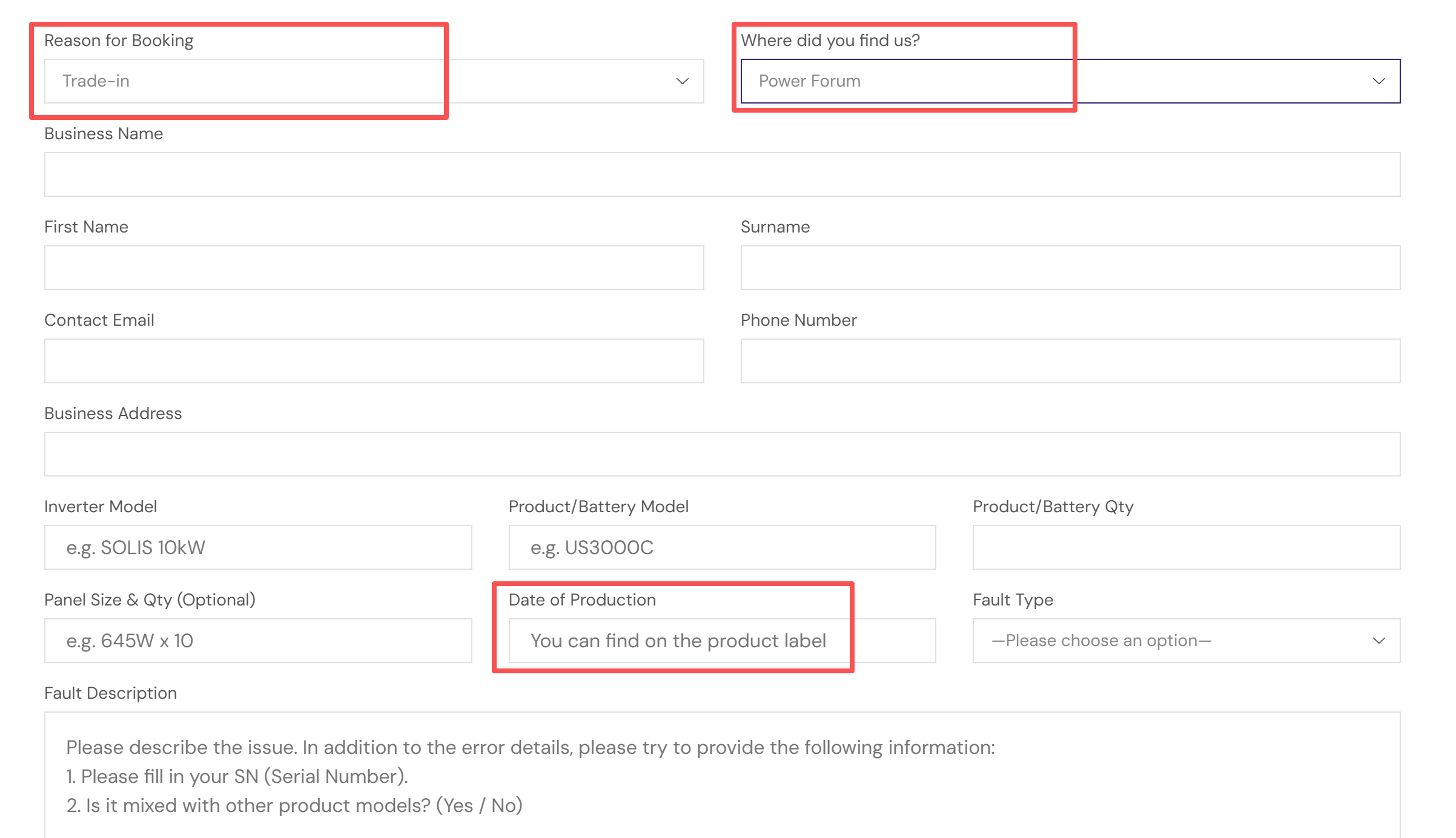
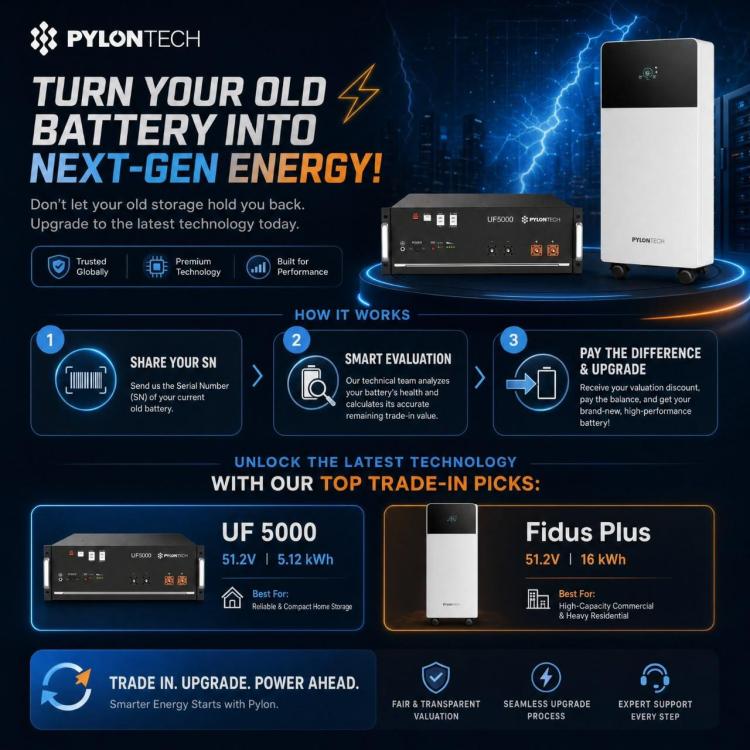
Thank you for bringing up these excellent points. I completely agree with you—old-school fairness, honesty, and upfront transparency are exactly what the market needs, and they are the core values we are bringing back to the Pylontech service ecosystem in South Africa. To give everyone full clarity, our trade-in process operates exactly like selling or trading in a used car: Preliminary Remote Estimate (Completely FREE): The form and screenshots we requested are used to give you an initial estimate. Just like getting an online valuation for your car before driving to the dealership, this step costs you absolutely nothing and gives you a baseline idea of what your battery is worth. No-Obligation Final Inspection (Also FREE): If you feel our preliminary offer is fair and worth pursuing, you can then disconnect your battery and send it to our service center. We do not charge any inspection or evaluation fees. Final Offer & Transparent Transaction: Once our technicians inspect the physical battery, we will present you with a final, binding offer. If you agree to the value, we will issue a new official quotation reflecting the trade-in discount. You pay the balance, and you get your brand-new battery. If you decide not to proceed, you can simply take your battery back—no hidden fees, no catch. Our goal as the new official distributor and service agent isn't just to move boxes, but to rebuild trust through absolute transparency. Thank you for keeping us on our toes and ensuring the community's interests are protected.
-
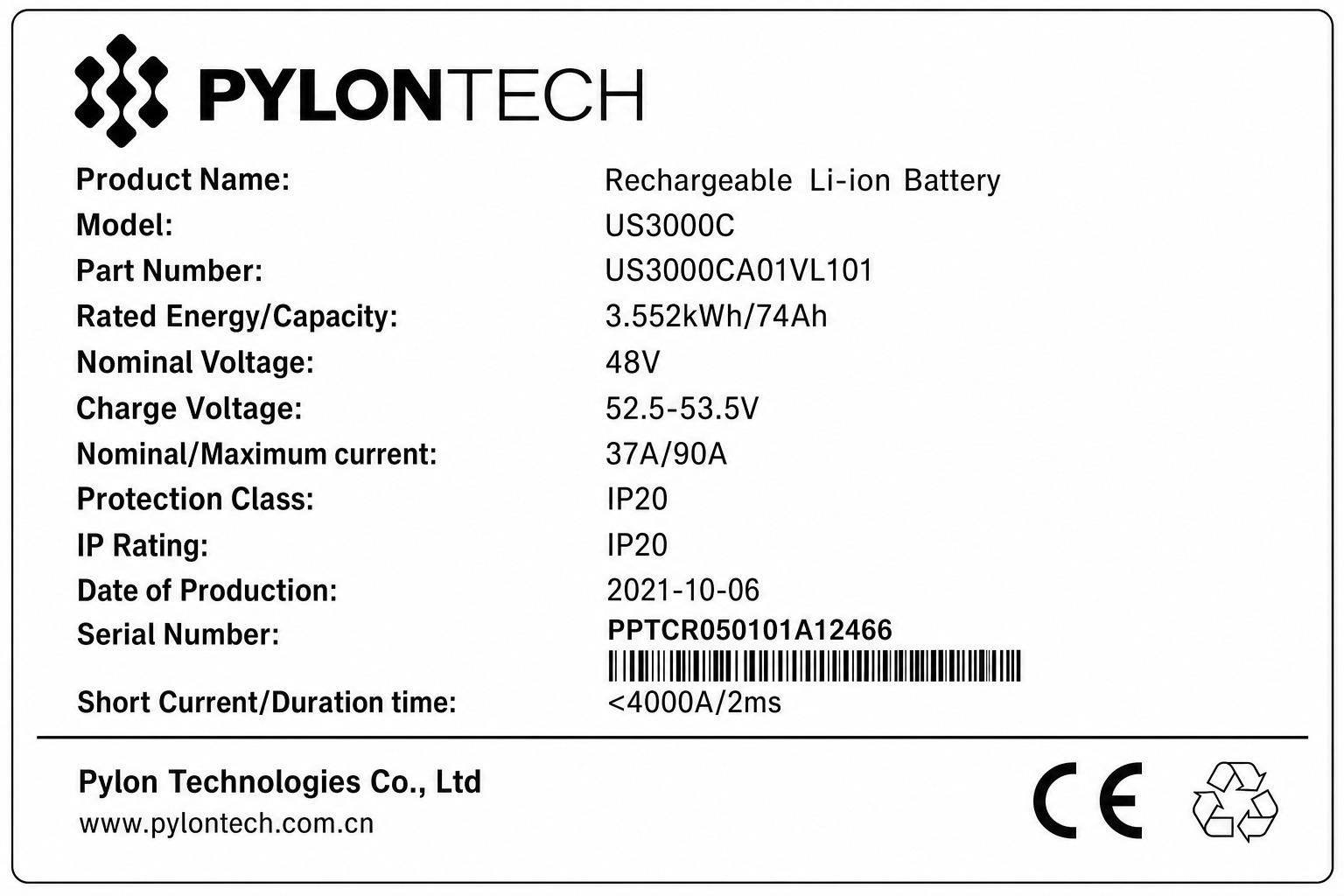
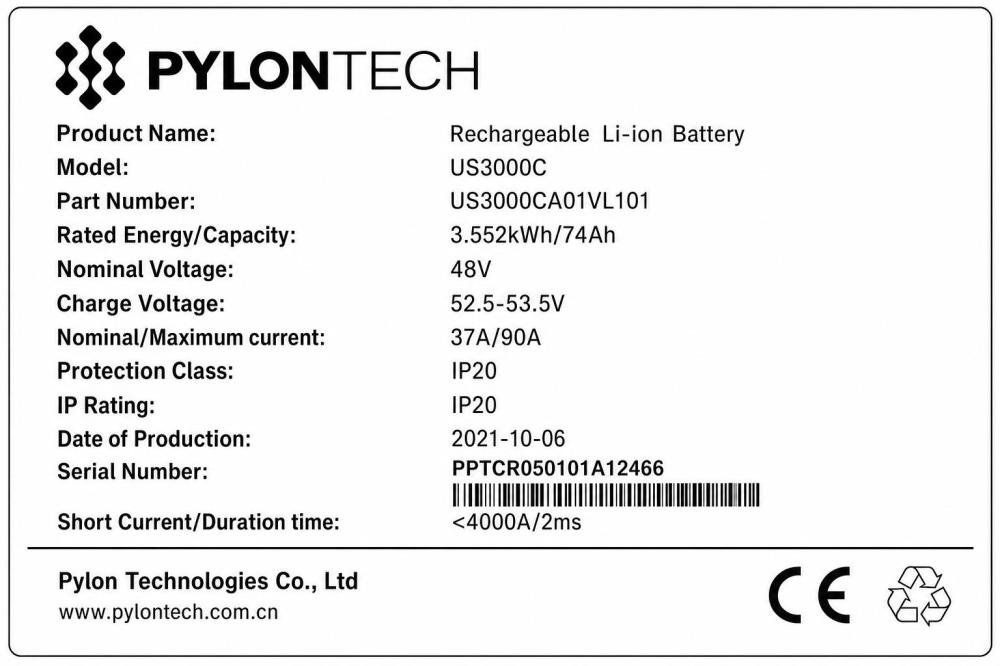
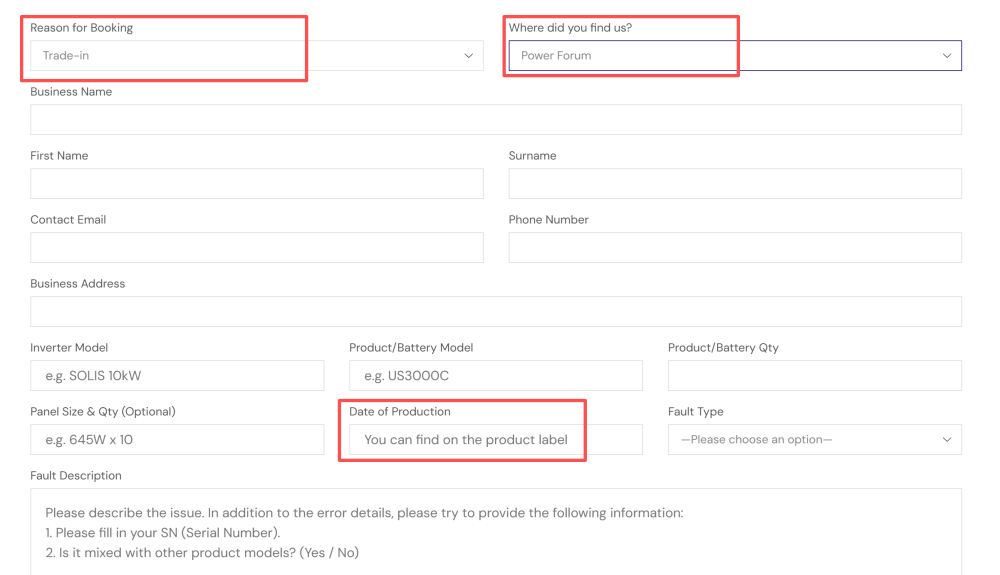
The Date of Production, you will find it on the battery lable
-
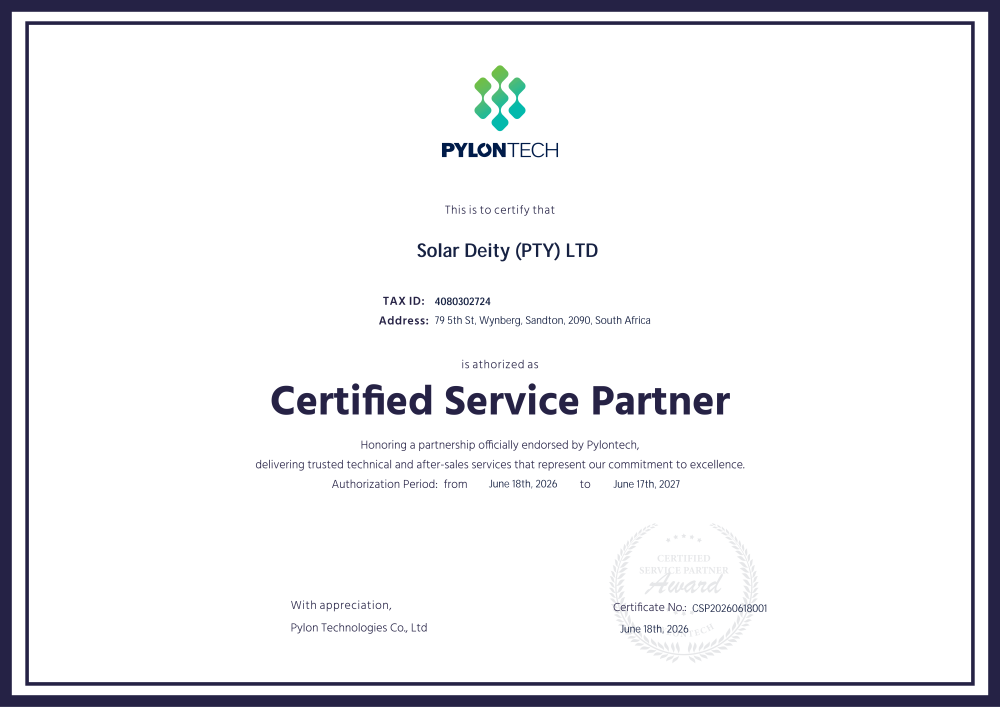
Due to previous strategic shifts, Pylontech's localized service in SA had been temporarily underserved. Today, Solar Deity is proud to partner with the community to restore Pylontech to its leading position in the market. Pylontech has always stood for premium quality and reliability, and we are dedicated to delivering the exceptional support that matches this world-class brand.
-
Solar Deity is now the official distributor and authorized service center for Pylon SA. We are proud to announce that Power Forum is our designated partner. If you have batteries you would like to trade-in, please use the link below to visit our official website and book a ticket. We will process your requests promptly and get back to you all. The screenshots highlight the most critical information required for our initial system evaluation. For any other information regarding the installation, you can simply fill in "N/A" or "Null".
-
Hi, all. Solar Deity is proud to announce that we have officially expanded our role as an authorized agent and premier importer for Pylontech services. We recognize the trust you place in energy storage solutions, and our primary mission is to deliver an unparalleled level of service and support. Our goal is simple: to reaffirm your confidence in Pylontech and ensure a seamless, world-class experience for all our customers. Together with Pylontech’s cutting-edge technology and Solar Deity's enhanced localized service, we are confident that Pylontech remains the undisputed, top-tier battery solution in the market. Thank you for your continued trust. We look forward to powering your future.
.png.64fa5275020ffec55303d0c5697252f6.png)