


-
Thank you very much. Do you know the password for the application to edit the BMS? Thank you again very much😇🙏
-
Sorry, the application link is different from the one shown in the conversation. It does not match exactly, and it did not work with this software.
-
Could you please provide me with this application?
-
These are the app screenshots I need.
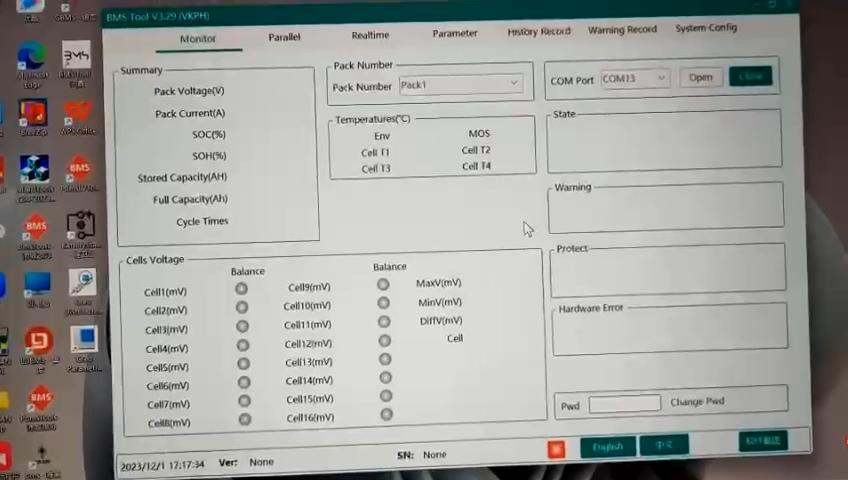
.jpg.c6087727eb406cd0647e052e1cbad72c.jpg) I am looking for BMS Tool V3.29 to set the BMS communication protocol. If anyone has a download link for this version, please reply to this post. Thank you for your help.I am looking for BMS Tool V3.29 to set the BMS communication protocol. If anyone has a download link for this version, please reply to this post. Thank you for your help.Hello, I have 5.12 kWh lithium batteries rated at 51.2 V / 100 Ah, but I am experiencing several problems with their BMS: - The DIP switch addressing appears to be incorrect. - The batteries cannot be completely shut down; they can only be restarted. - The battery communication protocol sometimes stops sending data to the inverter. - The battery voltage and SOC can drop to very low levels without following the inverter’s discharge control/command. The batteries are currently running firmware version 15.53. I would like to upgrade the firmware from version 15.53 to 15.58. Could you please confirm whether version 15.58 is fully compatible and safe for this battery/BMS model and whether the upgrade can be performed without causing any additional problems? If version 15.58 is recommended, please provide me with the correct firmware file and the proper update procedure. Thank you for your support.
I am looking for BMS Tool V3.29 to set the BMS communication protocol. If anyone has a download link for this version, please reply to this post. Thank you for your help.I am looking for BMS Tool V3.29 to set the BMS communication protocol. If anyone has a download link for this version, please reply to this post. Thank you for your help.Hello, I have 5.12 kWh lithium batteries rated at 51.2 V / 100 Ah, but I am experiencing several problems with their BMS: - The DIP switch addressing appears to be incorrect. - The batteries cannot be completely shut down; they can only be restarted. - The battery communication protocol sometimes stops sending data to the inverter. - The battery voltage and SOC can drop to very low levels without following the inverter’s discharge control/command. The batteries are currently running firmware version 15.53. I would like to upgrade the firmware from version 15.53 to 15.58. Could you please confirm whether version 15.58 is fully compatible and safe for this battery/BMS model and whether the upgrade can be performed without causing any additional problems? If version 15.58 is recommended, please provide me with the correct firmware file and the proper update procedure. Thank you for your support.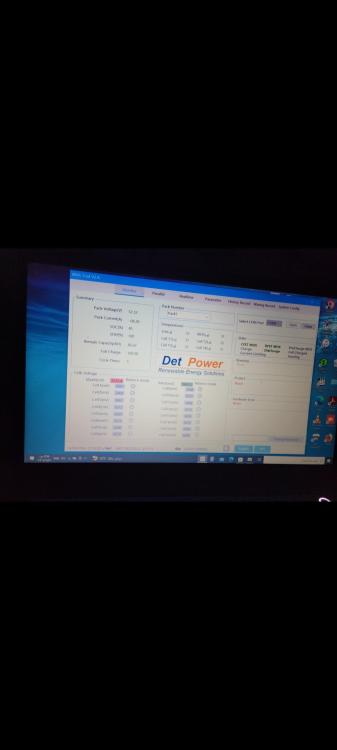
.jpg.ff6bf1dadb6ca84d84c6fbbcfc25d8c1.jpg)


Account
Navigation
Search
Configure browser push notifications
Chrome (Android)
- Tap the lock icon next to the address bar.
- Tap Permissions → Notifications.
- Adjust your preference.
Chrome (Desktop)
- Click the padlock icon in the address bar.
- Select Site settings.
- Find Notifications and adjust your preference.
Safari (iOS 16.4+)
- Ensure the site is installed via Add to Home Screen.
- Open Settings App → Notifications.
- Find your app name and adjust your preference.
Safari (macOS)
- Go to Safari → Preferences.
- Click the Websites tab.
- Select Notifications in the sidebar.
- Find this website and adjust your preference.
Edge (Android)
- Tap the lock icon next to the address bar.
- Tap Permissions.
- Find Notifications and adjust your preference.
Edge (Desktop)
- Click the padlock icon in the address bar.
- Click Permissions for this site.
- Find Notifications and adjust your preference.
Firefox (Android)
- Go to Settings → Site permissions.
- Tap Notifications.
- Find this site in the list and adjust your preference.
Firefox (Desktop)
- Open Firefox Settings.
- Search for Notifications.
- Find this site in the list and adjust your preference.