


JK844
Members
-
Joined
-
Last visited
-
Thanks for the suggestion. This is what I’m getting after unticking solar sell and selecting”Zero Export to CT”.

-
Posting setting from the master.
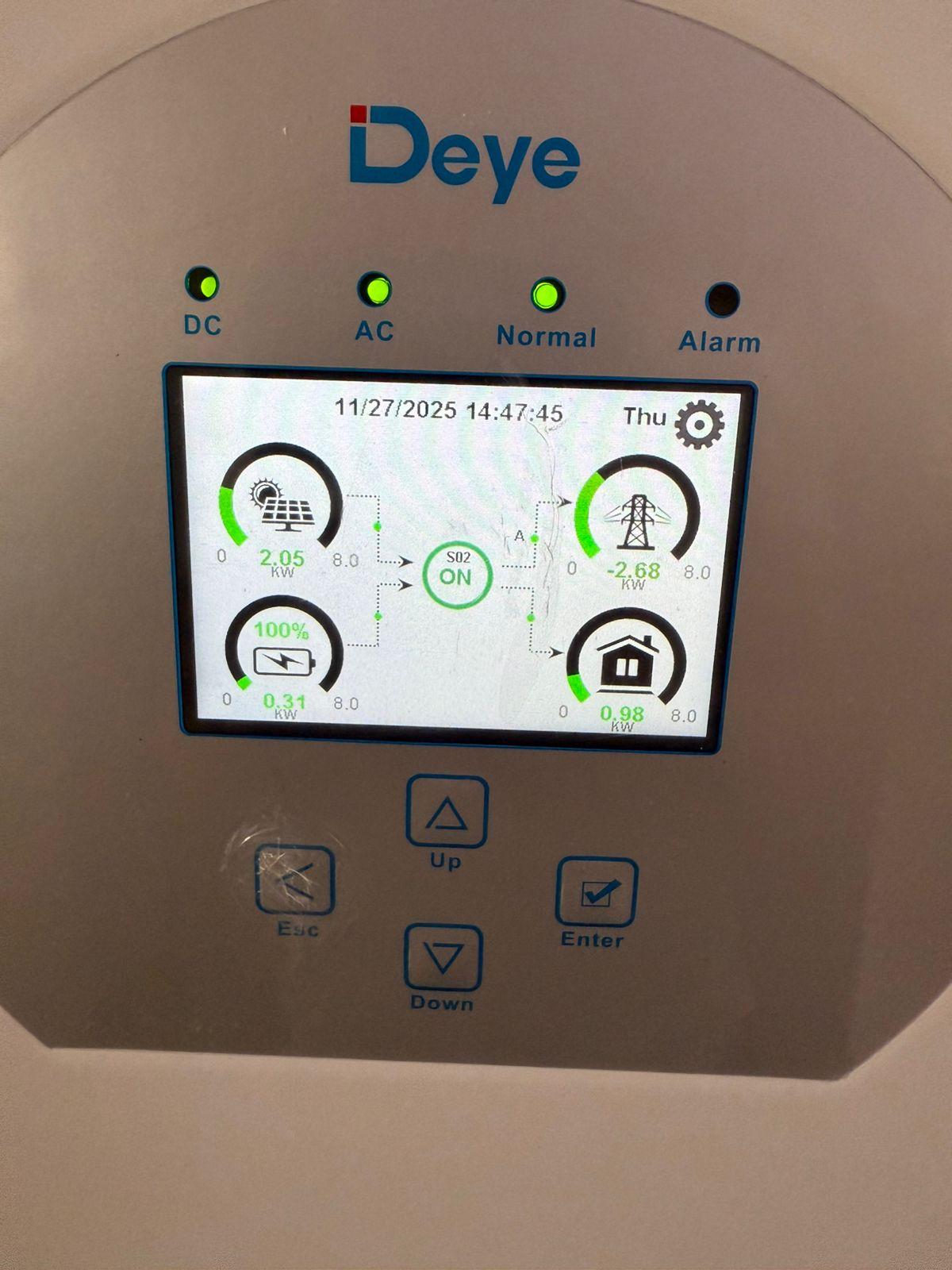
 This is what it’s currently doing.
 Hi
Hi Hi Yes, all days are ticked and grid charge is unticked for all time slots.These are my battery settings on the master unit.
 Confirmed. These are correct.Hi Yes, I’ve set the time of use on the inverter manually. Yes, the installer confirmed that the firmware was updated on both inverters. I’m attaching pictures of inverter settings and also of the setting from the Solarman app
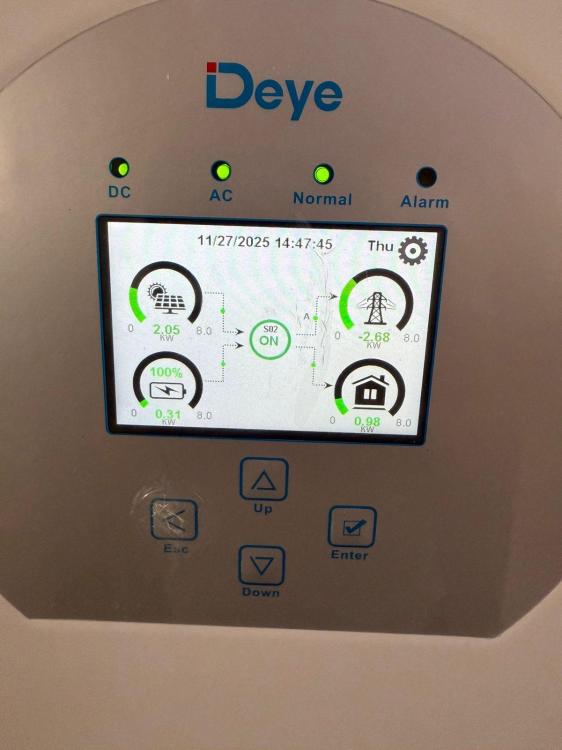


 Hi It’s 2x Deye 8kw Inverters in parallel connected to 5 x 4.8kwh Pylontech batteries.Installer confirmed that all firmware is updated and both units have the latest version.Hi I’ve recently had a second Deye 8kw inverter installed. Now that the two inverters are in parallel, some strange things have been happening. At first, it basically refused to generate any solar. Installer was at a loss so after a bit of Googling, I fiddled with some settings and it’s now producing solar perfectly. Now, the problem I have is that the screen doesn’t show any grid power being drawn throughout the day/night. Any suggestions? This is what I’m seeing currently.
 Thank you. Can you tell me the brand of generator you have and does it switch on automatically?




Account
Navigation
Search
Configure browser push notifications
Chrome (Android)
- Tap the lock icon next to the address bar.
- Tap Permissions → Notifications.
- Adjust your preference.
Chrome (Desktop)
- Click the padlock icon in the address bar.
- Select Site settings.
- Find Notifications and adjust your preference.
Safari (iOS 16.4+)
- Ensure the site is installed via Add to Home Screen.
- Open Settings App → Notifications.
- Find your app name and adjust your preference.
Safari (macOS)
- Go to Safari → Preferences.
- Click the Websites tab.
- Select Notifications in the sidebar.
- Find this website and adjust your preference.
Edge (Android)
- Tap the lock icon next to the address bar.
- Tap Permissions.
- Find Notifications and adjust your preference.
Edge (Desktop)
- Click the padlock icon in the address bar.
- Click Permissions for this site.
- Find Notifications and adjust your preference.
Firefox (Android)
- Go to Settings → Site permissions.
- Tap Notifications.
- Find this site in the list and adjust your preference.
Firefox (Desktop)
- Open Firefox Settings.
- Search for Notifications.
- Find this site in the list and adjust your preference.