


dragoon
Members
-
Joined
-
Last visited
Everything posted by dragoon
-
How can I update the firmware on my 5k inverter? Currently on E433-mcu:3384-0513 ... Does not seem to be recording grid power correctly anymore
-
Yeah, makes no sense not to include the full grid usage under grid. Was hoping someone here could tell me if I need to change a setting or something, as it was fine before the last 2 updates. Was hoping an update would fix it, but didn't work
-
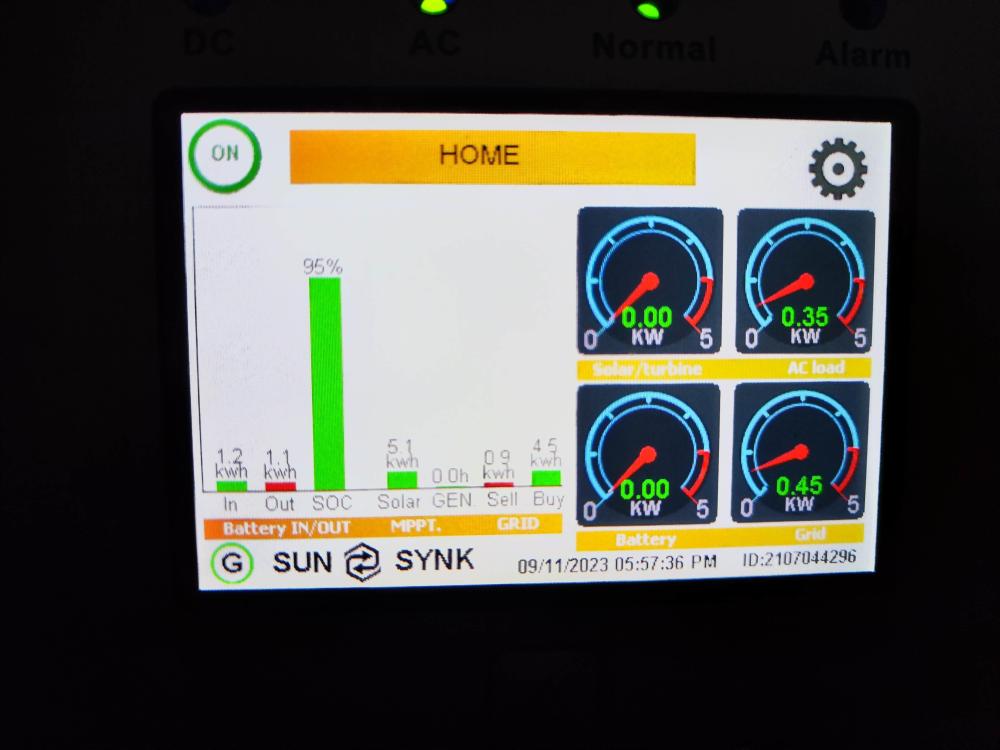
Photo was taken a few seconds apart. The buy bar is grid usage, but it's only showing essential load. I need to know how to get it to show the full grid usage and not just essential load/usage.
-
That does not show grid usage for the month
-
Anyone know how to get the grid to show both essential and non-essential load?
-
Yes, however the grid usage in the first pic does not include the non-essential anymore and so I am not able to see how much grid is actually being used
-
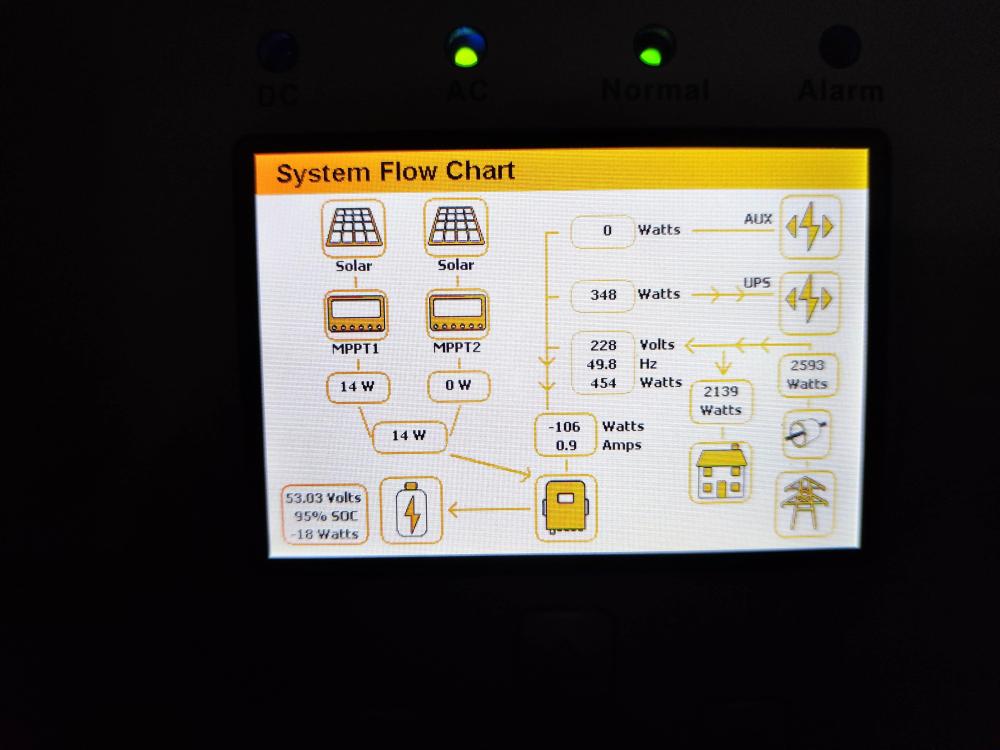
It shows the grid usage on the house(so the CT coil is working), but does not show as part of the grid usage like it used to. So now I can't say exactly how much of the grid I am using as it only shows the essential load and not the non-essential. Hopefully the images attached make it clearer
-
Not sure when it started but my inverter does not show the grid usage correctly anymore. The grid usage it shows is only the load part through the inverter and no longer seems to include the rest of the house. Anyone know which setting needs to be changed for it to show the full grid usage?
-
I have a sunsynk inverter, so can I still contact that email address?
-
Thanks Leshen for your assistance, way above and beyond. Better service than from my installer, and I paid him😢.
-
How do we go about getting our users authorised?
-
Thanks, sent you a pm
-
Anyone know how I go about updating the firmware? Tried calling sunsynk as but they just forwarded me to some guy and I only get his voicemail, left a message last week but he still has not responded
-
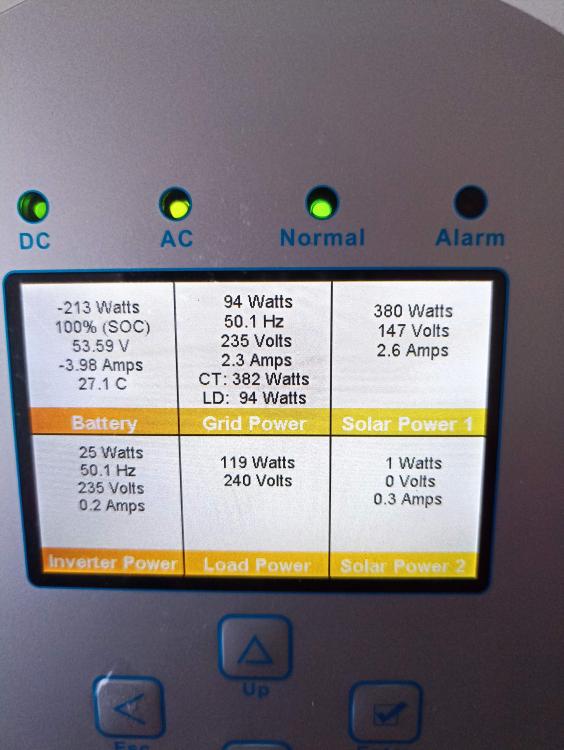
Thanks, this does seem to be an issue as the CT is at the first Eskom point and it does seem to pick up the non essential load, but it's not showing the correct diagram here.
-
I have already on this thread, which other pics do u want?
-
I do not have that ticked.
-
Anyone knows why the house and CT coil does not display for me?

-
Could you explain what you mean by "put those loads on the non essential side". How would that be done?
-
Thanks for taking the time to assist, really appreciate the guidance. I am not sure if maybe I'm not understanding how the inverter works, but from what I read and was told, you can put the full load as a bypass thru the inverter, i.e non essential like stove etc, and the inverter will be able to read that and show the load from the grid and use any excess solar to feed that load and if not enough, then blend that with the grid power. So the battery will not be used on the non-essential but only on the essential load. My sparky says otherwise and currently the inverter only shows the essential load, so I am not sure if I misunderstood or if it's him. Does anyone understand this aspect of the inverter and can advise accordingly?
-
Thanks, that did the trick. Annoyed I did not think of it before🧐
-
Tried it, but no joy
-
Yes, I would like to export excess into the grid
-
@TimCam The hubble website says to use 53.6V, so not sure I want to change that setting without a good reason as I don't have a clue what that does🥴. Attached the images requested. Seems like it does increase the charge to the battery, but only when the battery drops below 80%, then the charge goes to around 100W+, but if its over 80% SOC, then the charge is only around 20/30W, which never really charges the battery fully.


-
I do have PV panels. I did have the use timer ticked, but it did not seem to make any difference, but have ticked it again.
-
Thanks for the input. As far as i know they made up the cable. The interesting part was that it was charging the battery fully, but after me playing with the solar export settings, something went wrong and now no matter what settings I put, it never charges the battery more than a trickle charge, so the battery never really gets fully charged. I have included the battery settings.





