Skip to content
View in the app

A better way to browse. Learn more.

Power Forum - Renewable Energy Discussion

A full-screen app on your home screen with push notifications, badges and more.

To install this app on iOS and iPadOS
  1. Tap the Share icon in Safari
  2. Scroll the menu and tap Add to Home Screen.
  3. Tap Add in the top-right corner.
To install this app on Android
  1. Tap the 3-dot menu (⋮) in the top-right corner of the browser.
  2. Tap Add to Home screen or Install app.
  3. Confirm by tapping Install.

andrewarnich

Members
  • Joined

  • Last visited

  1. Hey Guys, I have the same issues. Plus in the USB-B cable and it works for an hour or two then disconnects... I have to restart the Inverter to get it back up and running? I have changed everything but the USB Communications board on the inverter.... Who can help me in SA?
  2.    Youda reacted to a post in a topic: Pylontech Swollen Batteries
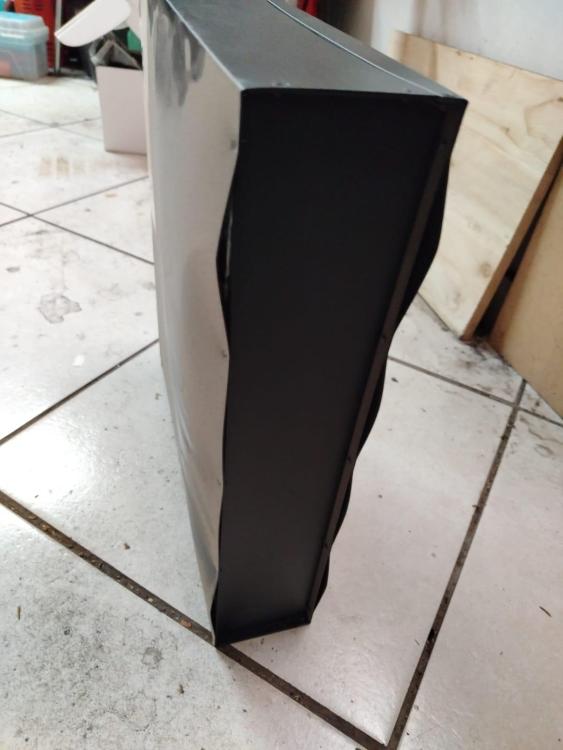
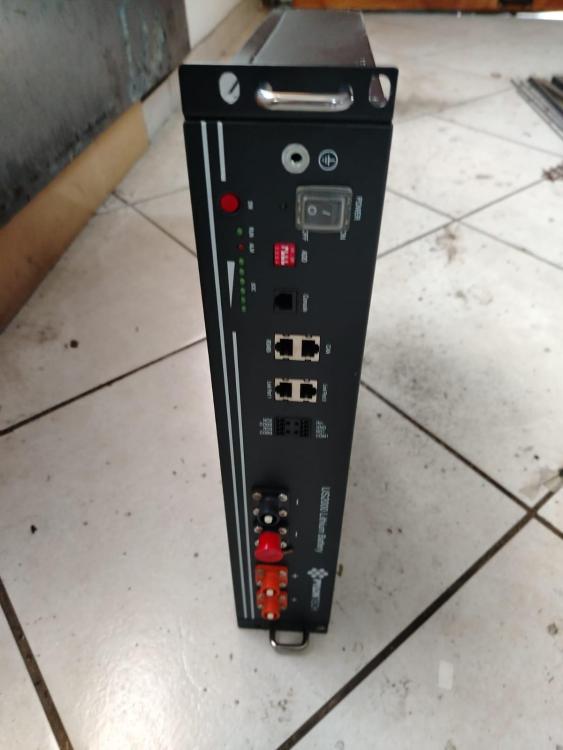
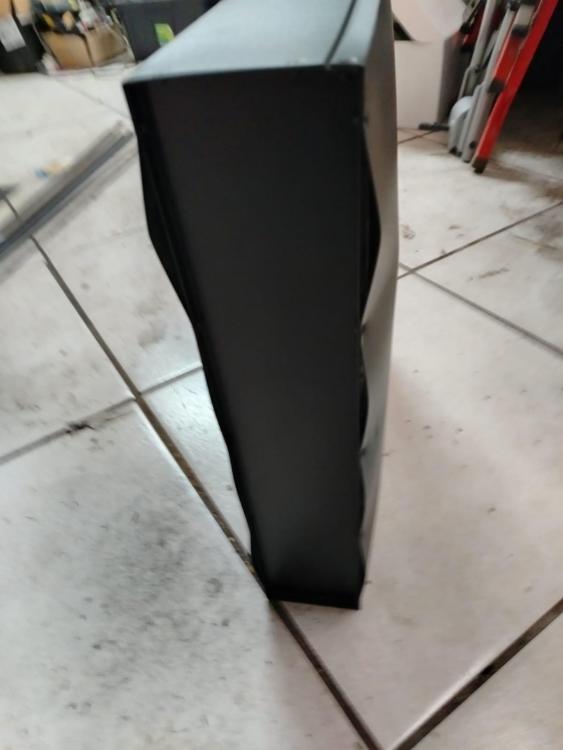
  3. Discovered a US2000B not wanting to charge and discharging quickly, looked in the cabinet and found this liitle problem.... This battery is 4 years old, and charged via LI setup on SPF5000ES from inception!!
Account

Navigation

Search

Search

Configure browser push notifications

Chrome (Android)
  1. Tap the lock icon next to the address bar.
  2. Tap Permissions → Notifications.
  3. Adjust your preference.
Chrome (Desktop)
  1. Click the padlock icon in the address bar.
  2. Select Site settings.
  3. Find Notifications and adjust your preference.