Dæv
Members
-
Joined
-
Last visited
-
Hi, We do have a Growatt SPF5000ES inverter. At this time, we do have 8x Axitec AC-540MH/144V 540 Wp solar panels. Single panel specs: 540w -> AXITEC Model // Nominal output // Nominal voltage // Nominal current // Short circuit current // Open circuit voltage // Module conversion AC-540MH/144V 540 Wp | 41.70 V | 12.95 A | 13.85 A ISC | 49.55 VOC | 20.90 % efficiency | VoC coef. -0,28 %/°C We currently have 4+4 panels. (4 in serial + 4 in serial; both series in parallel). We saw that the inverter is cutting the current at 17.7A, so reading the manual it says 18A max MPPT solar input. Now my questions are: 1) Given we have installed around 26A (peak nominal current) and the inverter seems to be cutting the input at 18~~ Amps, is that something risky for the inverter? Reducing lifespan? 2) If we modify the installation and set this 8 solar panels in serial, my calculations are: Nominal current: 12.95 A // Short circuit current: 13.85 A ISC // Nominal voltage: 41.70 V x 8 = 333,6V // Open circuit voltage: 49.55 VOC x 8 = 396,4 VOC Reading the manual, the MPPT voltage range is 120Vdc~430Vdc, where 450Vdc is the MAX VOC for Vdc input. I live in a place where it rarely freezes (around 0º C as low). I guess a tolerance of 10% of that VOC is ok-ish??. That would be something around 440 VOC. Are my calculations right and "safe" for the inverter? Thank you.
-
-
-
-
-
-
-
-
-
-
-
-
-
-
Regarding SolarAssistant... I have SA in a Raspberry PI 3. I got random connectivity issues, so I wrote an email to the SA support. After a hundred of tests, the issue was the raspberry pi power supply. (ALL THIS AFTER THE INVERTER BOARD CHANGE, IS A DIFFERENT ISSUE) I had a random power supply (5v and 3A), so I bought the original one for my RPI3 (https://www.raspberrypi.com/products/micro-usb-power-supply/) It gives 5.1 volts of output. Apparently the Raspberry got voltage drops for some reason, so the connectivity was freezing with the USB ports (inverter and battery in 2 different ports). In your case, I'd buy the same original power supply and try. Cheers
-
-
Sorry for my late reply. I have some news: - My local solar supplier doesn't understand a single word in English, so I had to directly write an email to Growatt. - I'm based in EU, so I tried sending an email to the support email that appears in the EU website. Somehow they didn't reply. So I checked and in The Netherlands they also have another (amazing and lovely) support team. - They requested lot of photos + screenshots + a long video with the proof of my issue. After that, they requested 2 new boards to the factory supplier (China). 2 weeks after, I received them (with Fedex, so I had to pay for the custom taxes, but is OK) - I installed the boards (battery, solar DC input and inverter, all turned off). I just replaced these boards and turned all back on. And... ALL WORKS!! - The USB connection (normal printer USB cable + RPI3 with SolarAssistant), AND also the BMS connection with my Pylontech US2000C batteries!! (Inverter config 05 - LI // 36 - L52 if you ask). So... I cannot be happier. The support from The Netherlands office made a great work. Best regards.
-
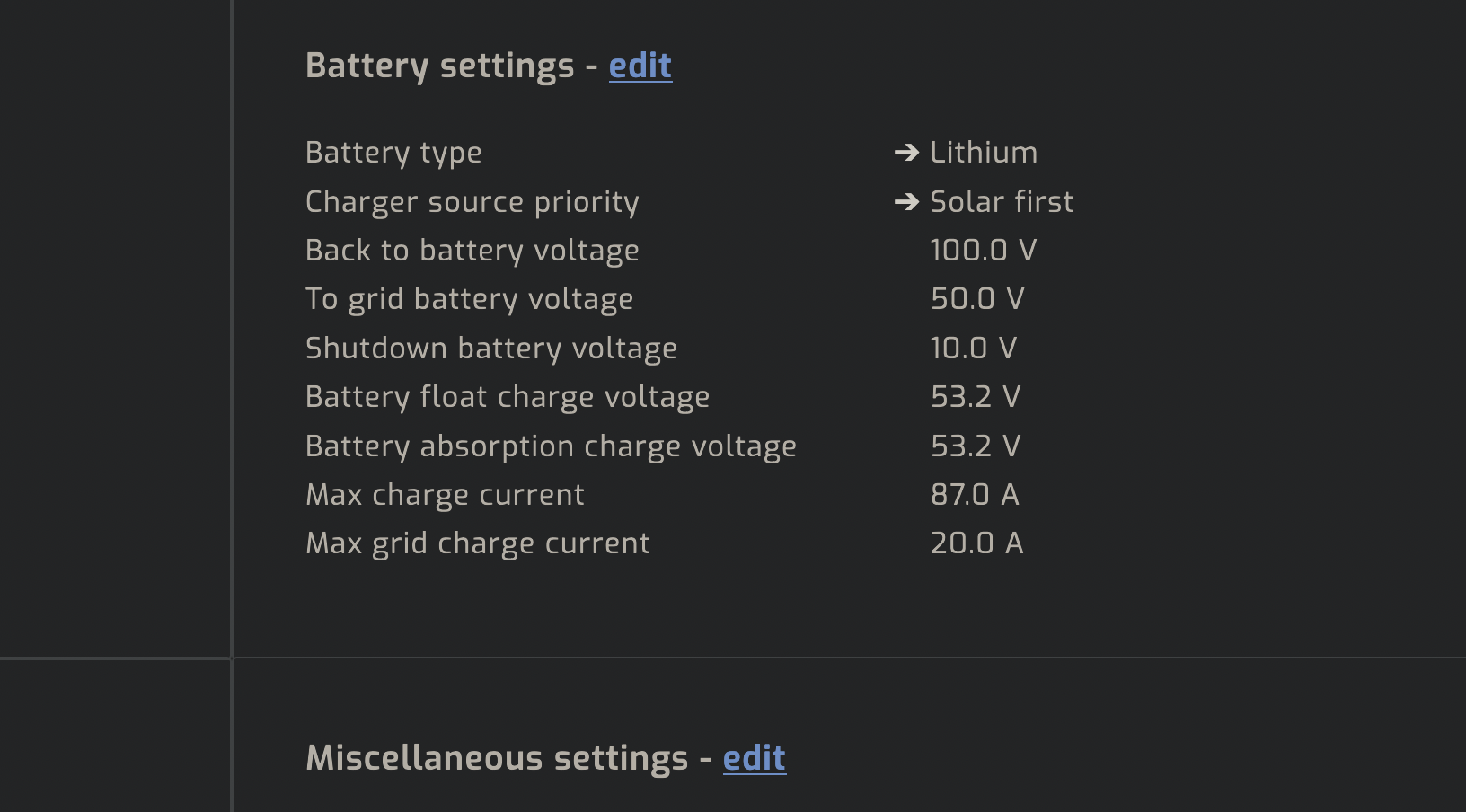
😱 Thank you so much!! That's it! Maybe is a bug from SolarAssistant or the battery is not giving by console the right data. I guess we can close the thread here. Thank you all! :DDD (Btw, don't get mad about the 100.0V or 10.0v values in the screenshot from below -> Growatt is internally handling percentages as voltage and SolarAssistant is showing it as voltage too, but it's not)


-
Oh, really? 😱 No, I didn't update any firmware of my batteries. Then I don't know what's not right 😕
-
-
Thank you for that. Yes, they're all communicating with one another and the "master" is well communicated with the inverter, so I'm not worried about safe charging due this. Maybe the max Ah is set to 37A given I have mixed different Ah batteries and they take this value for safety reasons (the BMS rules here hahahh). ---- Btw, I just wrote an email to Pylontech support ('sales' email but I cannot find other). I hope they can bring some light on this topic.
-
Oh! Interesting point! Will check the inverter settings now! Thank you
-
Hi! I have a Growatt SPF5000ES inverter. It was working nicely with a set of 2x US2000C batteries. BMS connected with the inverter and monitoring using SolarAssistant. Each battery apparently recommend 25A when charging/discharging and for the rack of 2, SolarAssistant shows 50A. As max I saw charging values of 35-40A (I don't have too many solar panels). That's right I guess. But, yesterday I added a new US3000C to the rack. Mixing them was quite fast, given they are compatible and the inverter also detected the US3000C as master with the same config. Btw, now SolarAssistant is showing that the recommended charging/discharging value is 37.0A (the one for US3000C), so... now the whole bank is not gonna be recharged with higher intensity I guess? If so, why? Why are they not sum with the 2x US2000C? In my honest opinion it should be 50 + 37 -> 87A as max, but somehow is 37A... Any idea why? Thank you!
-
.
-
Nah, nothing working. Clock synced by minutes also. Today testing: - SolarAssistant using the RS232 <-> USB adapter cable. It was detected automatically, but the communication is timing out. - Laptop with Ubuntu + the RS232 <-> USB adapter cable. /dev/ttyUSB0 assigned, but `screen` is not connecting. Neither with Python modbus (9600 baus). - W10 + UART UART 232 ftdi driver (automatically downloaded). PVKEEPER 2.0 keeps trying to communicate. The COM port is apparently there, but nothing is displayed. So... no luck with the RS232 port (BMS port in the inverter). Same exp as with the USB B port, so I guess the board is burned or corrupted, given fully rebooting the inverter is not solving the issue. Thanks again for the ideas. Time to call my solar supplier for a board fix/replacement.
-
Thanks for replying I want to try with a RS232 (RJ45) <-> USB cable. I don't have one from Growatt, but I have one currently used to communicate the Pylontech batteries with a Raspberry PI using the console port from the master battery. I guess this cable is ok for that test (?) I can find other similar adapter cables on Amazon, but for Cisco routers. I'm not sure if they use other pin sort in the RJ45 side. Will try with this and update. Thanks again.
-
EDIT: SOLUTION HERE -> I recently finish the setup of a minimal off-grid system in the countryside. In a nutshell: - 1x Growatt SPF 5000 ES (firmware: 040 05 701 - 041 05 701) - 2x Pylontech US2000C - 4x 540w solar panel Everything working good (in terms of charging and electricity usage), and now I'm trying to monitor this setup. * The master Pylontech battery is connected to a Raspberry PI 3 with SolarAssistant and I'm getting the expected data (using a USB <-> RJ45 CAN wire). 👍 * But, the inverter (in theory) should provide data from the USB B port (printer USB type), but it doesn't. 👎 I tried with 2 different USB (USB B <-> USB A) wires with: - Laptop with Windows10 + PVKEEPER 2.0 (the COM port appear, but no data is shown...) (suggestion from SolarAssistant) - Laptop with Ubuntu + Python ModBus lib. Still getting a communication error (using 9600 baud) (DIYSOLAR thread Github issue) - SolarAssistant in a Raspberry PI 3. Connection timing out. I'm a bit lost now, given I'm thinking that maybe the USB port is simply broken... I have not other ideas in mind and the USB A port (normal USB port) is not even providing connection (apparently is only for the Growatt WiFi dongle) Any idea? Thank you so much. Best regards 🙏