


AFTP
Members
-
Joined
-
Last visited
-
Unfortunately, I am in Cape Town. We are now at the point of returning the battery. I think. They have logged on several times, tried all kinds of setting changes, but nothing has worked. In fact, the problem is just getting worse! I can't sit without a battery though while they go through the motions trying to determine what the problem is. I need this battery replaced.
-
Has anyone had any joy from Freedom Won regarding this issue yet? This evening my battery dropped from 81% to 10%!!! And that with a load of 1.05 kW at the time. 🤬 I am really gatvol now.
-
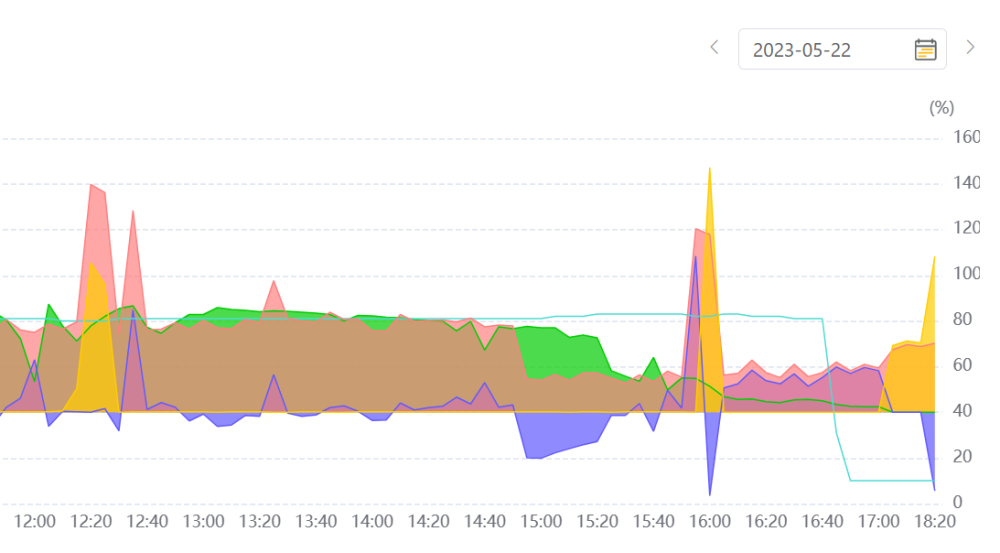
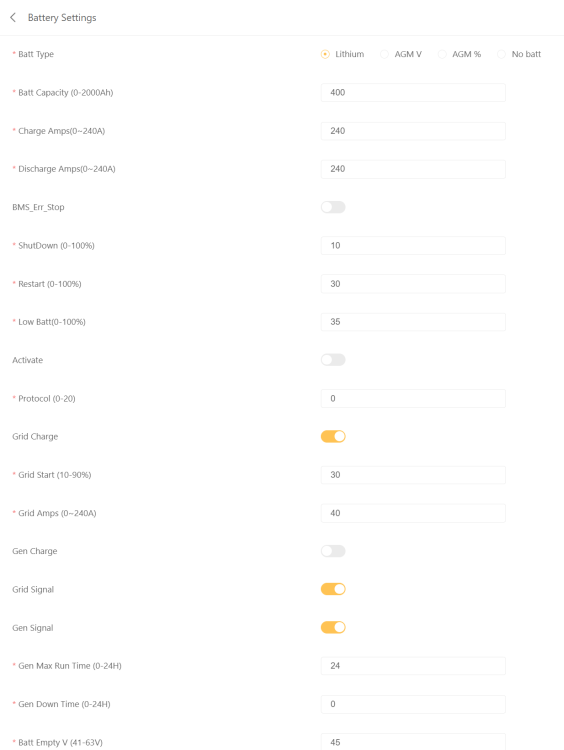
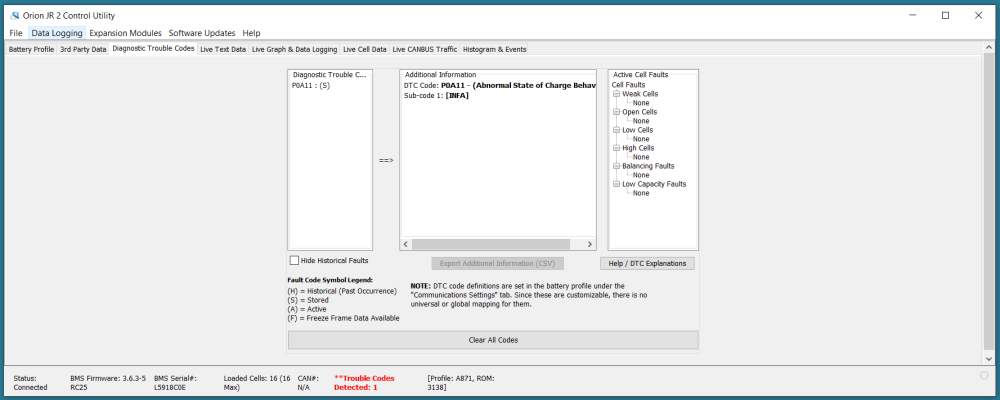
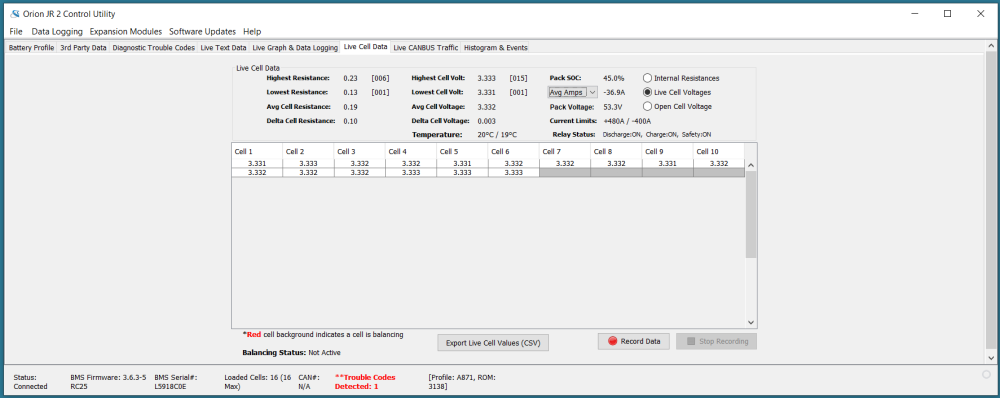
Hi all, I have a Freedom Won Lite Home 20/16 LiFePO4 battery that I installed less than a year ago. Pretty much from the outset, it gave an intermittent problem where the SOC would suddenly (within 5 or 10 minutes on the graph of my Sunsynk 12 kW 3-phase inverter) drop down to 10%. I have attached a screenshot from my inverter of the last time this occurred. In this case the SOC dropped from 68% SOC at 23:40 to 10% at 23:50, the whole time with a load of less than 1 kW on the inverter. This has now happened about 5 times, but it seems to be getting worse. The previous time it dropped from about 43% SOC. I have contacted Freedom Won and they have remotely connected to my inverter and battery. According to them the inverter settings look fine. I have also attached a screenshot of my battery settings on the inverter. They also installed the Orion software on my laptop and connected to my battery. The first time they did so they noticed that the BMS firmware was out of date, so they updated that. They also made some small changes to some of the voltage levels. But other than that, they said the battery looked fine too. They checked that all the cells were balanced and that also appeared fine. They then asked me to connect to the battery with the Orion software the next time the fault occurred and send them screenshots of the errors. I have attached these screenshots as well. At this point I don't know what else I can check. Has anyone experienced a similar problem with their Freedom Won battery? Does anyone have any advice for me on what I can possibly still check? I would appreciate any feedback. Thanks very much. Colin

-
Thanks very much, but these Modbus addresses don't seem to tie up with the Sunsynk 12 kW 3-phase inverter as per the document in my previous post.
-
Thanks very much for the link. I managed to get comms to my 12 kW 3-phase inverter working. I had to use the "Meter-485" RJ45 port. There is another RJ45 that is labelled "ModeBUS", but according to the latest Sunsynk manual its use is reserved. The register addresses are definitely different to the inverters that you guys have done most of the development work on (except for the first few, so it is possible to get the serial number for example using the same registers). I did eventually stumble on the attached document on another forum that does seem to describe the 12 kW 3-phase inverter's Modbus register locations. I am still working through it to confirm everything. (I think this is the same document a poster mentioned on your github forum, but I'm attaching it here for anyone looking for it in the future.) Modbus amit posun.docx
-
Hi all, Does anyone perhaps have the Modbus address and description list for the Sunsynk 12kW, 3-phase inverter? The addresses are definitely different to those in the @Bloubul7 "sunsynk_modbus" Word document. It seems like they might tie up with the registers for the Deye SUN-10K inverter. Thanks!


