minesh
Members
-
Joined
-
Last visited
-
Hi, please can someone help, i cannot connect to the inverter. When i check under gateway, I can see the dongle is connected but when checking under plant, it says offline. I have the older dongle without the lan line connection


-
We changed the earth cable from the DB board to the inverter
-
That is the capacity of the battery
-
Hello, I have a Hubble AM-2 connected to a Sunsynk 5kw inverter. Everything seems to be working fine except I just saw the battery temp on the app and it display -100°c. Surely this cannot be correct, what can I check to see why this is happening. From what i see on the app, it always displayed -100°c

-
Thanks
-
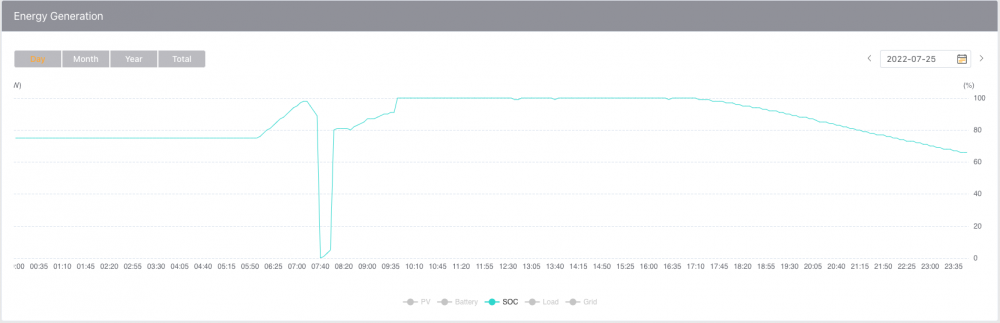
Thanks for the advise, I have changed the settings to SOC - 40% but I have noticed that the SOC drops to 0% for a short while, is this something to be concerned about?

-
Thanks, in order to not damage the battery, would it be best to keep it at 90% through out the day and night?
-
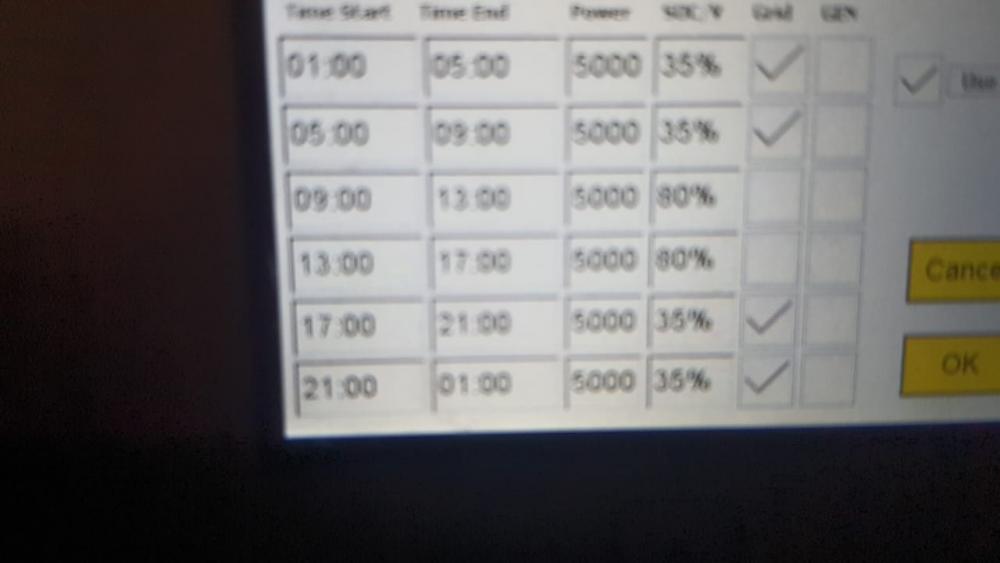
Hi, need some help with setting the inverter to charge the battery using Eskom. Currently the battery percentage is 66% but its not getting charged by Eskom. Some background on this: I had an approved installer install everything but could not get him back to install the CT coil so I did this myself, just want to make sure I do not damage the battery with incorrect settings. Pic of current settings below
-
Thanks, I have changed it. Will monitor today
-
No, not using pre-paid
-
Hi, I have noticed that the inverter sill uses Eskom power although the solar panels are producing enough power. I noticed this when there was load shedding, panels were able to charge battery and supply the house with power, once Eskom came back on, it started using Eskom power.
-
Got his details from the Sunsynk approved installer list, think its my luck getting these guys.
-
-
On your first point (CT coil), I see the installer did not install the CT coil, is it important that this is installed?
-
Thank you for your feedback
-
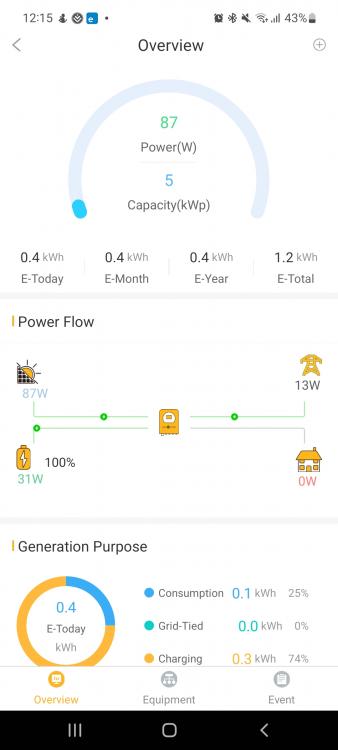
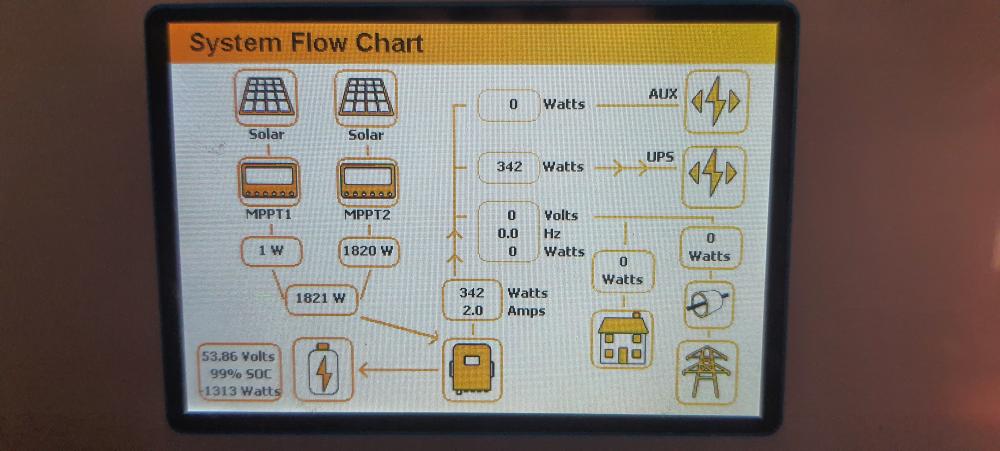
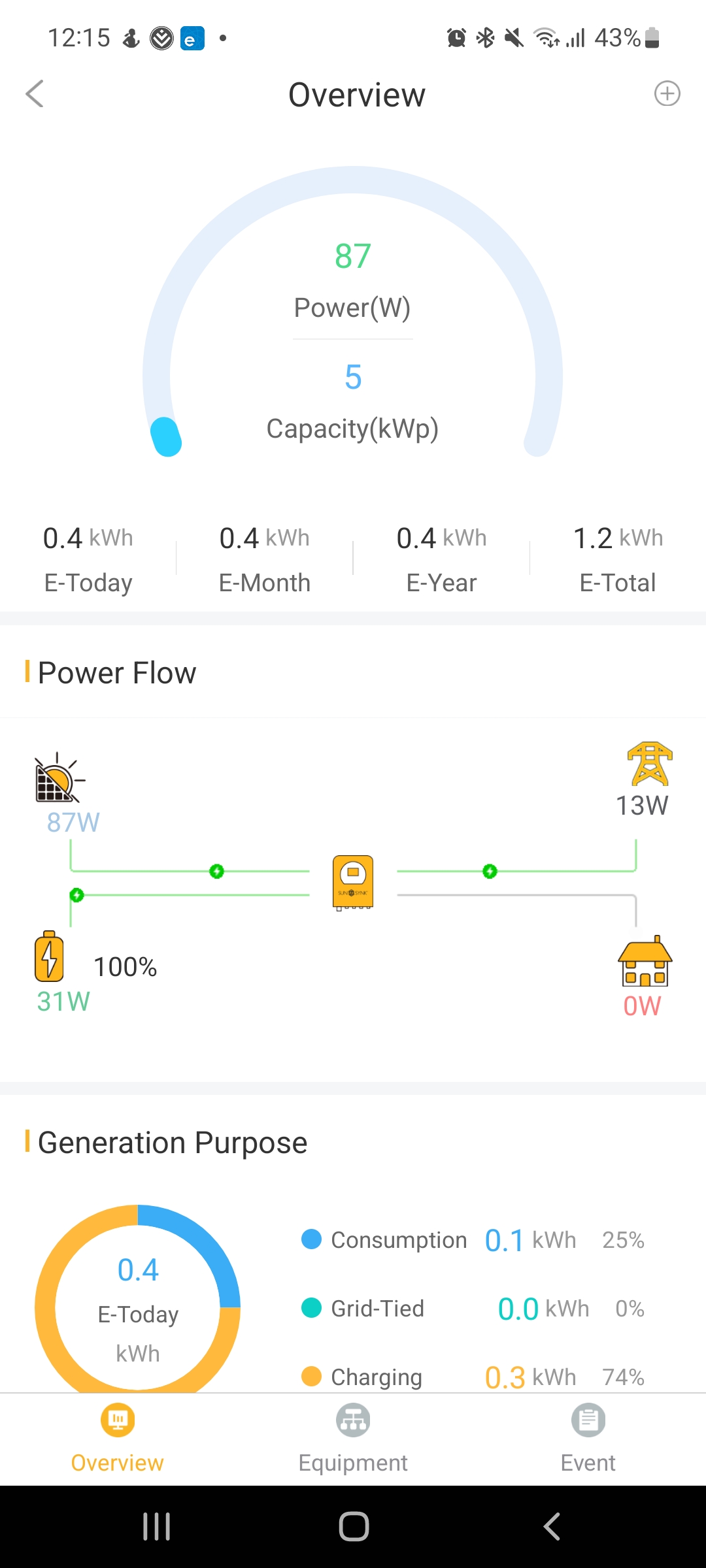
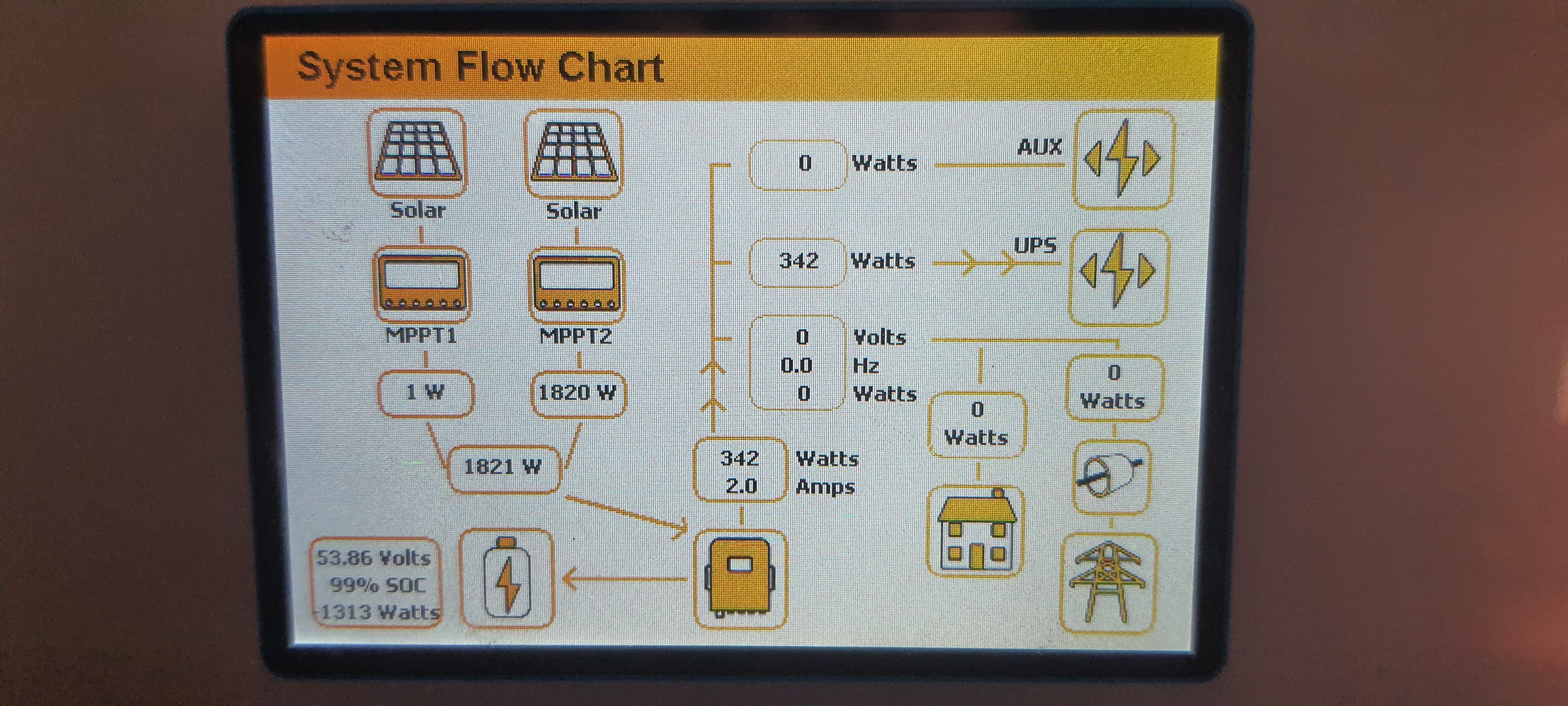
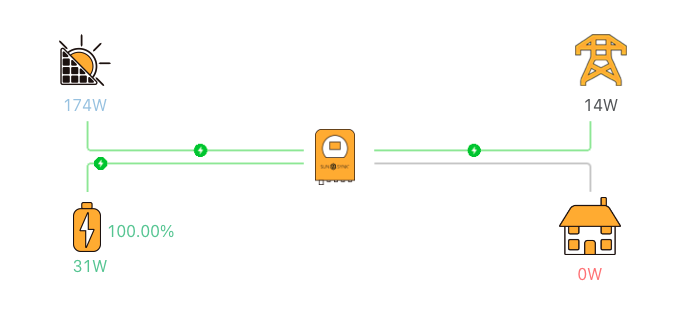
Hi, I have just had a Sunsynk inverter installed (approved installer from their website) so I am still trying to find my way around the app and a little confused regarding the setup. I have noticed the following: the home icon is always on 0w except when there is no Eskom power. Should this not always display the home power consumption all the time? As long as Eskom is available, the house is always using Eskom power. Noticed this as I have a switch that monitors the Eskom power usage. Can the inverter be set to use solar then only use Eskom if the panels are not generating enough power (I have 15 X 410w panels) Image of the system flow chart below - I have noticed that MPPT1 only goes to a max of 2w, I have checked in the morning, lunch and afternoon. Had clear skies and I dont get shadows on these. Is it safe to save that they not connected properly. I previously had a Growatt inverter but had to change this as it only had 1 MPPT, when this was installed the installer had these connected in sets of 3. For this installation, the installer has 8 panels connected NE and 7 panels facing NW. My concern is how is the 7 panels connected as I had assumed that panels would be connected in sets of 2 or 3 Any feedback would be appreciated