user27
Members
-
Joined
-
Last visited
Everything posted by user27
-
Yes I run Solar Assistant and have always been very happy with it. There was an initial issue where it would report 100,000w any time a 10k inverter went over 9.999w from grid (charging at 10kw plus existing EPS loads); but he logged in and tweaked it for me to fix that issue... Now I can't update because it would break the adhoc fix. I also believe Rio wrote an interface for these things but when I tried it was apparent that I didn't have the skill set to run it!
-
Probably always had the issue; firmware flash made no difference.
-
LionKing yes serial only I couldn't get it to do anything over USB either; I used and would recommend a ugreen USB to serial adapter that worked great. Took about a quarter of an hour to do the 550kb flash at 10 of about 7,000 blocks/second. I have just reflashed the firmware on my 10k's trying to solve a settings issue without success. My issue is that they don't reliably take the AC charge time settings on the mypowermanagement dialogue. Say I set it to 00:30-04:30 when that's the cheap rate my energy supplier gives me to top up charge my batteries over night this time of year when solar generation is low... Sometimes one inverter takes the setting and the other one doesn't but mostly they both ignore it. Others SolarPower settings are fine like I can reliably set charge amps or enable/disable AC charging and those settings are effective immediately. If anybody has any experience of this issue or knows any other way to change these settings in case it's a SolarPower app issue please let me know? Thanks for reading!
-
I have been running my 10k inverters work Pylontech batteries and no BMS link; the BMS still managed the balancing etc so I'm not really sure what benefit you would get from linking to the BMS? Maybe just accurate percentage charge displayed on the inverter?
-
Morning everybody, I need to somehow set a one off charge on these inverters if anybody knows a way? These 10k inverters have been working great since I did the 10mm cable and upgraded the breaker feeding them from grid. Now Octopus have a new trail running where they give 2hr of free power on days where the forecast shows the grid is going to be saturated with surplus solar in the afternoon. Obviously I'd like the charge at 20kw (dual 10k inverters) during this free power window; however it's not every day and we get less than 24hr notice that it's going to happen. I have been through the SolarPower software and I can't find anything for a one off unless anybody knows a way to do it there? I tried setting ad additional charge window ahead of time where I currently have 00:30-04:30 I added 14:00-16:00 to the second line on both inverters... But when the time came nothing happened! I'd be keen to find out why nothing happened but either way this would be a pain to have to plug in a laptop to set it before and then again to under it after after every free power window. I have been through the manual and it seems there's a dry output and a 230v relay output; but I can't find an input pin which would cause it go charge from grid. Am I missing something? Any suggestions on how I could achieve this would be greatly appreciated! Thanks, Alex
-
Morning everybody, I need to somehow set a one off charge on these inverters if anybody knows a way? These 10k inverters have been working great since I did the 10mm cable and upgraded the breaker feeding them from grid. Now Octopus have a new trail running where they give 2hr of free power on days where the forecast shows the grid is going to be saturated with surplus solar in the afternoon. Obviously I'd like the charge at 20kw (dual 10k inverters) during this free power window; however it's not every day and we get less than 24hr notice that it's going to happen. I have been through the SolarPower software and I can't find anything for a one off unless anybody knows a way to do it there? I tried setting ad additional charge window ahead of time where I currently have 00:30-04:30 I added 14:00-16:00 to the second line on both inverters... But when the time came nothing happened! I'd be keen to find out why nothing happened but either way this would be a pain to have to plug in a laptop to set it before and then again to under it after after every free power window. I have been through the manual and it seems there's a dry output and a 230v relay output; but I can't find an input pin which would cause it go charge from grid. Am I missing something? Any suggestions on how I could achieve this would be greatly appreciated! Thanks, Alex
-
Can confirm, yes, that's exactly what that setting appears to do. I have ended up setting 90-180-90 on each inverter.

-
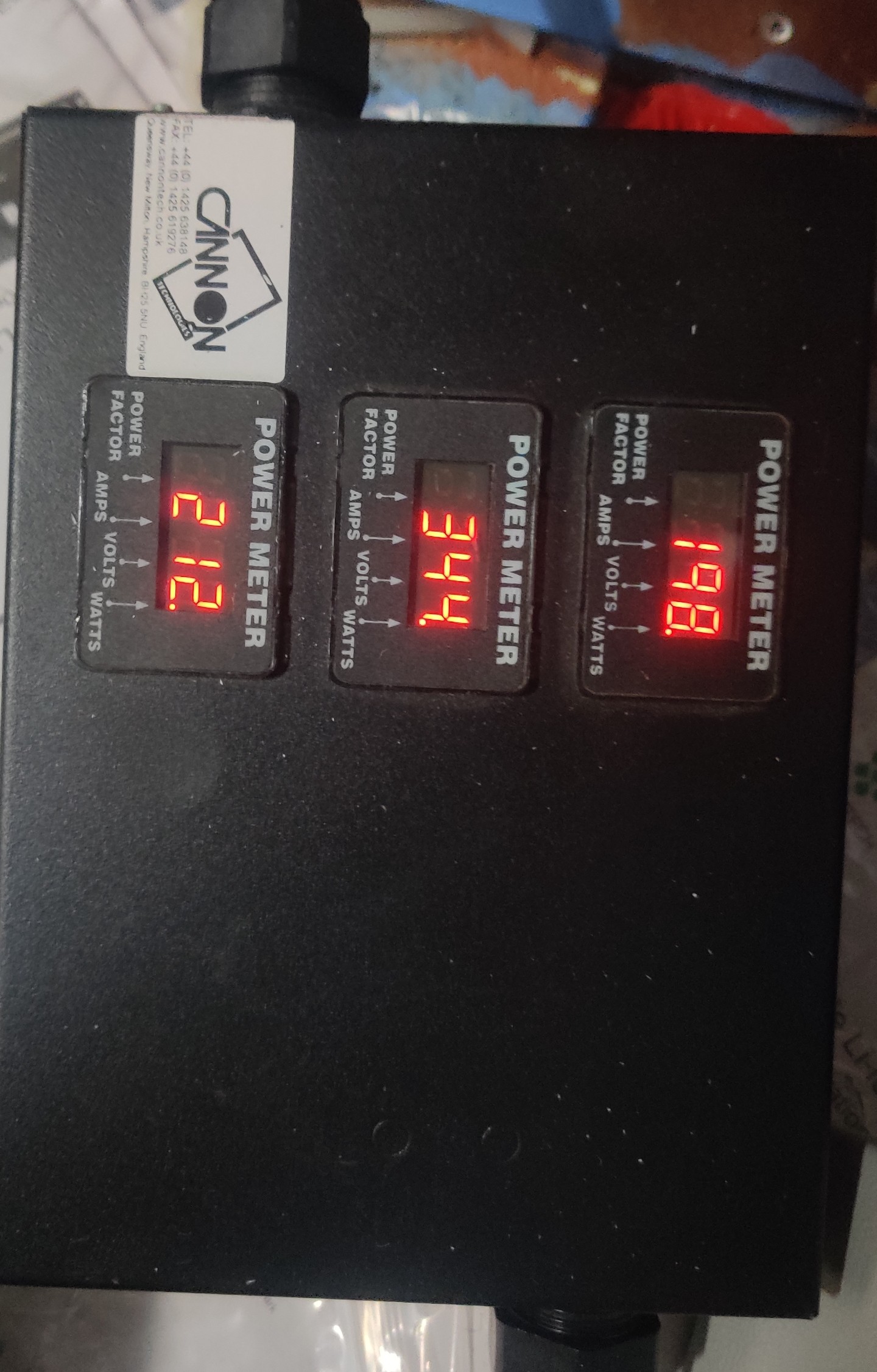
Do these things normally pull 750w from grid even when they are supposed to be running off battery? Attached is wattage per phase going into the inverters from grid; this would ideally be 0w during premium rate grid tariff in the day. I see a setting for R S & T "feeding grid power calibration" do you know if I could set an adjustment there? Or somewhere else to stop this constant draw from grid at expensive rate? The constant 750w during peak time costs £6-£7 per day currently.

-
Looks like the AC side will be wanting a bigger breaker and chunkier cable though; currently pulling 50A on L1 on a C50 breaker but I do have a 63A and some 10mm HO7 earmarked for it.


-
Managed to get a 95mm copper battery cable up to 33c in 5c ambient; although the negative doesn't look as warm so I might nip that + terminal up a bit. I have the 400A charge split across five sets of PylonTech long DC cables; I think they are crappy aluminium cables but reasonably chunky and none of them are much over 20c at the battery terminals.


-
I have a couple of racks of PylonTech US5000 batteries connected to them. I do have a MODBUS card to hopefully have the inverters talk to the BMS; although it didn't immediately work so I haven't got into what the issue is as yet. I also have MODBUS metering by Rayleigh Instruments on the incoming and I'd really like to have it backfeed towards the grid based on what the incoming meter is seeing; try to keep it at 0w on the whole supply during peak rate; but the MODBUS card in the inverter didn't seem to want to talk to that either. There's some information floating about showing that the RS495 addressing for it all is somewhat unconventional with infini?
-
Now it doesn't complain about overload when it's pulling 200A from the battery without it being balanced across the phases; muuuch better. Will see if anything goes bang when they (hopefully) start charging at 400A from cheap rate tariff later tonight. I'll get the thermal camera out and give the DC side a once over too; make sure nothing is getting too toasty.
-
I think we have a winner with the replacement inverter from an alternative source; now I have got one that says SL-PAL and one that says HL-PAL as attached. Discharge seems to be roughly balanced between them. I was initially a little surprised to see that they disagree about battery voltage and grid voltage; but I guess there's always going to be a bit of variation where one of them sees 48.74v and rounds it to display 48.7v while the other one sees 48.75v and rounds it to display 48.8v. So anyway, confirmed it was an issue with the inverter from Foshan Ouyad as expected. Thanks again for your help.
-
I asked and they specifically stated that it would work for parallel operation; so they should accept return. If not then I guess ali have to step in. Where do I buy a "real" one?
-
So the long and the short of it... These two can't run in parallel?
-
Ah I'm glad it's just that; yes I believe they both had that ticked by default and I have just checked they both have it ticked for parallel operation. After checking I tried to put FW 2020/04/02 onto the "real" yellowish screen one such that it would then be downgraded to the same firmware version as the green screen knock off... But it couldn't open the serial port as attached. I guess this is it not wanting to take that firmware as opposed to an actual com port issue since the usb to rs232 cable already worked once on the other one?
-
In a word, no. What am I supposed to configure? I just hooked the cables up as per the manual and immediately got error 71 which the manual said is firmware not compatible; so I figured the firmware isn't compatible... In any case, I should do FW 2020/04/02 on the "real" yellowish screen infini and if it doesn't take it then you have a 22/09/01 which would likely allow me to recover it to something that works?
-
This green screen knock off one is the one that we have already successfully put FW 2020/04/02 onto. You might recall it came with 19-07-09 on it. Should I try to put FW 2020/04/02 onto the apparently legit yellowish screen one? Even though that would be a firmware downgrade it might allow it to talk to the knock off? Edit. My concern with this would be that if it doesn't like the firmware then we don't know for sure that we have a working FW for it. But presumably it would take the older firmware and then with them both on identical firmware they would likely communicate properly?
-
Ok, sorry about the delay there's no school today so I'm juggling kids as well as this stuff. As attached apparently it's serial 00002 so that's concerning?
-
No I have not connected to this inverter via USB as yet; got the error as soon as it booted up so started trouble shooting. Being a knock off does explain the old firmware it shipped with somewhat. It did however take that previous fw that you posted and it did start charging battery so at least it runs. If we did your 2022/07/22 FW on the green screen knock off maybe it would be a close enough firmware version to get rid of error 71.
-
When you are able a copy of the 2022/07/22 to try would be great. Apologies that my inexperience and lack of knowledge in this matter has become a burden on your good nature and willingness to help a complete stranger; it is greatly appreciated and I'll gladly wait. The green screen one is from https://ouyad.m.en.alibaba.com/company_profile.html just because they appeared to have been around a while with lots of transactions and reasonable feedback compared to others. I couldn't find a supplier in the UK that had any in stock or even that I could backorder a 10k through at the time; I was basically already committed to doing another 10k having one already and seeing overload warnings all too frequently.
-
Maybe I should try a downgrade to the FW from 2020/04/02 on the other inverter? Since they would both then be on the same if it took it? Do you have the 28/04/2022 firmware that it has by default in case I have to recover it?
-
Says com port opened but doesn't appear to be doing anything. Ever seen this behaviour before?
-
No way to backup the firmware that's currently on the other one (22/4 with yellowish screen) presumably?
-
What has happend when you have flashed incompatible firmware in the past? Doesn't boot? Or error? Then you can still reflash something else? Still can't get anything useful from seller so I think I'm leaning towards just trying the latest available firmware on both. What do you think?