rolf_w
Members
-
Joined
-
Last visited
-
unfortunately not all parameters can be set with the built-in screen and buttons. here the list of items that can be set: 12-4 Query Menu Operation The display shows current contents that have been set. The displayed contents can be changed in query menu via button operation. Press ‘Enter’ button to enter query menu. There are seven query selections: - Input voltage or frequency of AC input - Frequency, voltage, power or load percentage of AC output - Input voltage or power of PV input. - Battery voltage or capability percentage. - Date and time. - Today or total energy generated. - Mode of query energy generated. I need to adjust e.g. the AC output timer and fine tune the charger (V_float), which requires the use of the SolarPower app and a working communication link I presume.
-
hmm, how you do that on the old hybrid models?
-
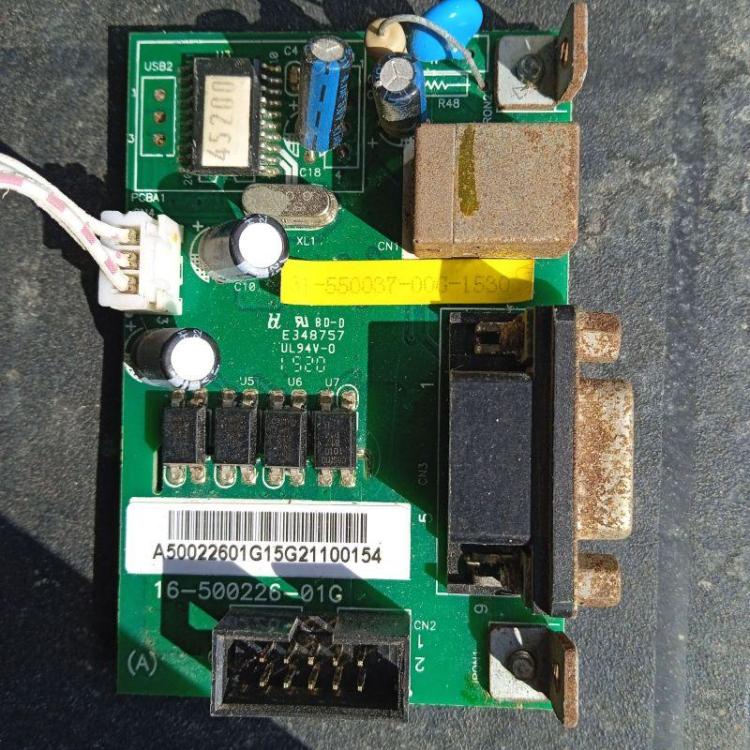
I try to reactivate this old thread... the rs232/usb board of my old infinisolar 3k plus doesn't work anymore all the rest is fine. As the foto shows the inverter has been exposed the harsh weather of rural Sicily... I need to replace it since I need to urgently adjust parameters. Unless someone another way to access/set parameters? any hint will be useful! r
-
maybe of use... https://skat.ch/book/manual-on-induction-motors-used-as-generators-volume-10/ (there is a download button...) r