QB87
Members
-
Joined
-
Last visited
-
I thought charging lithium batteries to 100% decreases it’s lifespan? If that’s not true please let me know
-
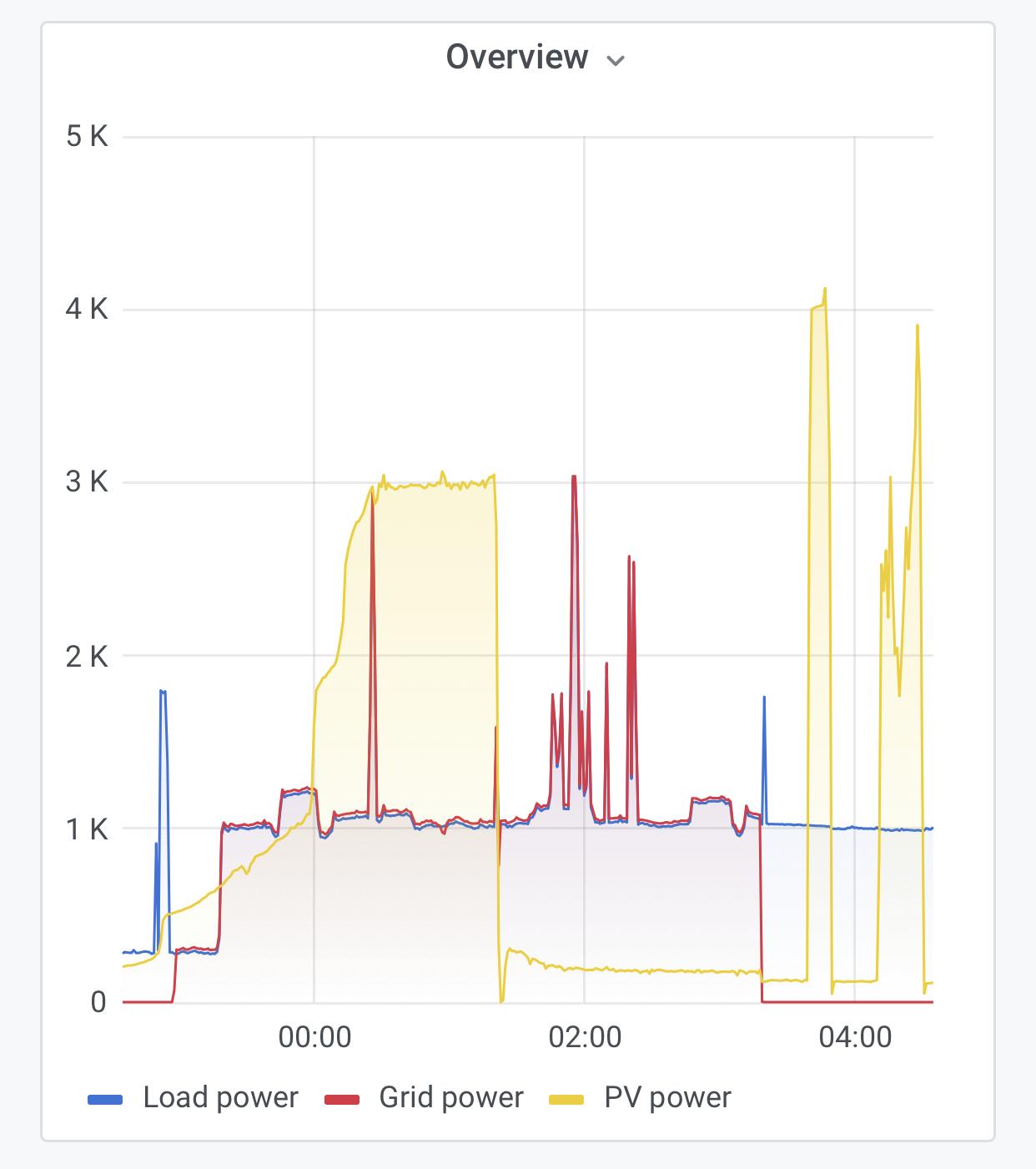
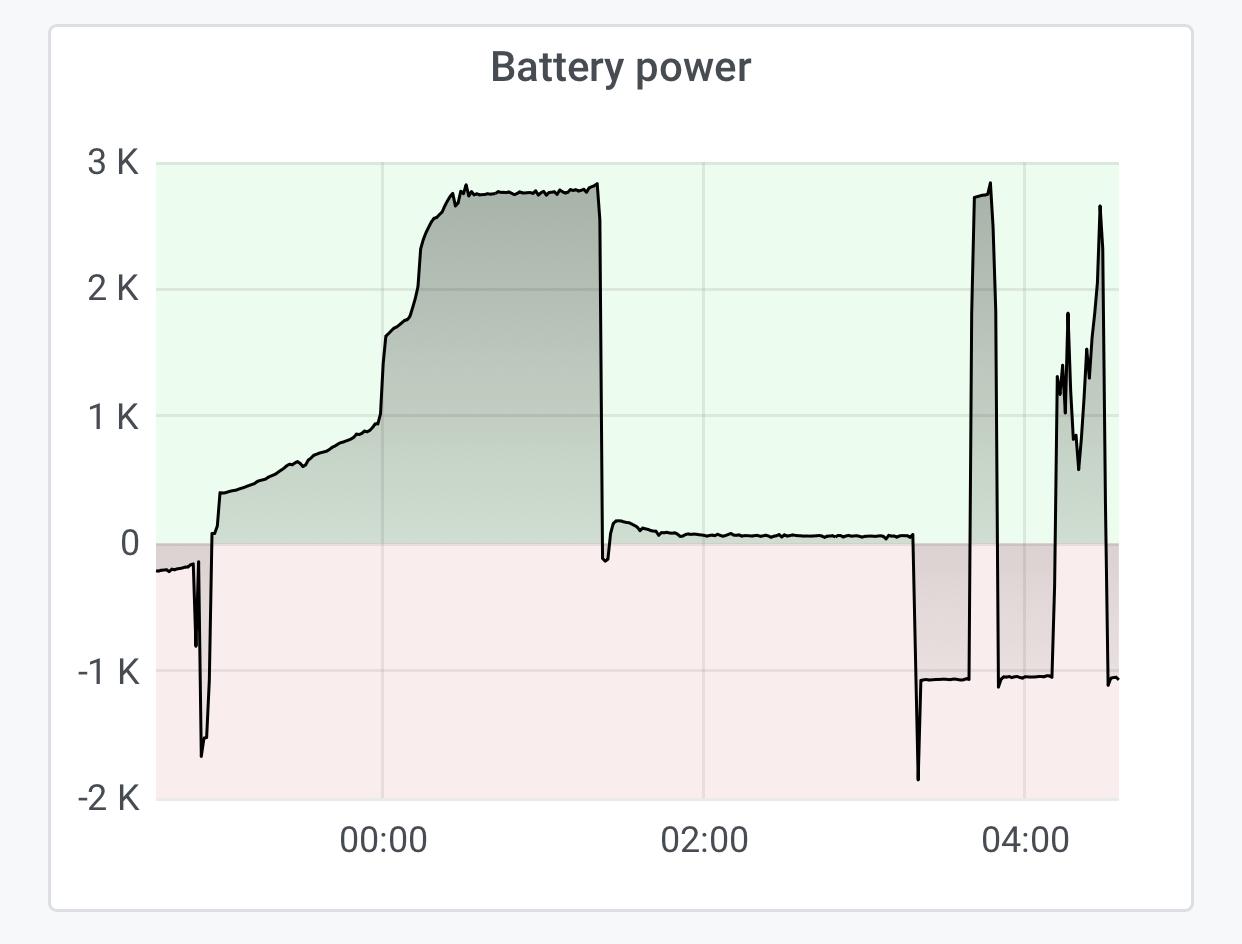
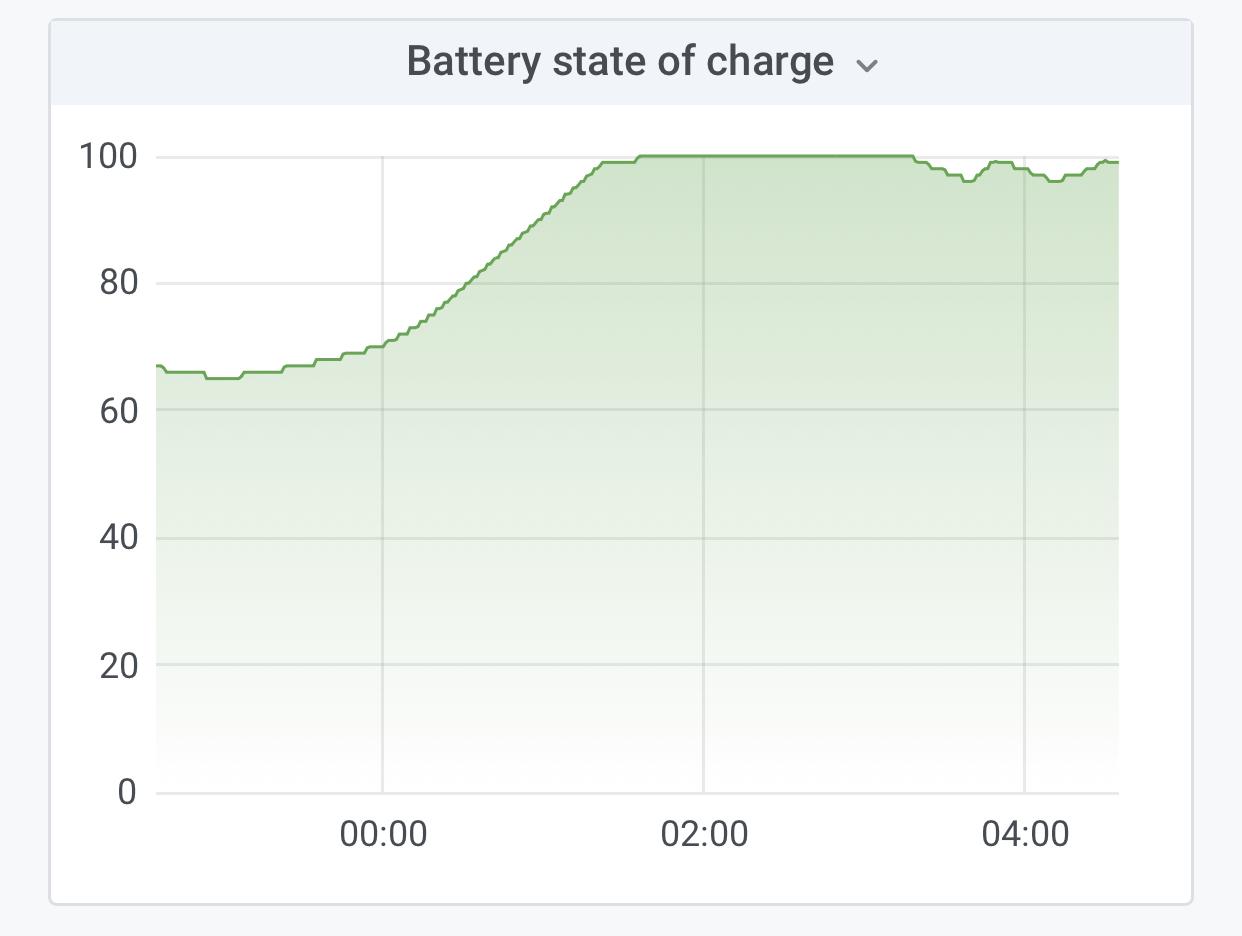
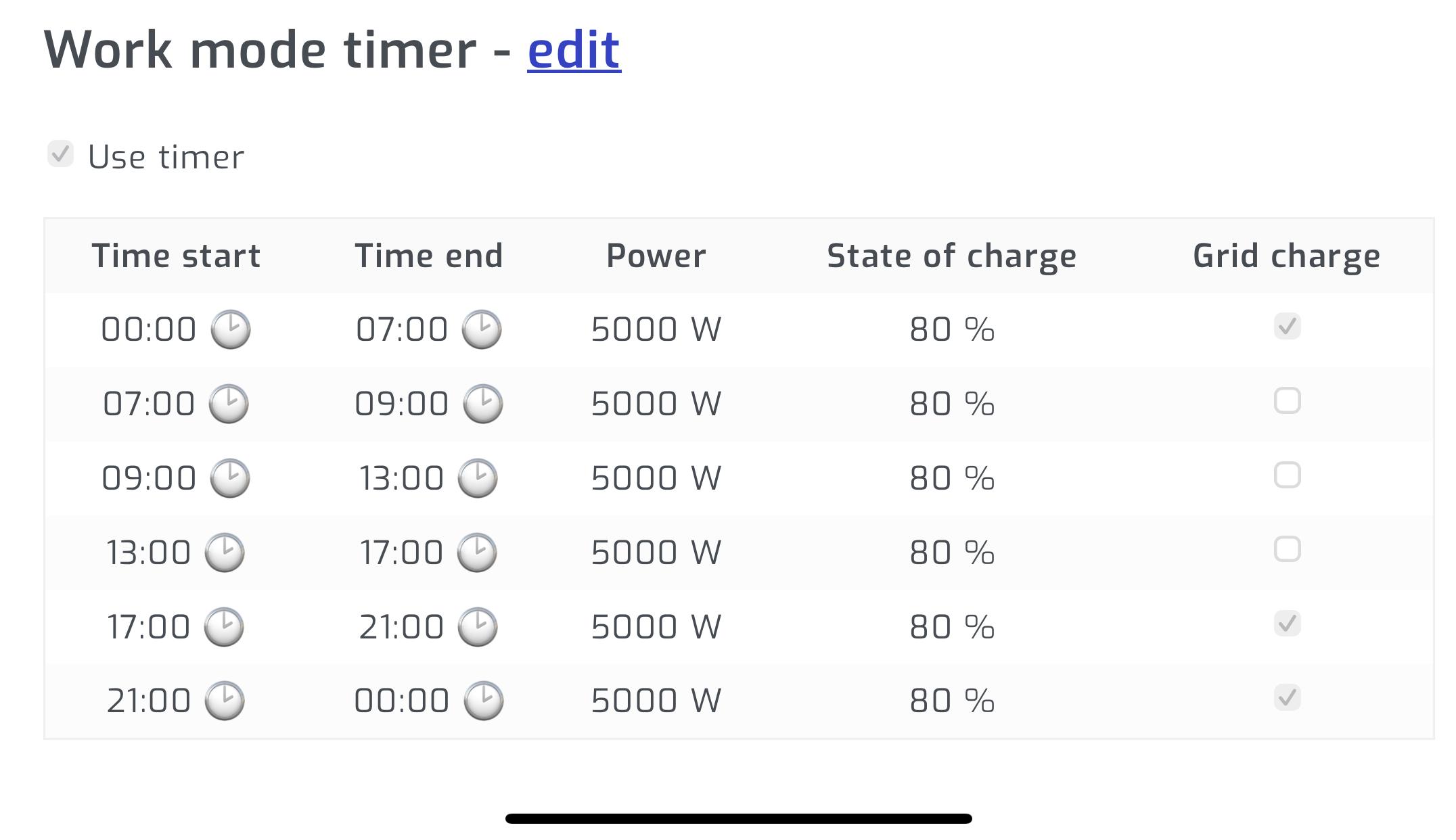
Hi, I have two 5kw Deye inverters in parallel connected to a single 10kwh lithium batter. Any ideas why my battery is charging up to 99% even if my Time of Use is configured to 80%? This only happens during daytime when the system is powered by solar energy. It’s almost as if it is ignoring my SoC settings and decides to charge the batteries to full when on solar. At night time, when charging from grid, the Time of Use SoC is adhered too. The time of use schedule is followed and working. It’s only the SoC settings on Time of Use that is ignored when charging from solar. Regards.
-
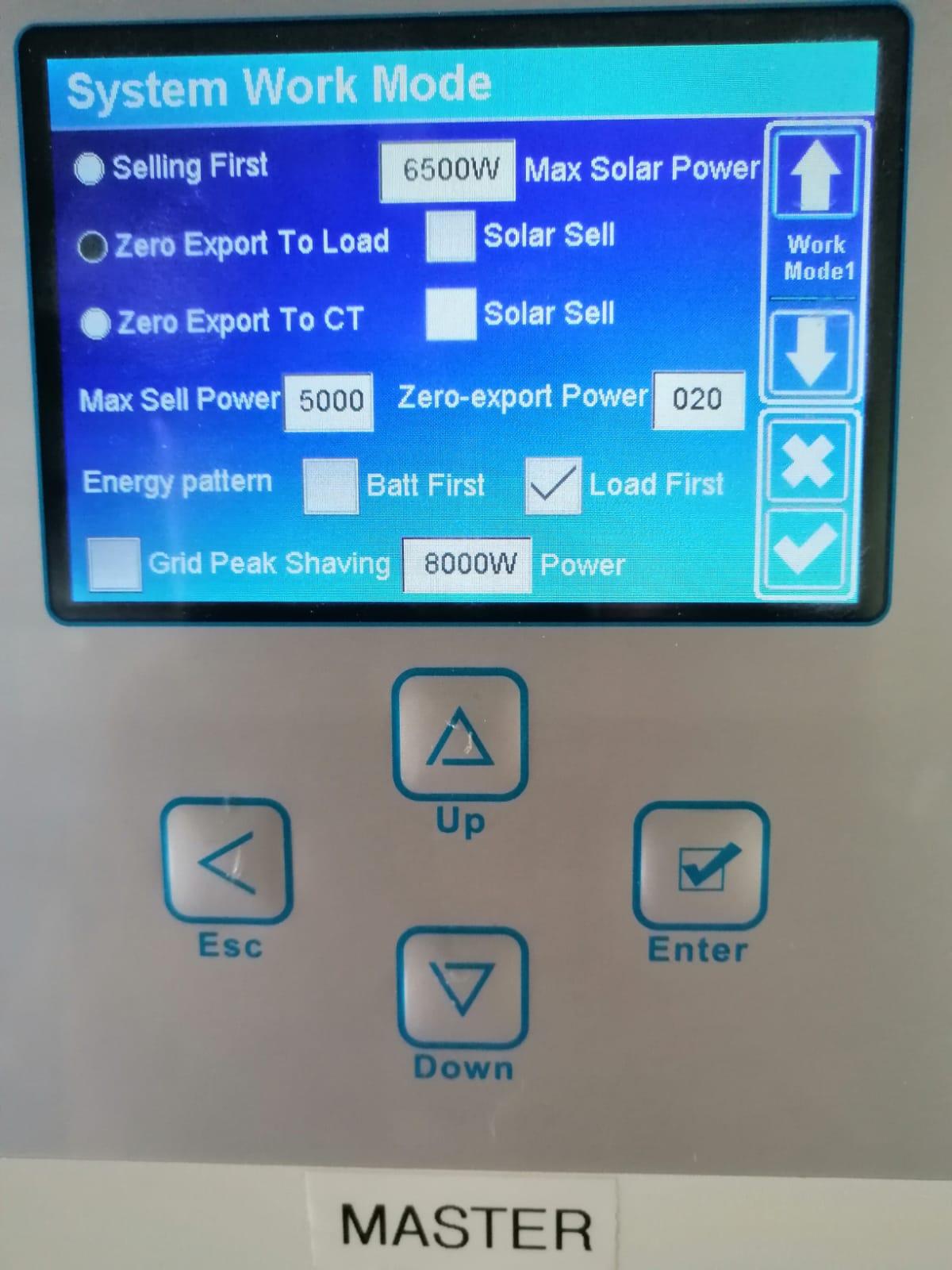
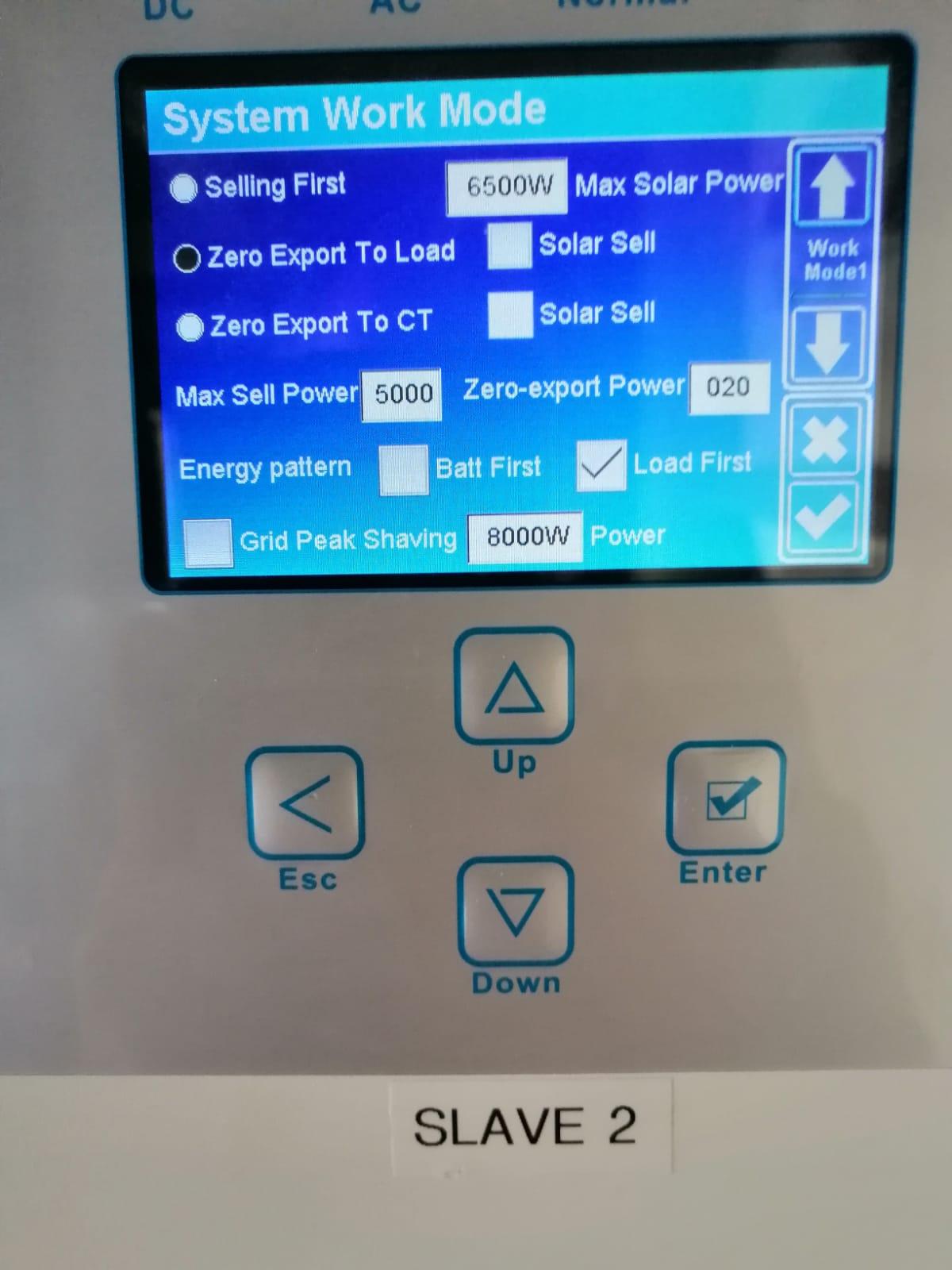
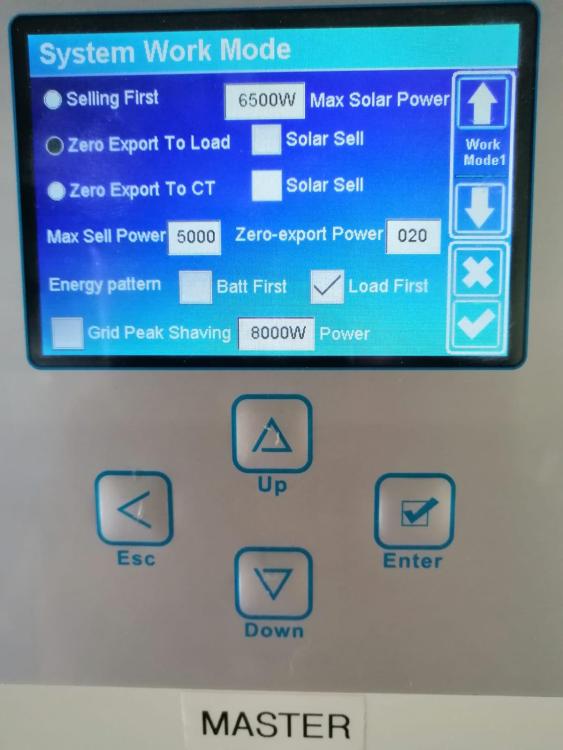
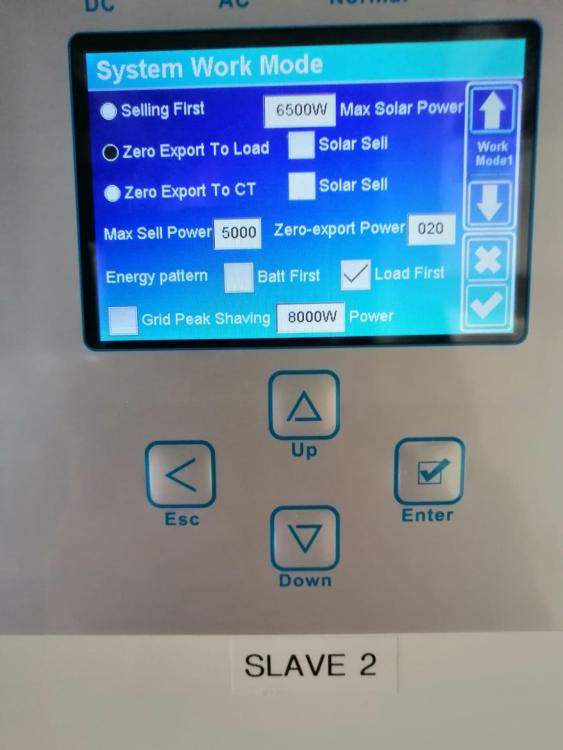
Hi Everyone, My Deye inverters are always charging my battery and I want the solar to power the load during the day. How do I get my Deye inverters to use Solar to power the load? Currently I have “Zero Export To Load” and “ Load First” enabled. On time of use, during the day I deselected the grid charge option. I checked that the settings are saved on both inverters. Interestingly enough the Time Of Use settings for daytime has “Grid Charge” disabled and battery SoC set to 80%, but the inverters keeps on charging the battery until it is 100% full. Once the battery is full the solar power usage decreases and is not used to power the load.
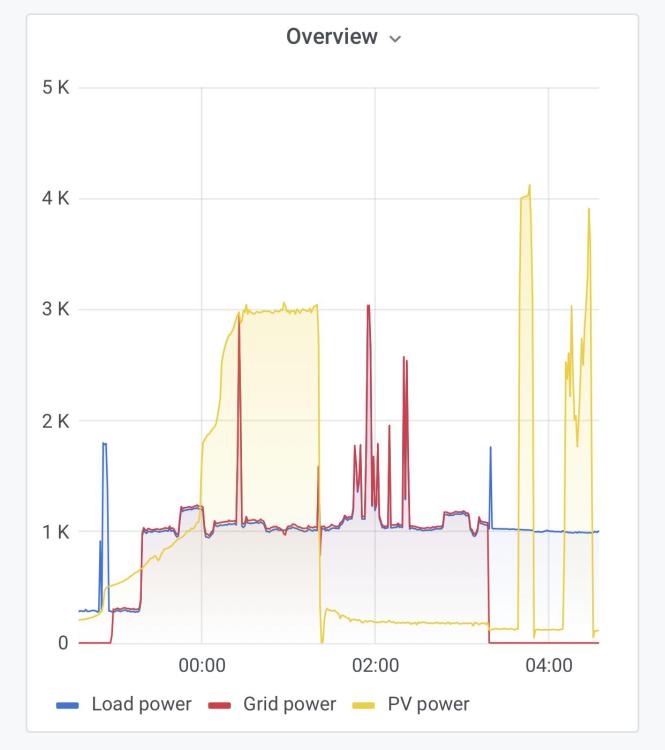
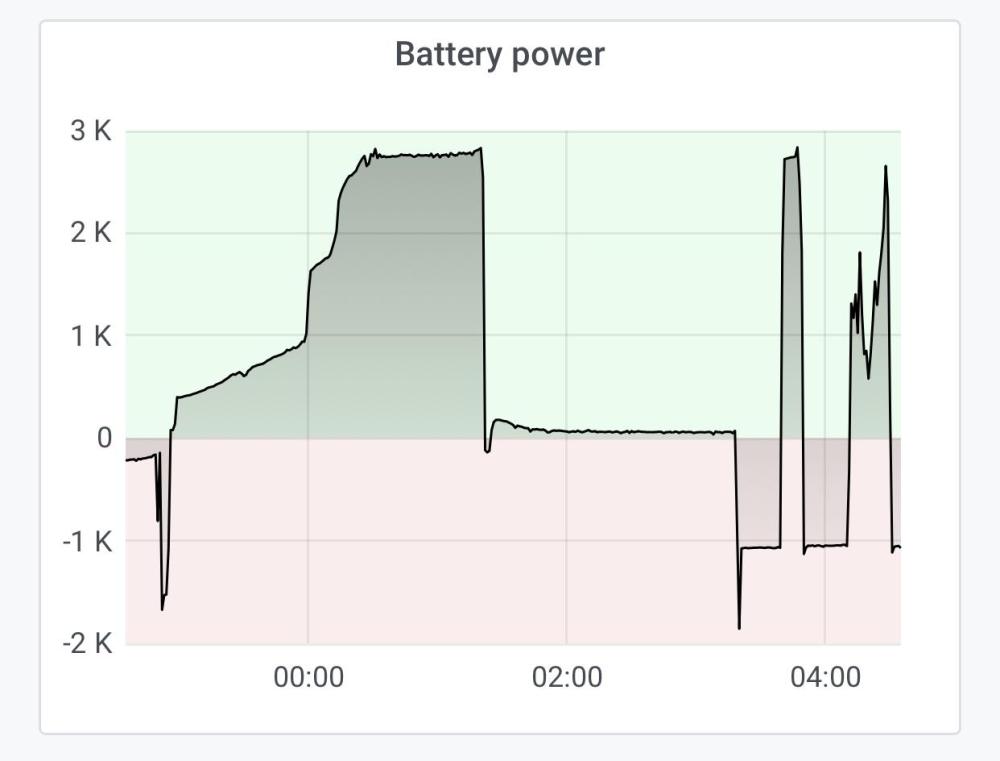

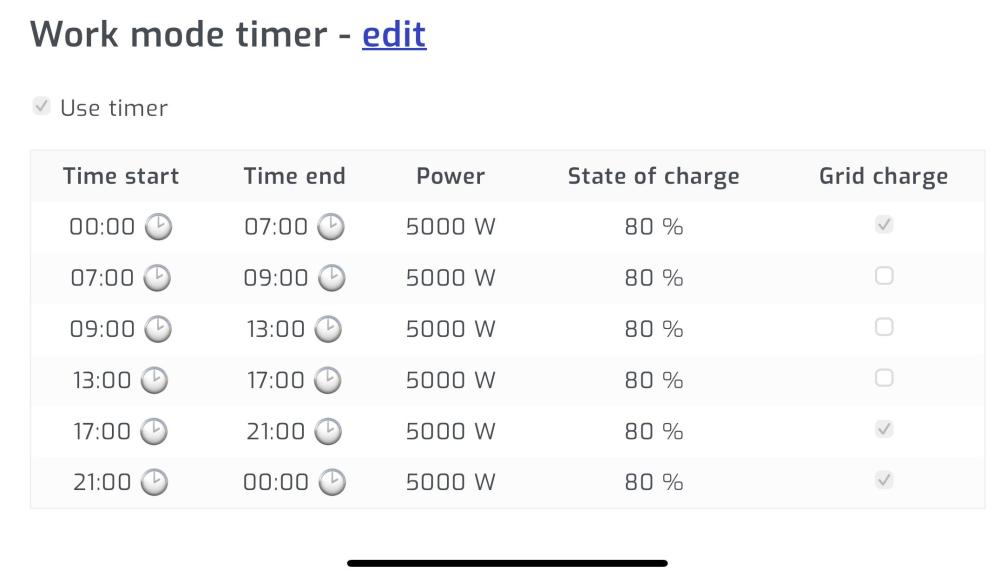
-
Thank you. I do have another question if you don’t mind. As mentioned, I have two 5 kw Deye inverters connected in parallel, ons is master and other is slave. Both inverters connect to a single 10kwh Lithium battery (LFP200-51.2) (https://www.solarwaysuppliers.co.za/wp-content/uploads/2014/01/Y-and-R-Solar-pty-Ltd-LES-Powerwall-Battery-Pack-User-Manual.pdf) When my swimming pool pump turns on during load shedding my inverters stop providing power to the load, circuit breakers don’t trip. With a two 5kw inverters and a 10kwh battery I would assume the system should be able to handle the swimming pool pump!? See load image below, the spike when pump kicks in. Load is smaller than 5000w. In the battery current image below, the total battery current (yellow) is at 65 amps which is lower than the 100 amps. So nut sure why the inverter stops powering the load. I would like to understand how I should configure each inverter in terms of the parameters below as I think that might be the problem: 1) Max charge/discharge current 2) Power setting under the Work Mode schedule Max charge/discharge current I see from the battery spec sheet that it’s max charge/discharge current is 100 amps. Since I have two inverters I set the max charge/discharge current on each inverter at 50 amps. My reasoning is that each inverter will pull 50 amps to get to the max 100 amps of the battery. Is this reasoning correct? Power Settings Under Work Mode schedule The work mode settings I refer to is where you can configure the inverter to charge at certain times of the day using grid or battery. For each of the timeslots in this schedule you can edit the power. Currently I have set the power to 5000 for each timeslot. But wanted to know if this is correct? With the current battery specs, can I increase the power?


-
Thanks. And based on the battery manual shared above, what should the following three parameters be set to ( in Volts)? 1) Battery float charge? 2) Battery absorption charge? 3) Battery equalization charge?How can I diagnose with my multi-meter if there is a wiring issue? I have the inverter and battery manuals so if someone can point me to go measure at X and Y on battery and/or inverter I can do that.Hi, I have two Deye 5kw inverters hooked up in parallel. Both are connected to a single 10kwh Lithium battery. Battery details can be found here (I have the LFP200-51.2). The battery manual says the max charge and discharge current is 100A. My question is, since I have two inverters should I set the Max A Charge and Max A Discharge on each inverter to 100 A or should it be 50 A per inverter to make up the 100 A? Thanks. Regards.Unfortunately I don’t have a schematic but I have a photo (not sure if it help). The inverter on the left is setup as the master and the one on the right is the slave.
 Hi, I have two 5 kw Deye inverters connected in parallel. Both inverters connect to a single 10kwh Lithium battery. When I look at Solar Assistant graphs I can see, by looking at battery current on each inverter, that one inverter is using energy from the battery and the other inverter is charging the battery. How can I configure both inverters to use battery power first before grid power?
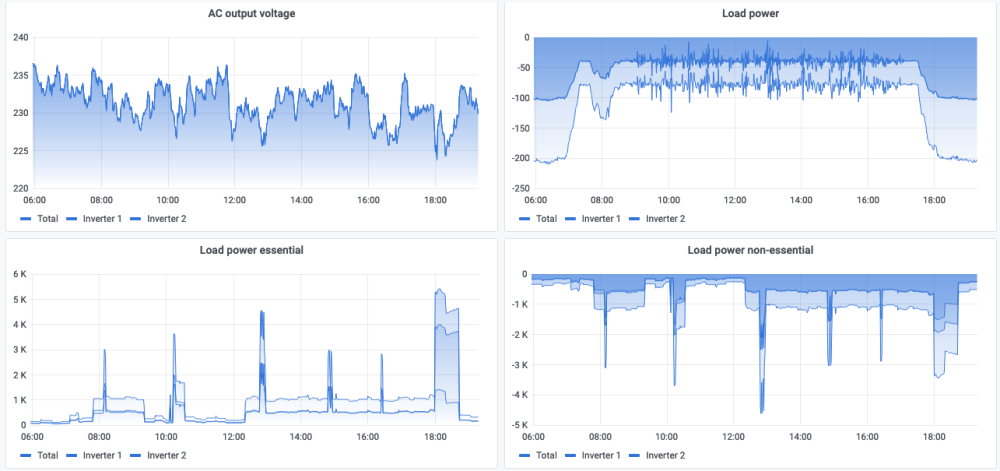
 Hi Everyone, My solar setup is: 12x 550w solar panels, 2 x 5kw Deye hybrid inverters in parallel and a 1 x 10kWh Life Po4 battery. The system was installed about two months ago and I'm using Solar Assistant to monitor the system. I have a CT clamp installed (Let's assume it is installed correctly). Recently I changed the "System Work Mode" setting on the inverter from "Zero Export To Load" to "Zero Export To CT" so that the system can provide power to non-essential loads. After enabling "Zero Export To CT" I noticed the "Load", "Solar PV" and "Grid" power values on the Solar Assistant dashboard dropped to much lower values compared to when I had the "Zero Export To Load" option enabled. I shared some graphs below for more information. I have a couple of questions: The values displayed by Solar Assistant, do those values show how much power is consumed or how much power is generated or what exactly do they show? In orther words, when I look at the graph showing Load, Solar PV and Grid power values, how should I interpret the graph? Why did the Load, Grid and PV Power values drop lower when I enabled "Zero Export To CT"? On Solar Assistant I can see the "Essential Load" graph has positive y-axis values but the "Non-Essential" load graph has negative values. When "Zero Export To CT" is enabled, it looks like Solar Assistant calculates the overall load as "Non-Essential" + "Essential" loads. Since the "Non-Essential" load values are much higher, Solar Assistant displays the overall load as a negative value. So my question is, why is the "Non-Essential" load values negative? Why not take the absolute value of both Essential and Non-Essential values and add them together. That way you can see how much total load the system is handling. Solar Assistant graph showing Load, Grid and PV Power when "Zero Export To Load" was enabled Notice the Y-Axis values range from 0 to 5K. Solar Assistant graph showing Load, Grid and PV Power when "Zero Export To CT" was enabled "Zero Export To CT" was enabled on 2023-04-09 at 17:21. You can see the values on the left hand side the vertical line, at 17:21, is much higher than the value on the right hand side. Why did the values reduce when I enabled "Zero Export To CT"? To get a better view of the Y-Axis values after "Zero Export To CT" was enabled, I zoomed in on a smaller time window. Also note in the below graphs the positive values for "Load Power Essential" and negative values for "Load power non-essential" after enabling "Zero Export To CT". Finally, to double check that Solar Assistant values and the Inverter values lines up, I've taken a screenshot and picture of both at the same time.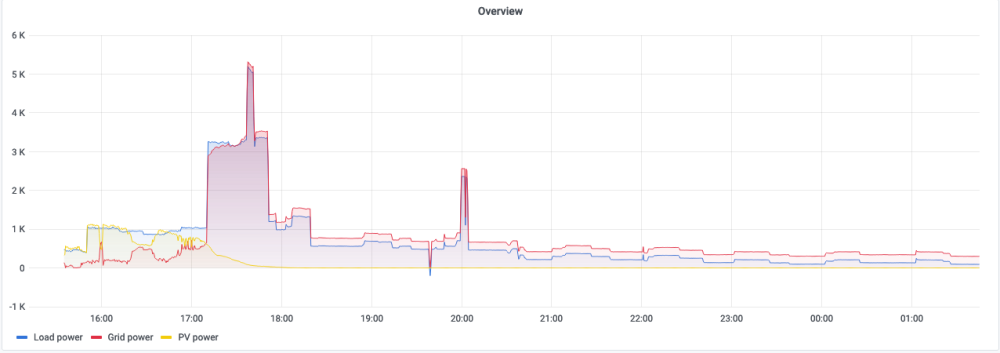


 Hi Everyone, Quick question, if I enable “Zero Export to CT” and load shedding kicks in, will the inverter still power non-essential loads or will it only power essential loads during load shedding? Regards.