
PappaB
Members
-
Joined
-
Last visited
Everything posted by PappaB
-
It almost seems they want to force us to use local collection 😜
-
Hi Bjorn, would you mind sharing the JSON please?
-
I am in the same boat. I was on a much older version though. But I am not even able to get version 2.4 working. Not actually a coder, so I am sure I just don't know where to change things. PS - Is the inverter serial a must in the secrets file, or can I get it from the info collected (once I can get pas the login issue)
-
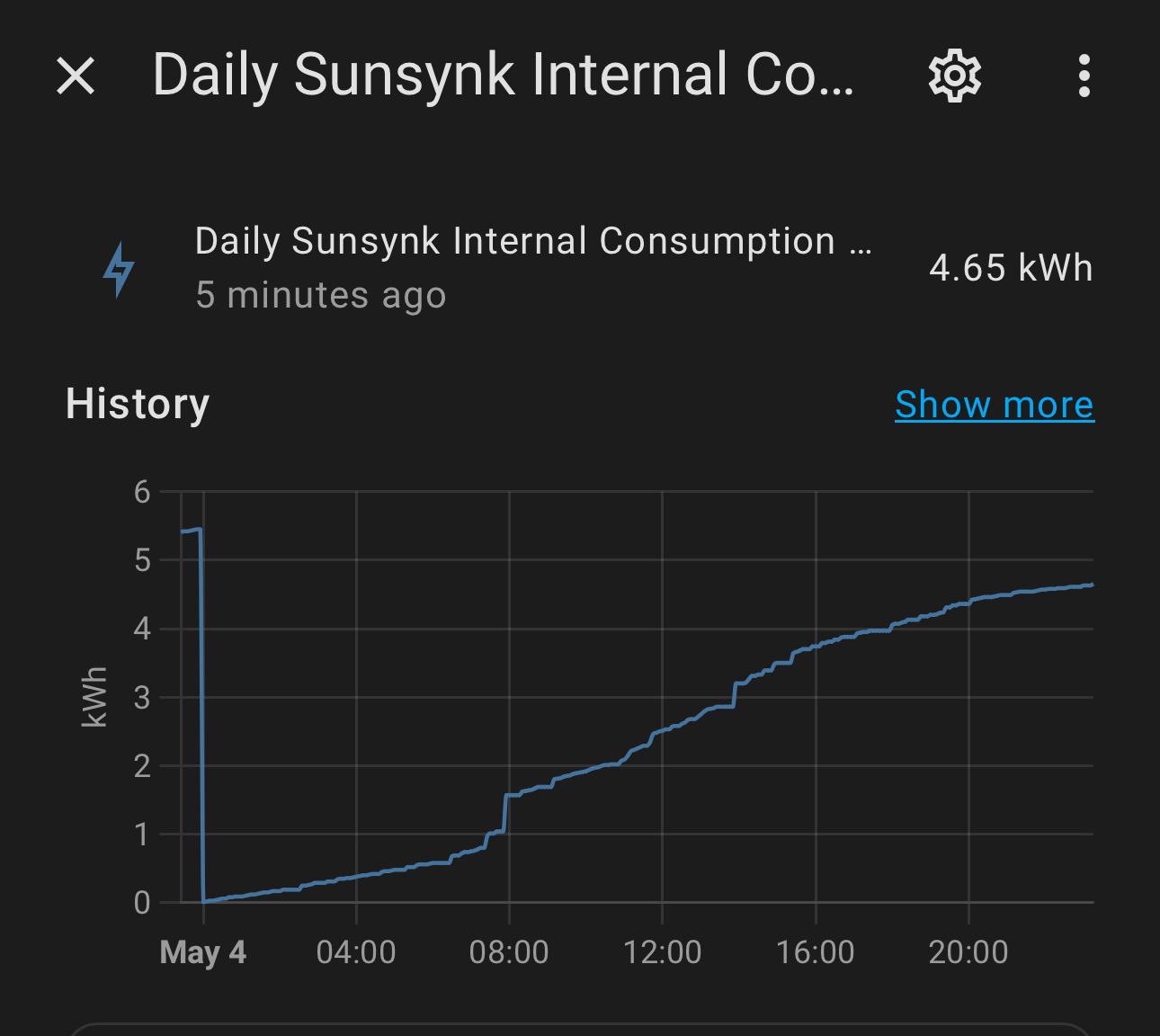
Just te be clear, I agree it is not only internal consumption, but rather a combination of consumption and losses. Still, it refers to power and energy lost due to using the system. Also, these numbers used to be smaller before upgrading firmware.
-
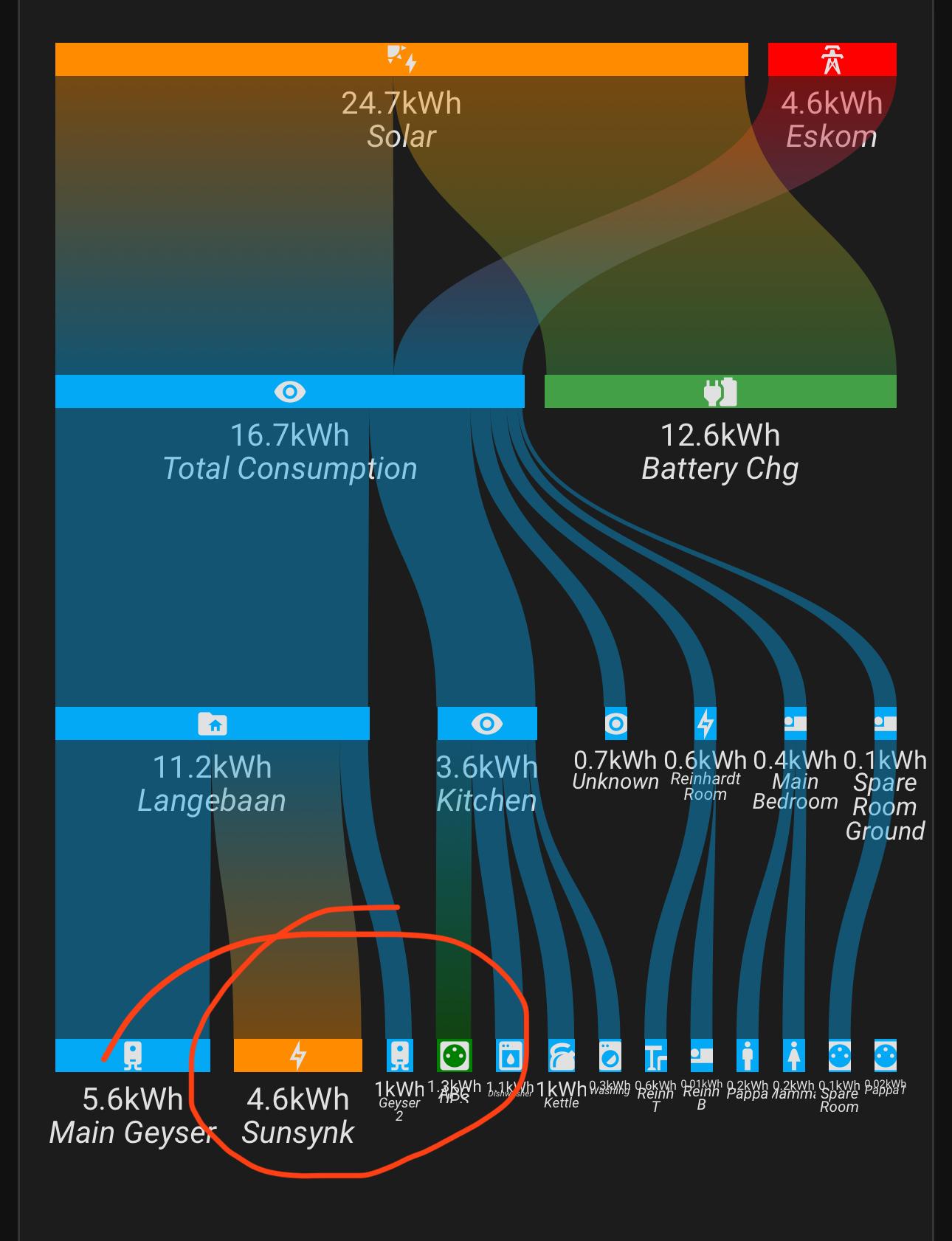
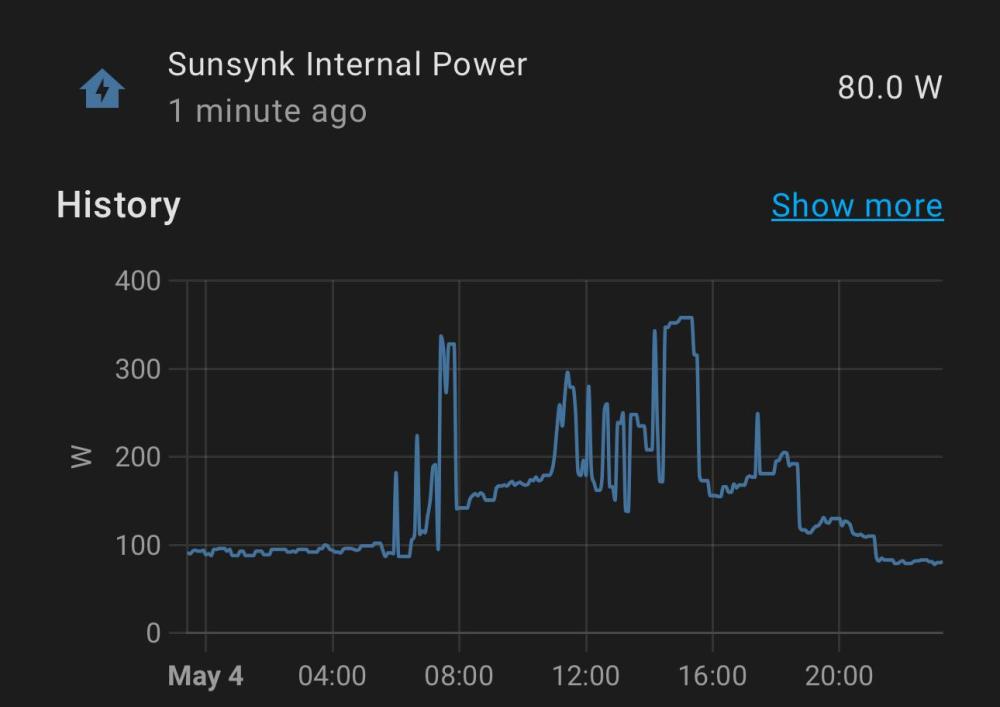
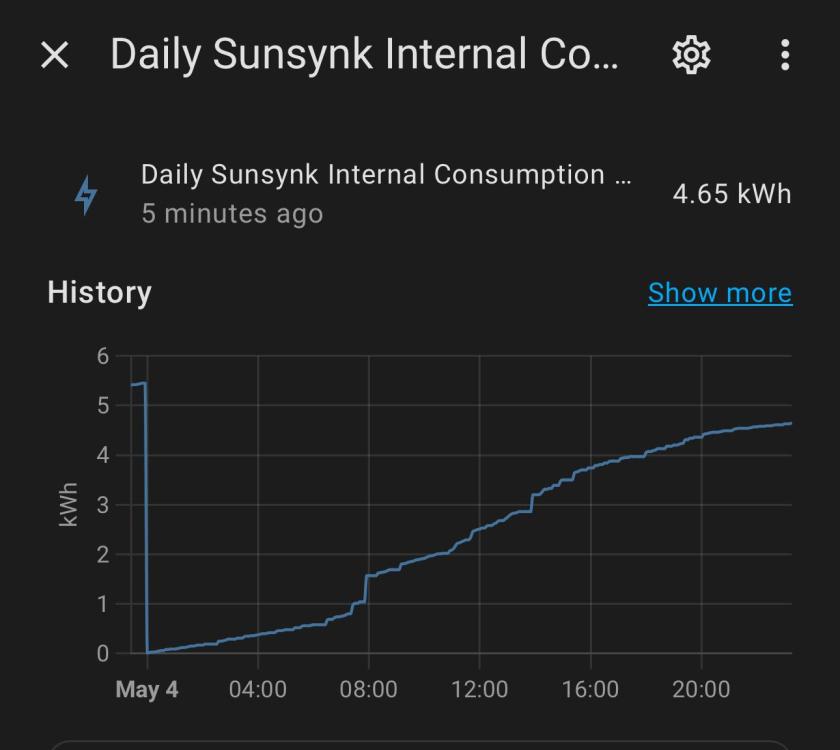
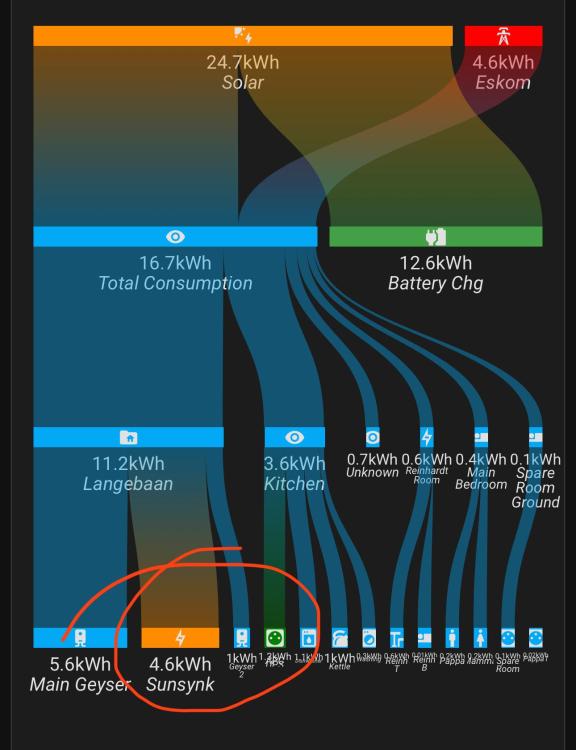
Back to the original topic. I have set up a sensor for the internal power (W), as well as a Riemann Sum helper to calculate the energy usage (kWh). Images below will show both, and it's not good. I can confirm though that it increases with "activity". It scared me to see energy consumption similar to what my 200l Geyser used
-
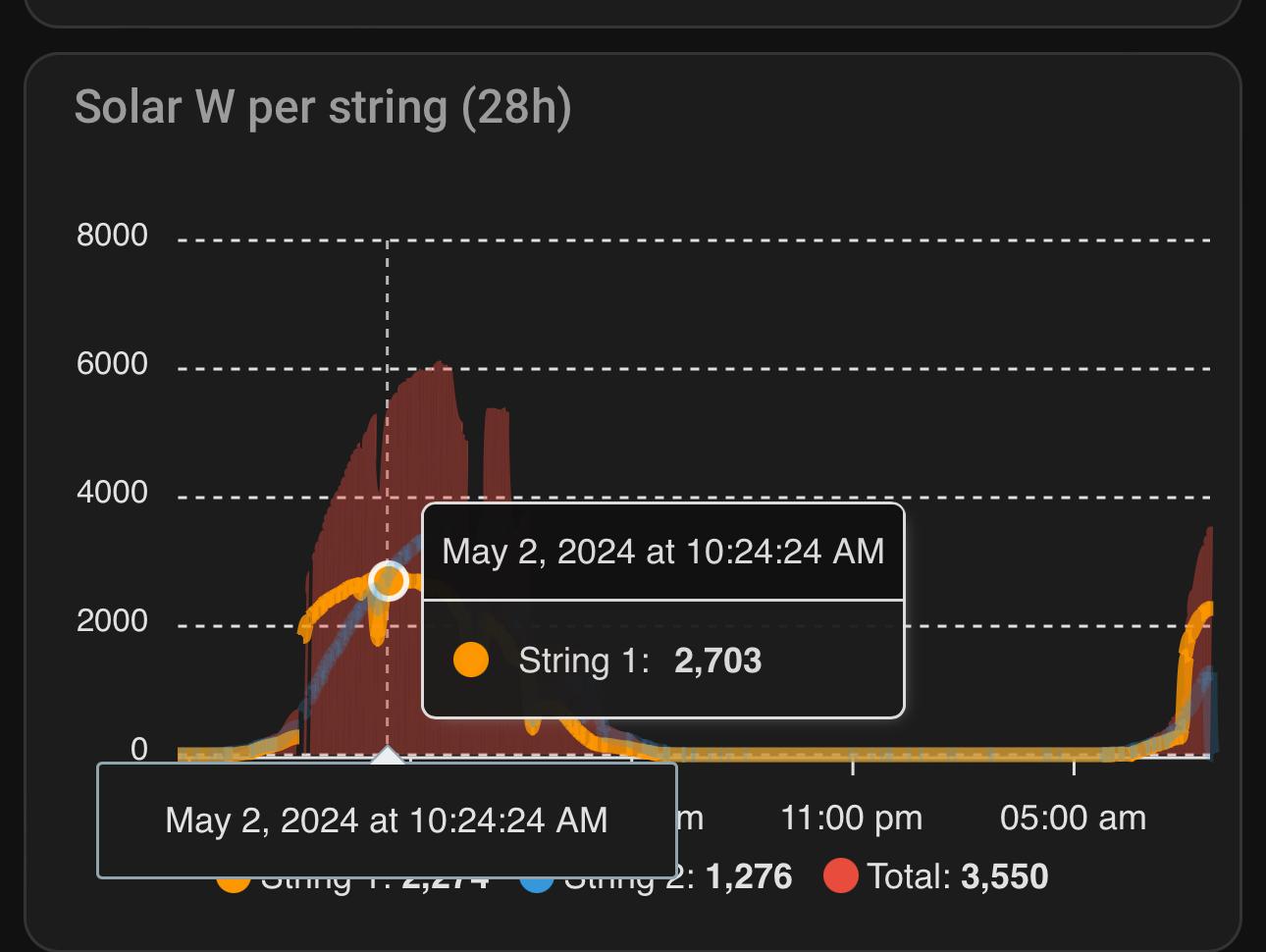
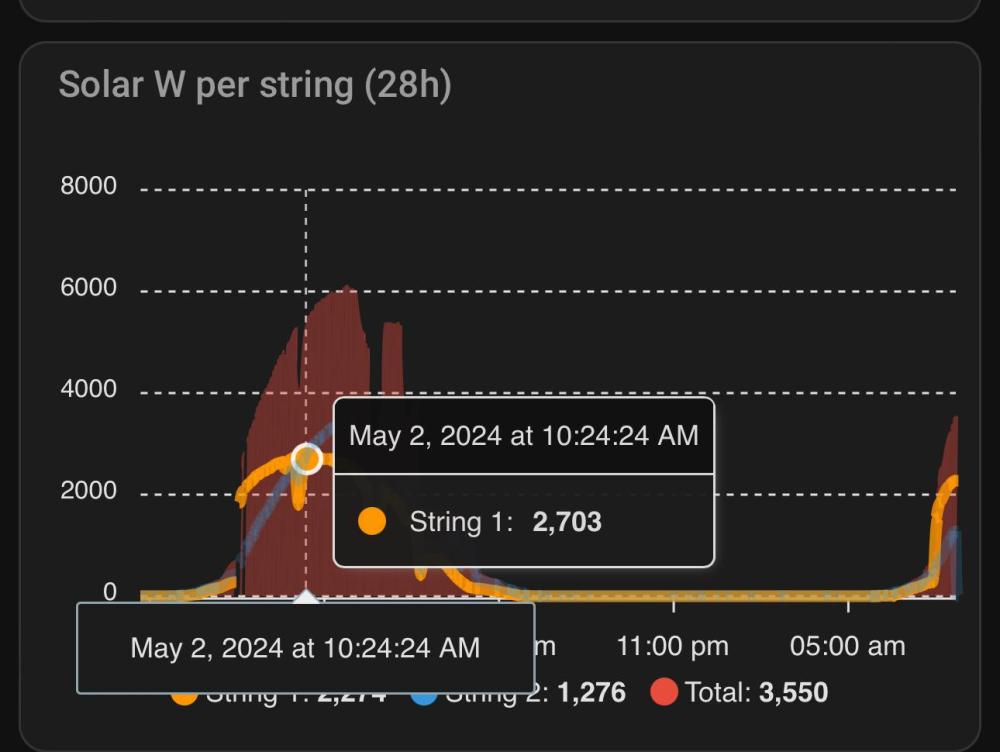
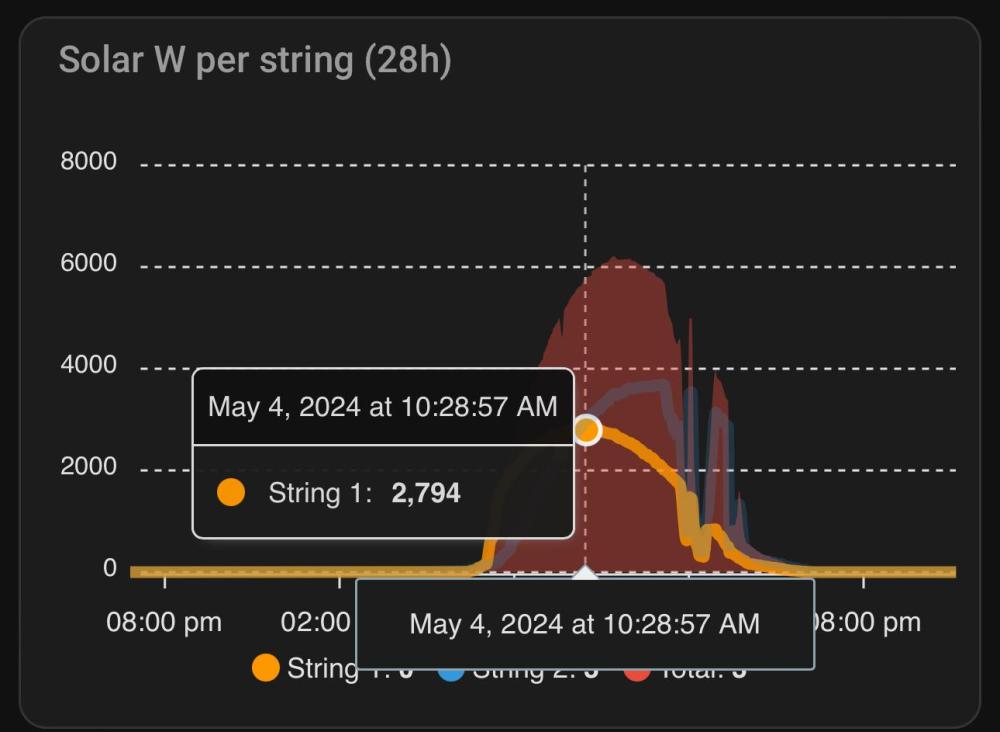
I had some bad weather lately, but here are 2 days from my brother's place in Jhb. On the east facing MPPT he has 6 x 550 panels with approximately 35 degree elevation.
-
Do you have a smart breaker installed to manage on/off times? Also, I would assume your batteries are 48-52V, and the specs of that element is 72V. Does that work, and it is just a bit slower?
-
Thanks Hoohloc. I am based on the "Weskus", and not seeing anybody around here that sell them. Geyserwise have offices in Cape Town, but not sure if they will sell directly to the public. On your setup, you say it plays nicely with your batteries. Do you have the DC portion connected directly to the batteries, and how does this affect "charging" details from the inverter?
-
Thank you. With the info received I am starting to lean more and more to that.
-
Hi Off Grid Farmer. Thank you. Sounds great. Perhaps share with others where you got it, as someone else might have the same requirement. I have to be a bit selective though, as I also have very hard water. So, normal elements last about a week with my hard water. The stainless ones from Geyserwise is reported to handle hard water well. The problem with too low a wattage element is also that it lengthens the time to heat the water. In my case, I just want to boost the tubes a bit, preferably by using excess PV power or new panels and a combination AC/DC element. Still open to suggestions.
-
Aha... The light went on. I did not see the A1 and A2 from the pictures. It looked like the AC from the Sonoff was going into port 3 and 5... Now it all makes sense. Like magic; it's just science we don't understand yet. Any suggestions on where I can get that contactor? I have a Voltex that is not a million miles away....
-
Thank you Hoohloc. I am getting a better idea, but do not understand how a contactor work. I checked on that contactor, and have a slightly better idea now. However, how do I connect the Sonoff to the contactor to "open and close" it? Does the AC from the Sonoff connect to the Lovato to set the state, or am I missing something?
-
Excellent idea Hoohloc. So, if I understand correctly (I am no an expert) the contactor is dealing with the DC part, but the Sonoff (AC device) just controls the contactor? If so, which contactor are you using that can operate like that? And if you can share a simple hand drawn schematic on how to do this, you will make my day.
-
Thanks HendrikBigChief. Makes me wonder where the people quoting 50W get their data?
-
Based on the West Coast of SA and neem some insights please. Currently I am heating my 2 geysers (1 x 100l - 3kW element) (1 x 200l - 4kW element) with Evacuated Tube systems with a Solar pump (each). I have to run the electric element in the morning to cater for the first bathers and offset the nightly temp losses (about 5 - 7 degrees, depending on how hot the water was at sunset). The 20 tubes on the 100l is working well, and can heat up the geyser to 50 degrees twice a day [8h00 shower and 13h00 shower], even during current winter conditions. I use about 2 kWh from the grid to get this geyser to 55 degrees for the first shower to offset nightly temp losses. The 20 tubes on the 200l is however not so lucky, as roof placement is not optimal (I used the only available spot), and heats up to about 45 degrees max in the day (only 1 x 6h30 bath drawn). As such, I use about 4.5 - 6.5 kWh grid power to heat the 200l geyser for the morning bath. I want to see how I can get some long term saving on heating this geyser. The options I see (If you have more options, or if I understand the setups incorrectly, please let me know) are: 1) Install GeyserWise PTC ACDC Element. Install 2 additional 500W panels on West side, which will supply DC power to the DC part of the element in the afternoon. This should assist the evacuated tube system in getting the water to about 60 degrees (assumption). Thus, with 7 degrees (max seen so far) loss overnight, the water will still be at 53 degrees, hot enough for the bath. Also, as the AC part of the element is now small enough (2 kW), I can connect it to the essential side of the 5 kW Sunsynk inverter, and run it in the afternoon when I have excess PV power. Batteries are full again on a cloudless day between 13h00 and 14h00, so ample excess energy wasted. My concern with this approach is that it will drain my batteries too fast for the early morning bath and shower. 2) Connect the 200l (4 kW) geyser to the non-essential side, and feed excess power to the AC element in the afternoons. This way I can "blend" power from Eskom and excess PV power (CT coil to be moved before I can do this) and boost the geyser in the afternoon. My concern here is that I still have to use grid power, as my spare capacity (generation - current load) in the afternoon will not fully carry the 4 kW element. 3) As above, but replace the 4 kW with a smaller (2 or 3 kW) element, and in such case I can run it purely from excess PV power in the afternoon for a few hours. My concern with this scenario is that I still might need to top it up in the morning, and then it will take longer (double the time for 2kW and extra 50% for 3kW) because of the smaller element.? As such, I have seen that there are a lot of brialliant people in this forum, and someone can more than likely either give advice on the options abive, or come up with a better suggestion that I have not even considered.
-
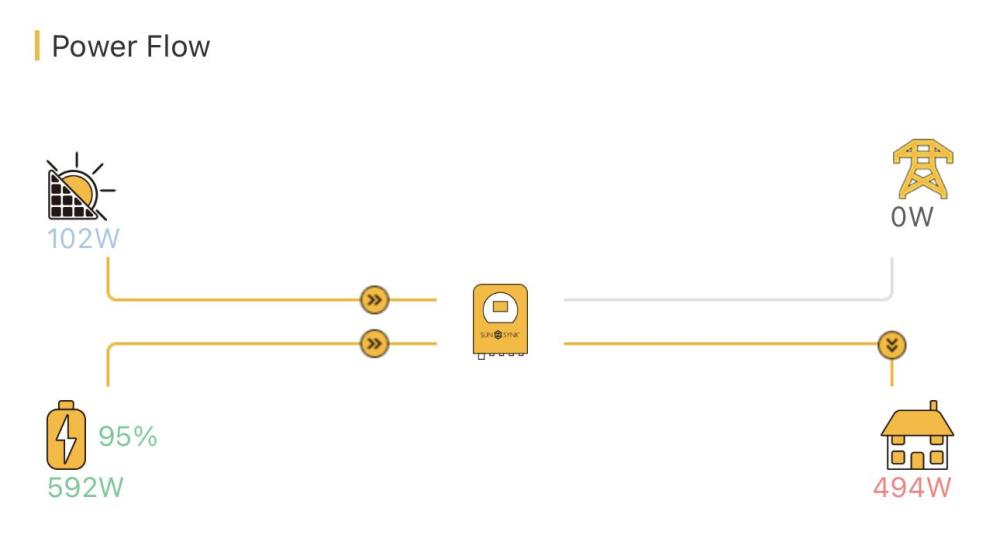
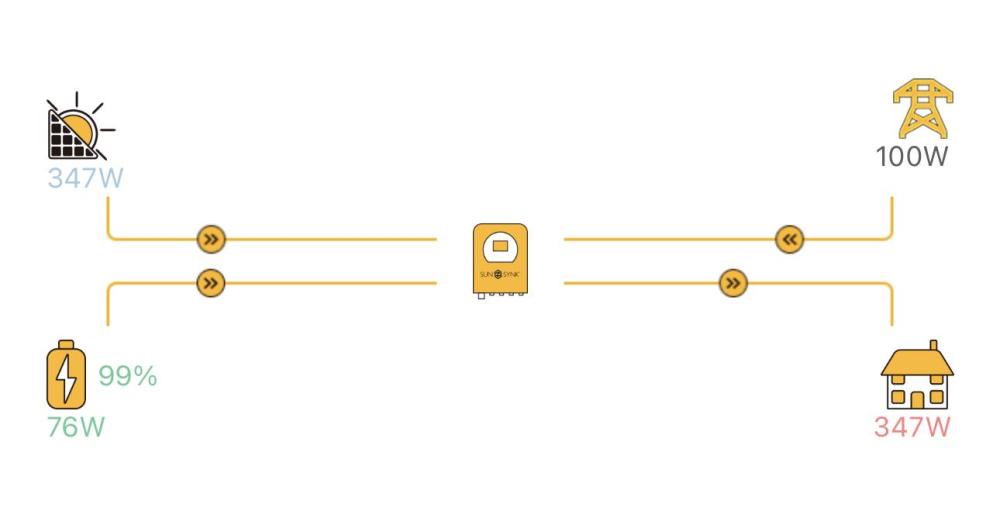
I have a Sunsynk 5 kW inverter installed, and running 2 MPPTs (5x550W facing East) + (7x 550W facing West) [No north facing roof unfortunately]. Storage is 2 x Narada 7.2 kWh batteries. The system is performing well in general, but I have a few questions, and Sunsynk Support has not answered in 10 days, hence posting here. Firstly, the internal consumption on the system is constantly between 175 and 195W. From other posts and other forums, the view is that internal consumption should be on 45 - 50W. (Screenshots attached) Secondly, the Sunsynk (running latest firmware), seems to be ignoring my values set for Grid Trickle Feed. I see posts advising setting it to 20W, but even when setting it as such, the Grid is always between 97 and 120W, except during good old Eskom Loadshedding or when I am actively drawing power from the Grid. I am not feeding back to the grid.
-
Hi Hoohloc. I am considering a smiliar setup. Which of the Sonoff Switches do you use for the DC switching? Also, do you just connect the DC wiring directly to the poles of the battery?