Raiden2912
Members
-
Joined
-
Last visited
-
OrangePi 3 LTS (opi3lts) R800 with no SD card R1200 with 8gb SD card
-
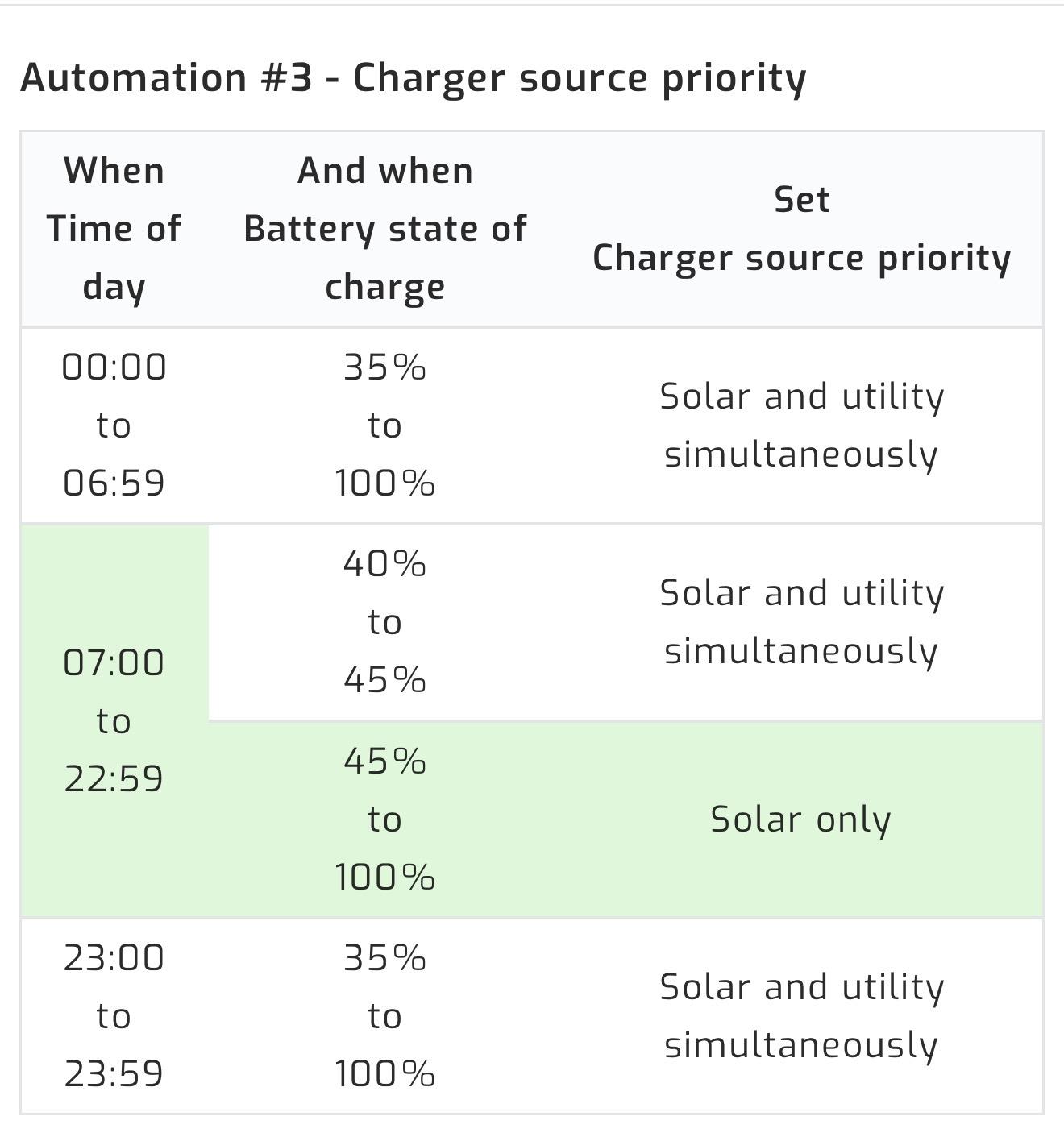
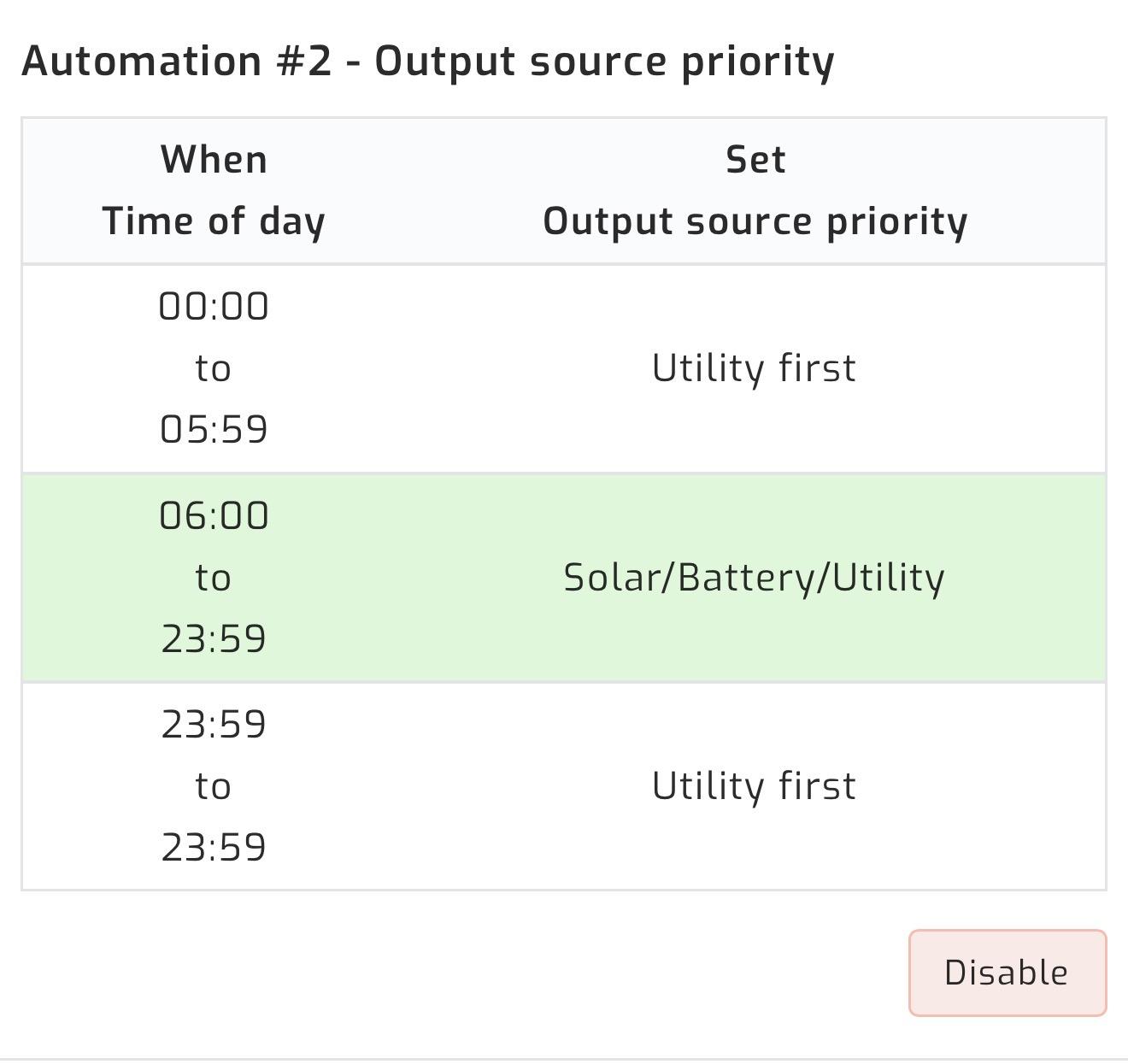
Apologies for my goal is to run the house of batteries at night up to 35% SOC and then top up. Run the house off solar during the day
-
Hi Guys, Ive added a new battery and some new panels. My automation with SA seems to not switch to grid when batteries reach a certain point. Has anybody seen this before or is my automation rules buggy? Any help would be appreciated.


-
me play around with the settings. Hello Everybody; My Automation seems to be buggy again and i didnt save rhe fix posted by pmaxim how do i search for his post on this topic please help?
-
-
Working Fixed with DIP Set them exactly like this: Battery 1 Switch 1 = ON All others = OFF Battery 2 Switch 2 = ON All others = OFF Battery 3 Switch 1 + 2 = ON All others = OFF Battery 4 Switch 3 = ON Switch 7 = ON for Termination All others = OFF
-
Scratch that😁 got all 3 batteries seen by SA beside the new one Connections are Battery 1 - RS485A to battery 2 RS485b Battery 2 - RS485A to battery 3 RS485b Battery 3 - RS485A to battery 4 RS485b DIP Settings on battery 4 1 and 2 up Still cant see battery 4 in SA
-
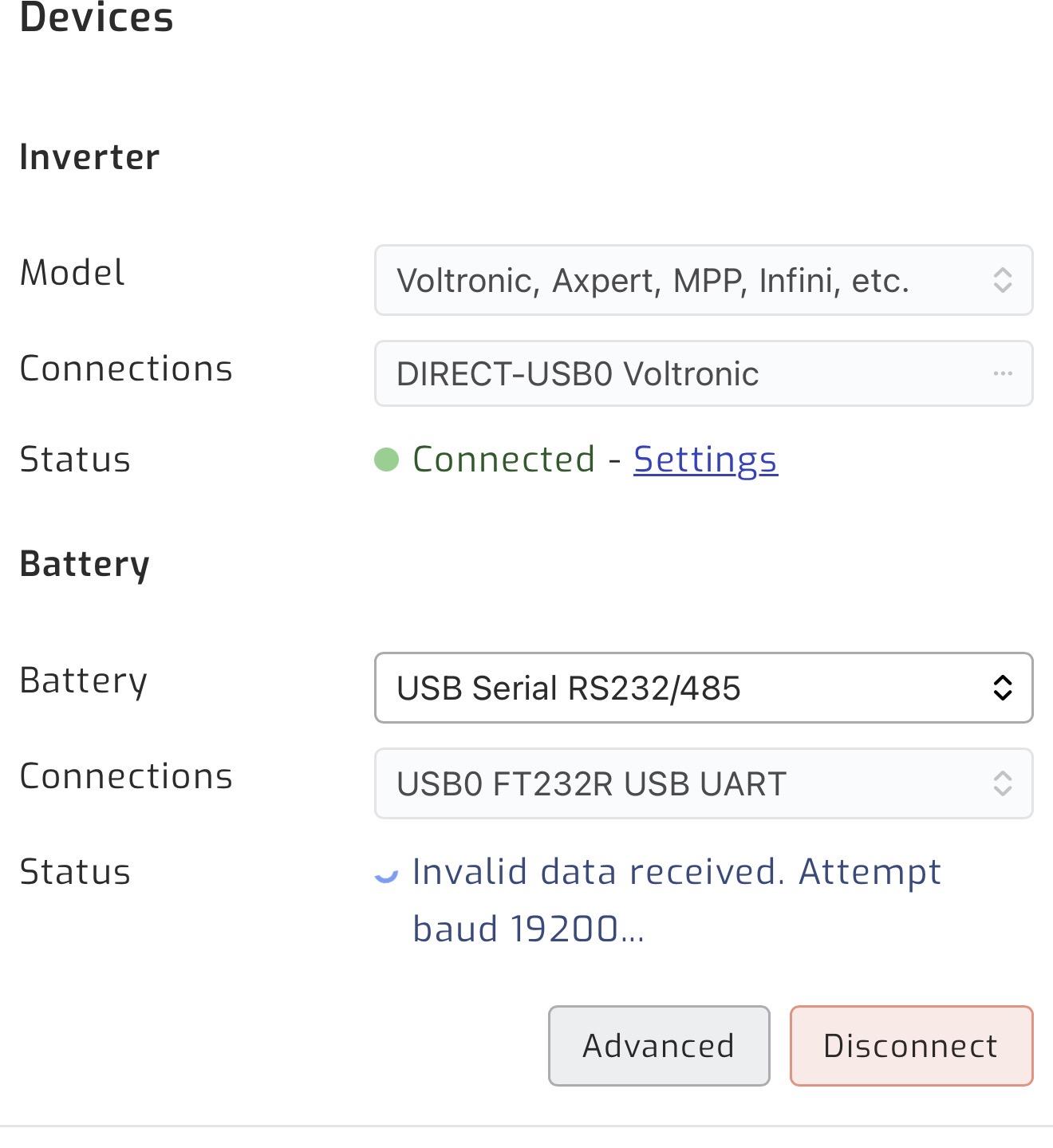
Hi Everyone i just installed a 4th battery, 2nd inverter and 8 more panels for some reason. My installer did not take note of my connections for solar assistant (nor did i after i got it working the last time) I need some help with the connection please. So i have SA connected directly to the master inverter I know i need another cable for the 4th battery but i cant even see the other 3 im guessing its because its in a bank. DIP Settings all good

-
DM ME Memory Card included R1300
-
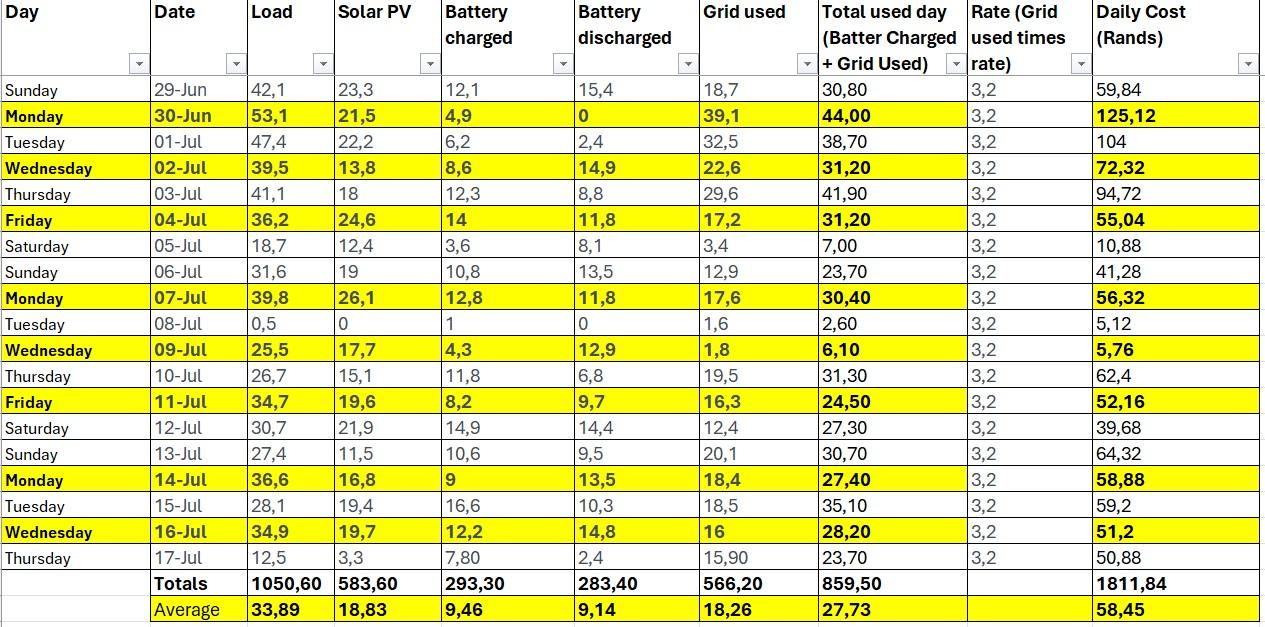
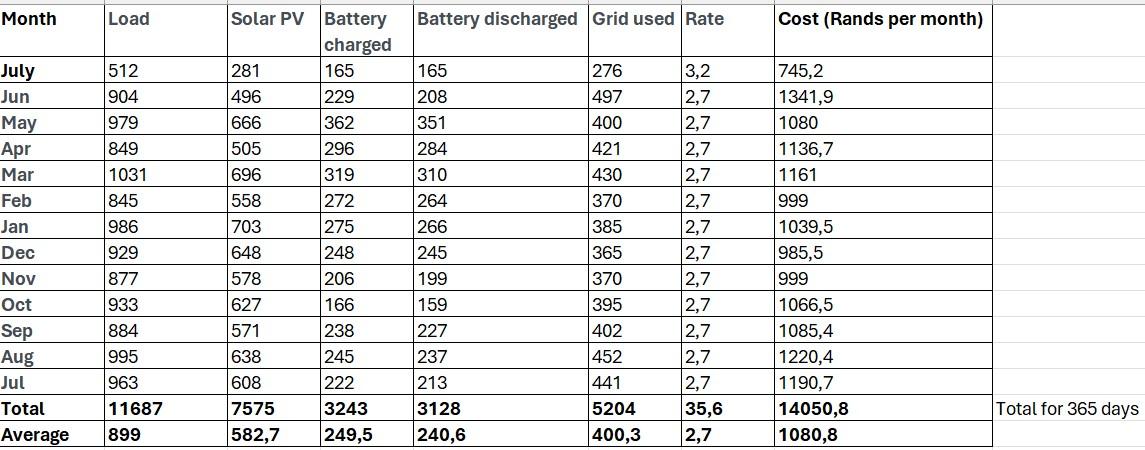
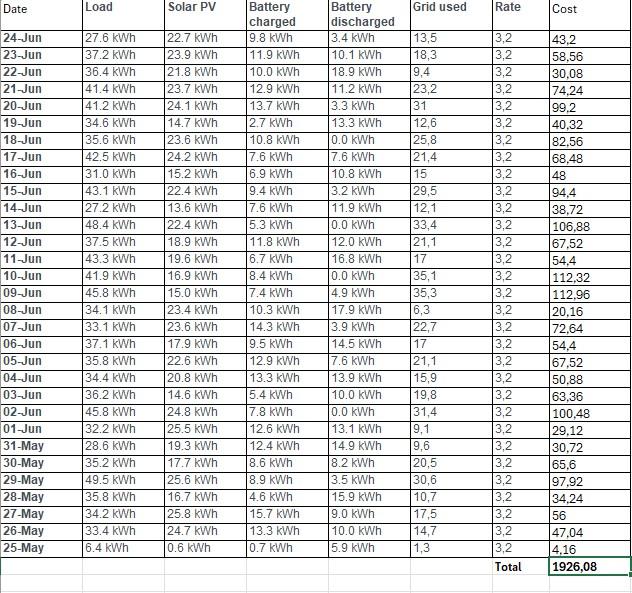
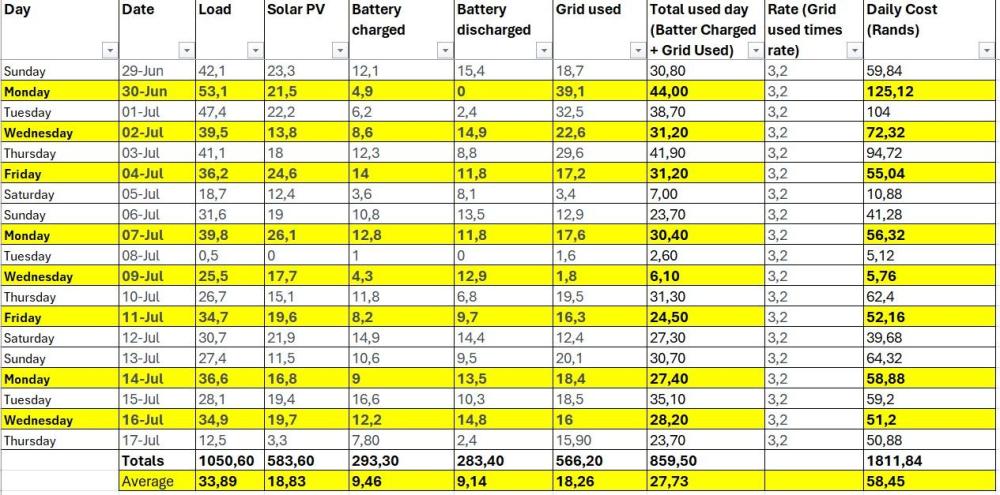
Hi All, Attached is my spend over the last 2 months and then a year view, i believe i am still paying too much for electricity, i either need to upgrade my system, or tweak it....I have my domestics here Mon, Wed, Friday.... Any advice Thanks,

-
JHB North - Randburg I have 5
-
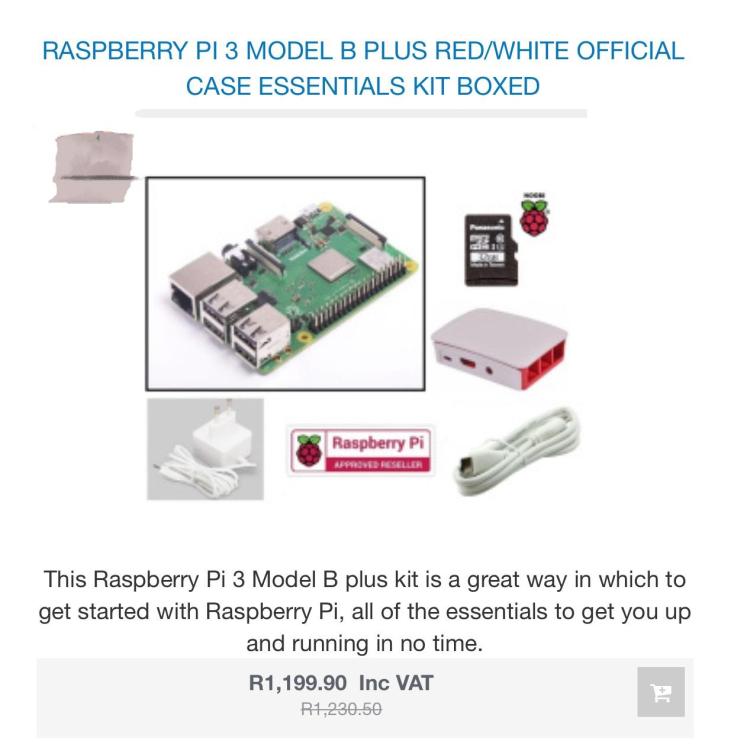
Specification Brand New condition R1000 each, take the lot and get a discount. Raspberry Pi 3 Model B is the earliest model of the third-generation Raspberry Pi. It replaced Raspberry Pi 2 Model B in February 2016. Quad Core 1.2GHz Broadcom BCM2837 64bit CPU 1GB RAM BCM43438 wireless LAN and Bluetooth Low Energy (BLE) on board 100 Base Ethernet 40-pin extended GPIO 4 USB 2 ports 4 Pole stereo output and composite video port Full size HDMI® CSI camera port for connecting a Raspberry Pi camera DSI display port for connecting a Raspberry Pi touchscreen display Micro SD port for loading your operating system and storing data Upgraded switched Micro USB power source up to 2.5A
-
-
-
Barely used
-
Including SD 16gb DM ME