Raiden2912
Members
-
Joined
-
Last visited
Everything posted by Raiden2912
-
OrangePi 3 LTS (opi3lts) R800 with no SD card R1200 with 8gb SD card
-
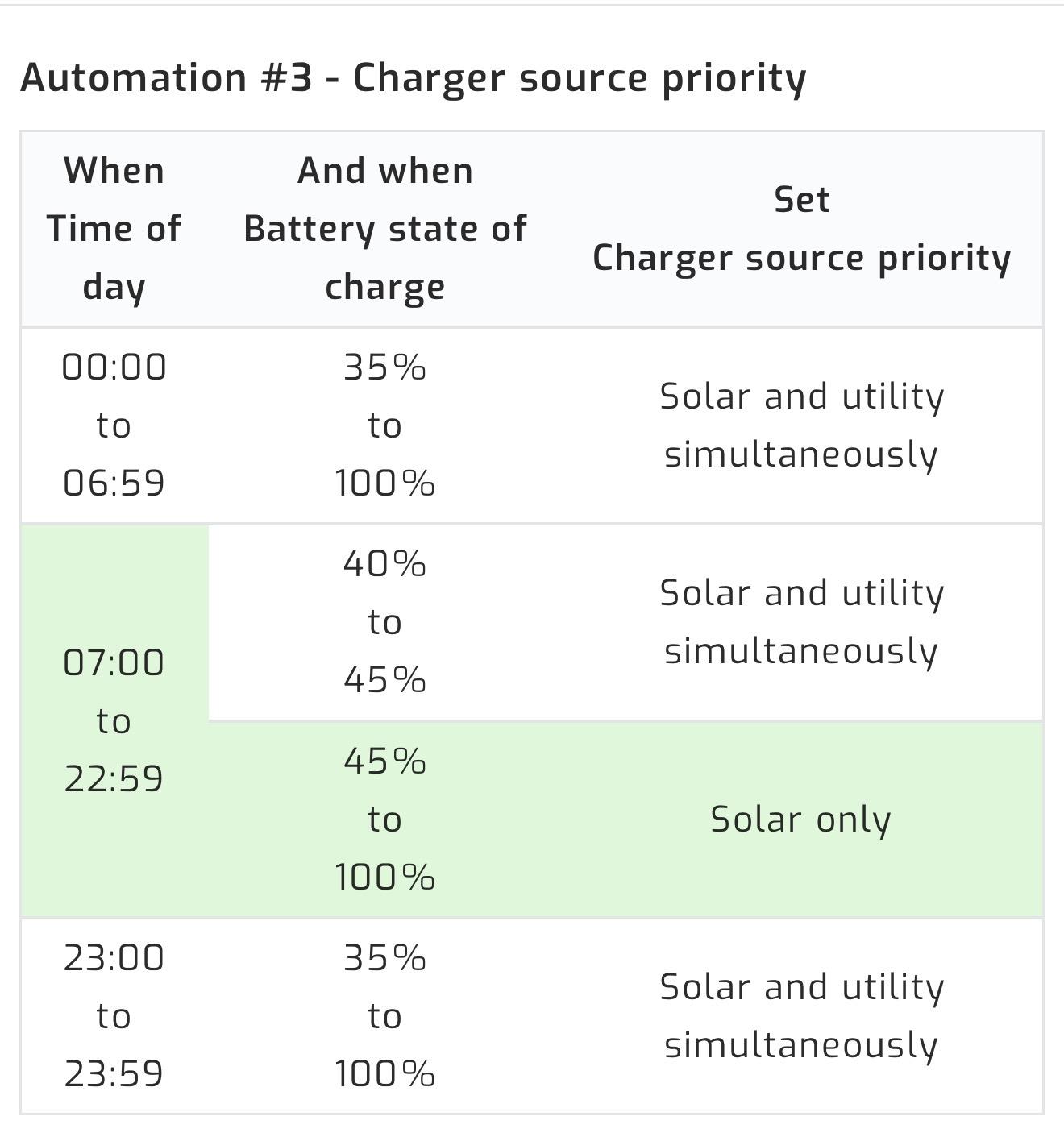
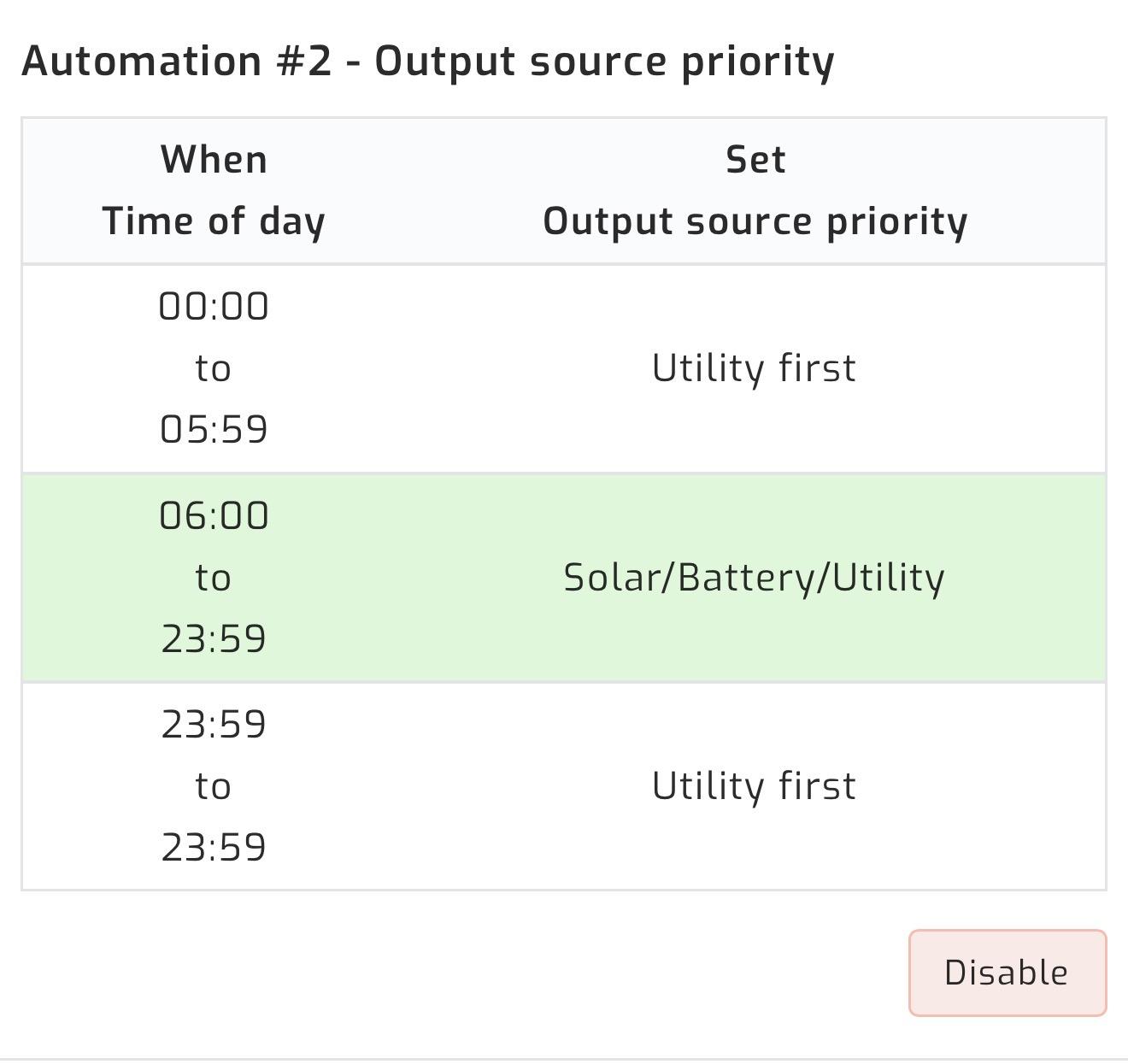
Apologies for my goal is to run the house of batteries at night up to 35% SOC and then top up. Run the house off solar during the day
-
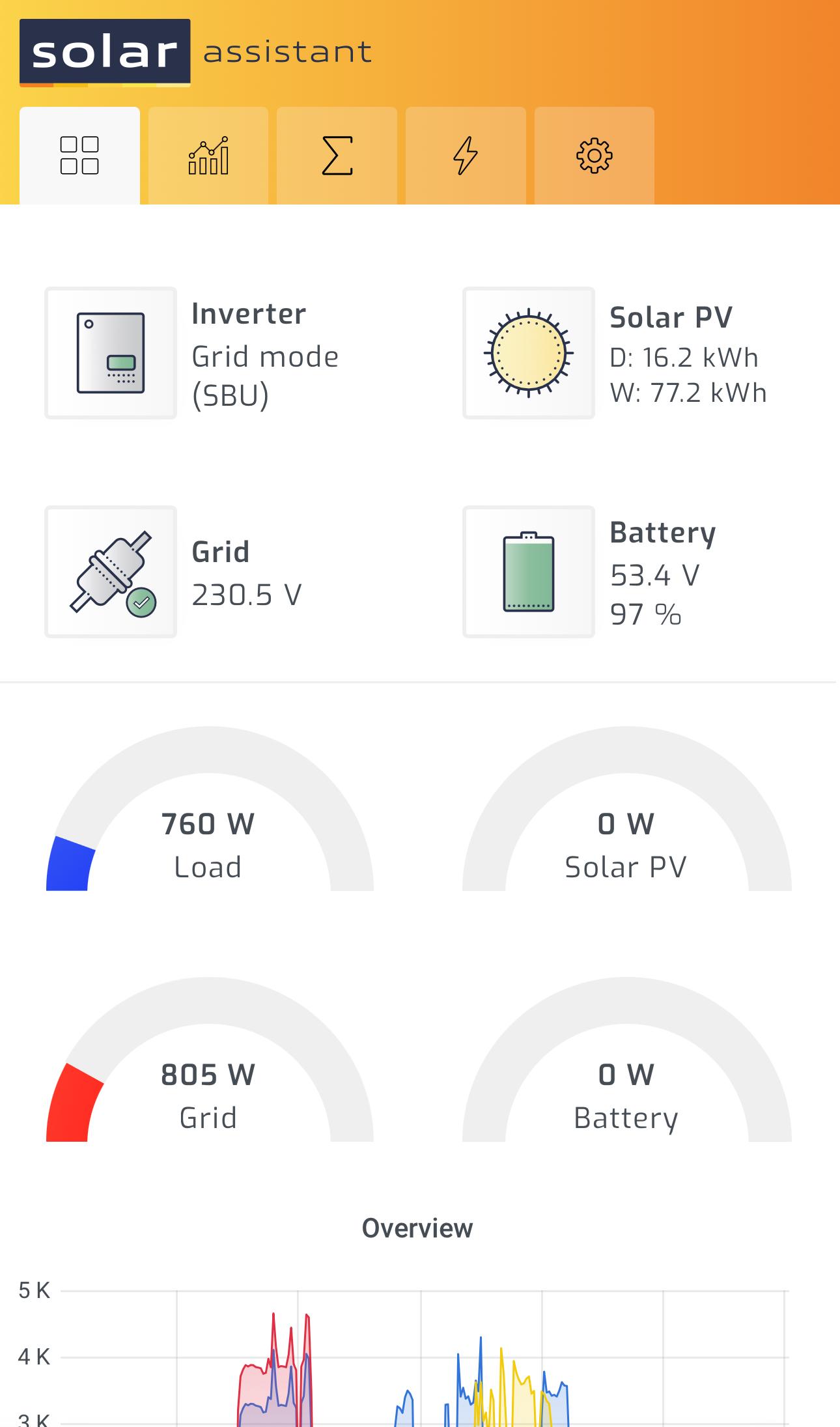
Hi Guys, Ive added a new battery and some new panels. My automation with SA seems to not switch to grid when batteries reach a certain point. Has anybody seen this before or is my automation rules buggy? Any help would be appreciated.


-
me play around with the settings. Hello Everybody; My Automation seems to be buggy again and i didnt save rhe fix posted by pmaxim how do i search for his post on this topic please help?
-
-
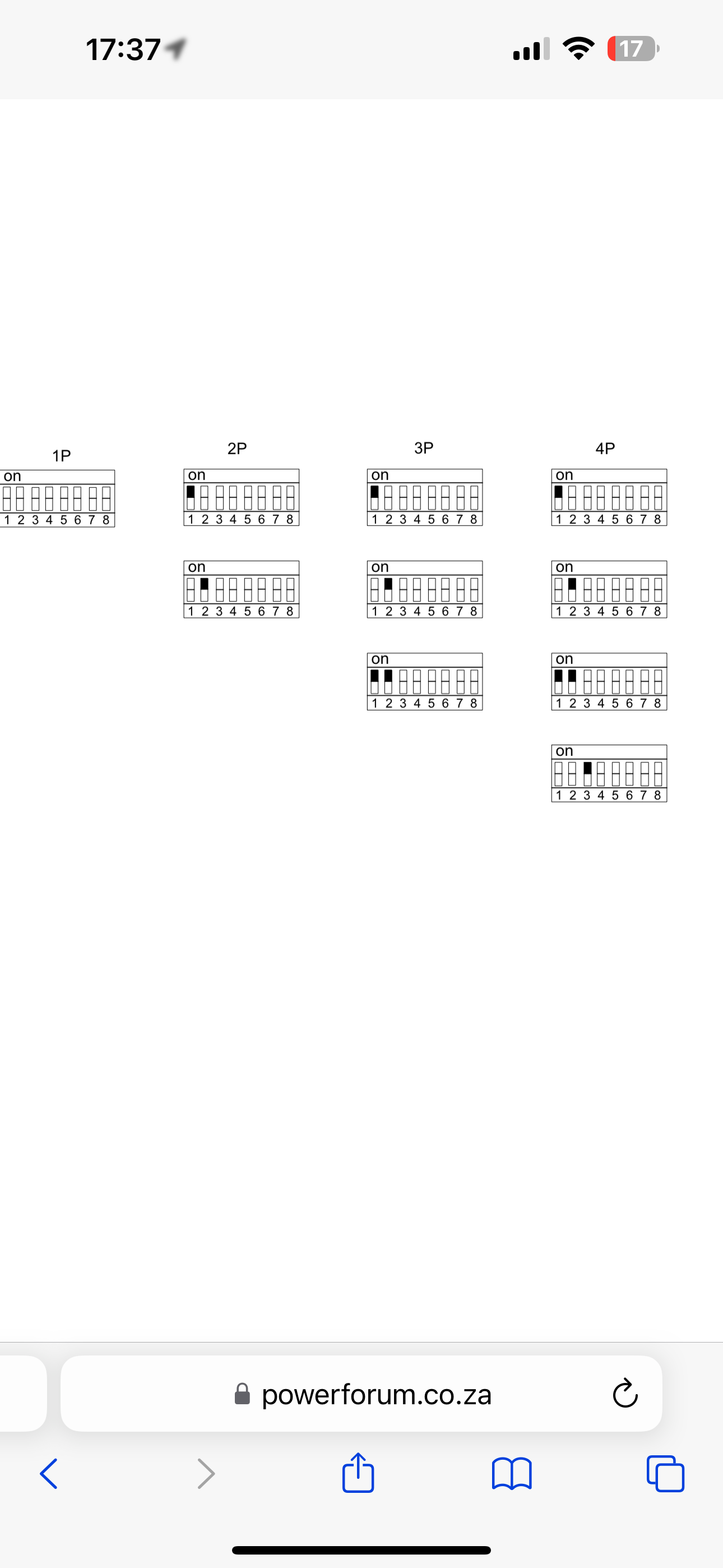
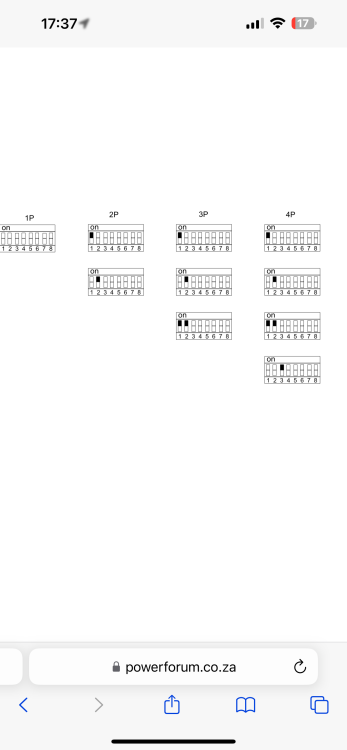
Working Fixed with DIP Set them exactly like this: Battery 1 Switch 1 = ON All others = OFF Battery 2 Switch 2 = ON All others = OFF Battery 3 Switch 1 + 2 = ON All others = OFF Battery 4 Switch 3 = ON Switch 7 = ON for Termination All others = OFF
-
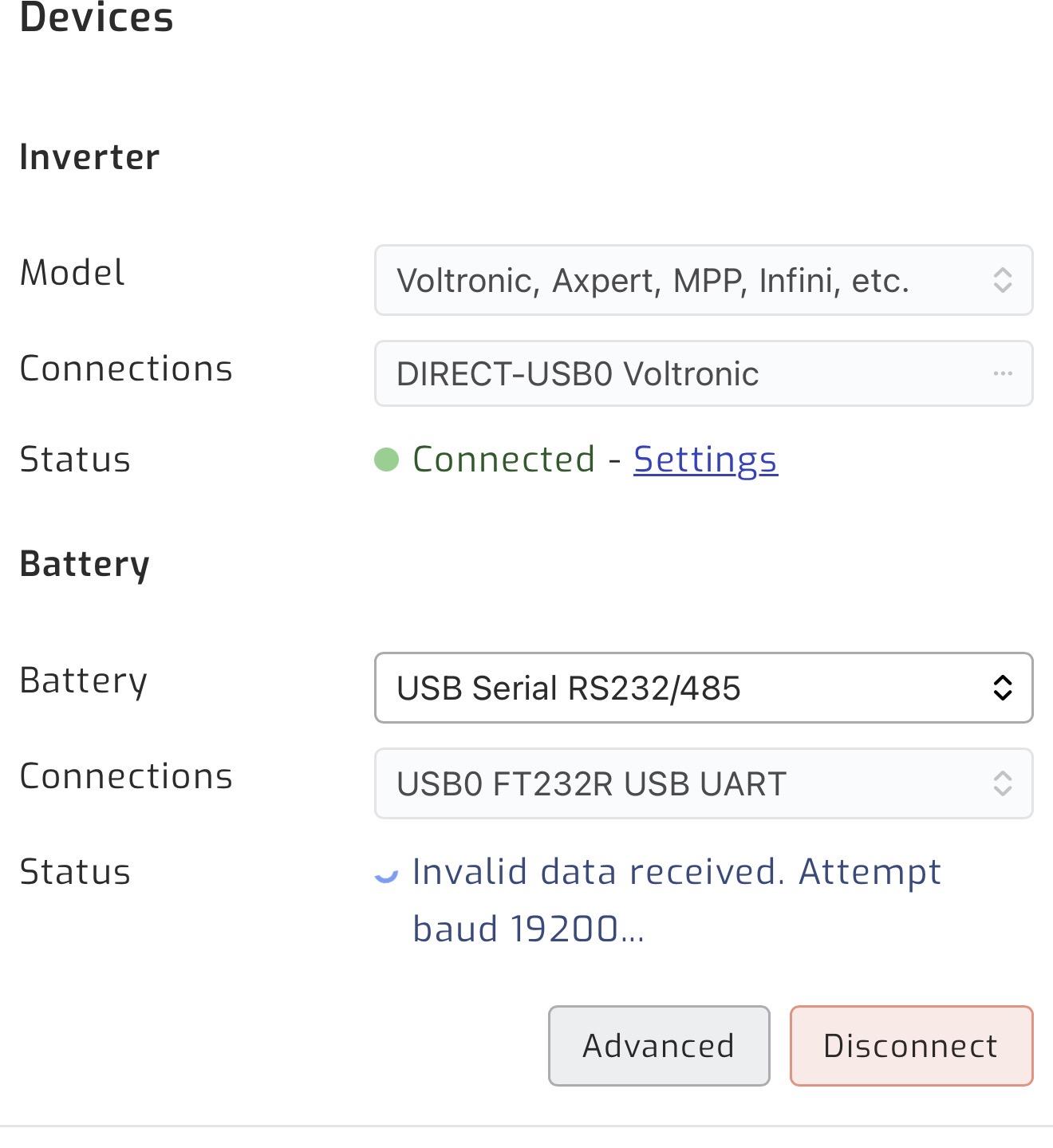
Scratch that😁 got all 3 batteries seen by SA beside the new one Connections are Battery 1 - RS485A to battery 2 RS485b Battery 2 - RS485A to battery 3 RS485b Battery 3 - RS485A to battery 4 RS485b DIP Settings on battery 4 1 and 2 up Still cant see battery 4 in SA
-
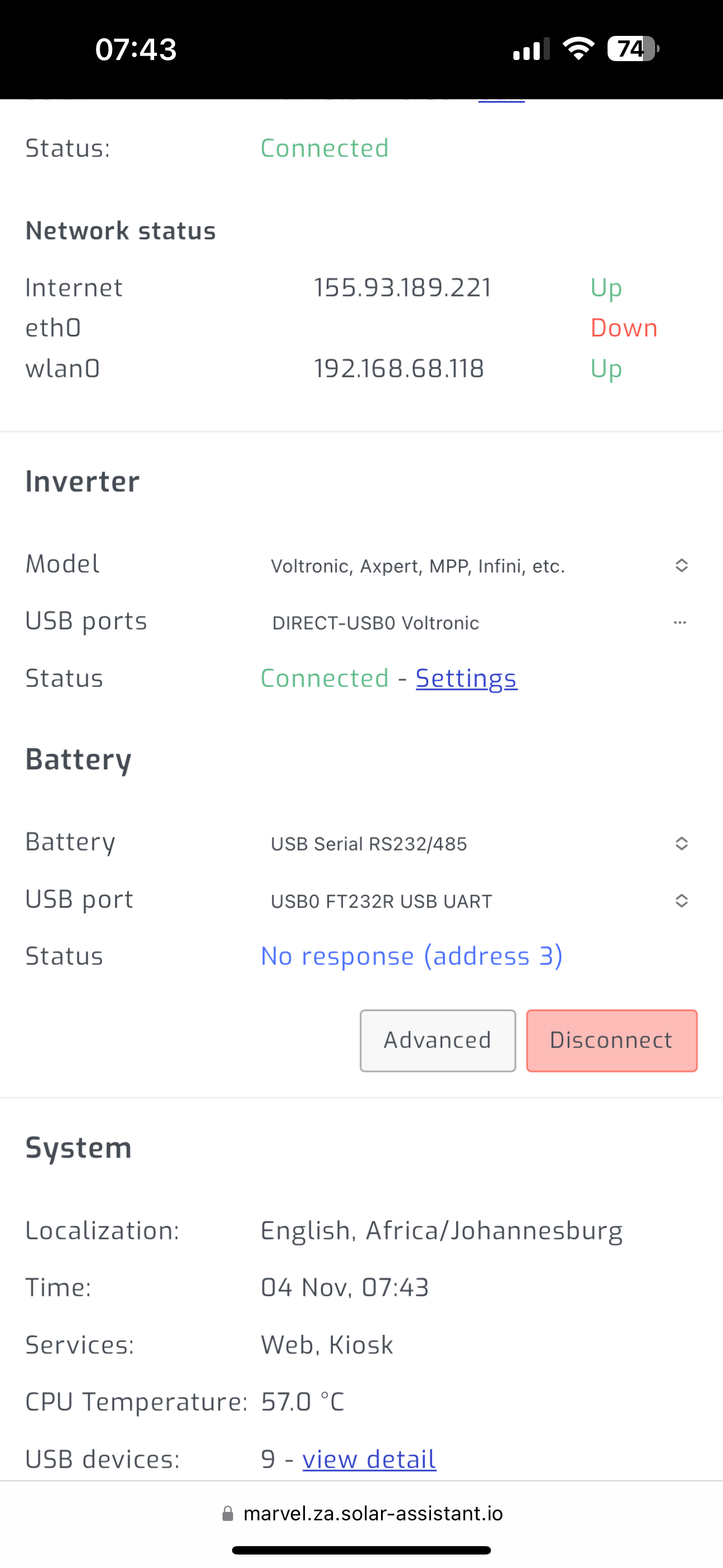
Hi Everyone i just installed a 4th battery, 2nd inverter and 8 more panels for some reason. My installer did not take note of my connections for solar assistant (nor did i after i got it working the last time) I need some help with the connection please. So i have SA connected directly to the master inverter I know i need another cable for the 4th battery but i cant even see the other 3 im guessing its because its in a bank. DIP Settings all good

-
DM ME Memory Card included R1300
-
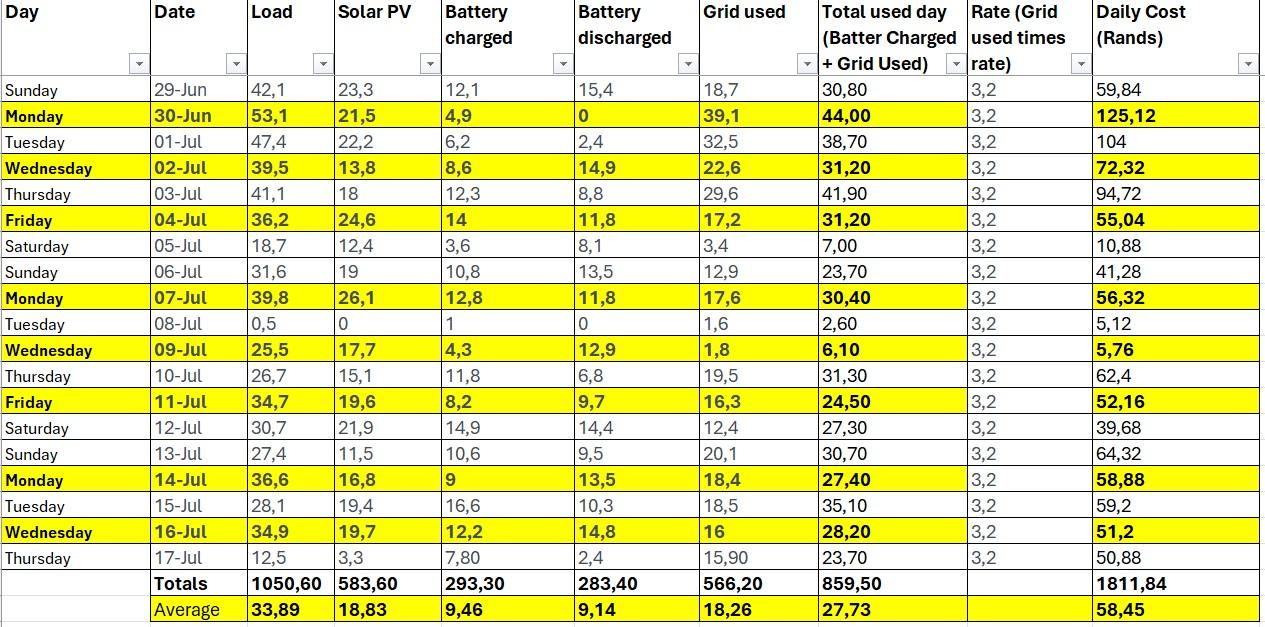
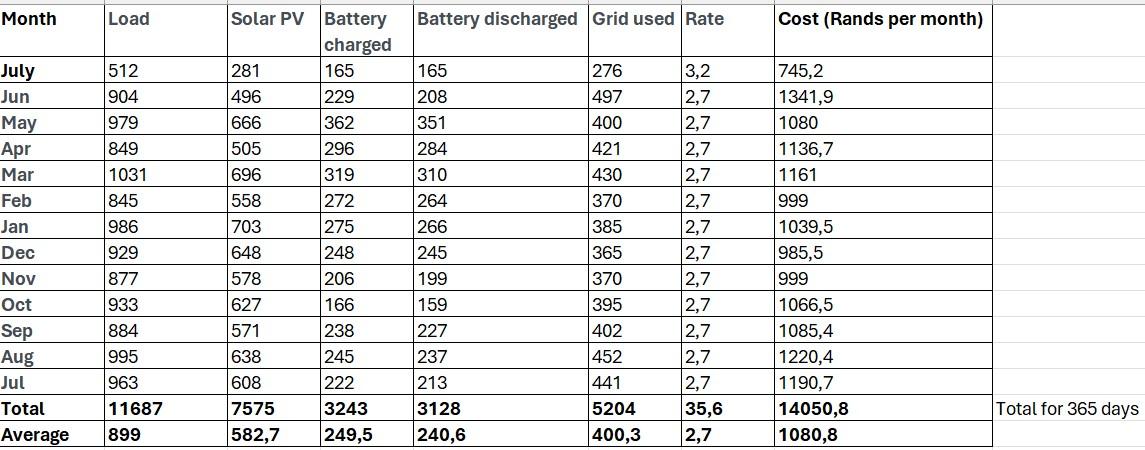
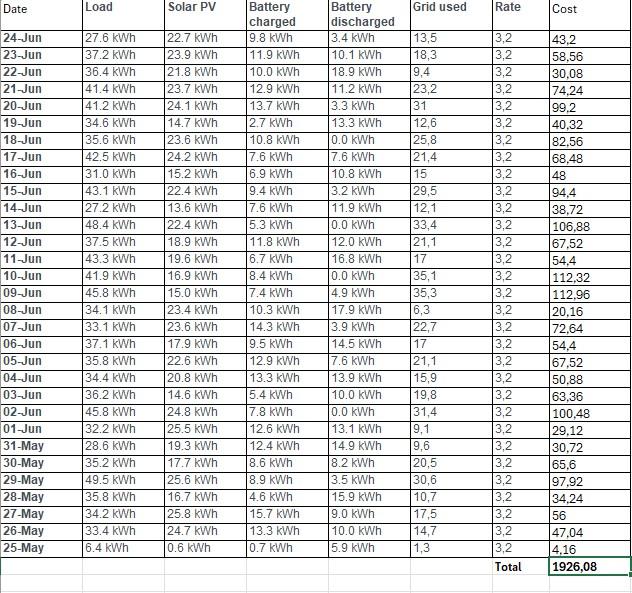
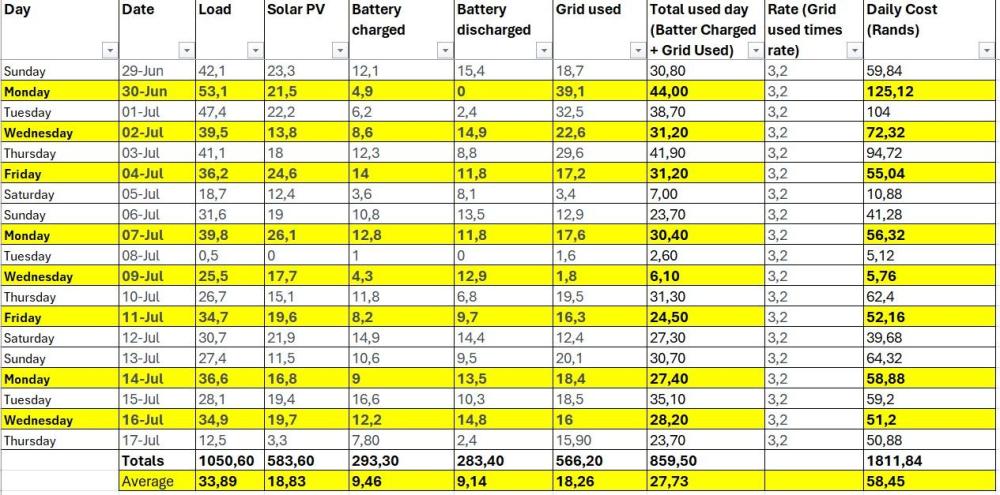
Hi All, Attached is my spend over the last 2 months and then a year view, i believe i am still paying too much for electricity, i either need to upgrade my system, or tweak it....I have my domestics here Mon, Wed, Friday.... Any advice Thanks,

-
JHB North - Randburg I have 5
-
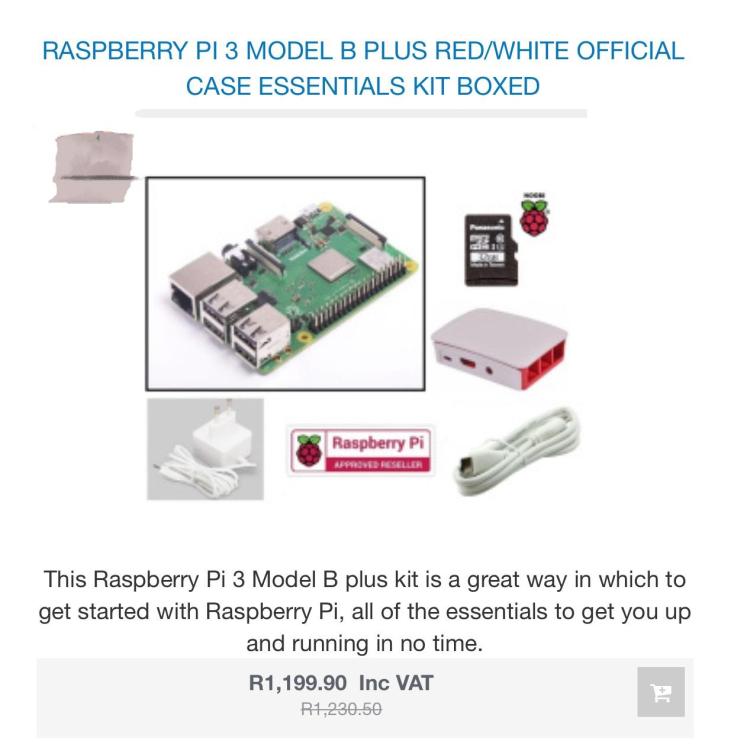
Specification Brand New condition R1000 each, take the lot and get a discount. Raspberry Pi 3 Model B is the earliest model of the third-generation Raspberry Pi. It replaced Raspberry Pi 2 Model B in February 2016. Quad Core 1.2GHz Broadcom BCM2837 64bit CPU 1GB RAM BCM43438 wireless LAN and Bluetooth Low Energy (BLE) on board 100 Base Ethernet 40-pin extended GPIO 4 USB 2 ports 4 Pole stereo output and composite video port Full size HDMI® CSI camera port for connecting a Raspberry Pi camera DSI display port for connecting a Raspberry Pi touchscreen display Micro SD port for loading your operating system and storing data Upgraded switched Micro USB power source up to 2.5A
-
-
Barely used
-
Including SD 16gb DM ME
-
My bad, I’m in JHB South
-
I am looking for a reputable installer to add additional items to my current system Current Axpert 7.2kw inverter 16x 550 URECO solar panela 3x SDC box 10 Shoto Battery To be added Axpert or equivalent compatible inverter 8x equivalent compatible panels 1x SDC box 10 Shoto Battery Please help
-
Hi, I am looking for a reputable JHB installer that can add to my current system. Any suggestions?
-
Yes go with the VSD pump, very efficient does the job properly.
-
Update got the 3rd battery working. 3rd battery dip settings should be 1 and 2 up. Restarted everything and this morning battery is running normally
-
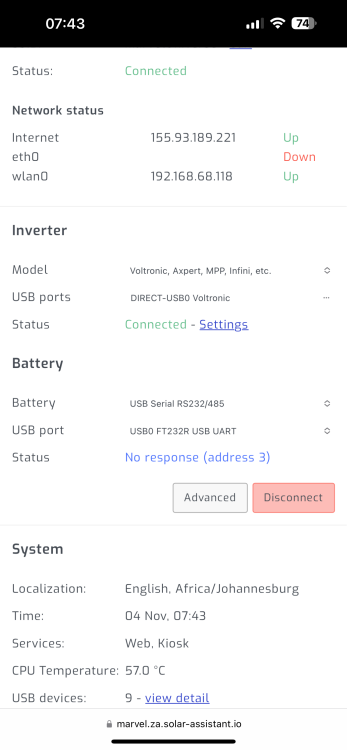
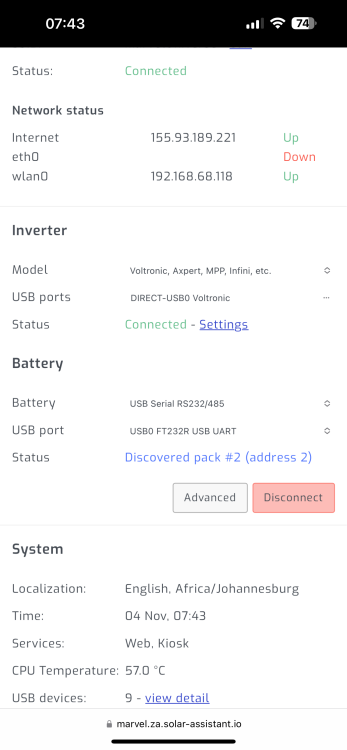
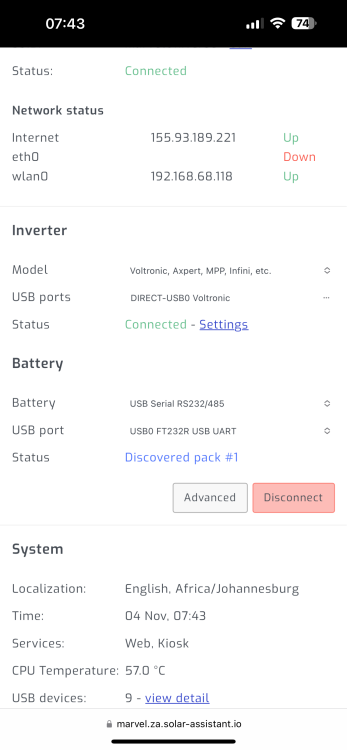
Hi Guys, I have 3 shoto box 5 batteries in 1 array. Battery 1 - DIP switch 1 up Battery 2 - DIP switch 2 up Battery 3 - DIP switch 3 up battery 3 is not being seeing solar assistant. Did a full hard reset of the array and still nothing. RS4858a on master goes to battery 2 RS485B RS485B on battery 1 goes to Battery 3 RS485B
-
Hi, has anyone had any experience with this? how do I achieve trickle heating my geyser during the day? So that it doesn’t use a bunch of batteries (morning) and also during the day when the wife is using the washing machine, pool, sprinklers etc….
-
Sorted, my fuse blew for my batteries. Replaced and all is well again.
-
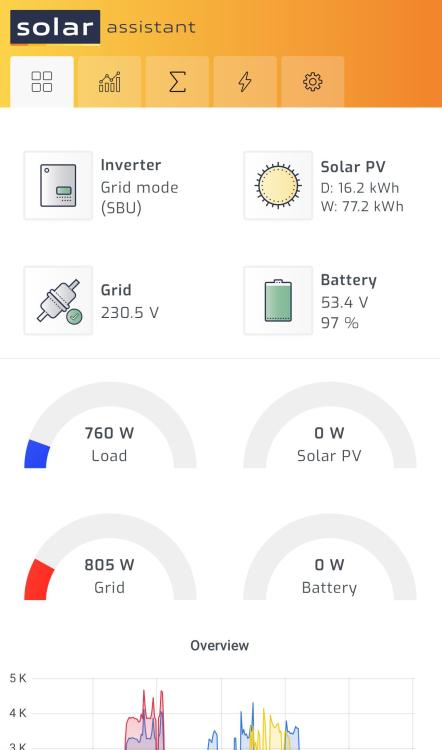
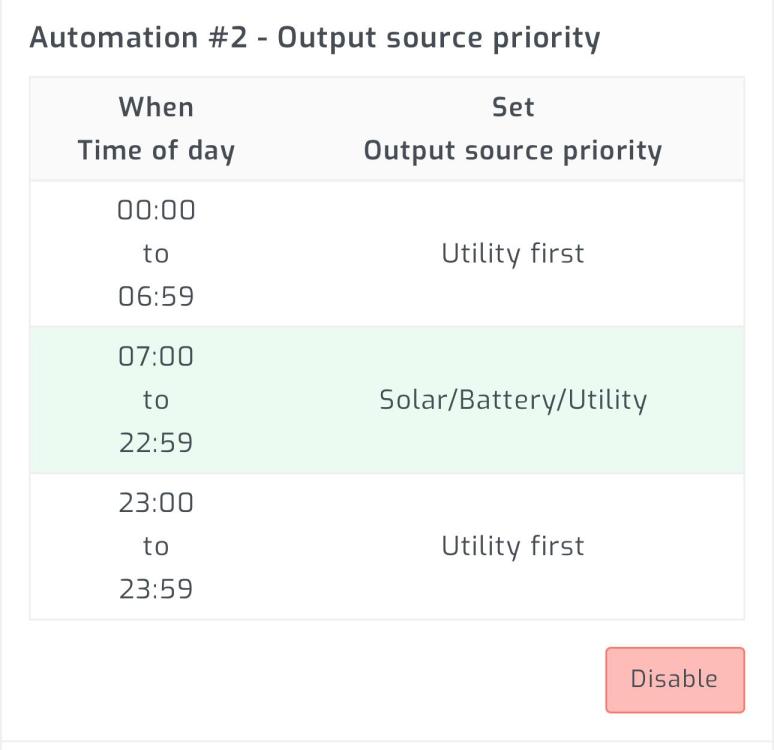
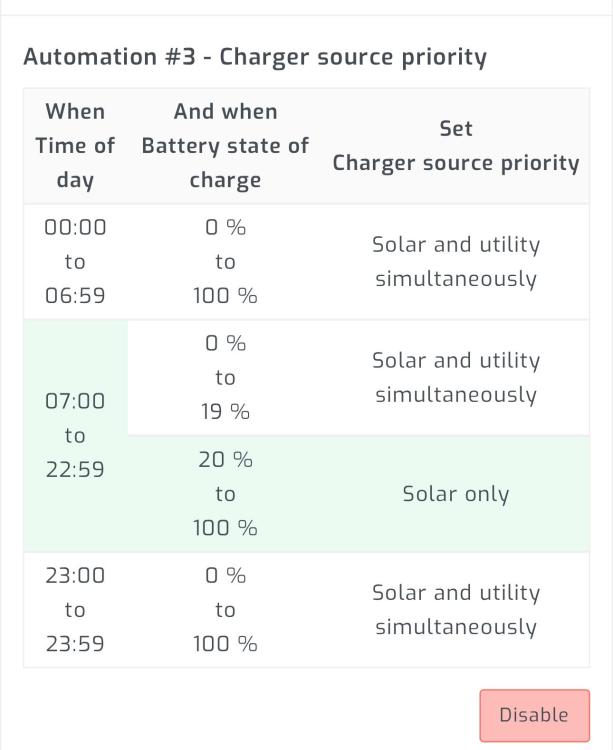
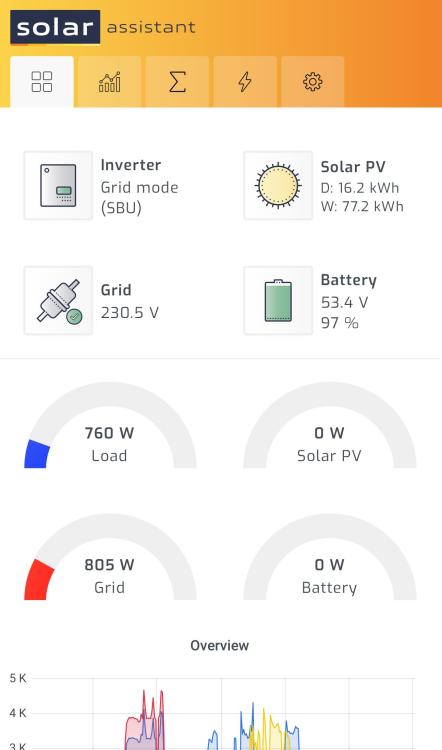
Hi All, For the last 2 weeks my automation stopped working properly, usually I run my household from Solar during the day and batteries at night, as from about last week the automation doesn’t switch to batteries after the sun goes down….any ideas? I’ve added my logs. any help would be appreciated and has anyone else picked this up. This worked smashingly on the summer months. as a result I’m using more Eskom than before….

-
Thank you for this, I have an OCI inverter. I like the details that SolarMan gives you, hoping Solarassistant can up their game with the reporting and alerting asap.