Skip to content
View in the app

A better way to browse. Learn more.

Power Forum - Renewable Energy Discussion

A full-screen app on your home screen with push notifications, badges and more.

To install this app on iOS and iPadOS
  1. Tap the Share icon in Safari
  2. Scroll the menu and tap Add to Home Screen.
  3. Tap Add in the top-right corner.
To install this app on Android
  1. Tap the 3-dot menu (⋮) in the top-right corner of the browser.
  2. Tap Add to Home screen or Install app.
  3. Confirm by tapping Install.

MGMT

Members
  • Joined

  • Last visited

Everything posted by MGMT

  1. Did anybody come right with a solution? Did you have to contact SunSynk?
  2. Thank you Gary. I've sent an email. Really appreciate the assistance.
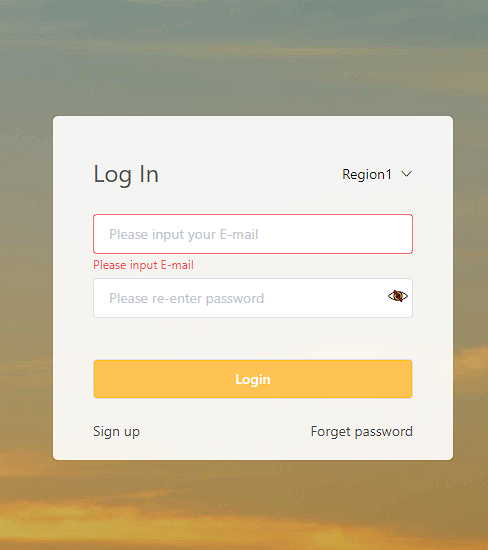
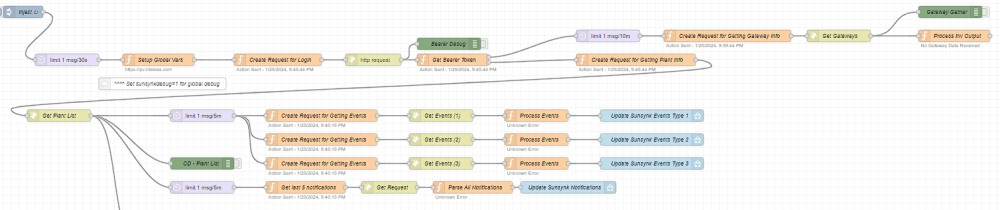
  3. Hi all, I loaded everything correctly according to the instructions for v2.2. I am able to log in to pv.inteless.com and api.sunsynk.net (Under region 1) and I see my plant. I changed the yaml file to reflect region 1 but I get the following on Node Red: Funny enough I can also login with my credentials under region 2 but no plant comes up. If I change the yaml file to region 2, the flow goes correctly until the end of "Get Plant List" where it obviously doesn't find a plant Any idea on how to fix this would be greatly appreciated!
Account

Navigation

Search

Search

Configure browser push notifications

Chrome (Android)
  1. Tap the lock icon next to the address bar.
  2. Tap Permissions → Notifications.
  3. Adjust your preference.
Chrome (Desktop)
  1. Click the padlock icon in the address bar.
  2. Select Site settings.
  3. Find Notifications and adjust your preference.