Ahmad_k
Members
-
Joined
-
Last visited
Everything posted by Ahmad_k
-
Yes I did, I replaced it from a working inverter and still have same issue. That's a weird, this is the first time I faced this problem.
-
The noise is clearly visible, also you can see the zoomed in form


-
I forgot to mention that the output voltage is also very clean sinewave signal
-
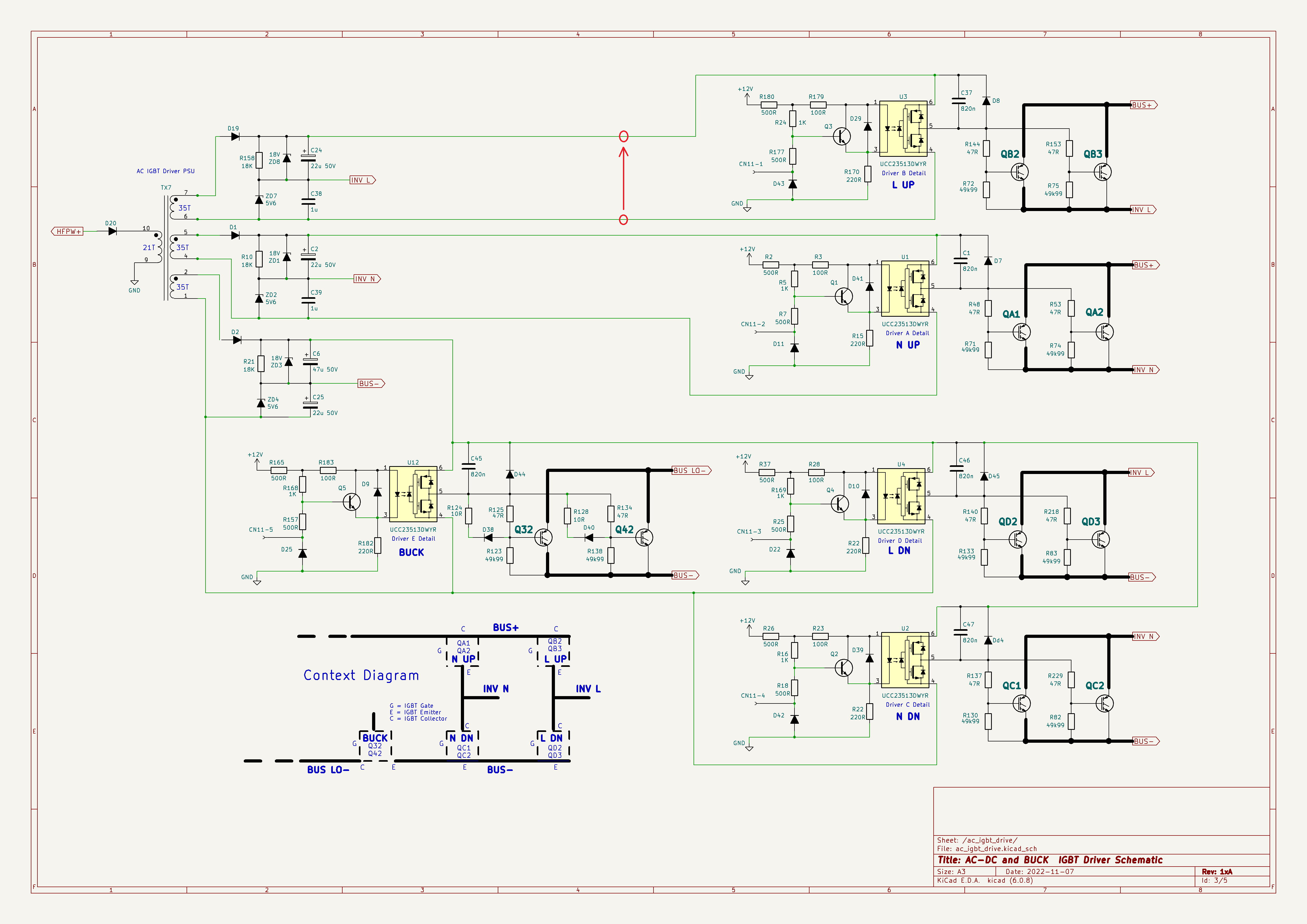
Hello everyone, I have a strange behavior on one inverter I have. There is a high level noise on the power supply line of the upper UCC23513 when I turn on the inverter. If it is turned off and charging through solar panel then the signal is very clean DC signal (~20V). When I turn on the inverter and starts outputting 220V , a lot of ripple pulses starts showing only this part. Other UCC23513 have a very small ripple which conclude that the problem is from above part. Sometimes a big ripple occurs and reset the main DSP because it affected by somehow the 5V line (Detected by the DSO). I have changed every single component of the upper side, even I changed the IGBTs. I don't know where those ripples are coming from. Any clue ?

-
Exactly, felicity designed their own hardware and software. Also they have property communication protocol via RS232, it is easy to extract commands from EDMS software.
-
This was for DSP 2809, any chance for 28066 version ?
-
I have the exact same model which have F90 error, I downloaded this firmware and it worked like a charm until the client connect it to the internet then F90 appeared again. So in order to make it work again the client must NOT connect it to the internet after firmware modification