


DerickS
Members
-
Joined
-
Last visited
-
It seems like nobody had a solution to clear that damn 32 warning - which totally bricks the inverter. No HARD RESET pin to short or a diagnostic cable (which I am quite sure does exist) just clearing the error (warning) ... As a last resort I am ordering a new control board - hopefully reviving my inverter again.
-
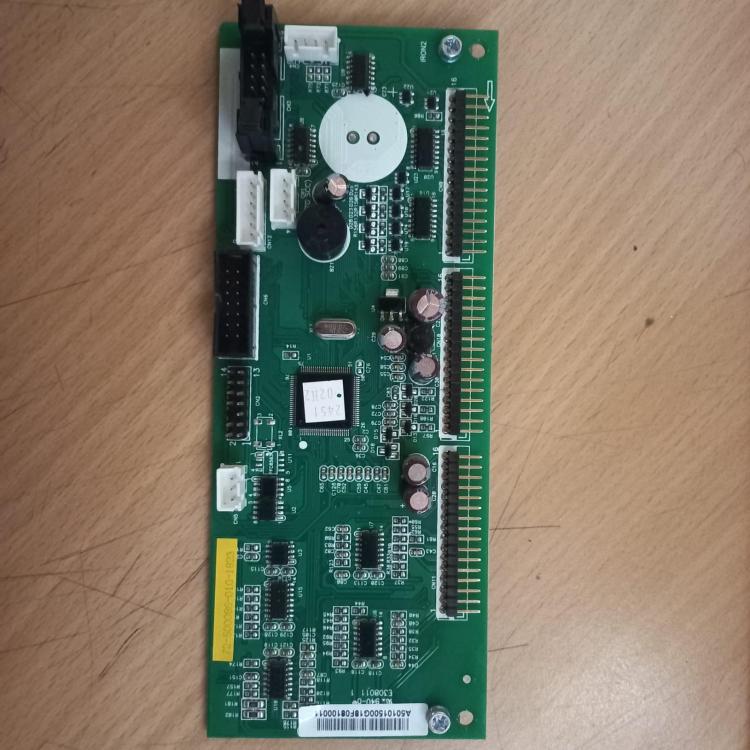
Also, the "potential diagnostics connector" I referred to, is this one : Axpert control board.bmp
-
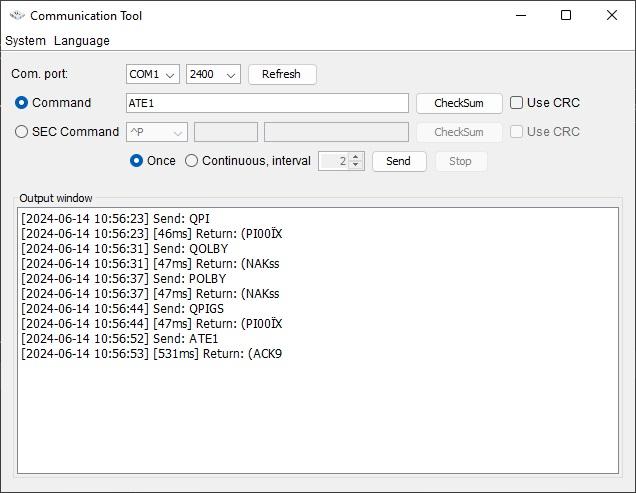
Yes, I am using Voltronics communication tool. Watchpower closed copletely. Tried all possible options of Baudrate and different Reflash versions (each with its own file, as unzipped according to version). Here is an example of the Comm toll result :
-
Hi Coulomb. Sorry man, me again ... I have tried several versions of FW, all of them "can not open serial port" or "can not open serial port step 1" I am using a straight RS232 cable from an old PC with Win10. I also tried direct commands. Some like QPI, QPIGS etc does work (gives weird returns), but others like QBOOT or PF returns NAKs. I am now at the point where I consider replacing boards - would the culprit be the display unit, comms board or control board ? BTW - I see a suspicious looking connector (black with clamps) on the control board, suggesting some diagnostic tool that can run complete diagnostics and reflash from that level. Any knowledge of such an animal ?
-
I know it has been a while, but did you manage to fix this ? I am currently experiencing exactly the same and getting quite frustrated. A simple RESET should suffice as it is only a communication interrupt (32). I also wonder what the difference is between the Remote Panel_ReflashTool (which works great) and the AxperKINGReflash, which does NOT work (in my case).
-
Thanks Coulomb, noted. Please provide me with the link to "if you think your inverter is bricked" - I simply cannot find it now. As mentioned above, I made a bit of progress : Eventually I managed to update the firmware with mcu_BU2_02.66a - and the display worked again ! With old PC and RS232 cable. After rebooting the display still shows the error 32 .. Then I tried dsp_BF1_72.00a with same RS232 cable - it cannot open serial port Step 1 ??? I also tried the USB option with the OTG cable (with ONLY dsp.hex on the flashdrive) - that gives U03 - Document inside the USB disk with wrong format. Alternatively - is there any HARD RESET or Factory Default process ?
-
Someone also posted : If updating the MCU (removable display or secondary) firmware, click on the "Update MCU" button. If updating the DSP (main) firmware, click on the "Update" button. DO NOT USE THE "Update DSP" BUTTON on the reflash tool that has two update buttons. Answer Yes to "Are you sure". Nothing will appear to happen for 10-25 seconds, so don't panic. Eventually, new text should start appearing in the box under the progress bar, saying that erasing has been successful and so on. It will take some 10 minutes to complete the flash programming. At the end, if prompted, click OK to exit the reflash application. I need to update the main firmware - can I do it from this patch - how ? There is no Update button, just MCU and DSP ...???
-
Hi all Sorry to open this again but I am stuck ... My Axpert King gave me the 32 error and after playing with options as given on the forums (disconnect PV, battery and connect only AC in) my display even died - nothing, just black. Eventually I managed to update the firmware with mcu_BU2_02.66a - and the display worked again ! They said ONLY the MCU and NOT the DSP, so I stuck to it. After rebooting the display still shows the error 32 .. I tried both dsp_BF1_72.00a and dsp_LF1_73.00b - both says they cannot open serial port ?? WTF ??? I tried various combinations of PV off, AC off, Invertor On/Off but nothing works. I even tried the USB option with the OTG cable - that gives U03 - Document inside the USB disk with wrong format. Any suggestions ?
-
How did you fix this ? I am stuck at the same point ...
-
Did you ever get this resolved ? I have the same problem right now ...Get Error U03 (Document inside the USB disk with wrong format)
