BillyBob
Members
-
Joined
-
Last visited
Everything posted by BillyBob
-
Thanks, GreenFields, for the reassurance. I was also thinking in that direction.Thank you, Moffat, no heavy loads, the normal tv’s, 3 x fridges, microwave, etc. However, the 10kWh calculated needed at night included normal stove usage but excluded the geyser.Thank you, guys, for the info. I understand having smaller units is good redundancy, but it’s also more expensive and it takes up more space, which I don’t currently have, I wish I did. Let’s say I use, on average, 1kWh per hour at night, to my calculations the 14.3kWh battery last 12 hours? The recommended Charge/Discharge Current for the Dyness 14.3kWh battery is 140A (0.5C), is that enough for a normal household? The Dyness 14.3kWh batteries sell for around R36 000 and the Sunsynk 10kWh for around R42 000. Is the R6 000 difference worth it for a 1C battery with less kWh?
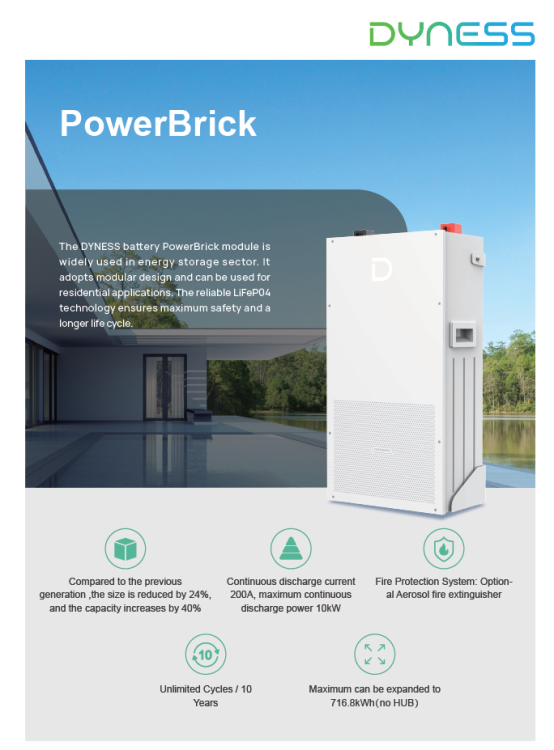
 I’m looking to connect it to an 8kw Solis hybrid inverter. I know it’s only 0.5C but even so, it will still generate 7.168kWh, or is it better to buy a 1c 10kWh battery? I calculated that I plus minus use 10 units at night, if I buy the 10kWh battery it will barely take me through the night, on the other hand, the 14.336kWh battery will. Please advise what to do.