Elangeni
Members
-
Joined
-
Last visited
-
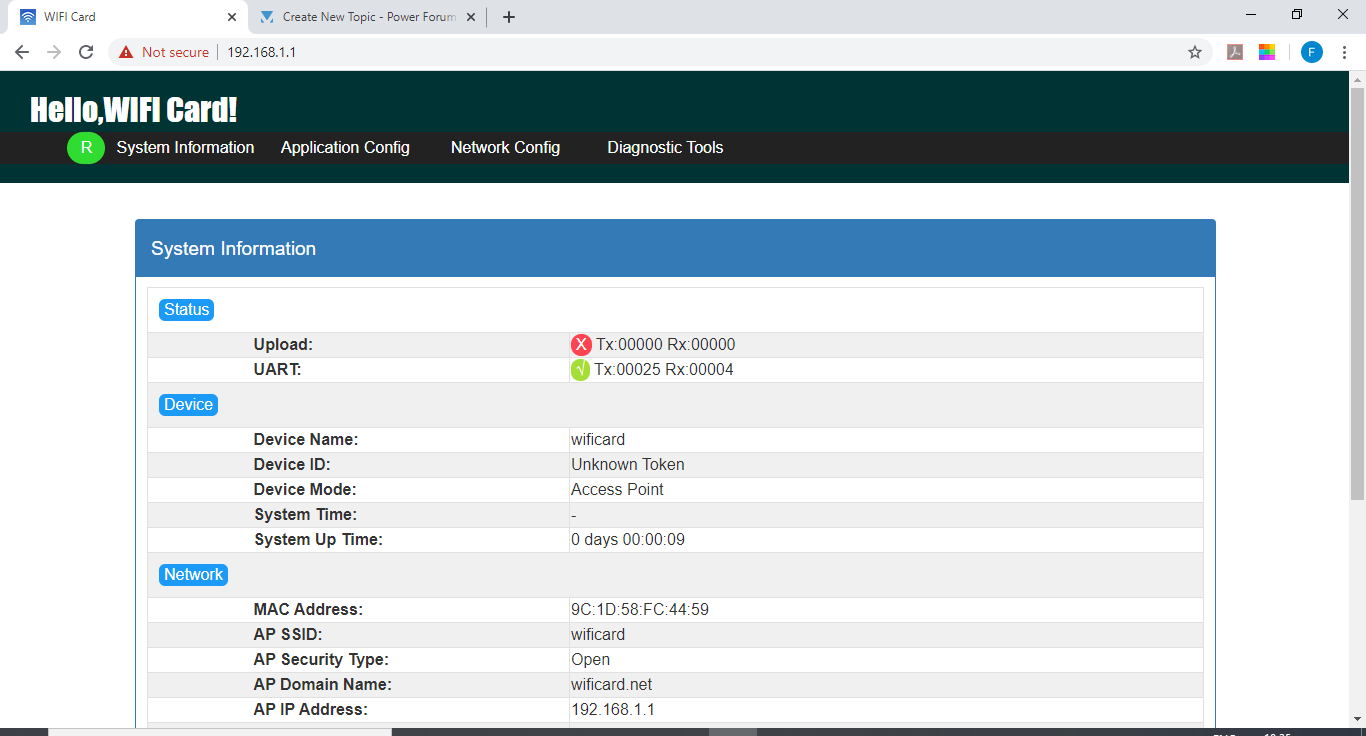
Hi Everyone, I have this Axpert Wifi Box that I have been battling to setup Followed the quick configuration steps in the manual but still cannot get my inverter to connect - see screen shot below Can anyone help?


-
-
Thanks Dex. I will try the typical recommendation and adjust accordingly. Regards Elangeni
-
Hi All, I have just joined the forum and trying to follow up on this conversation as I am experiencing the same issues with my Axpert inverter was there any solution suggested? Regards Elangeni
-
Hi Dex, Thanks for the response. Yes the 4.8kW, I am referring to 12 x 400W panels settings: 2=30A 27=54.1 V 29=42.0V Thanks for the recommendation on the setting; Will try it out And definitely the issues I have described are the same as those on the conversation. I will follow the chat to see if there is a solution Regards Elangeni
-
Hi everyone , I need help. I have an installation of 4.8 kW PV system with an Axpert MKS 5kVA 48vDC Inverter I have recently bought a 3.5KWh pylon tech battery and connected it to the system. I have programmed the inverter to be Sol priority, hoping to use PV during the day, then batteries and switch over to utility when battery power is low. What happens however is that the PV kicks in early in the morning, powers load and charges battery. When the battery gets to about 54 V the system goes to battery and switches of PV. Then the battery gets drained and after a while when the system shuts down. program: 01= Sol 12= 44V 13=48V 26=56.4V Regards Elangeni