


rezna8
Members
-
Joined
-
Last visited
Everything posted by rezna8
-
Hi, I have a new MPP Solar PIP5048GK inverter and a new Pylontech US2000C battery. The battery and inverter communicate with each other using a data cable. I need advice on how to fix error / warning 69 on the inverter that occurs when the battery is charged. The inverter evaluates this as error 69 when the battery says it is full. Does anyone have advice? Thanks

-
How can I login as admin?

-
Is it possible to change Pylontech US2000C BMS settings? Such as maximum charging / discharging current, recommended charging / discharging current, maximum discharge depth? Thanks for the feedback
-
Ok. It works now. You also need to copy and rename the files in the Configs / Params and Configs / RegCofigs and Configs / UpdateConfigs folders. BatteryView then displays the correct data.
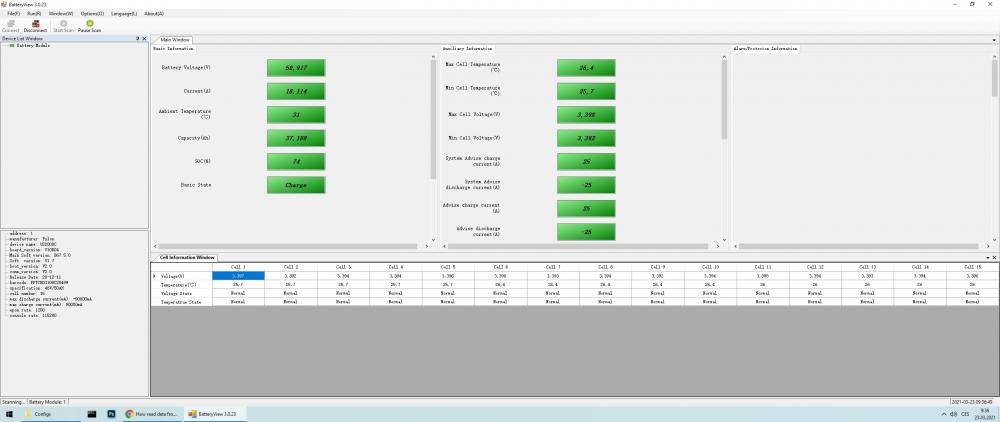
-
Thanks, I tried according to the instructions above, but I still have the same error.
-
Good day, please, give me an advice. I have a new MPP Solar PIP5048GK inverter and a new Pylontech US2000C battery. I made a cable for the communication between the inverter and the battery. Communication is functional, but an error 69 is displayed on inverter while the battery is being charged and the inverter stoped charging procces. How to fix this error? Thank you
-
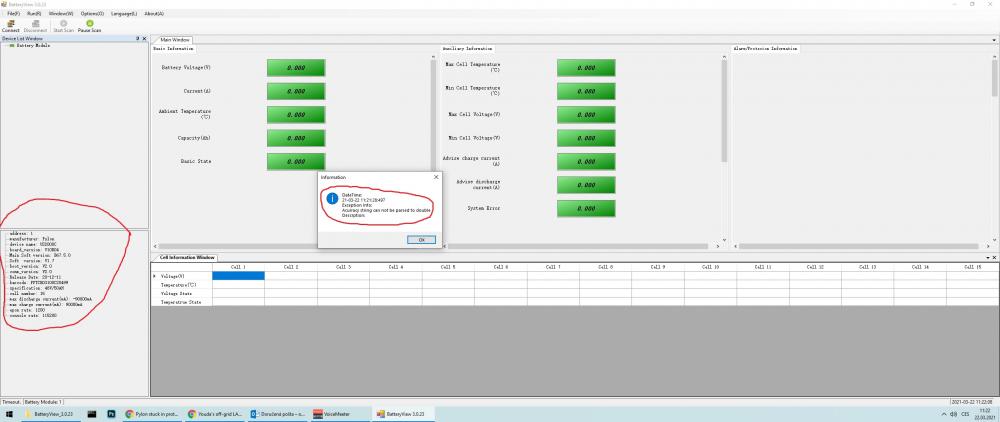
Please help. I have a new Pylontech US2000C battery. I made a cable for communication according to the picture. I use BatteryView 3.0.23 to read from BMS. But the only data I read is basic data, in the attached image. Is there a way to display the values of individual battery cells, etc.? Thank you

-
Please advise how to connect to the US2000C battery. I have some communication, but with an error. Only basic battery information is loaded (bottom left). Thanks

-
Battery view does not want to communicate with US2000C. I created the cable according to the instructions above. Is there a new version of Battery view that can display the status of the US2000C / 3000C ??? Is there any other program to view BMS?
-
Is there any link to software like Battery View that works with US2000C or US3000C ??? For Win10.


