CSolar
Members
-
Joined
-
Last visited
-
Awesome, thanks!
-
Hi all Will appreciate thoughts on this. There are some good prices out there (Inverter Warehouse, for example) but the courier fees to get it to Cpt adds up. Any good prices in Cape Town?
-
I purchased locally manufactured batteries that are now giving some issues. I've all but given up being helped by the original builder / supplier (may create another posting on this). Are there anyone on this forum that can refer me to someone please?
-
Hi everyone Any thoughts on the question re CT coils etc in this topic?
-
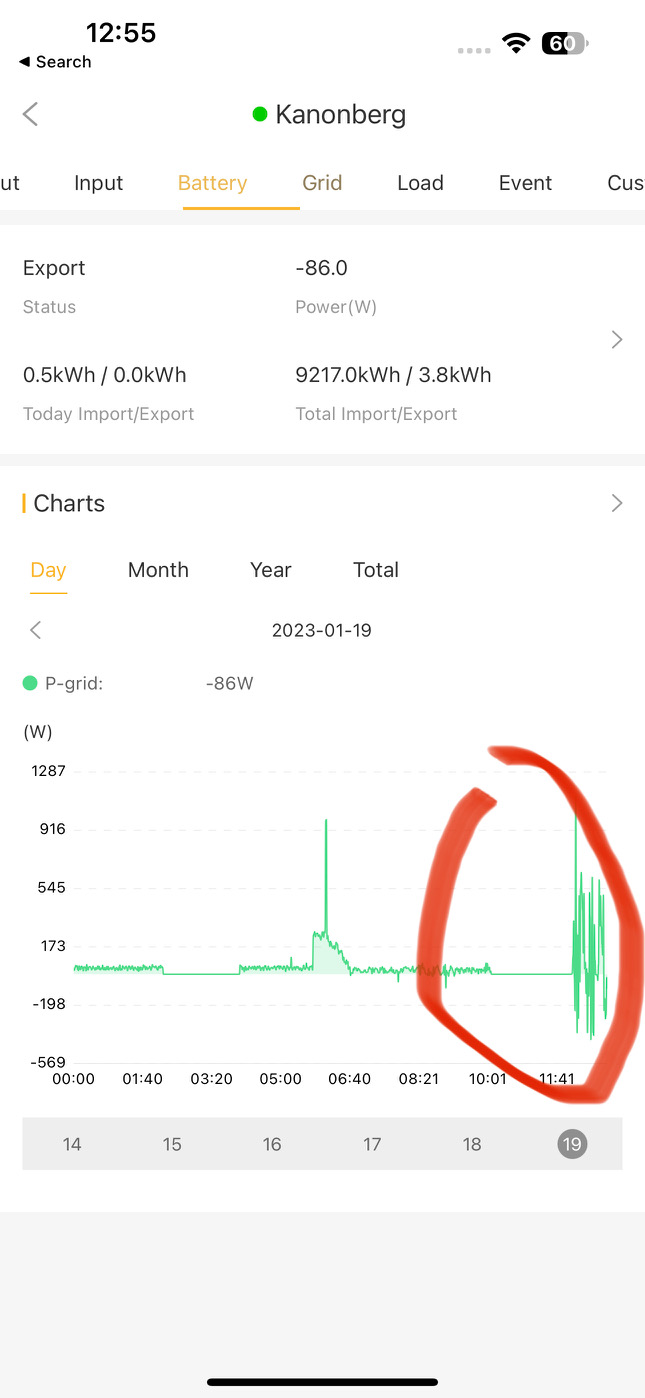
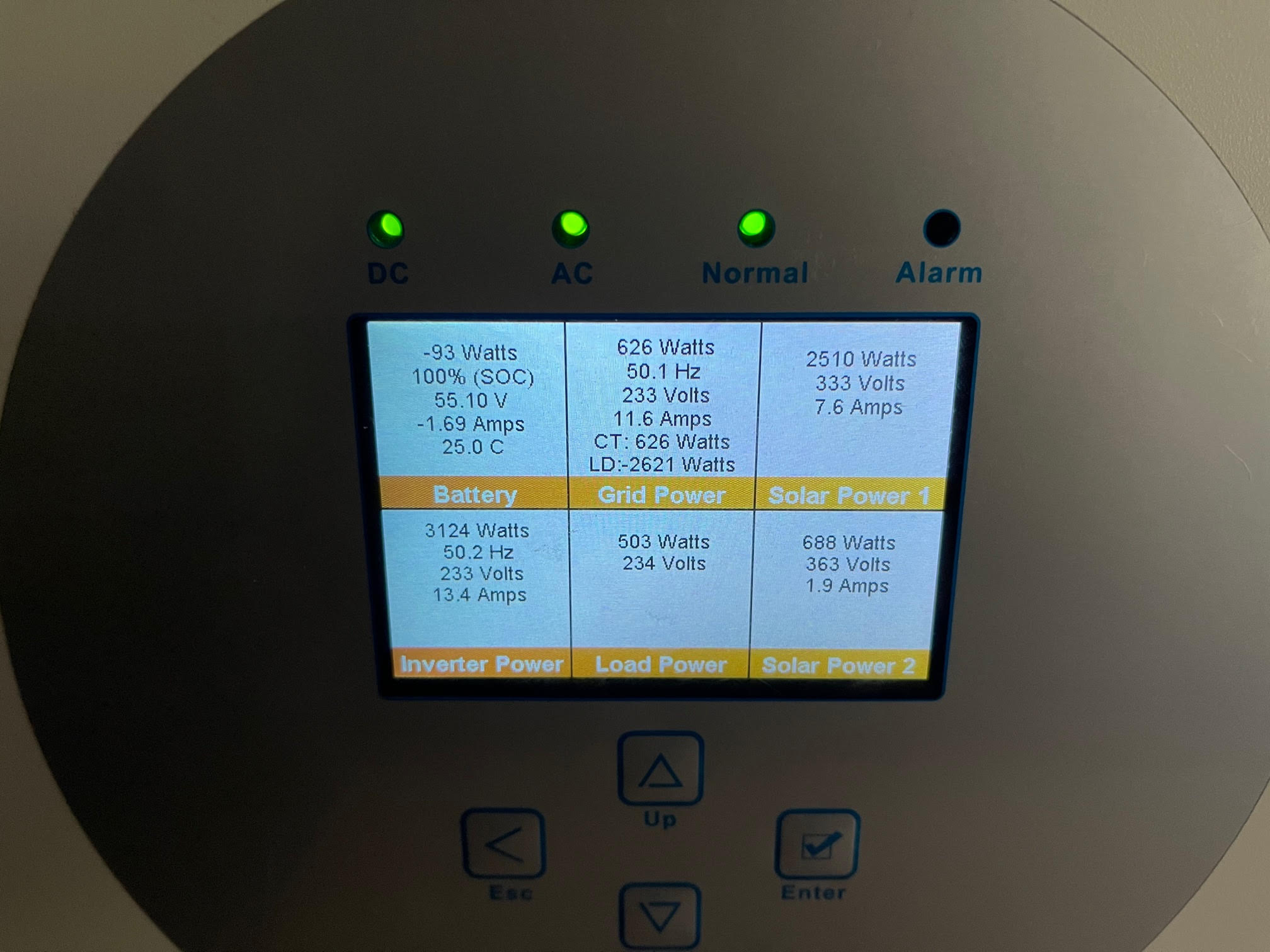
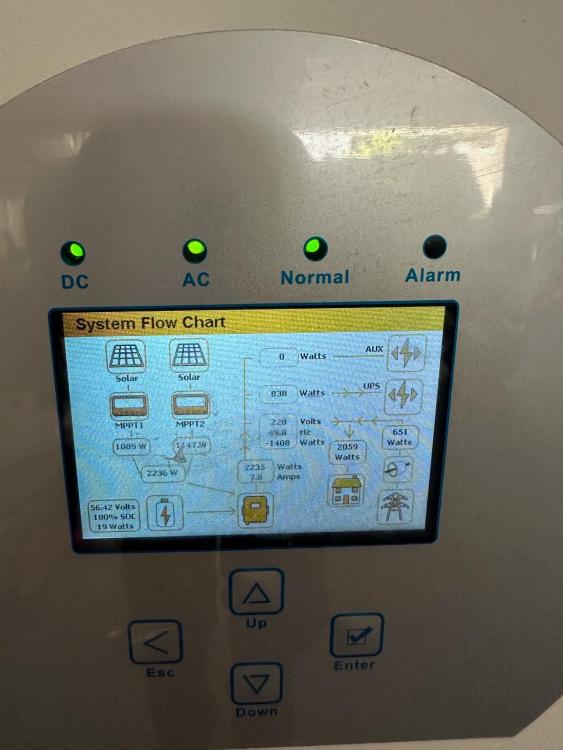
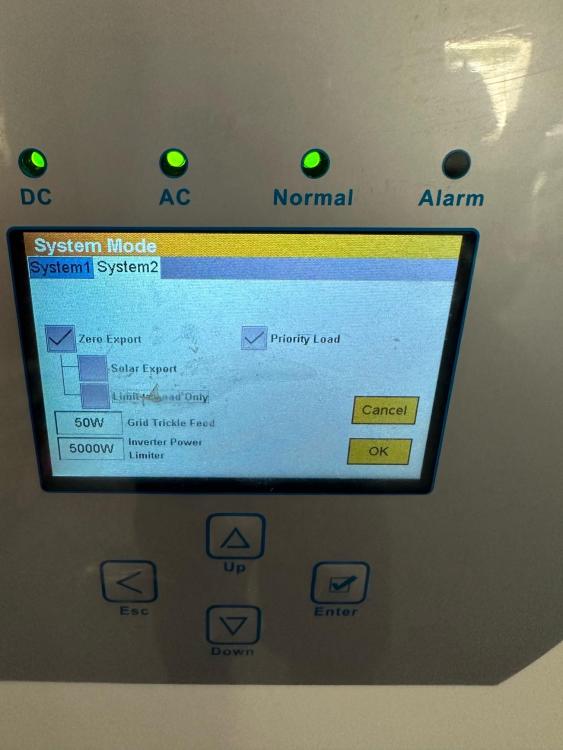
Hi everyone. I have been using a Sunsynk 5kW for a number of years with great success. I recently completed installation of another 5kW unit and are running these in parallel. It all works very well, but I have noticed that I am feeding small amounts back to the grid. Additionally, the draw from the grid is also more than needed (as batteries are full and panels are producing, as per pic). CT coil is as it has always been, as old inverter is now the master. See pics of various random draws and feedback, settings as well as picture showing erratic grid draw and feedback. Any thoughts?

-
Hi I boight a Luxpower inverter for my parents. Have had issues from the start (topic for another post), but have been struggling for weeks now to get Solar Advice (where I purchased the unit - again, their lack of service is a topic for another post but safe to say BEWARE) to “unbind” the wi-fi dongle so that my installer can access it. Can anyone help with someone else I can contact. It’s really ridiculous that I paid money for this unit but yet I am being held hostage by Solar Advice
-
Still available?
-
-
Hi I will appreciate any recommendations as my previous installer is not getting back to me. I simply need 3/4 panels moved from East-facing to North-facing.
-
Thanks for the info Leshen - in my case we have done the latter (i.e. use only one of the three phases)
-
The way I understand it my DB board was split into it's three phases with critical loads going on one, the oven on the second and the geyser on the third (with the latter two not working when there is load shedding). The geyser is now also on the first, but on the Eskom side of the inverter. The CT clamp is then on the Eskom side of the geyser. Or something like that...
-
Cannot for the life of me find an edit button (only "share" or "report") so will do one by one. This was after the changed settings
 So I had the installed back today to try and fit the CT clamp correctly and re-did my experiment. Full sun on panels, load 400ish W and PV the same. Switch on the geyser.... Nothing happens. Fiddle in the settings and un-tick the "Limit to Load only" box on the first picture. Redo the experiment and get the following before and after pics (for grid view and flowchart view). Does this look correct to you?


 Any idea how this will have to look different when there is a three phase power supply?