Khalil Koja
Members
-
Joined
-
Last visited
-
 Tarek Yag reacted to a post in a topic:
Collection of DSP Axpert Firmware for VM III TWIN and VM IV TWIN
Tarek Yag reacted to a post in a topic:
Collection of DSP Axpert Firmware for VM III TWIN and VM IV TWIN
-
 Khalil Koja reacted to a post in a topic:
Collection of DSP Axpert Firmware for VM III TWIN and VM IV TWIN
Khalil Koja reacted to a post in a topic:
Collection of DSP Axpert Firmware for VM III TWIN and VM IV TWIN
-
Khalil Koja reacted to a post in a topic:
Collection of DSP Axpert Firmware for VM III TWIN and VM IV TWIN
-
your inverter has touch buttons and it's OK to update MCU FW from 57.xx to 25.xx (Do it at your own risk!) My MCU HAS NOT touch buttons and the buttons stop working after update from 57.08 to 25.08, I don't think that factory rest will solve this problem. I'm trying to get MCU FW 57.10 to test it.
-
esmail-kassir reacted to a post in a topic:
Collection of DSP Axpert Firmware for VM III TWIN and VM IV TWIN
-
No net yet, previous version was 57.08. No I didn't make Factory rest after the update.
-
Looks like many of members here live in the same area 😁 I wonder if any other country have grid power only 2 hours only per day ?
-
Khalil Koja reacted to a post in a topic:
Collection of DSP Axpert Firmware for VM III TWIN and VM IV TWIN
-
what's the difference between C50 in program 16 and your scheduled? C50 (Solar First) solar only will charge your battery as it's available in daytime so in the night utility will charge it also? isn't same result ?
-
 esmail-kassir reacted to a post in a topic:
Collection of DSP Axpert Firmware for VM III TWIN and VM IV TWIN
esmail-kassir reacted to a post in a topic:
Collection of DSP Axpert Firmware for VM III TWIN and VM IV TWIN
-
 Tarek Yag reacted to a post in a topic:
Collection of DSP Axpert Firmware for VM III TWIN and VM IV TWIN
Tarek Yag reacted to a post in a topic:
Collection of DSP Axpert Firmware for VM III TWIN and VM IV TWIN
-
I think you miss understand it: VM III has removable screen with Touch / Non Touch buttons. VM IV has rounded screen with Touch buttons only. I have already reflash it with 25.08 and 25.12 with same results (buttons not working).
-
 Tarek Yag reacted to a post in a topic:
Collection of DSP Axpert Firmware for VM III TWIN and VM IV TWIN
Tarek Yag reacted to a post in a topic:
Collection of DSP Axpert Firmware for VM III TWIN and VM IV TWIN
-
Tarek Yag reacted to a post in a topic:
Collection of DSP Axpert Firmware for VM III TWIN and VM IV TWIN
-
Tarek Yag reacted to a post in a topic:
Collection of DSP Axpert Firmware for VM III TWIN and VM IV TWIN
-
Tarek Yag reacted to a post in a topic:
Collection of DSP Axpert Firmware for VM III TWIN and VM IV TWIN
-
Tarek Yag reacted to a post in a topic:
Collection of DSP Axpert Firmware for VM III TWIN and VM IV TWIN
-
Coulomb reacted to a post in a topic:
Collection of DSP Axpert Firmware for VM III TWIN and VM IV TWIN
-
In touch buttons VM III you can only step in same direction to check other screens which is bad thing!
-
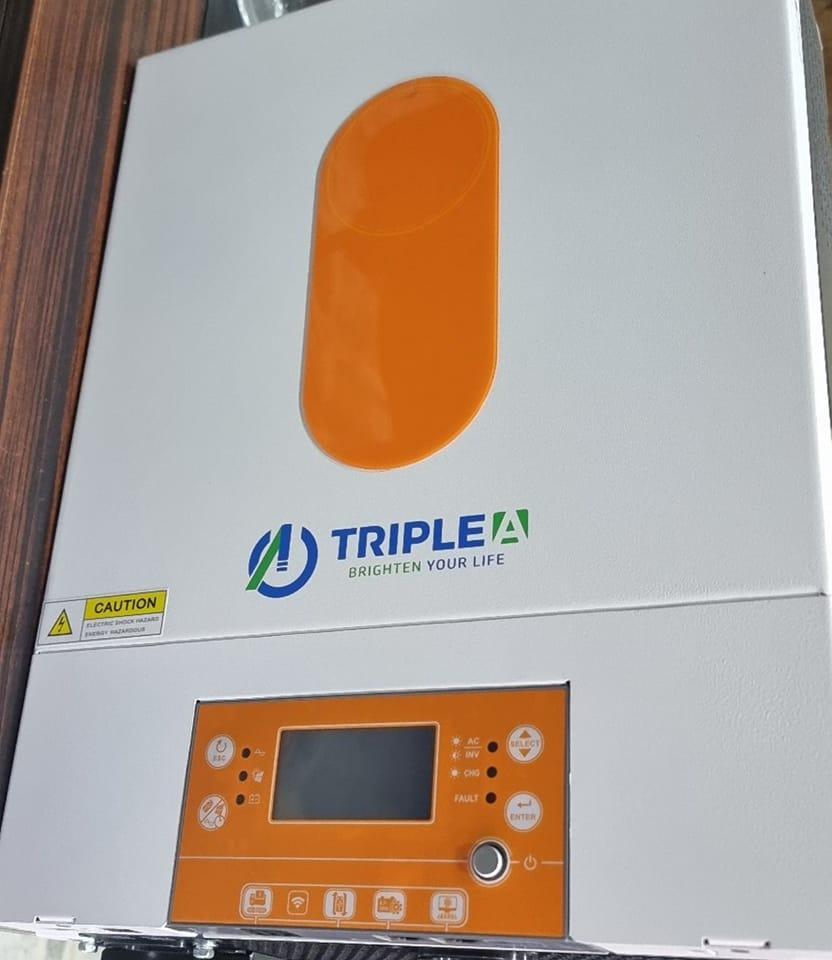
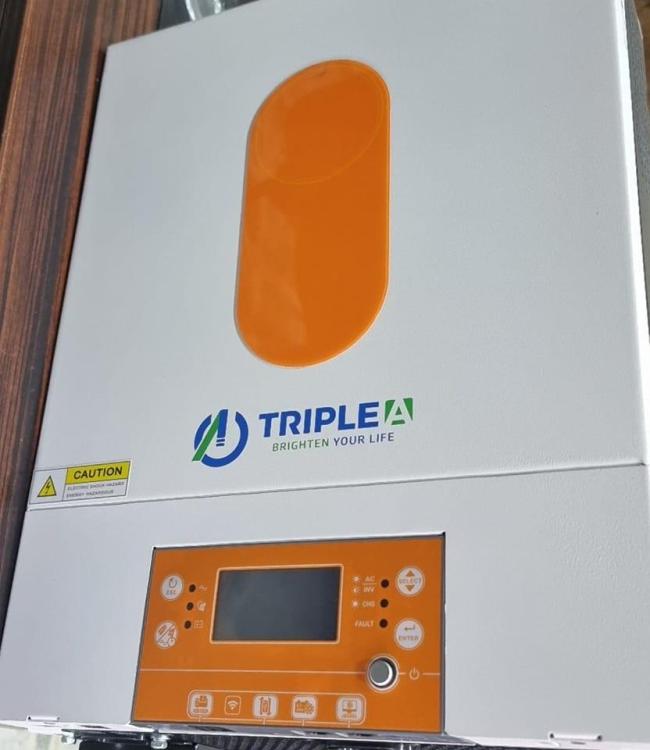
Yes only touch buttons. This VM III Twin TRIPLE A Brand: Infinite Brand VM III Twin 6000W (physical buttons removable display)
-
No, it's removable display as you know it but instead of physical buttons it has touch ones. No, It's Triple A Brand, also there are many brands VM III inverters with removable display have touch buttons. I have checked many inverters VM III Twin with MCU FW: 57.xx, i can get you more info like SN, DSP FW if you want.
-
Yes. Unfortunately All the keys not working. What make me confused that I have also update another VM III Twin MCU (it has a Touch keys not buttons!) from 57.07 to 25.08 and the keys work fine!
-
I Have successfully update both inverts (DSP & MCU) FWs and everything is good but the display buttons for VM III TWIN didn't work after the update. The screen, LED flashes and icons all OK but i can't step up/down any more ! Axpert VM III 6000W Twin Sn: 96342304xxxxxx MCU FW: 57.08 to 25.12 / 25.08 (same results) Inverter FW: 60.05 to 60.89
-
Khalil Koja reacted to a post in a topic:
Collection of DSP Axpert Firmware for VM III TWIN and VM IV TWIN
-
I have run WatchPower App with my current connection (Window 10, Adapters, Drivers) and COM Port in WatchPower disconnected after about 20 seconds so i failed to run it, Now I install Windows 7 with same adapters and WatchPower connected with my COM successfully. So now can i update my MCU FW without brick it ?!
-
Khalil Koja reacted to a post in a topic:
Collection of DSP Axpert Firmware for VM III TWIN and VM IV TWIN
-
Khalil Koja reacted to a post in a topic:
Collection of DSP Axpert Firmware for VM III TWIN and VM IV TWIN
-
Khalil Koja reacted to a post in a topic:
Collection of DSP Axpert Firmware for VM III TWIN and VM IV TWIN
-
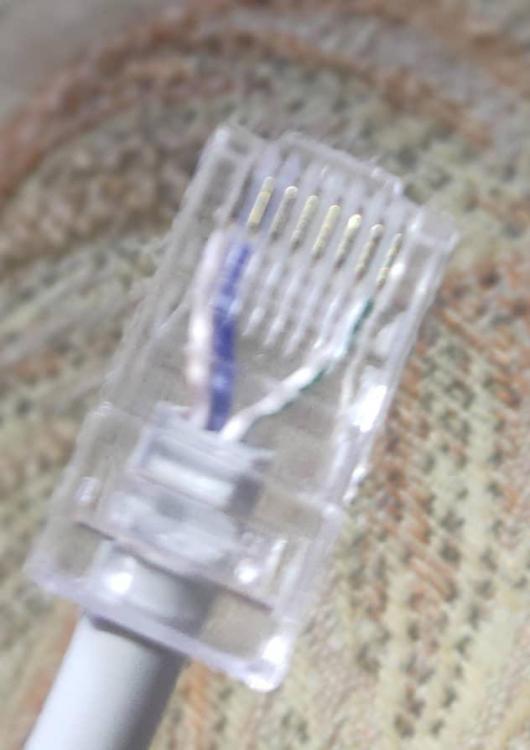
All is correct but Bits Per second: 9600 Is this my problem? I have attached my RJ45 port:
-
#1 Axpert VM III 6000W Twin Sn: 96342304xxxxxx MCU FW: 57.08 to 25.08 Inverter FW: 60.05 #2 Axpert VM III 4000W Sn: 96322110xxxxxx MCU FW: 119.12 to 19.18 Inverter FW: 55.03 Both failed to upgrade MCU FW (Connection Failed!) I have tried : 3 different adapter (USB to RS232) and test them successfuly with check PL2303 tool. 2 different cable (RS232 to LAN).
-
Why I keep have this message when I update MCU, Please help!

-
Sorry for delay, to keep you updated: I have successfully update my 6000W VM III Twin display's FW from 57.07 to 25.08. I got an error 032 first (maybe i should upgrade display then inverter) ?, finally a server center fix it and upgrade the FWs.