Tariq Bugti
Members
-
Joined
-
Last visited
-
-
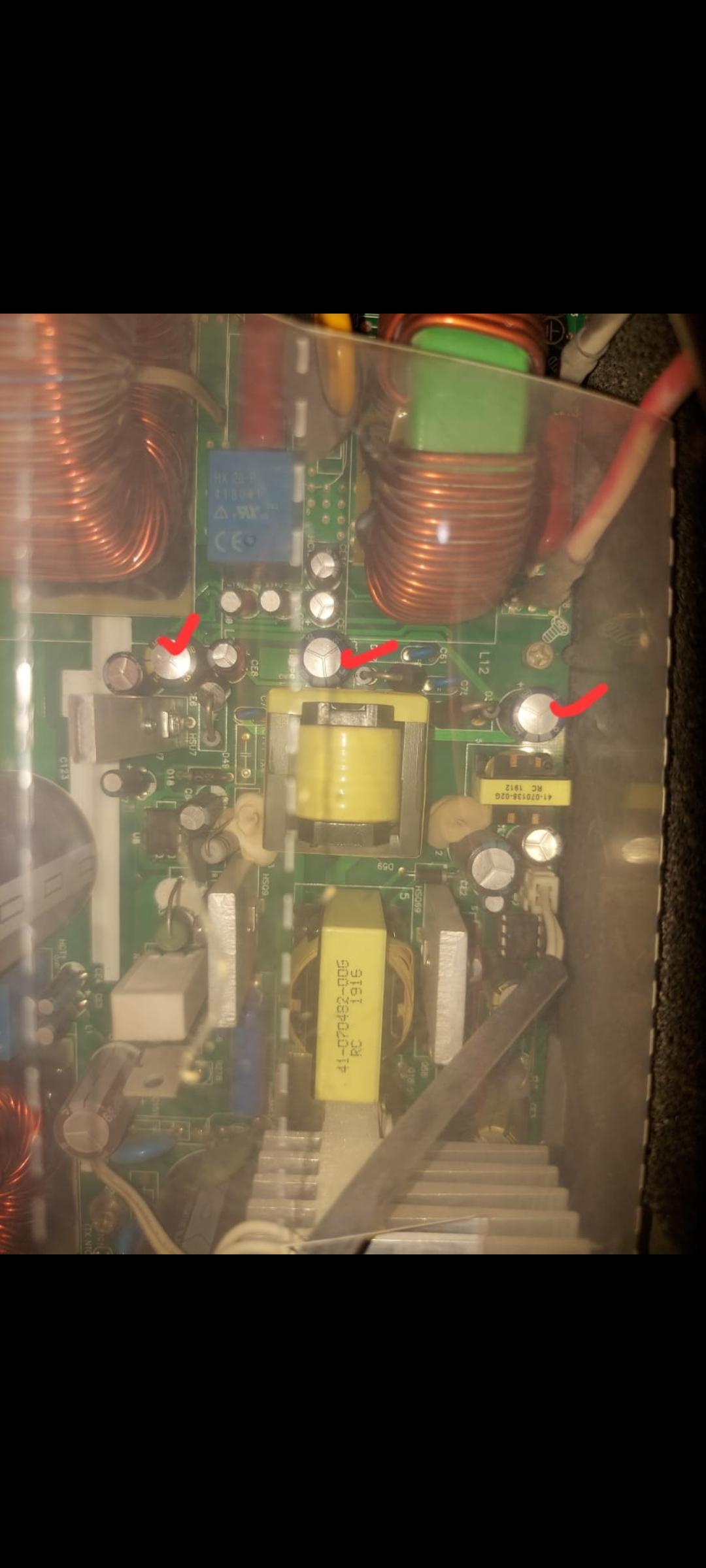
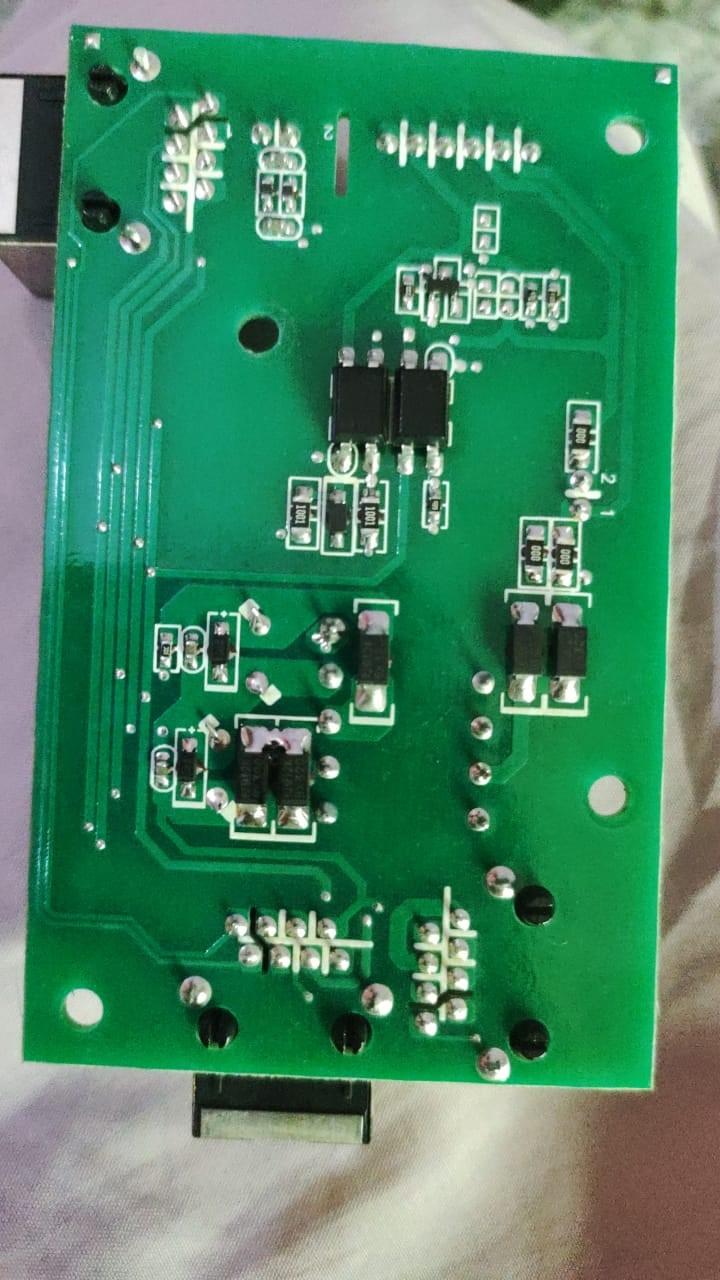
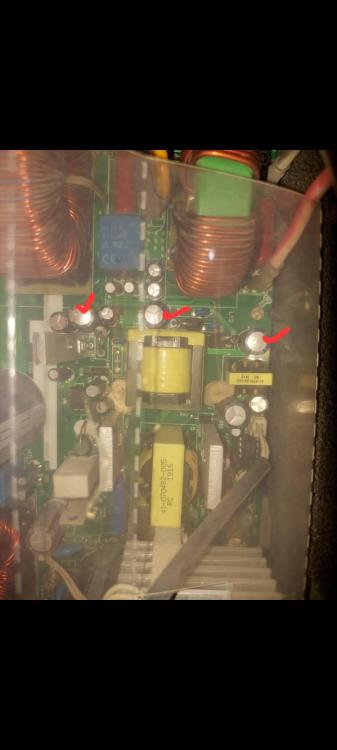
Thank you for your response. I have suspected the same reason of bad capacitors being the root cause. I am attaching the picture of inverter PCB the highlighted capacitors seem to be bulged up, haven’t got time to check via multimeter. The inverter got started itself on PV mode in the morning after showing multiple faults, i.e. fault 02, fault 09 and eventually got stuck on fault 32, after several failed attempts left it on fault code 32 on display took several minutes and booted up successfully on its own. I am attaching the picture, check it and let me what do you thin
-
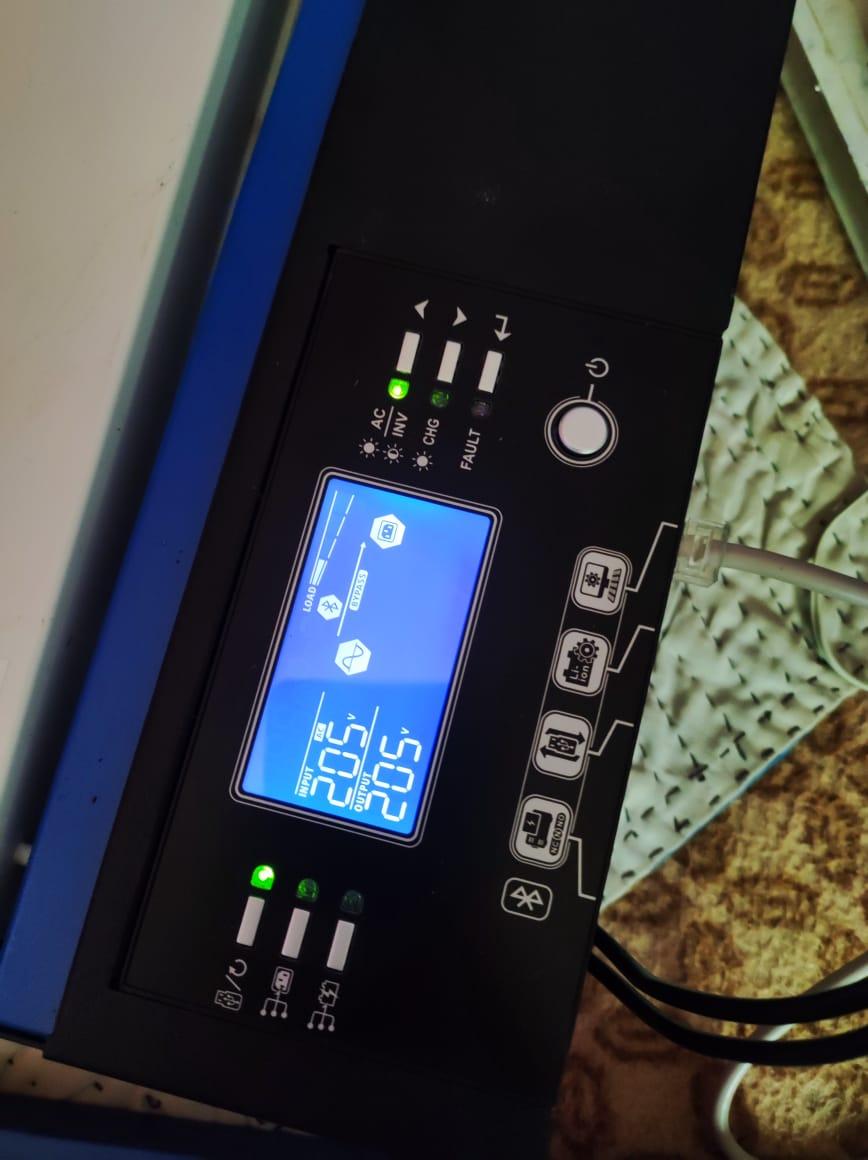
Hey everyone, I’ve been facing a strange issue with my 5 kW inverter lately. Whenever I turn it off and disconnect it from both PV and solar inputs for cleaning, it just refuses to power back on using the battery only. The screen flickers for a second and then goes off — no countdown, nothing. Tried several times, same result. If I turn on the solar breaker afterward, it sometimes throws random fault codes — usually Fault 58 or Fault 32 — for no clear reason. Then, if I switch off the battery breaker and start it up using PV only, it boots up normally. Once it’s running, I can turn the battery breaker back on and it’ll pick up the battery input without any issue. The batteries seem fine — I usually discharge them at night to around 48.5 V, with still decent backup available to use. Today I reconnected the inverter to the grid (it was disconnected before), but now it won’t start at all. On battery mode, it just flickers and shuts off immediately. When I try to power it via the grid, it gives Fault 32 again. Unfortunately, it’s nighttime, so I can’t test it with PV input right now — but I’m guessing it would probably start if PV were available. Has anyone faced a similar issue or know what might be the problem?
-
You can upgrade to 41.17, i personally have upgraded to the same and its working perfectly fine.
-
-
-
-
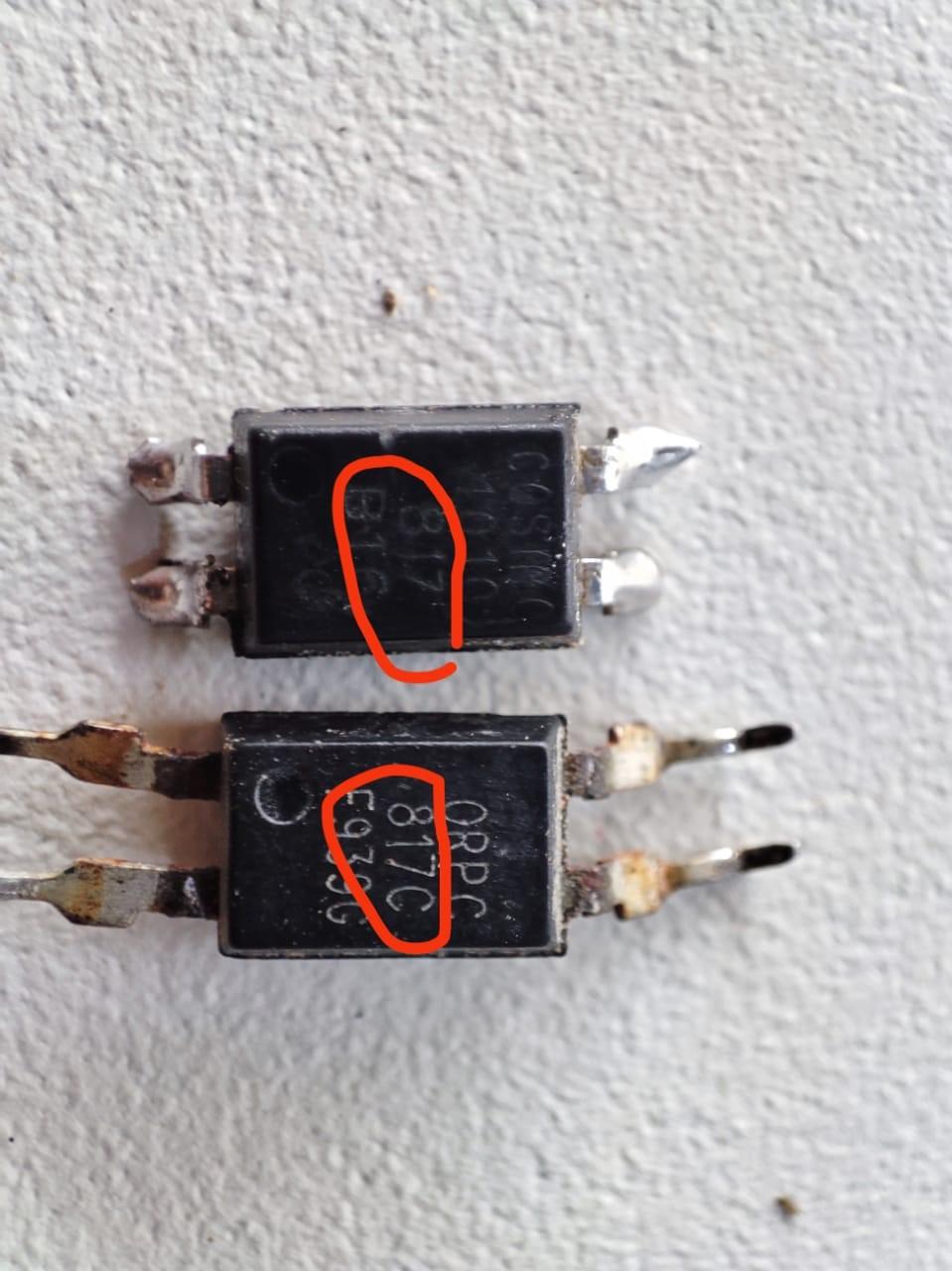
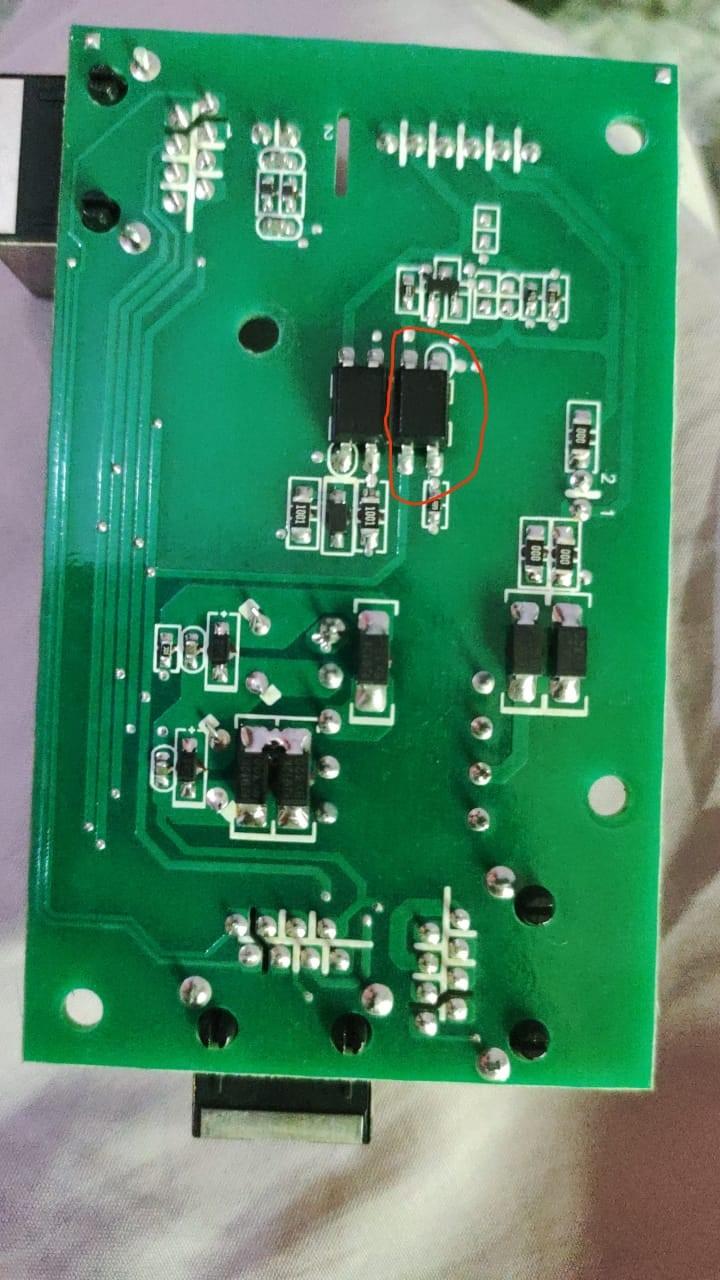
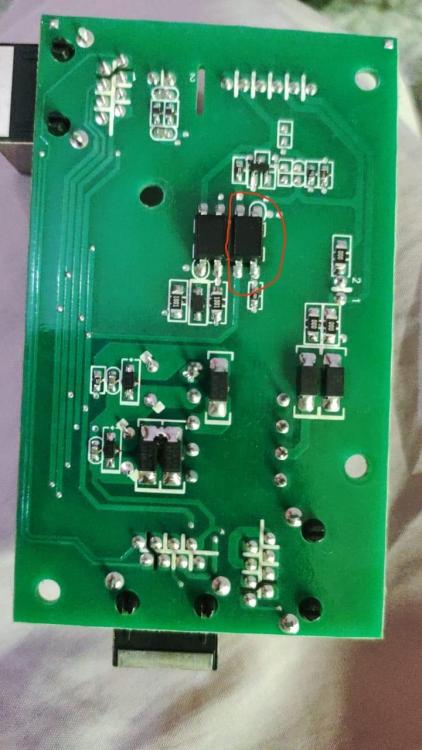
No the successful main firmware update happened through another display panel(including the isolating board) which was working fine. In my inverter's case the isolating board was the reason my firmware updates were getting failed. Your are right and i am happy to tell you that my issue is resolved, i checked its opto couplers and one of them was faulty, i changed it with a new one and the inverter has come back to life. I did that ealier today, now that you too have shared fixing a similar problem being recified by changing optos. My inverter is working fine now, with both main and display firmwares updated. Thank you very much for your continous replies and help. Hope this thread will help those who are struggling with same issue.

-
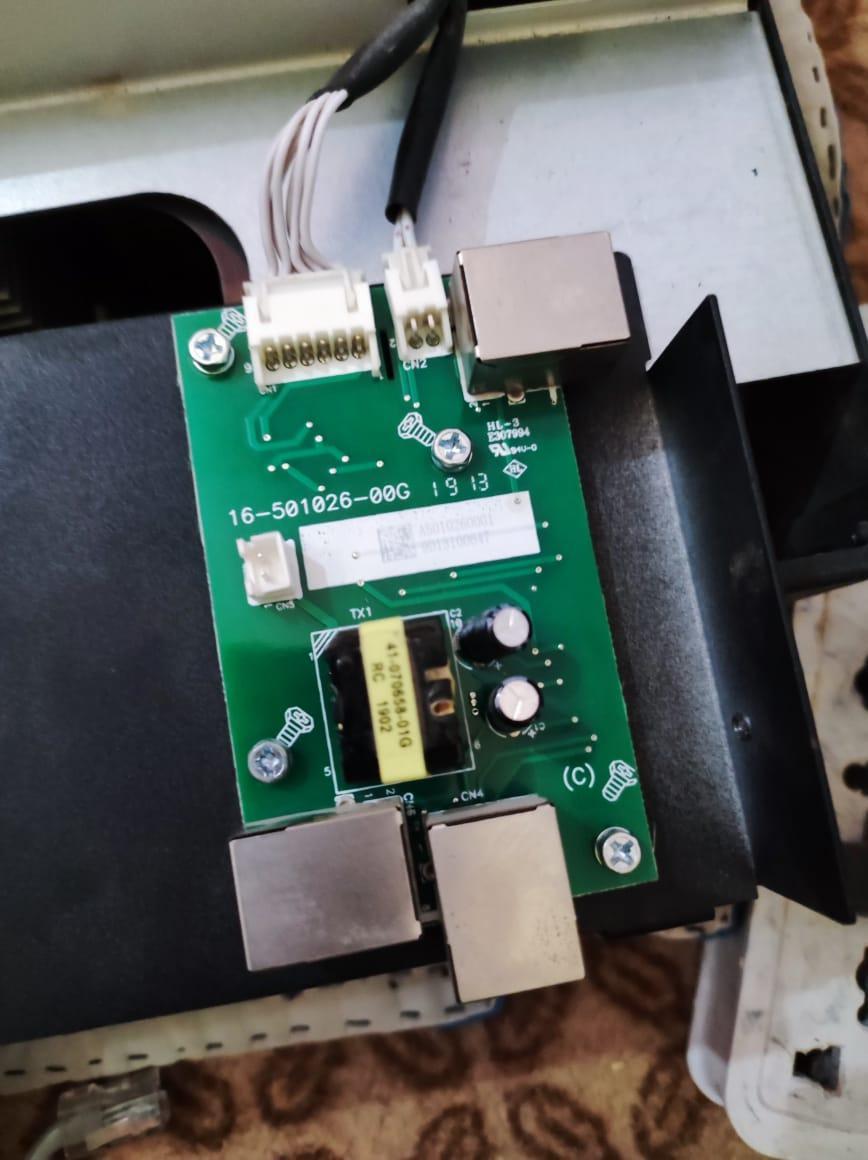
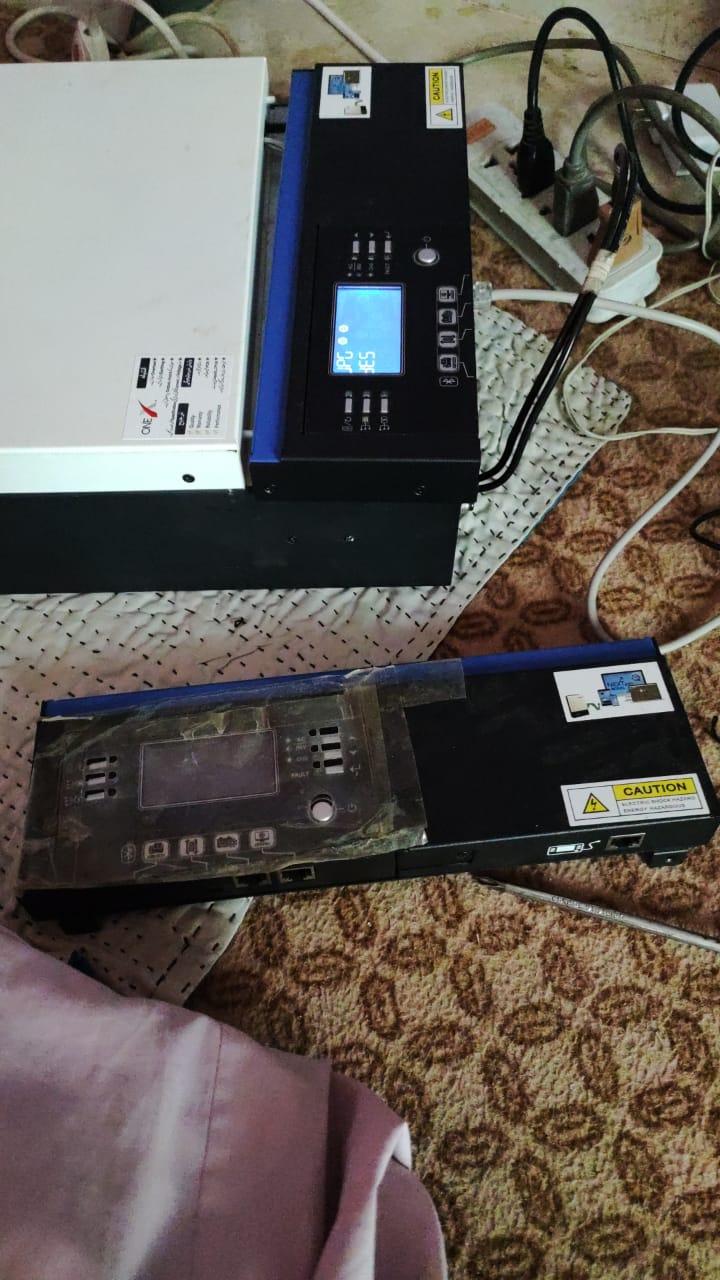
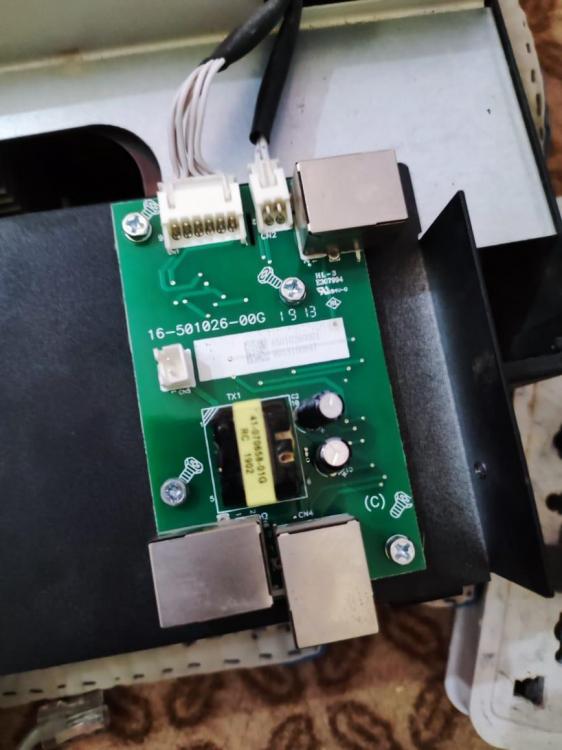
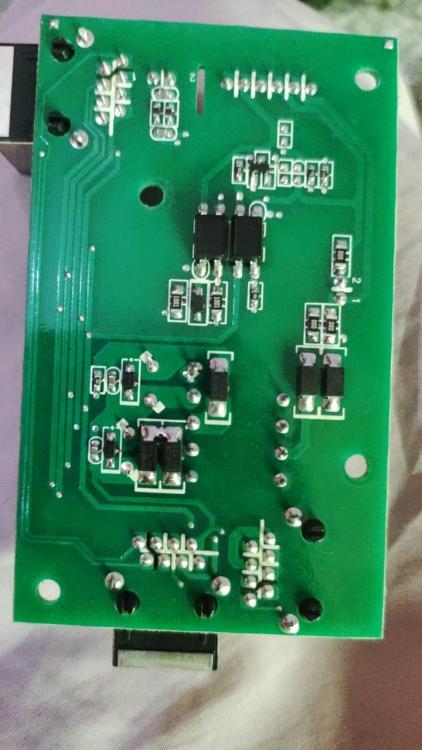
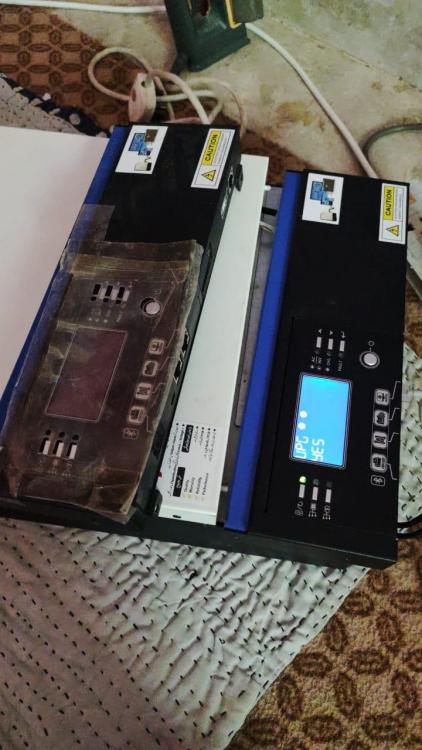
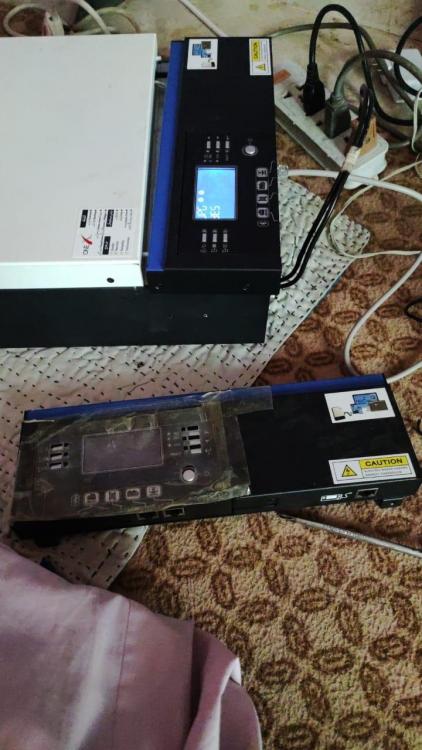
So you think its the DSP/main board bootloader which isn't working. Then what do you propose for a solution? I have answered the renaming file in my previous message it had no technical basis, just an intuition based attempt. Finally diagnosed the root cause of the problem, the communciatin card on removable display panel where two cables coming from motherboard is messing up / faulty. I have changed this card with another one from a friend's inverter after which my inverter started working flawlessly. I am posting the picture below. Is this repairable? Which component might have stopped working? there isn't much on it just a transformer, capacitors, smd resistors etc.
-
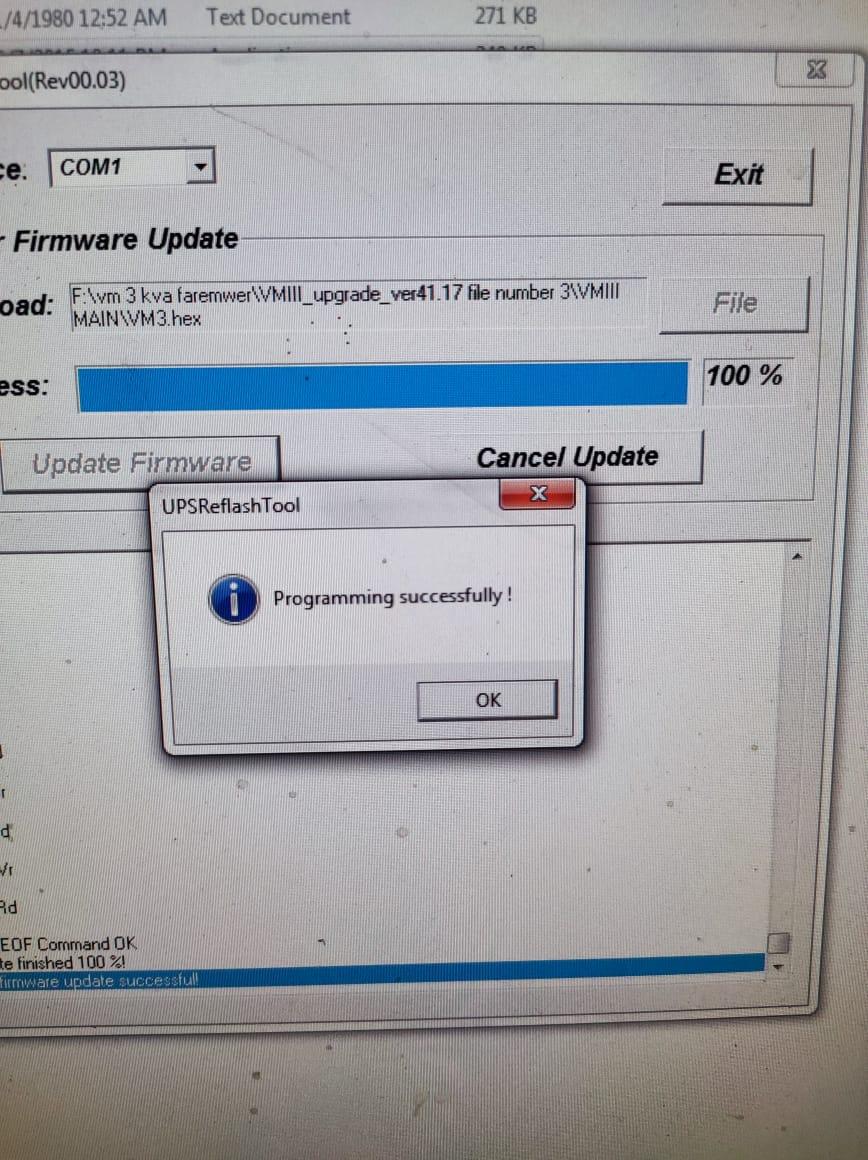
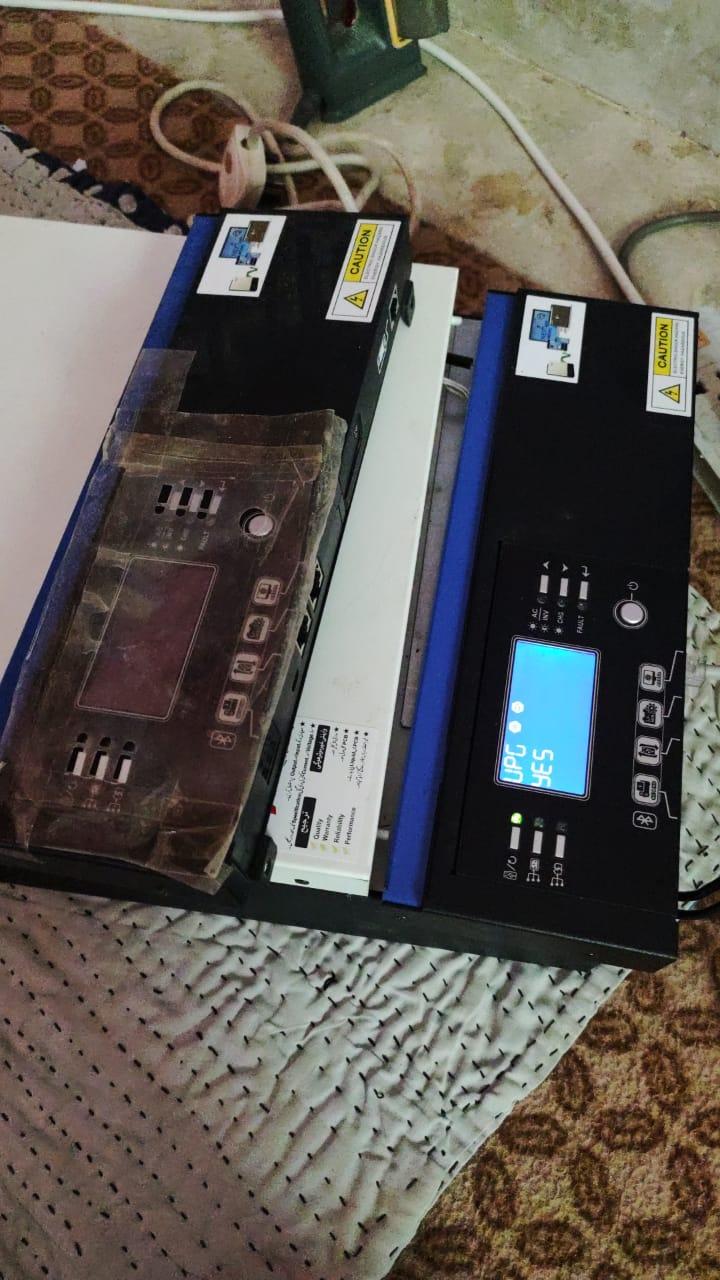
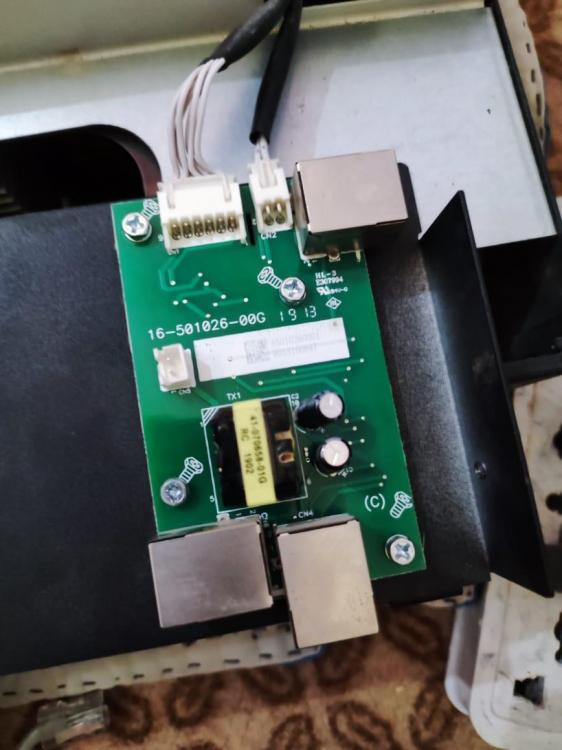
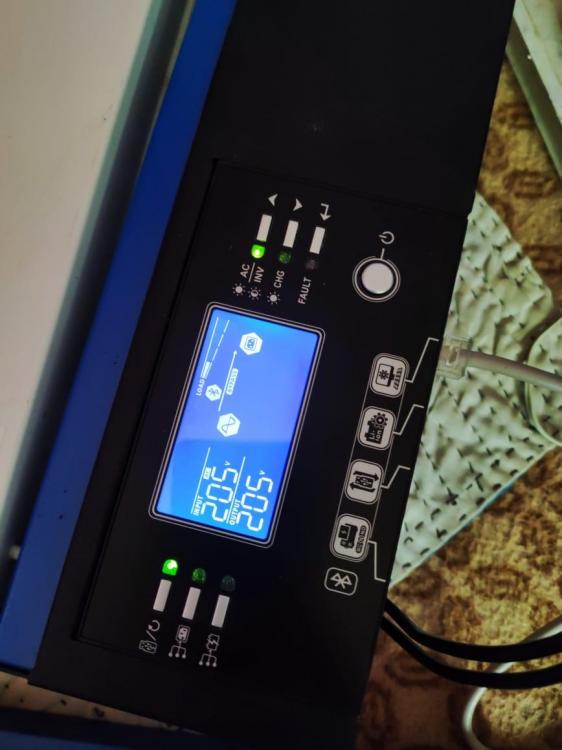
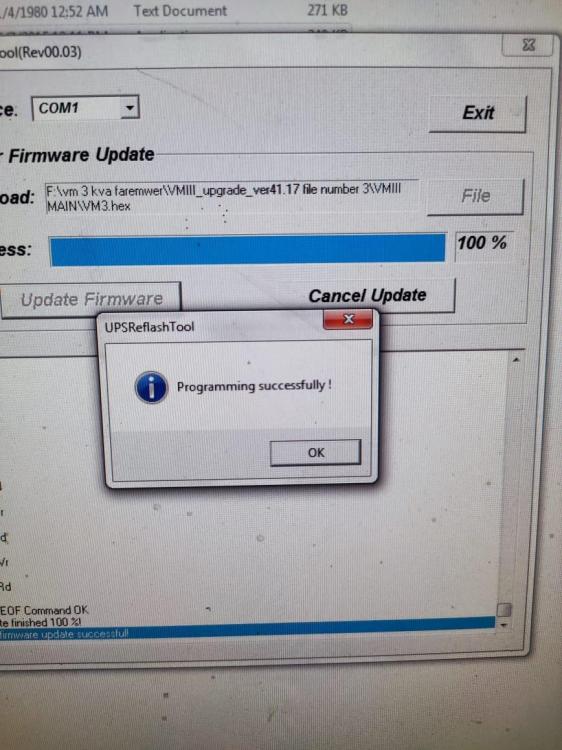
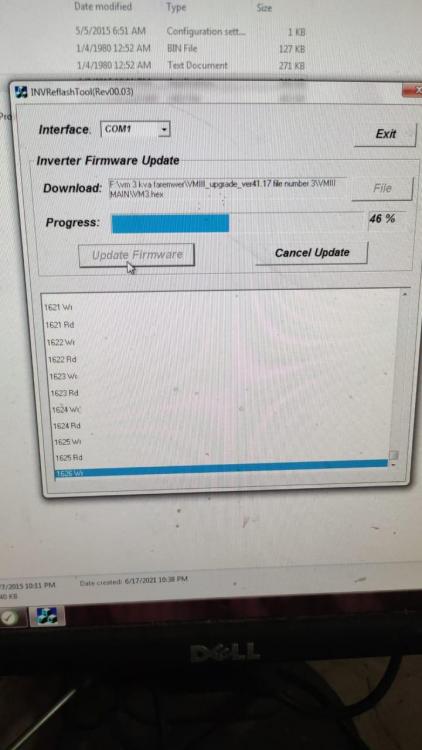
here is latest on the topic, i have succeeded to install vm3 firmware on my inverter. This is how i did it. Replaced my complete LCD panel with another one from a friend who has the exact model inverter as mine. Upon clicking to update the firmware it started installation, and after ten minutes the installation completed, inverter restarted and all parameters came back. inverter became functional. After installlation of firmware i installed back my own LCD panel, and it again showed up fault 32. Now that inverter starts up given 230 volts on its output as measured from voltmeter externally, fans / relays are working. i have also installed firmware for remote panel display mcu, the installation gets complete but same error 32 pops up. I detached the detachable lcd of my inverter and installed it on my friend's inverter the lcd itself is working fine, then upon further disassembling i found out there is another pcb card where two wires coming from inverted get terminated. There is something wrong with that card, though visually it looks fin What do you suggest after current situation? @Coulomb @ShaddersPlease share your feedback

-
-
Thank you for your response. I have been trying to update the firmware with standard procedure as describe inside the firmware file folder i.e. connecting just mains, no battery or solar connection. Do you suggest to connect solar panels while doing firmware installation? Did that trial software installation was successful with solar panels connection? My problem is elaborated in above messages where firmare installation doesn't start/ complete. Please go through my earlier messages to correlate if my issue is similar to what you are referring to as in case of king model. Will be waiting for your assistance in this regard. Thanks
-
-
So you think its the DSP/main board bootloader which isn't working. Then what do you propose for a solution? I have answered the renaming file in my previous message it had no technical basis, just an intuition based attempt.
-
I had tried vm3.hex several times it didn't work then i changed the name just to see if it changed anything. Chaning the name didn't make any difference both the times same error was poping up. I don't think that changing file name from vm3 to dsp would cause any change in hex file it self or make it king firmware.
-
-
Yes my inverter is made by Voltronic power and is being sold by brand name OneX in my country. Yes there was a sticker over the screw near large sticker it mentioned 06/2019. If the inverter doesn't have the right bootloader then how come it installed another .hex file for display remote panel firmware which got installed 100% after installation the display screen restarted. I think i suggests the inverter has its bootlaoder working, what do you think? You have rightly pointed out the updating with dsp.hex file, i have deliberately changed the file name from vm3.hex to dsp.hex, while the file remains tha same as inside the archive folder has it. I have downloaded it from the website (https://www.ostrovni-elektrarny.cz/support/Axpert/FW/) you had uploaded. But the error remains as it is even after several attempts. Can't figure out why its happening. I have searched through internet couldn't find anything. Found this thread to be useful, hoping for a solution to come up by you guys. This thread was really helpful and thanks for taking out time and helping out people.
-
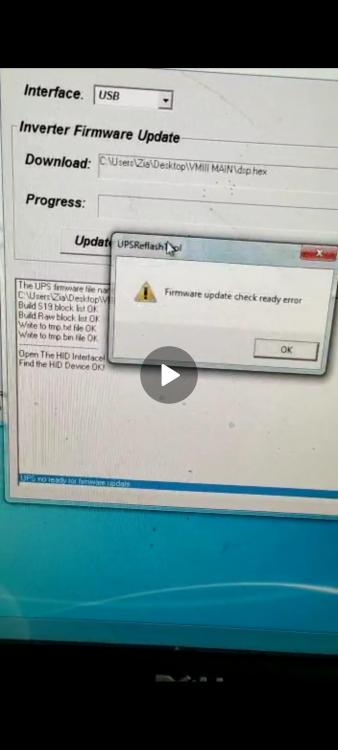
Thank you for your prompt reponse. I have tried both using USB stick method and RS232 serial port method using a windows 7 installed PC, but the installation gives an error every time, though the remote panel reflash software got installed 100% with no errors but main firmware is giving error. What do you think might be causing it?Should i try 91.20 version firmware and is it compatilbe? Can you suggest a solution?
-
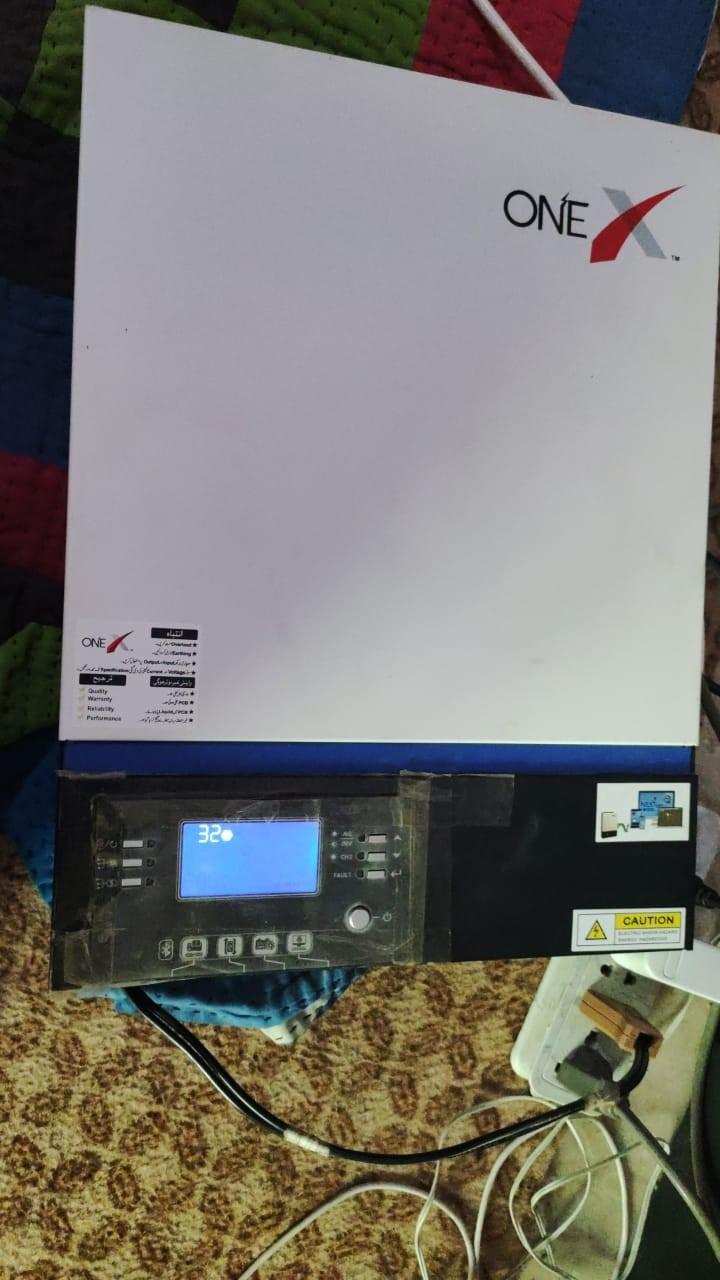
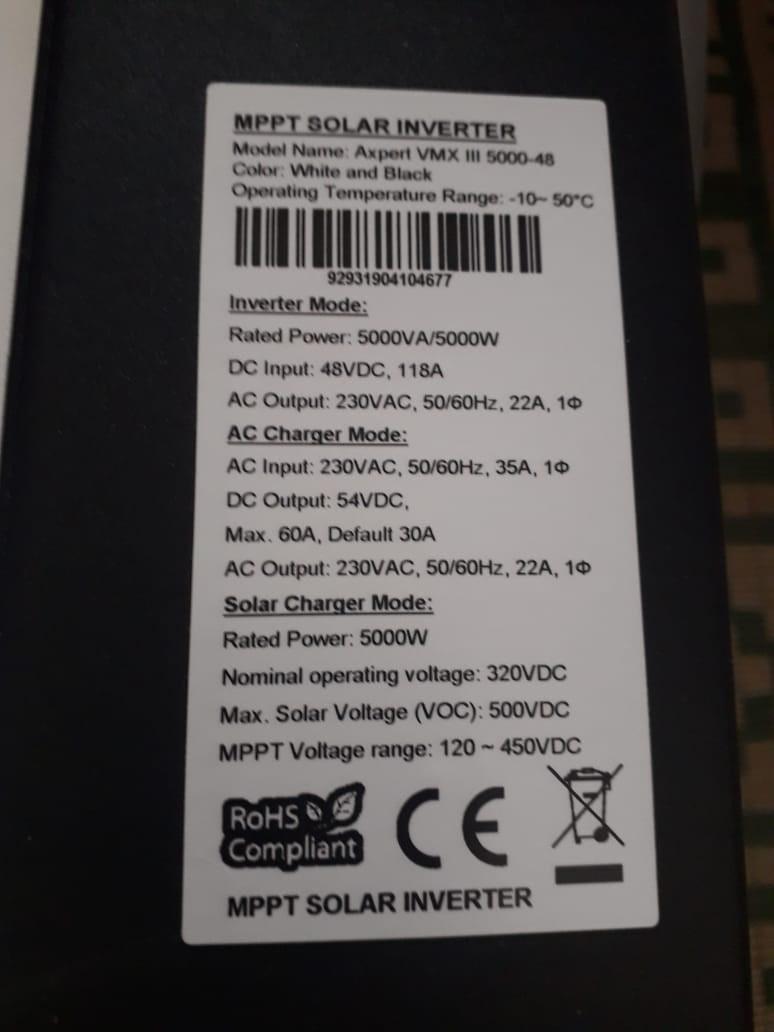
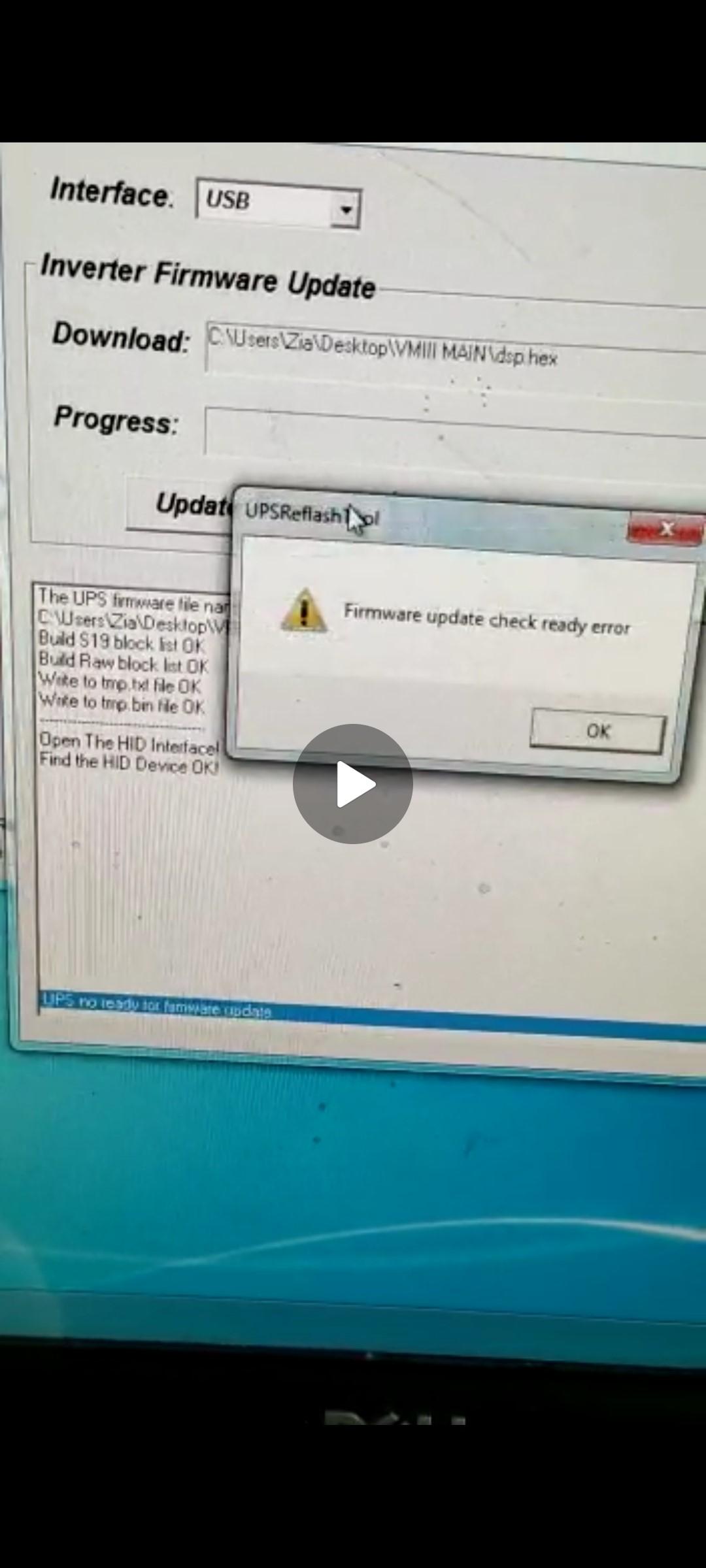
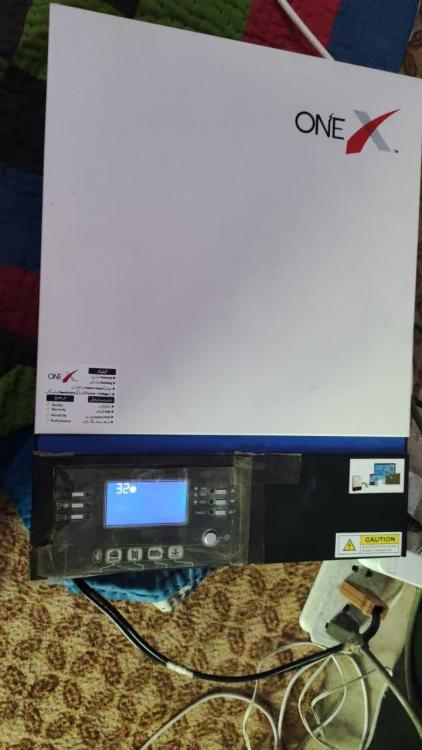
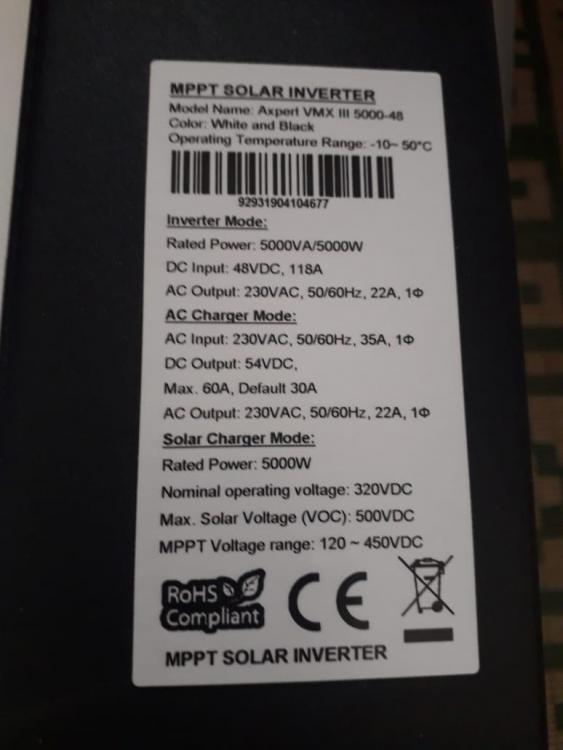
Thanks for sharing the website link. My VMIII 5KW inverter is showing up an error code 32, i have tried to install 41.16 version as shared by Henry, but i am getting an error saying "firmware update check ready error" should i try with 91.20 version of firmware? is this compatible with VMIII 5KW as i have attached picture of my inverter in above message. please advise how to resolve this issue.
-
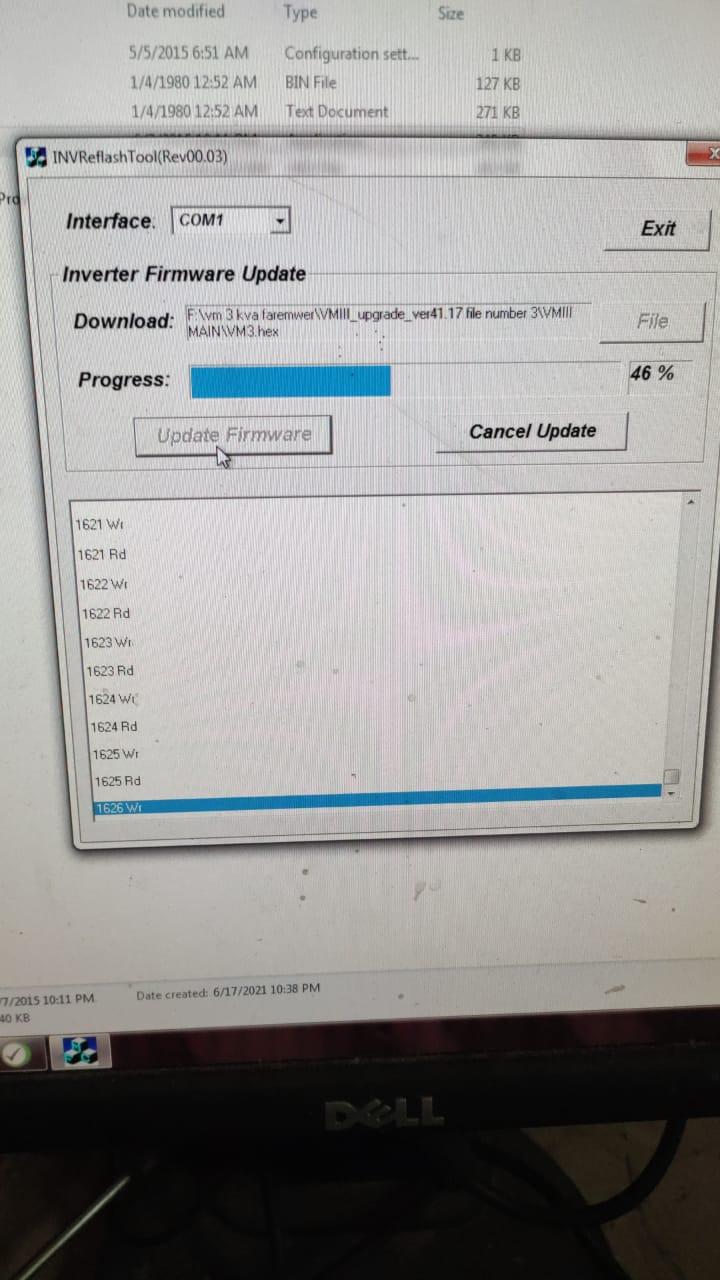
Thanks for sharing the firmware, i am facing the firmware installation. I load the reflsh tool as provided in above zip file, and slect the communication port which is USB in my case and then upload the .hex file i have deliberately changed its name from vm3.hex to dsp.hex, and then click on "update firmware" after some time the blue bar as shown in below picture jumps down from top to the point where it gives error, nothing is written on blue bar it just gets one step down after every second, nothing is shown in progress bar. I have tried from RS232 cable and then tried from OTG( On-the-Go) through usb, but it seems nothing is working. while upgrade f remote panel reflash worked fine, it took almost ten minutes for the installtaion to complete but reflashing of main firmware is showing up error as shown in below image. Earlier i had 41.01 version of firmware isntalled which got corrupted. Please help me how to install the firmware.
-
Tariq Bugti joined the community
-
I have 5kva/5KW voltronic power VMIII inverter with brand name OneX. I am having this issue of fault code 32, i have got a .hex file from some one i tried install it using OTG after UPG i press for Yes, then after a few seconds and error code of U03 appears meaning the file format is wrong even though the file format is .hex. please help of anyone among you have this firmware then please share with me or suggest me where can i find it.