Jaxone
Members
-
Joined
-
Last visited
Everything posted by Jaxone
-
@fhocorp I've run with it for a while now just to see how it works as one of the Pylontech cells is fcked ... but I realized the passive BMS not good enough for balancing so I started going the other way around. Installed JK BMS on the Pylontech pouches ... that goes a bit better :) Although JK is not the best when measuring SOC it still better to balance. Now I am in the process of replacing ALL the Pylontech BMS boards with JK. In order to be able to control both JK and Pylontech at the same time , I have installed one iBMS for JK batteries and one iBMS for the Pylontech, this way I sum up the data and send one stream to the inverter so everything works together. Link to iBMS : https://shop.jamestronics.com/ Will make a review in a short time :) and explain the functions and how all works together.
-
@Scorp007 Ahhh , ok , now I got it :)
-
Update: Problem solved. I have replaced the flimsy wires that came with the battery case that were going from BMS to battery and terminals and from battery to the terminals. Now the battery works as intended (or as I think it should) and draws same or more power than the 74Ah Pylontechs in any load conditions. @Scorp007 Not sure I follow what you mean with the 2A ? Usually I calibrate with lab power supply and 10A. Thanks everyone for the input.
-
I'll re calibrate the JK BMS current and check if it changes anything. Thanks.
-
Thanks everyone for input. Will do some more tests over the weekend and I guess I can "force" more draw from the bigger battery by just shortening the cables. Anyway , I observed that this behavior is only at very low load shared across the batteries. If I increase the load at 5-6kw I see the JK will start delivering more that the Pylontechs. I am just getting used to this JK Bms and prismatic cells... I am thinking I will be adding a 300Ah JK battery next week and dont wanna end up with 80% soc on that while Pylontech is at 10% :) Thanks for all the inputs and will try to play a bit around and let it run for longer time to see how all works together and possible solutions to the "problems" , if any :)
-
@TaliaB I am not complaining about SOC , I am "complaining" about current draw from the batteries. The Pylontech are all US3000C 74AH , the JK BMS has 105Ah with Eve cells. Maybe EVE cells are not quite grade A or something like that ? Each Pylontech draws around 75-85W (1.7-2A ) and the JK draws 60-65W (1.3-1.4A) and they are all in prallel. @Stefan Cornelissen Meassured JK across 0,1 ohm , same as Pylontech. (When connecting the Fluke leads together I get the same 0.1 ohm).
-
That I did not test , but both use SAME type cable , same length , connected to same bus bar... will do some measurements in the weekend and change internal JK BMS power cables as they seem to be pretty flimsy.
-
Hi guys. I am in the process of replacing all my Pylontech BMS boards with JK ... Pylontech passive BMS simply does not cut it and recently Pylontech is cutting corners when comming to warranty cases.. Anyway, short story .. I have 10 x Pylontech US3000C running in parallel with 1 x 10⁵Ah JK BMS battery built with 15x105Ah Eve cells , so same voltage. (need to test before I change all BMS inside the Pylontech boxes). All batteries are connected to same buss bar , using same length cables. Looking at the current draw , I see at a stable load , the Pylontech are discharging with 100-115W and the JK (even being an 100Ah battery) is only pulling 67-70W. Why is that ?
-
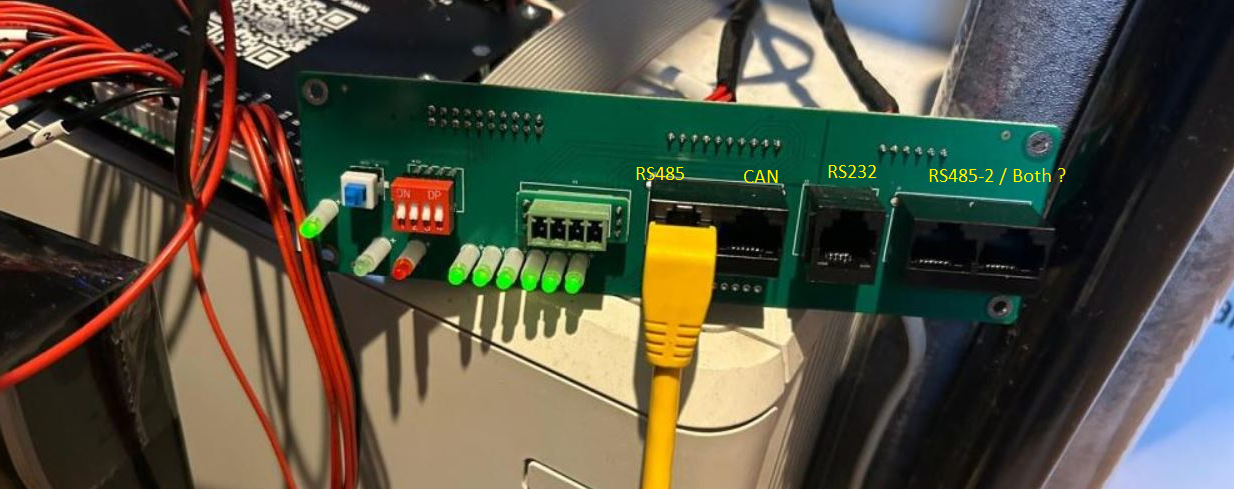
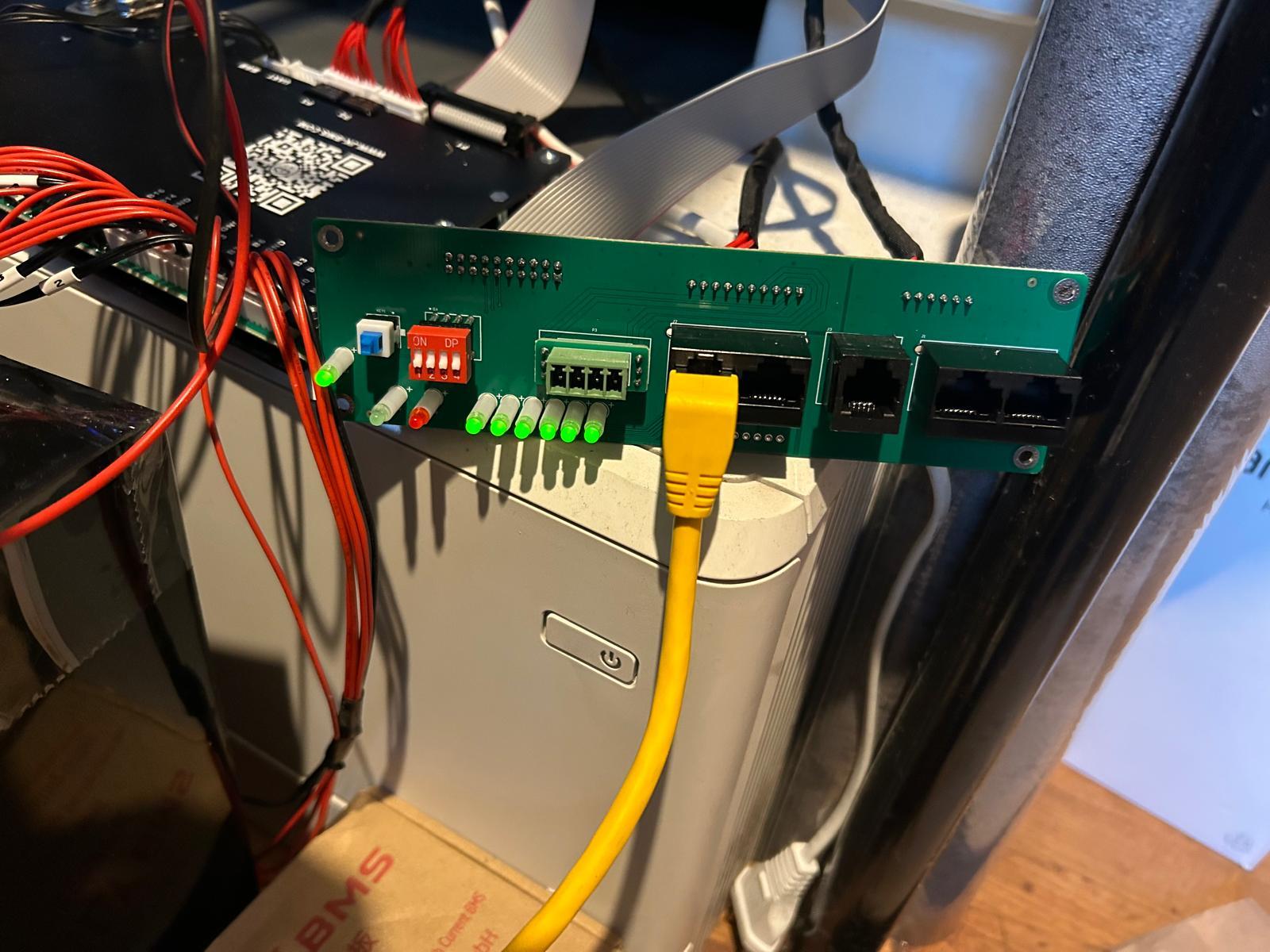
According to what I found until now , it should be like this : So UART1 = RS485 ? UART2 /RS4852 = (I can't change this in app , it changes according to DIP switches Change) UART3 = on the PCB for Display ???

-
Hi guys , .... I am trying to configure a Linux app to gather BMS data from all batteries (JK , Pylontech , Seplos ) and need to configure the V19 JK BMS also to talk RS485 with a Waveshare device. Now ... for the LOVE OF GOD .... Which port is UART1 , which is UART2 and which is UART3 ? I can see I can configure different protocols on diferent UART's but documentation of this BMS sucks and nowhere explained what is what and which port is which but they call all ports UART... This is my "bench" setup and the JK documentation is AWFUL !! So which port is UART1 /2 /3 ? .... im pulling my hair.. :( I know the port I have connected now is RS485 but is it UART1 , 2 , 3 ? or what is what ? Thanks in advance.


-
Thanks for taking the time :) I never charge with more than 150A ... and never discharge with more than that either , so hitting the limit is not the main concern.. It was just me wanting to set up everything as close to "reality" as possible. I have been monitoring the system for the past 2 days and everything seems to work as it should be... one thing I saw was the Farnkie never hit 100SOC , was always at 99 ... but did not had to much sun last few days here in Northern europe , so we will see in the future. The DYI case I bought came with a JK BMS ... to bad it can't talk with the Pylontechs in some way , else I would have tested the JK also.... Pyllontech board is to wide to fit into the custom 105ah DYI case so I had to wrap something just to test. Will see if I can somehow 3D print a custom case for the Pylontech BMS to smack it on the top of the case instead :) Time till tell. Also gave it a proper name now 🤣

-
For the past 3 years I have been running with a Deye12KW and 10x Pylontech US3000C. Back in 2023 I sent a notice to Pylontech about one battery misbehaving and they told me to charge it full and let the stack sit for 24-48h ... since then I forgot about it and now it started to throw OV and of course Pylontech denied my warranty until now... we are still arguing and debating about the BMS role and #(^T#*$^T@#$T #HFIG#F .... Anyway as I still have 10 good batteries and can not run Pylontech BMS with any other BMS on the market I needed to replace this run away battery and still be able to work with a PACK and control the batteries by BMS rather than voltage.. So I decided to play around a bit ... bought a defective US2000C , bought 16x 105AH Prismatic cells and built a little Frankenstein. Frankenstain was not pretty but was alive :) Now , all good but we know the US2000C only has 50Ah .. same BMS though as the US3000C .. so I changed the capacity of the BMS to 100Ah (seems only possible to change to 50Ah , 74Ah and 100Ah ) as 105Ah not possible. Then battery model changed into UP5000 .... I've set the Frankenstein UP5000 as a master and put it in the pack... All good until now , until I realized the UP5000 is rated (in the manual) at 0.5C / 50Ah. Will this be an issue ? Also when charging I can see this little Frankenstein will charge at almost 3 times the rate of the other 10 ? Is there any firmware for US5000C floating around ? Willing to take the risk and try and flash it. Ideas


-
I run all the batteries with DIP 1 ON and 4-5-6 OFF. Only have US3000C but should also work with the UP5000.
-
Well , after 4 years in the business one of my OWN batteries started to fail ... an US3000C , and of course , Pylontech denied warranty claim. Battery installed in a pack of 8 Pylontech batteries where all other are OK. We decided to start legal actions against Pylontech... it's now a matter of principle where they simply deny more and more users warranty claims based on BS and no hard evidence. So if anyone wanna join in a class lawsuit action against them , leave a comment or send me a message. We started by contacting China State Administration for Market Regulation and China Consumers’ Association and I will start gathering information from other users / resellers that face the same denial of warranty claims. It's now a principle case , I have gone over the loss but Pylontech takes us for a bunch of fools. Also , I see Servtec in UK started outsourcing the pouches for US2000 for now and US3000 will follow shortly Replacement Cell: 3.2V 25Ah LiFePO₄ Pouch Cell for Pylontech US2000 & – SERVTEC Battery Accessories & Diagnostic Kits
-
Downgraded to same firmware as you and my warning is still there. I did not try to reboot the smart meter yet , will do it today.
-
Well , now that you mention it ... might be FW bug , I remember in the start I did not had this error and I was indeed running FW 1128. If I remember correctly I upgraded the firmware because there was a bug in it concerning solar sell or something like that. I'll downgrade now and see so we can confirm it's FW related ... there is not much sun now , so nothing to sell
-
Now I am bit confused ... maybe because of the translation ? What do you mean by "the Deye inverter behaves as with the Watt-meter. Maybe this is also effecting the alarm bug... " ... I never used the inverter (any of them , I have 10 installed) without the "Time of use" enabled , so not sure how it would affect the Smart Meter readings. I have also tried to turn off the grid power before the smart meter for a short period of time to see if the actual smart meter readings affect this alarm but I did not see any change in the behavior. In one case where one of the inverters installed was selling battery power on / off at random times , restarting the smart meter did help and restored the erratic behavior, but in the case of my personal unit , it did not made any difference.
-
Do you still have CT coils installed ? I will check the graph but I don't think I have same issue. Does the off the chart graph fit with timestamp on W04 error ?
-
Wait a few days ... I have tried many firmware versions
-
Well , past few days there was VERY little sun here and I still have the error also during the night when there is no sun for sure

-
I tried to explain this to Deye tech team ... it seems they are aware of the issue but still blame Eastron and cable and anything else than the inverter I poked them again and reminded them of the issue , let's say maybe they will require come more logs. Will let you know and thanks for sharing.
-
For me the problem appeared (if I remember correctly) after I upgraded the FW on the inverter or after I switched batteries from RS485 communication to CAN... I did so many changes and forgot to make a "changelog" so I can not be sure of anything anymore. For me the error comes as a warning and inverter keeps working ... maybe because I also have the CT's still connected. I did not tried to sniff the communication but something changed in FW for sure.
-
We tried this combination of switches , no success .... so I guess is down to BMS software and protocol compatibility with Deye.
-
I used google but there is NO DOCUMENTATION whatsoever on this batteries.... I guess small company even if the say they are in business since 2008 ? In the mean time I also got an answer from the company ... with a very funny answer. "the communiction manual need check battery is belong to which buyer who pay for us, then check the order number, then check which BMS , then can give you correct guide. we sold 4 units 48V100AH to xxx yyyyy in March 2022, it require support Growatt SPH3600 inverter, is it the battery u are asking?" So the BMS only works with one type of inverter ????????? wtf...
-
Hello guys. Friend of mine has 4 x AIBATTERY LifePo4 batteries which he bought used but they did not come with a manual. Does anyone have a manual for them ? Need to connect them to a Deye and need configuration for DIP Switches. Manufacturer is topbatteryfactory.com but they wanted an invoice before they send the documentation ???? Product documentation should be on the website for ALL the products they sell ... but seems in China this is not important Thanks in advance.