wtjaden
Members
-
Joined
-
Last visited
Everything posted by wtjaden
-
Im going to flash 90.28 and report back also hope it stops the grid feed in in SUB
-
Native Homeassistant energy dash works I've set it up via mqtt broker that I also use for my paradox alarm
-
with the latest firmware SUB mode still feeds to the grid if PV wattage reaches 2000w and more sometime not I've had 2600w of pv with no feed to grid just wish the had something in the firmware to turn Grid feed in off (SUB mode) only Utility mode and SBU mode never feeds into grid utility mode will charge the battery and send surplus energy to the loads but once battery is full the MPPT goes into standby only to be woken up if you switch to SBU so i only run SBU now have 2X Pylon US3000C batteries and 2 strings with a total PV of around 4000kw so SBU mode works fine for me I only use SUB if the load is high and pv low due to rain etc. then if there's high load but partly cloudy i use utility mode if i want to charge the batteries and prevent prepaid meter trips. then SBU mode as much as possible the rest of the time (90%)
-
This adapter worked perfectly for me https://www.takealot.com/mecer-usb-to-1-serial-9-pin-port/PLID35668474
-
WIth Firmware version 90.19 the feed in to grid happens less but it seems as soon as PV in my case goes over 1.7KW it feeds into the grid and still trips my grid prepaid meter. it could also be my well pump kicking in and out during the day that can cause it to overshoot and feed into the grid
-
InfiniSolar V1 & V2 Axpert King Axpert Max Axpert VM Axpert King in parallel (2 or more) InfiniSolar Super in parallel (2 or more)
-
Software is called Solar Assistant and is almost out of Beta i believe ( i'm a beta tester with the Axpert Max 7.2) must say it really works well and looks good with the web monitoring and grafana graphs and android web app is awesome also. SOC switching etc @Solar Assistant is a member on the forum if your interested
-
Firmware 90.19 battery charging 1.1 kw and not tripping the grid prepaid meter


-
Yes i updated last night and i can confirm i've not had any issues yet looks like 90.19 do not feed into grid in SUB mode.
-
It turn out that firmware version 90.11 disables SUB mode so the inverter then only have battery mode and utility mode My inverter came with 45.02 and i just flashed 45.04 SUB mode working again and ill test with this firmware. i would think that they can adjust the amount of utility power draw to prevent a cloud moving away from the sun to not send power back to grid
-
Ok so i flashed to latest firmware from https://www.ostrovni-elektrarny.cz/support/Axpert/FW/ MAX7200_Main_CNTL_DSP_90.11 and MAX7200_RemotePanel_Reflash_MCU(12.03) and since the update SUB (line mode) no longer feeds power into grid. will monitor but seems that the issue was fixed with a firmware update
-
My inverter is actually branded Full Circle Solar. ill ask them if they have some info about this feed into grid by a offgrid inverter . 🤨
-
Its a different design to the KIng the MPPT trackers are high volt 500v max and seems to connect to the high volt dc but in the inverter not the low volt battery dc bus. Got it from Diygeek.co.za not much info available from anywhere
-
Im running the Axpert Max and noticed that this inverter in line mode feeds power to the grid and this causes my prepaid meter to trip. Looking through the configuration settings there's no mention of anything related to grid feedback. it seems that when there's surplus energy from the solar panels sometimes the Max charges the Pylon but most of the time it dumps surplus to the grid tripping my Meter. This is while the battery is low and needs a charge... So my only option currently is to run in SBU mode because SUB mode is not currently what i thought it would be (carry loads with utility and solar and if there's surplus solar charge the battery) the way the kIng works the max randomly dumps power to the grid tripping my meter. SBU is a problem because i only have one US3000C currently and do not want to put to much load on it when solar production is low and a kettle boils while a aircon runs for example. The Max is new so there's not much info out there about this inverter im hoping that eventually this problem can be addressed with a firmware update.
-
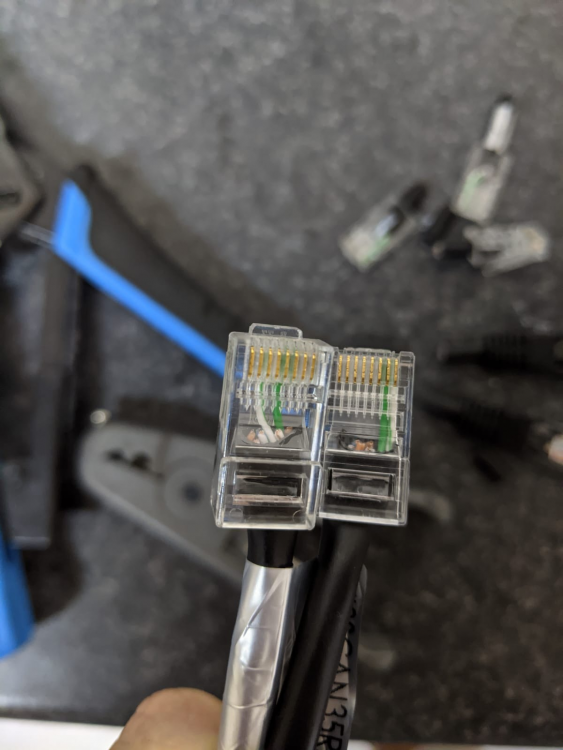
Solved this issue right is the Battery left inverter so battery pin 8 to inverter pin 3 and battery pin 7 to inverter pin 5
-
Sign me up 😀🖐️
-
Hope someone can help with the Pylon BMS connection problem installed a axpert Max 7.2 kw and a 3rd gen Pylon us3000c. Made a custom cable using the pin outs for the king. however when connecting the battery the Pylon beeps 3 times after a wile and i see a error 61 on the display. watchpower also reports a eeprom error. Do anyone know if there's a different pin out for the axpert max ? and could the axpert firmware be incompatible with the latest 3rd gen Pylon US3000c?

-
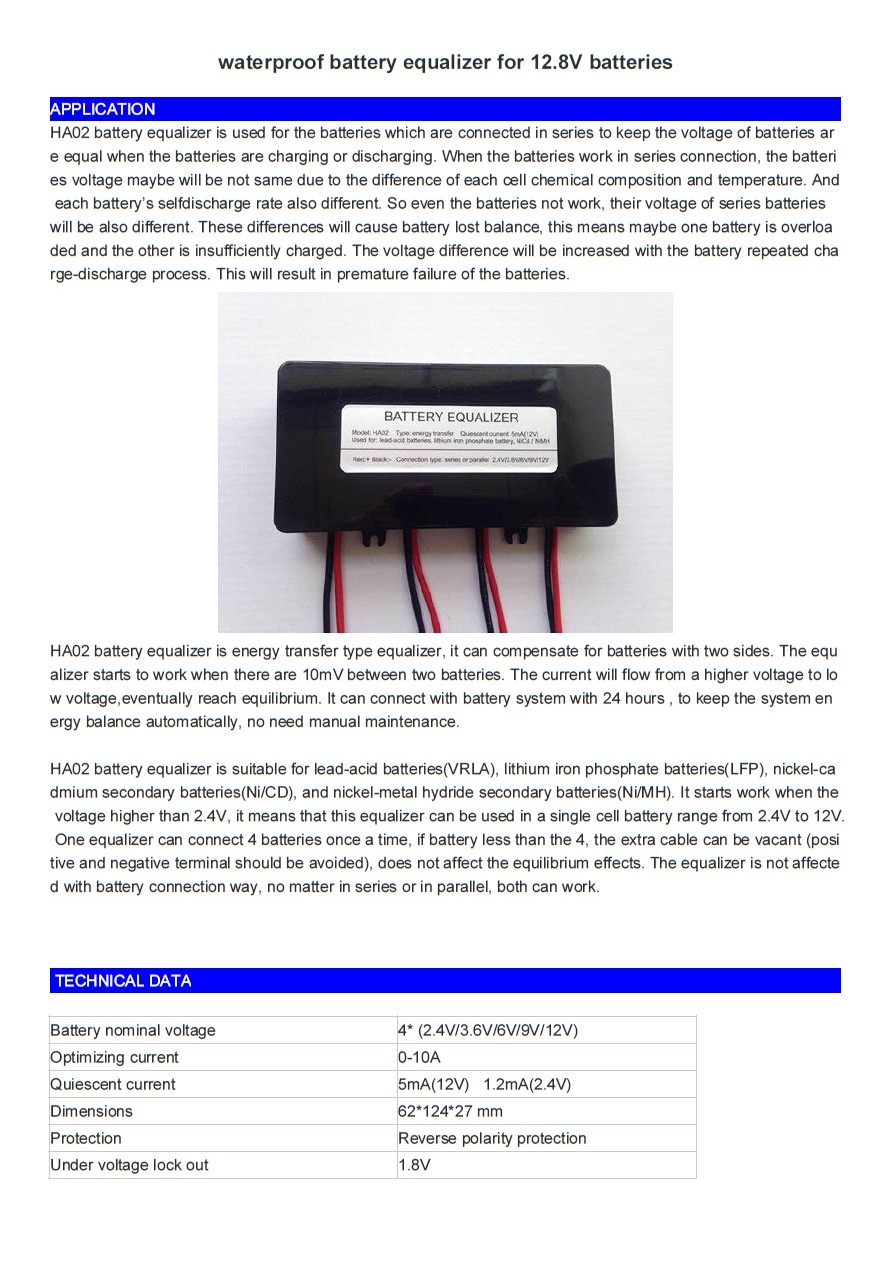
Ive noticed there is a model of the HA02 balancer that support 6 volt batteries https://www.aliexpress.com/item/Battery-equalizer-HA02-4-X-12V-used-for-lead-acid-batteris-Balancer-charger-for-48V-Gel/32545185506.html?spm=2114.01010208.3.2.6qMiW4&ws_ab_test=searchweb0_0,searchweb201602_5_10065_10068_10000007_10084_10083_10080_10082_10081_10060_10061_10062_10056_10055_10054_10059_10099_10078_10079_10073_10097_10100_10096_10070_10052_423_10050_10051_424,searchweb201603_1&btsid=d9633894-8d89-4d1a-abe6-326b211a6ddf

-
actually this one https://www.aliexpress.com/item/50V-100A-Precise-Real-Capacity-Tester-Coulomb-Counter-Coulometer-For-LiFePO4-Lithium-LiPo-LiIon-Battery-Free/32272229618.html?spm=2114.10010108.1000014.2.CqDEkz&scm=1007.13338.60375.000000000000000&pvid=1c433be5-7a4d-4ea9-b201-af1fedcc653a&tpp=1 this is the 50V 100A one for my 24 volt system you get a 80V 100A one for 48 volt system also
-
The Green display is a Coulomb counter like the Vicron bmv702 just 10 times cheaper no monitoring of it tough https://www.aliexpress.com/item/Free-Shipping-Capacity-Tester-Indicator-Coulometer-35-80V-50A-Lithium-Lead-Acid-Battery-Meter-new-tool/32639475440.html?spm=2114.10010108.1000014.7.SKaxqu&scm=1007.13338.49930.0&pvid=6e69b2cf-9c8d-4521-bb77-6521d384e674&tpp=1


-
its a Micro PC running a plex media server and solarmon
-
-
Do you know if there are any updated firmware for the Axpert MKS plus 3K? this is the model with the 60 amp charge controller this 24 volt model have a max of 29.2 volt during bulk and if the bank is full and big loads gets switched off ive seen it go up to 29.8 before it drops down to 29.2
-
After almost buying SONIC or OMNIPOWER Gel batts I started to feel rather go with tried and tested so ive ordered Trojan T105RE batteries at R2491 incl vat per batt Arriving Next week
-
http://www.sonopsolar.co.za/product/ceil-sgl-12v-200ah-gel-battery/ R5500 excl vat from sonopsolar