gkj_muk
Members
-
Joined
-
Last visited
Everything posted by gkj_muk
-
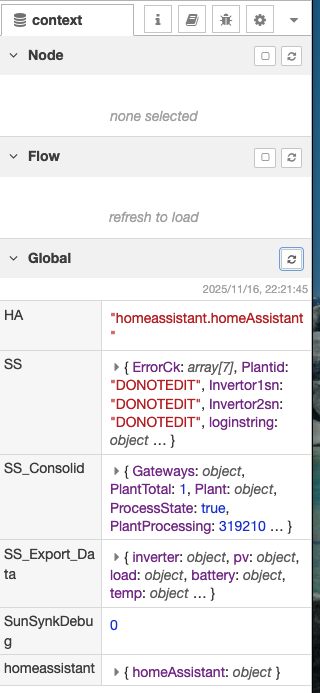
Thanks so much for the fork — I finally managed to get everything working again today. For anyone else trying to migrate to this fork, here are a few important notes based on the pain I went through: 1. Delete your old Node-RED flow firstI was still running v2.2, and the structure is very different from v2.4. Remove the old flow completely and then import the new v2.4 flow. 2. Remove all Sunsynk config entries from configuration.yamlI wiped all my previous Sunsynk sections to avoid conflicts. 3. Import the new Sunsynk Gather config carefullyThis part caused the most headaches because my configuration.yaml is highly structured. Do NOT paste the whole file at once. Import it in smaller sections and place each part where it belongs. I had errors with the sunsynk_config_sensor. Configuaration.yaml expects attribute values that are numbers to be in quotes, otherwise validation expects a string value. So attribute values like region: "2", unit_cost:"2.37" etc. Some sensors aren’t needed (e.g., light-related ones), and the order in the file isn't intuitive. 4. Update your secrets.yamlThere are new and renamed entries that the flow depends on. Notably: sunsynk_user: xxx # was sunsynk_username sunsynk_sn_data: xxx sunsynk_sn_flow: xxx sunsynk_plantid_ignore_list: "xxxx" Getting the sunsync_sn_data and sunsynk_sn_flow is very tricky esp for someone like me who is not comfortable with Node-Red. It took me time to get to. See the pictures for guidance 5. Expect a few deprecation warningsI’m still seeing some, but everything is functioning correctly. Thanks @cp2023

-
Thanks! I will consider a switch!
-
Ken any update on Thingwala /Geyserwala? I went for the Geyserwise WiFi with tuya. The thing works for most times but randomly loses WiFi. When that happen s there is no easy way to reset or make it reconnect to wifi than to open the display panel and unplug the cable form the geyser... a very frustrating experience. in 3 months i have had to do this 4 times.. No real help from the Geyserwise people...
-
I have the exact same experience. what I have noticed is that the temperature in the geyser is still ok.. "above 25" The problem is probably the placement of the thermometer in the geyserwise setup.. I suspect on the cold side of the geyser. Its worse now with cold water intake close to 0 degrees. Usually the true temperature stabilises after about 20min.
-
Sorted!! it was right under my nose! thank you very much, it was the nonessential I was reading an unavailable entity for my non-essential
-
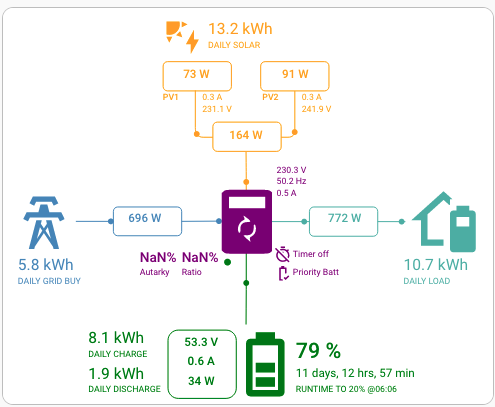
Thank you very much for a great card. I am failing to get my Autarky values to show, I know its something to do with my entities but I cannot figure out which entities, are you able to point me in the correct direction?