


HowserMD
Members
-
Joined
-
Last visited
Everything posted by HowserMD
-
It seems Sunsynk is offline.
-
I have added the units, thanks @slipx
-
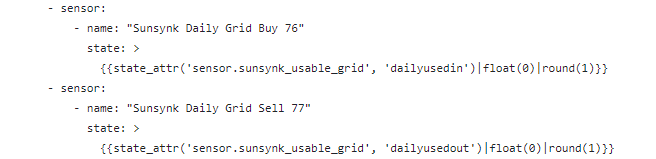
as far as the current repository, grid sell and buy do not have units. Let me know where I went wrong with the above.
-
I can see the data from the inverter, am trying to find out what should go into the Energy Settings/Configuration. Below is the usage of the data.

-
I have a 3 phase 12Kw sunsynk, just wondering what I need to use from Node-Red SunSynk Automation to be able to configure the Energy Dashboard (at the least Solar Panels and Home battery storage).

-
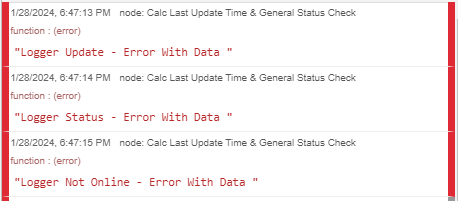
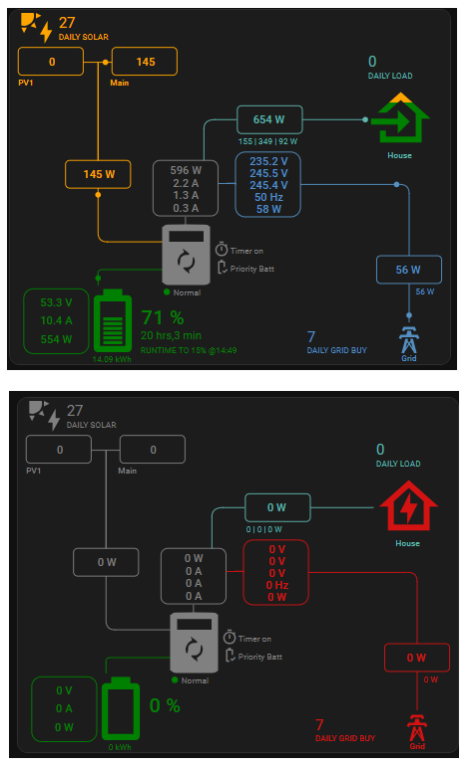
It looks like every second Query results in Node-red errors, which results in null states and the card is then without valid data (card with data followed by card with null values)

-
Got the same issue from 03:40 this morning. The inverter is connected to the internet, but no data going out.
-
Looking at the hass-post http status code 400 errors, do you have the entities sensor.sunsynk_battery and sensor.sunsynk_load in home assistant?
-
This is from the sunsynk-power-flow-card

-
@Gary Waterworth, what should show on the card for a 3 phase system, that would not otherwise for a single phase?
-
Makes sense. I thought they were meant to fill these on the card...

-
If you click on the image, you can then zoom in. I thought the would be attributes for current, volt, etc for all phases in there, did not see any.
-
This is what I can see so far, I can see the grid's values in SS.Consolid.Plant["x"].Inverter["x"].grid and output I could not see any sunsynk entity.states or attributes that have the above. On the sunsynk-power-flow-card, the only 3 phase setting I can see is inverter.three_phase: true, and this is what is produced


 Will load the new flows and try it out (am using 3 phase)I started replacing halogens lights around the house two years ago, a couple at a time, the energy savings just on lights alone has been significant. I am replacing outside lights with LED floodlights and E27 LED bulbs, and the inside lights with smart LEDs. I am planning to replace my water heating, air conditioners, fridge, and most of the old tech with energy efficient ones, which got me into Energy Monitoring. Am afraid this is a rabbit hole for me. I am currently monitoring what the geysers are using (through home assistant), what the inside smart led bulbs are using at night, and this got me thinking I could possible do the same thing with the outside flood lights, get smart LED floodlights. I searched and found a few available options, but it is not clear for me if they provide energy monitoring like the shelly bulbs do. Has anyone experience with smart floodlights?@Gary Waterworth, can you maybe change the order of the description/comments of the plantId and the serial number to match what they are at the top, I think that's what got me. Just a thought.
 Thanks @spotity, 60cm is definitely short. If extending does not interfere with the readings, then I would have to do that.@spotity, how long are the CT cables? I have a DIN and samite board next to each other and would like to put the 3em in one and connect the CTs in the other.Did that and most of the issues are resolved. Not sure about Enable SunSynk Auto Mode. Question, does this work both ways, that is updates from home assistant to sunsynk and visa versa or is it only display only from home assistant?
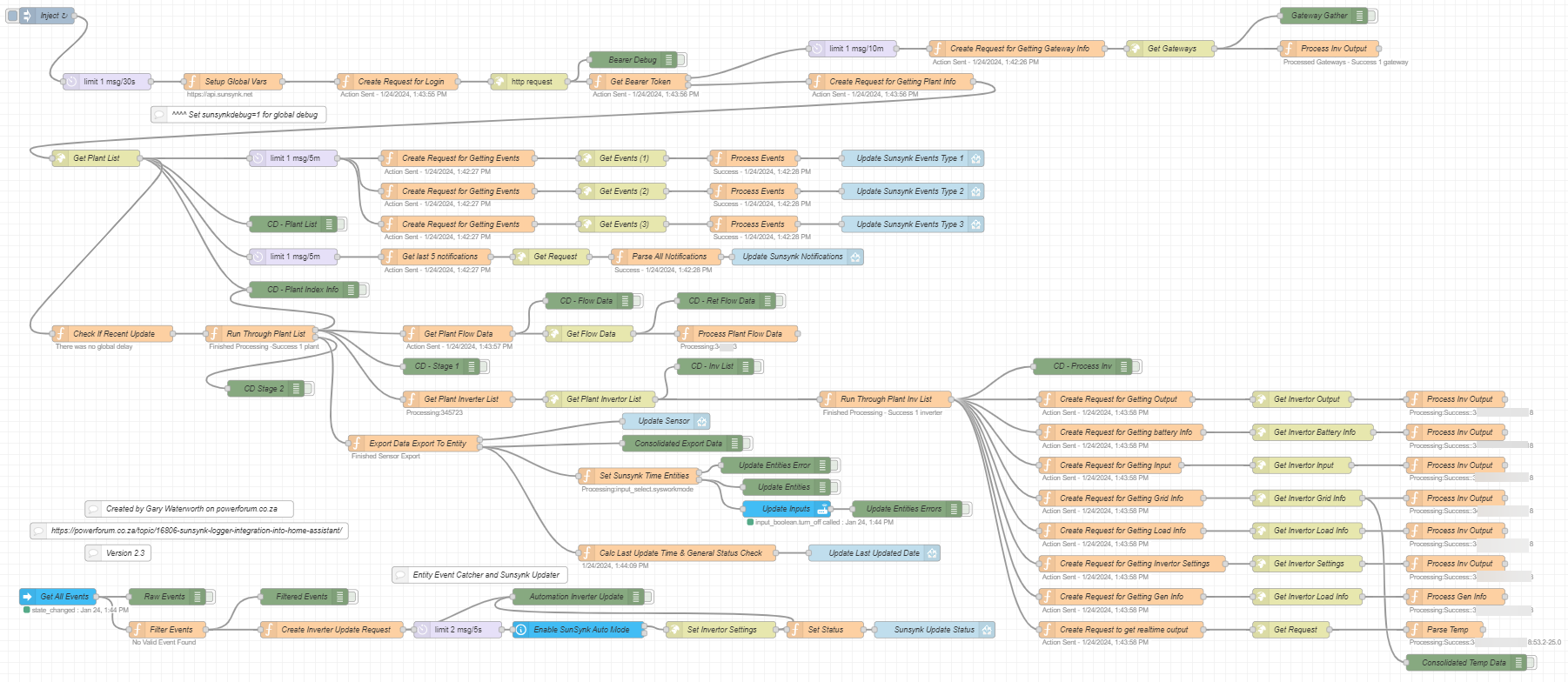
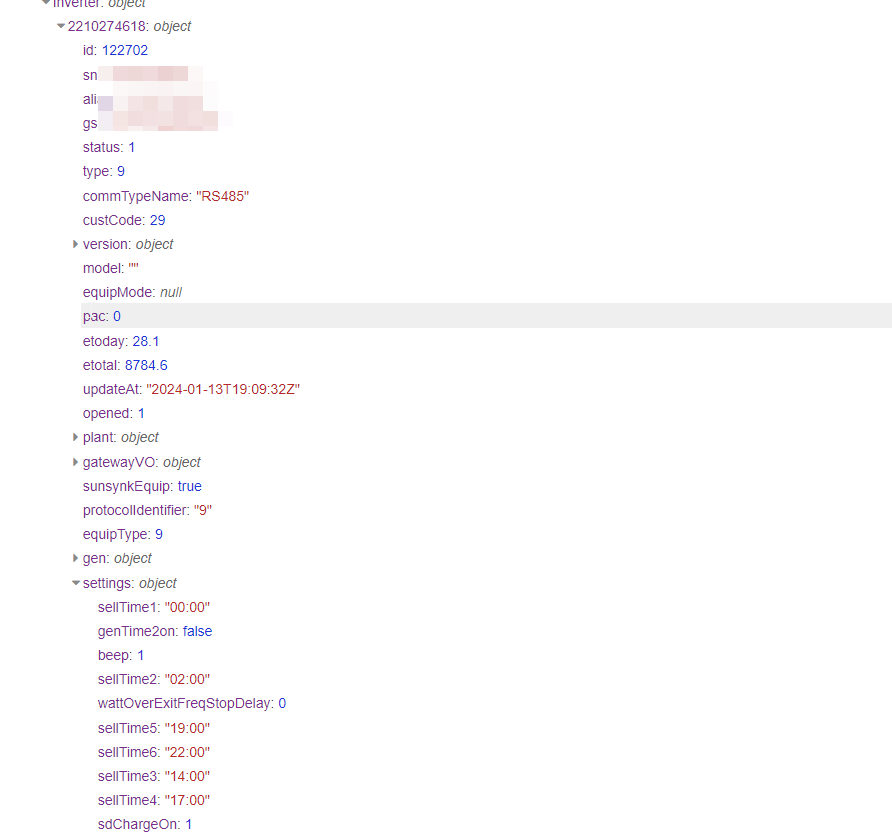
 You are right, will swap them around and restart.@Gary Waterworth, context data as requested.






Account
Navigation
Search
Configure browser push notifications
Chrome (Android)
- Tap the lock icon next to the address bar.
- Tap Permissions → Notifications.
- Adjust your preference.
Chrome (Desktop)
- Click the padlock icon in the address bar.
- Select Site settings.
- Find Notifications and adjust your preference.
Safari (iOS 16.4+)
- Ensure the site is installed via Add to Home Screen.
- Open Settings App → Notifications.
- Find your app name and adjust your preference.
Safari (macOS)
- Go to Safari → Preferences.
- Click the Websites tab.
- Select Notifications in the sidebar.
- Find this website and adjust your preference.
Edge (Android)
- Tap the lock icon next to the address bar.
- Tap Permissions.
- Find Notifications and adjust your preference.
Edge (Desktop)
- Click the padlock icon in the address bar.
- Click Permissions for this site.
- Find Notifications and adjust your preference.
Firefox (Android)
- Go to Settings → Site permissions.
- Tap Notifications.
- Find this site in the list and adjust your preference.
Firefox (Desktop)
- Open Firefox Settings.
- Search for Notifications.
- Find this site in the list and adjust your preference.