2una
Members
-
Joined
-
Last visited
Everything posted by 2una
-
Took a crash course in getting HA running via VM & the ewelink access loaded on that only to get Looks like if the device name doesn't start with Sonoff forget it as far as ewelink goes. Anyway tripped over Shelly prior to that attempt , that looks like it will do what I want & leave a K in my pocket versus the iammeter option.

-
The Home assistant thing to get that running is what a "Green" or a dedicated PC/VM/NUC/PI sort of thing that gets me back in the same price tag tho ya? I'm neanderthal in regard HA
-
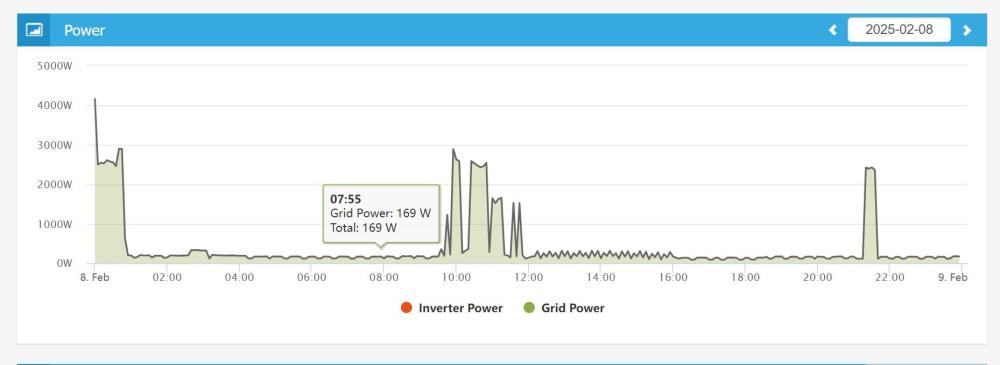
Yeah the devil seems to be in the details, a lot of options to see one used "x" kwh for the day, trouble I'm finding is getting to see what happened in that 24H. Thinking I'm going to have to bite on the iammeter option, Emporia is perhaps also an option with their earlier gen2,seems they switched to 2x single core rather than double core wired CT's for an accuracy related issue with that gen2/gen3 tho. What I'm wanting to see (iammeter)
-
The geyser i have is an older 150L E rated one & I want to see what that puppy is sucking as to whether I bite the bullet & replace it with a 100L B. Eskom is making that decision a better idea & unfortunately no solar possible. I'm thumb sucking standing loss maybe getting close to 2k year.
-
Yes but i guess cloud charting is the part I'm mostly looking for, at least to start with anyway but that one is maybe on ewelinks supported webview list, the one I brought is not.
-
That's a world i haven't stepped into but would the plan be something like an ewelink/tuya/sonoff metering wifi switch and get a "home assistant green" to read that & it offers some sort of decent daily graphing feature? I did buy one of these but the daily info to learn anything is not there https://www.geewiz.co.za/smart-plugs-switches/215590-ewelink-wifi-smart-circuit-breaker-type-timer-63a-with-power-kwh-monitoring-ewelink-smart-app-geyser-timer.html
-
Any suggestions on something that can give a reasonable daily chart/graph of geyser kwh usage? Efergy looked like they have with their "engage" but they seem to be dropping off here for anything available & overseas stock also looks like their about to close their doors. Ewelink + Tuya - I really thought there would be something better but doesn't appear so unless I'm not looking in the right place. IamMeter - seems expensive @3k for a single CT Feeding to Victron VRM looks like also a $ story & maybe a chart but no totals either. Any other suggestions to look at? Edit: Deeper look at the iammeter got me a bit keener on that one seen as the cloud service is not extra & shows what I'm looking for.
-
I think that's almost a certain 🤣, solution might be jamming some prozac in that port
-
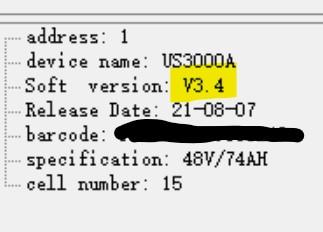
This is a weird problem Today i monkeyed around some more & decided to try match the PC Date/time format to what the connection time out error messages were saying. That worked out to be set the PC Time zone +8H China & 24h time format - Regions were already on US. Then using the Update tool ( the failed firmware tool) left everything blank & unchecked & hit connect. Viola it linked. Closed update tool, checked with BV, working there also , unplugged & went back to the 2nd battery & updated its firmware. Then back to the problem connection batt, connected again with BV & firmware update worked. Thinking i'd cracked the problem & while the batts were offline returned my linkport leads back to the original way where the problem one was Master. But after doing that no more talkies again with the problem 1, other 2 still fine. Maybe I just got lucky but seems pretty odd. Anyway now have all 3 batts on v3.4
-
Looks like a good place for me to stay out of 🤪 Jobs done on the master - copying the history & event data after the upgrade is painful slow now tho vrs when I did it earlier. Not sure I even need it but that SOP says to so following orders. Thanks a bunch for your help Youda
-
Where is that hidden? I don't see it & haven't been brave enough to touch "log-in" - is it in there? Ok thank you , I'll do that - update the master & wait for China's holidays to finish & see what they have to say
-
Youda my purpose of this is driven by wanting to get the extra bms cell info to the Victron happening, which needs to be more up to date firmware. At present they are all on v1.3 Whats your thoughts if I just update the new master as I believe I've read that then will allow those comms to happen. OR is it better left alone all running the same firmware versus running 1 or 2 batts on new FW & one on very old - very old would be the last batt in the current config. You have any thoughts?
-
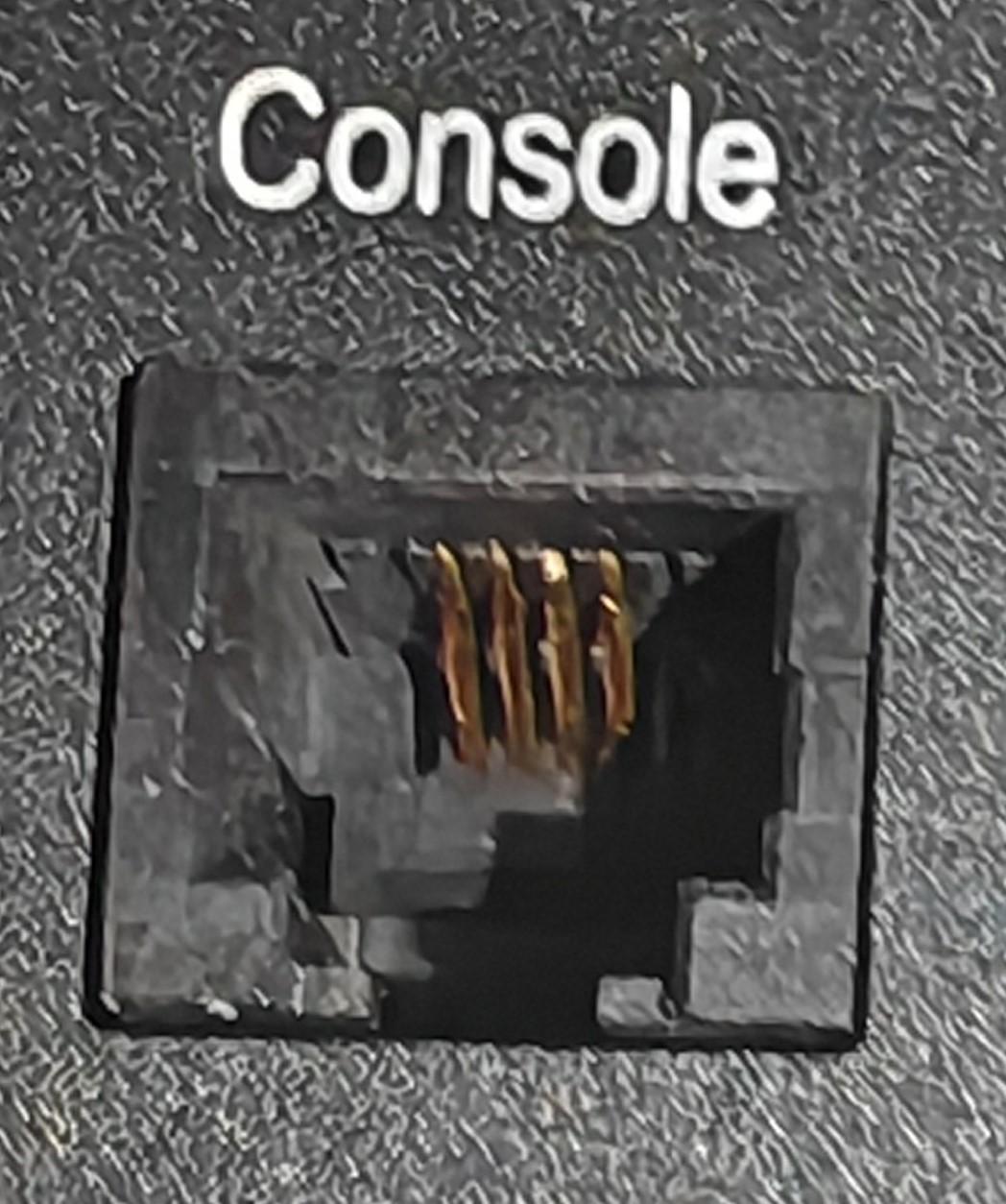
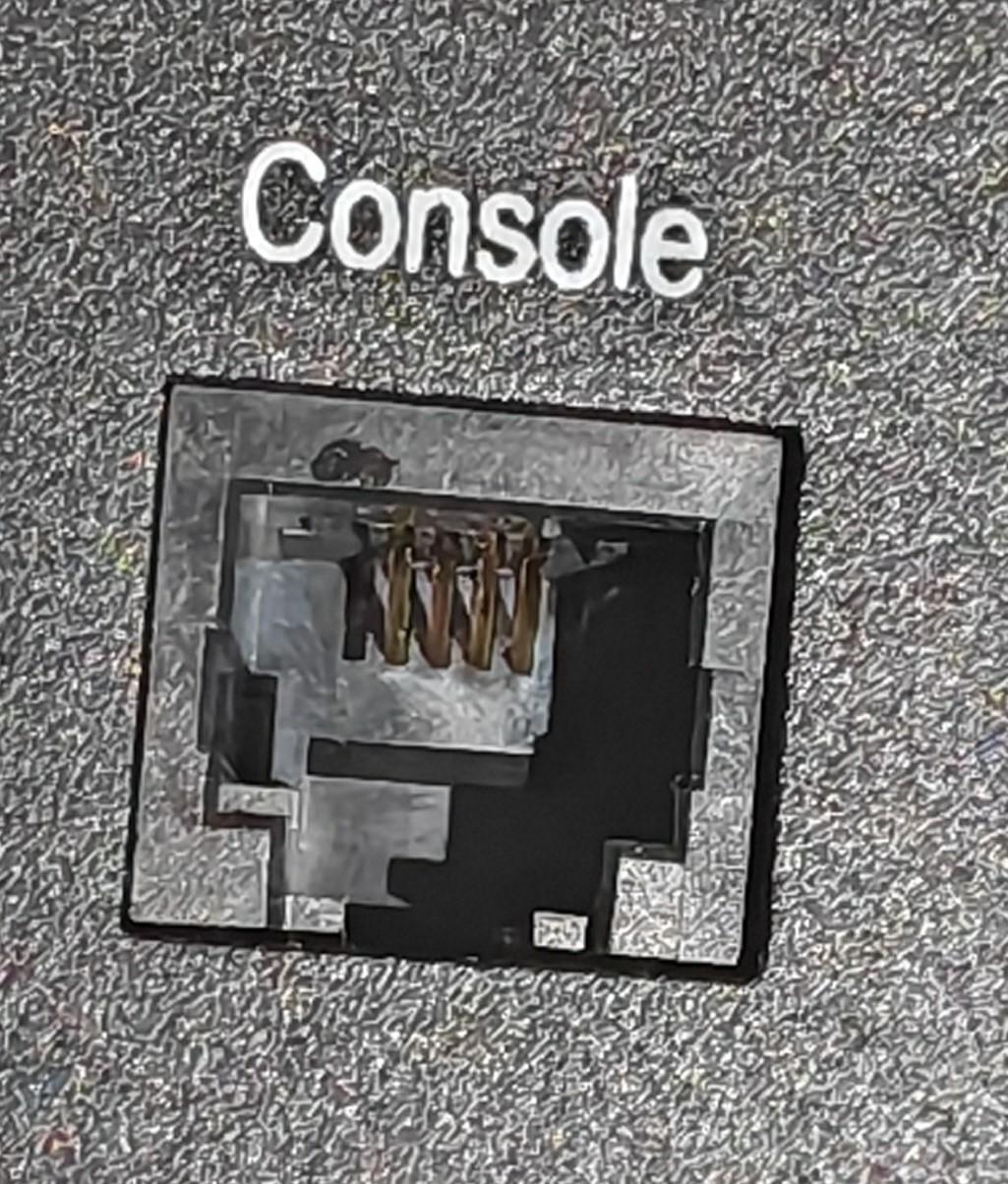
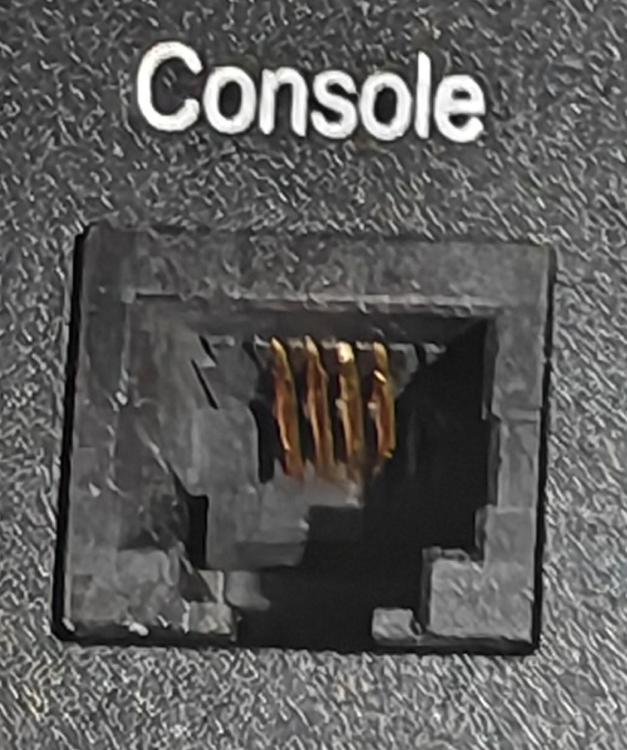
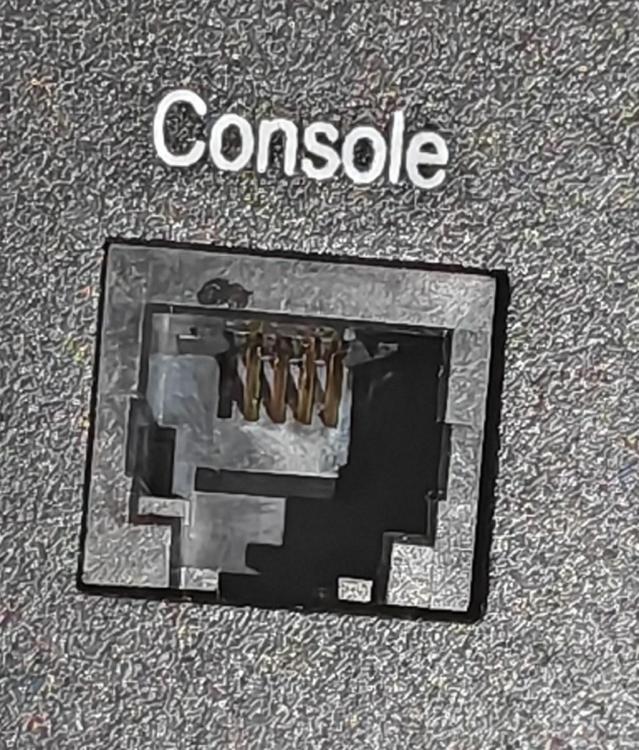
Seems clean enough The one not working top & a working one below
-
No, it just made it possible to read from the battery that I couldn't connect from directly by doing it via using the parallel checkbox on the BV software. I'm still stuck in so far as I can't connect to that battery by itself as the console port seems to be a problem. Need to do some digging to see if its safe enough to try firmware update via the same way. China being in their new year are out of the picture for a couple of weeks.
-
Batt 1-2-3 What was module 1-2-3 from top to bottom , when switching the linkports so the no3 or bottom battery is Master that becomes the new module 1, 2 stays the same & 3 is then the top one.
-
Fell into a wee trap When i uploaded the logs for Batt1 that I hadn't been able to get to I actually uploaded Batt3 logs because changing the linkport connections around made my old batt3 the new batt1......sorted in that regard anyway....orange is the new black kinda story
-
Ok thankyou Youda Did the change of the linkports & still can't get any comms connecting thru that Batt1. When I changed the linkports Batt3 was the new Master & connected BV with parallel checked & I did get to pull the data from Batt1 now tho. It is also v1.3 So I guess that console port on Batt 1 is either damaged or gone to permanent sleep? How much trouble am I looking for to try do a firmware update via parallel connection? I guess Batt2 & Batt3 I can do directly but is it doable to try update Batt1 via the parallel connection you think or is it not even possible? Extra curve ball is the new cable with the DB9 connectors arrived & with that I can't get any comms happening on any batts so far so no joy with that cable.
-
Thanks for the help Youda much appreciated. No dice so far. The cable yes looks like what ICC sells but I can't find any record from them , I think maybe at the time (a few years ago) it was said to also be okay for batteryview for viewing use, don't really recall too well. I remember trying to connect once & it didn't work & then got sidetracked & never got back to it till now. Restarted the batteries. Dropped down the Baud rate & stepped thru all of them & tried different version's of the BV software again from 2.0 up. Switched USB port Doesn't want to play ball so will try with the cable that has the DB9 on it when it arrives & cross fingers its that & not a seedy console socket. Clips in like it should but living close to the ocean brings possibilities. Photo with flash I don't see anything ugly in there. You think once I get sense out of it that it is ok to jump from software v1.3 straight to v3.4 BIN or safer to go to v2.8 1st ? Any thoughts on that? i guess if I get no luck with the new cable its off to Putty school.
-
3 x US3000's (A) Venus GX Victron MP II 48/5000 Win 11 Soft version seems to be 1.3 on the 2 I can read As the title says, with the cable I have I can connect to 2 of the 3 batteries but not the master (throws timeout), is there some trick I'm missing? Tried removing the Battery CAN connection going to the Venus GX, that changed nothing. Dipswitches are all the same positions. Tried with BV 2.0/ BV 3.0.28 / BV 3.0.33 /BV 3.0.37 Thank you @Youda Bless you. Also tried the check box enabled & disabled for units joined. Com port # & setting is correct. Tried setting Regions to US Only thing I can think is my cable but then why will it work on the other 2 batts okay. This cable I have that I don't recall where I even got it from doesn't have any DB9 involved in it - it just looks like USB direct to RJ11 cable but does show up as a com port when plugged in. So........?? Lost. Have ordered another cable & will see if it is that. Anything doff I'm missing?
-
Victron 5 year warranty - ignore it - they just do their best to dodge honouring it
-
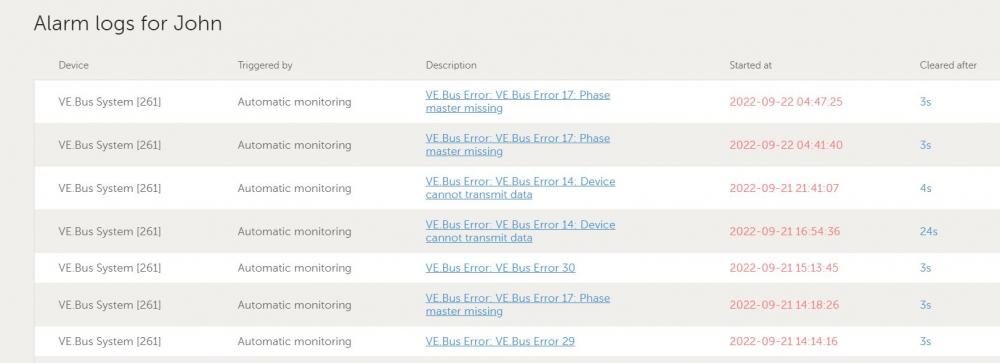
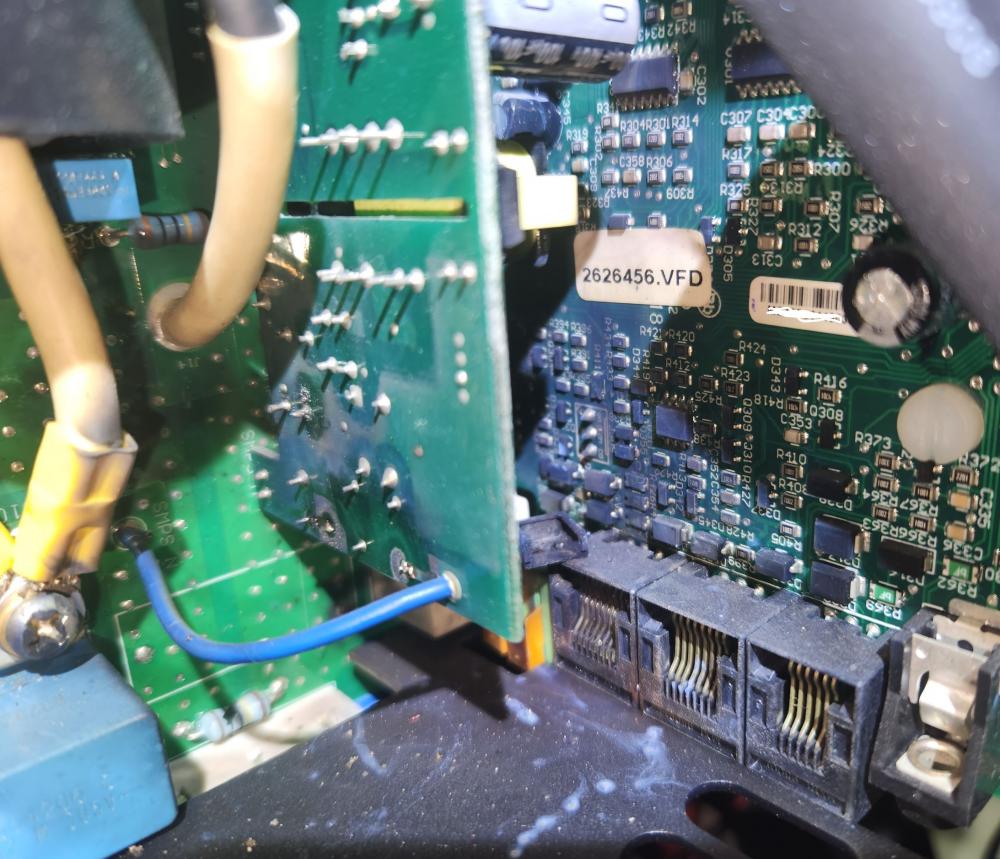
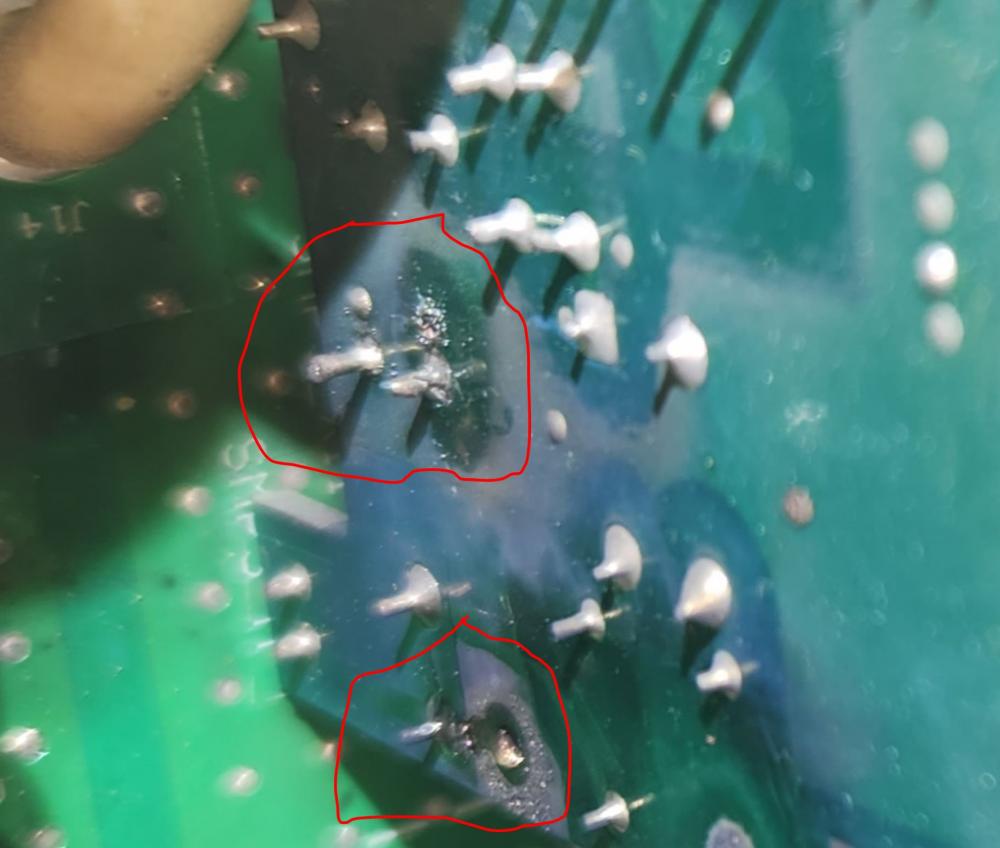
Curious to see how this plays out - purchased 2019 - Unit still working both AC + DC but throwing error codes. Inside Anyone have any thoughts?... i'm already hearing the power surge & that's not covered by warranty violin playing but it hasn't been looked at properly yet. Is that a likely board to blow if it was a power surge that caused it?
-
Not a lot of help but i've measured my MP II 5000 & that was throwing out 58db whilst loaded up with 6000W using a phone sound meter app(sound meter)
-
No more high batt alarms or pylontech's going into sleep mode with the window open for 2 min. Dropped the window to 1 min now & see if that's also ok to keep them out of "sleep"
-
Sold
-
So far been behaving itself - recent voltage jump due to venus updating to 2.60 now, Pulled the window back to 2mins instead of 5 & see if it still behaves