azharc
Members
-
Joined
-
Last visited
Everything posted by azharc
-
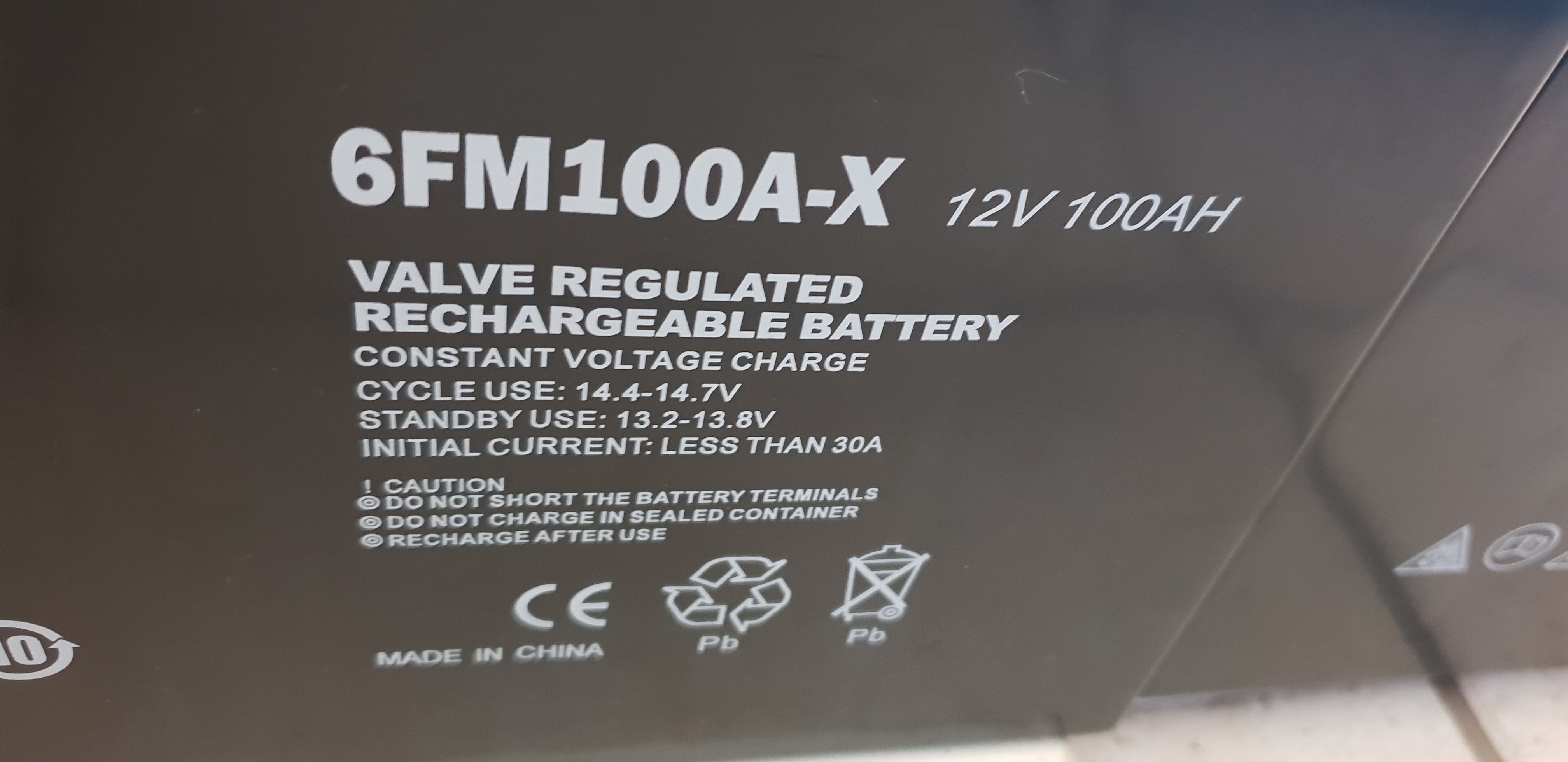
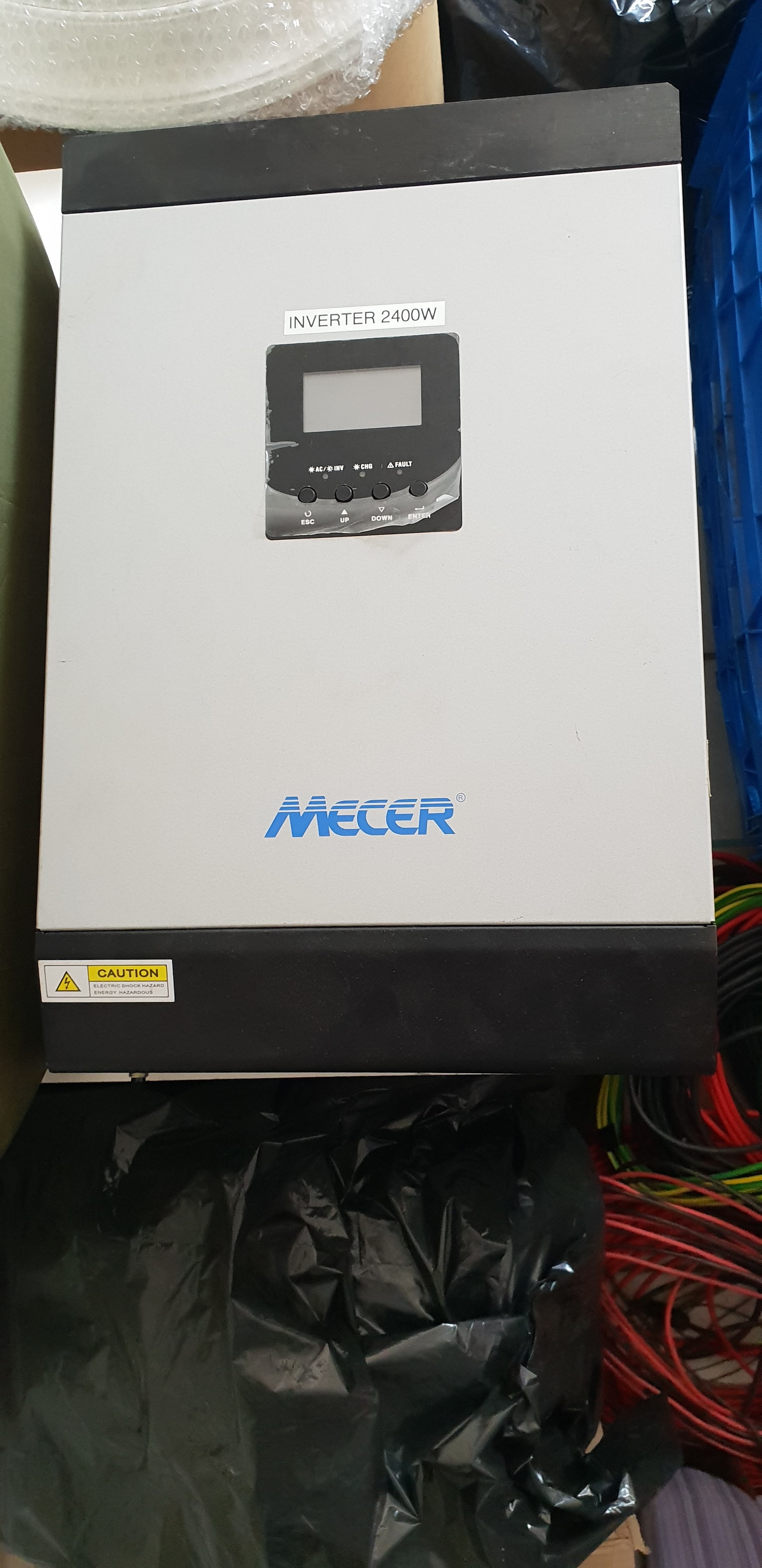
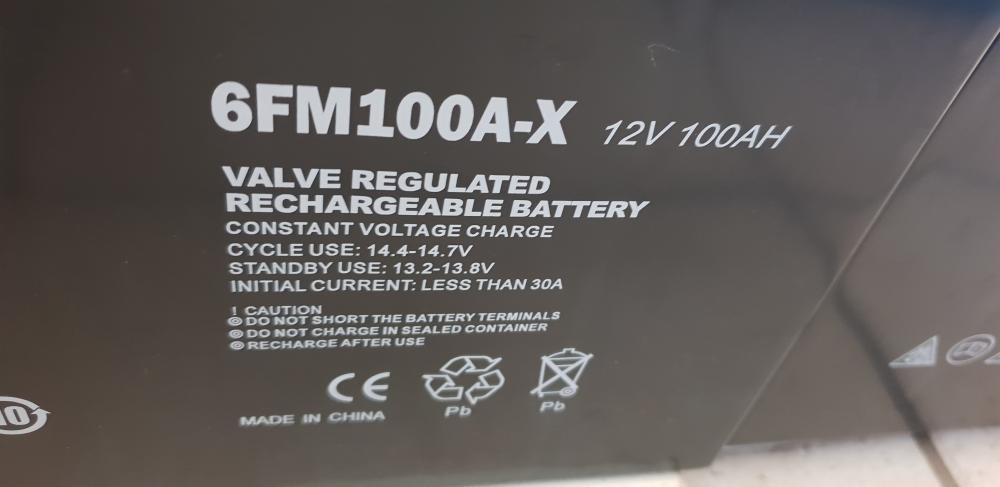
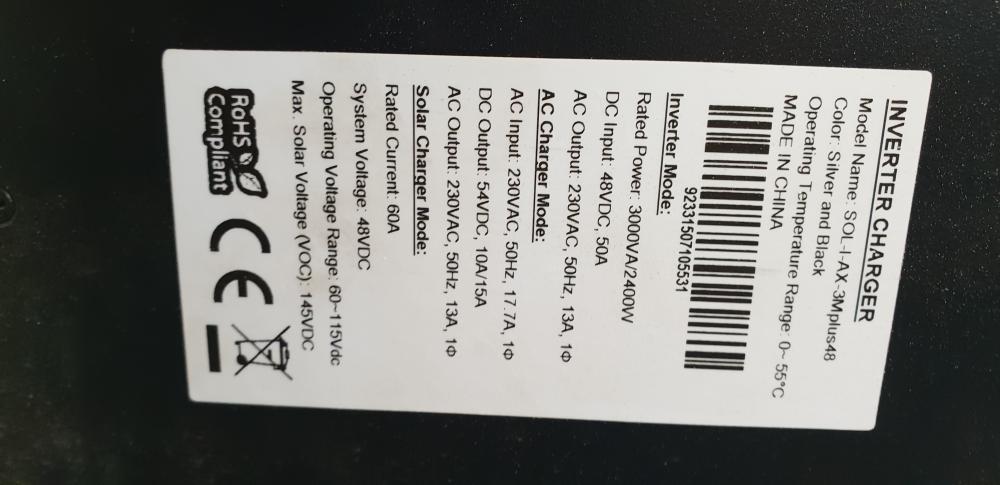
FOR SALE Item: Mecer 3Kw Axpert SOL-I-AX-3Mplus 48 Inverter + 4 GEL BATTERIES Age: 2 years Price: R14 500 Payment Method Accepted: EFT/Cash Warranty: None Packaging: None Condition: Excellent Location: Helderkruin, Roodepoort, Gauteng Reason: Upgraded to Sunsynk 5kw and 2 x Pylontech batteries Shipping: At the buyers cost Collection: Preferred


-
Unit has been sold.
-
Hi Not yet, still available.
-
PRICE REDUCED Item: Voltronic Axpert RCT AXMAX8K48V Inverter Brand: RCT Product Code: AXMAX8K48V Age: 12 months Price: R 14 000 Payment Method Accepted: EFT Warranty: 12 months Packaging: Yes Condition: Excellent Location: West Rand Reason: Replacing it with a Sunsynk Shipping: At buyers cost and risk Collection: Yes
-
Item: Voltronic Axpert RCT AXMAX8K48V Inverter Brand: RCT Product Code: AXMAX8K48V Age: 12 months Price: R 16 000 Payment Method Accepted: EFT Warranty: 12 months Packaging: Yes Condition: Excellent Location: West Rand Reason: Replacing it with a Sunsynk Shipping: At buyers cost and risk Collection: Yes

-
I went thru all the inverter settings and found that setting 13 (voltage point back to battery mode when 'SBU') was set to 48. Not sure how it changed as it was 52. Batteries now charging.
-
I have been experiencing a problem when my 2 x Pylontech US3000C batteries go to SOC 48V. I have an Axpert AXMAX8K48V inverter with 11 x 330w panels. This occurs when there is loadshedding and my batteries are not fully charged. The batteries shutdown is understandable. However when I restart them them by pressing the SW switch or shutdown everything and then restart the batteries do not start charging. The green run light on the Pylontechs flash and after about 10 minutes they shutdown again. I have now restarted everything 5 times and the batteries keep shutting down. Any assistance will really be appreciated.
-
Has anyone got any examples of the Device Control setup? Is it possible to check the Pylontech's SOC% is > 95% at 17h00, if NOT then change Output Source Priority to SUB. Once the SOC% is > 95% then change Output Source Priority to SBU. If there is another way to do this please advice me.
-
I got it to work eventually with my own id. A friend got my inverter to work with his id on the Watch Power app. I deleted the device from his id and then setup my own id. Please try the following: Try uninstalling the Watch Power app and then install the app and do the setup again. The Watch Power app id can only work with a unique PN/serial no, ie. you cannot have multiple Watch Power id's accessing one PN/serial no. To delete a device on the Watch Power app on the device list screen swipe left for the delete option.
-
I have done that to verify if the battery is weak but the Watch Power program on the pc shows the battery SOC is never below 65%.
-
I have changed setting 16 to SNU and will monitor the weak battery error. Any idea as to why the Watch Power app shows weak battery but the Watch Power program connected to my pc does not indicate weak battery?
-
Thanks alot for the info, I have the manual.
-
I prefer to use Solar first as a priority to charge either the battery or for my load as this will reduce my utility bill,
-
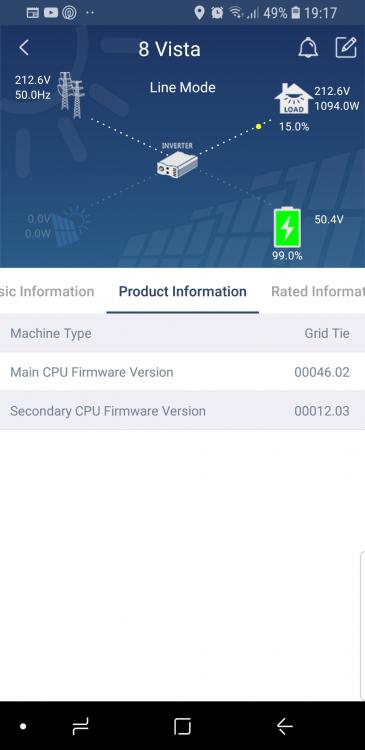
More importantly what is menu option 5 set to? This will give a much clearer understanding of what your system is doing. Option 5 is set to Pyl. What firmware of both the inverter & removable display do you current have loaded on your MAX?
-
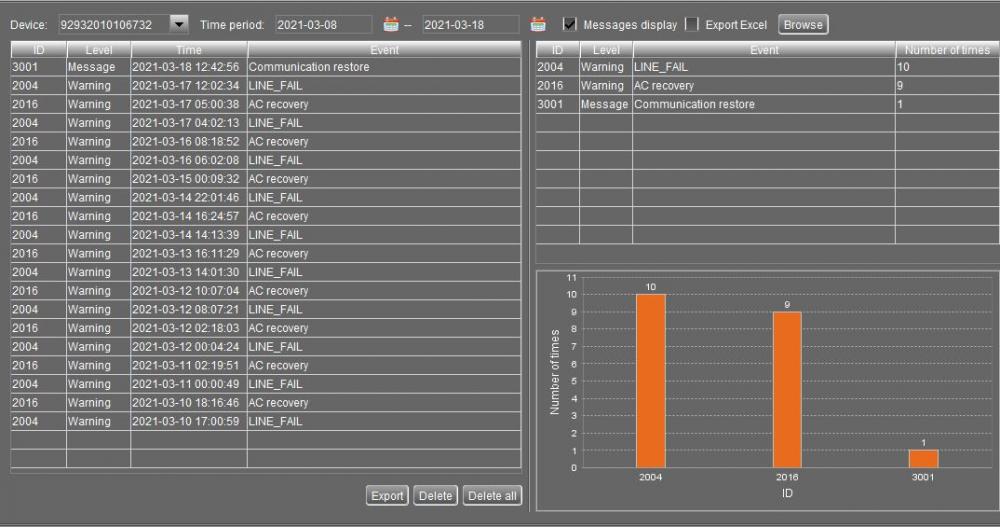
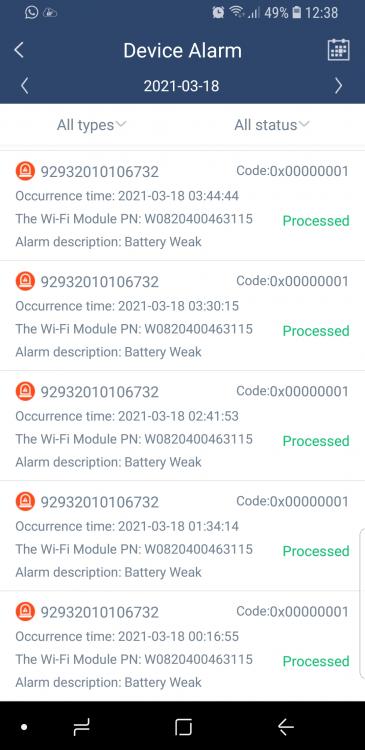
I have 11 x 330w solar panels connected in series to one of the MPPT controllers on the Axpert AXMAX8K48V inverter. My battery is a 1 x Pylontech US3000C. I have noticed that my battery will discharge to a minimum of 65% is that correct?. The Output Source Priority is set to SBU and the Charging Source Priority is set to Solar First (can someone please explain to me what this means). The battery type is set to Pylon. My questions are: 1. What settings do I have to change to ensure that my battery is close to 100% prior to load shedding. 2. If I split the 11 x 330w solar panels to be 2 strings of 6 panels each connected to the 2 MPPT controllers will it be beneficial. 3. If I add another Pylontech US3000C battery will the battery run my load at night which is currently 10%. 4. The Watch Power program shows Line Fail errors daily for the last couple of days, what could be the cause of this error. 5. The Watch Power app shows battery weak errors but this does not correspond to the Watch Power program on my pc.
-
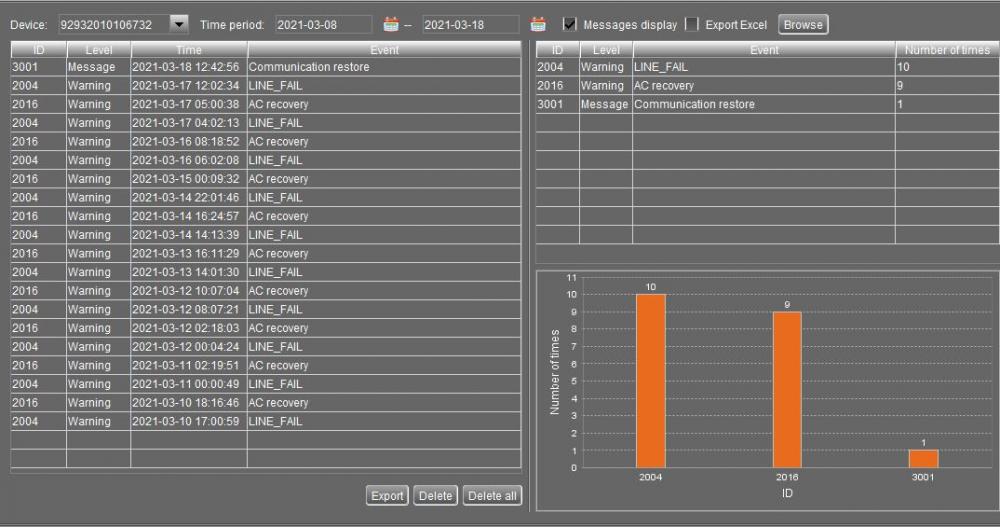
I am having issues with errors that appear on my Watch Power app that do not appear on the Watch Power PC software. An example of this is the Alarm description: Battery weak that appears daily since 8 March. If I look at the History tab on the app for the time that the error occurred the battery is always above 65% SOC. The other issue is that warnings that appear on the PC software codes 2004 (Line Fail) and 2016 (AC recovery) what do these mean?

-
I experienced the same issues with multiple serial to usb cables. The serial to usb cables are problematic, however the mecer brand that I borrowed from a friend works 100%. It is available online from Makro as well. Hope this works for you. https://www.makro.co.za/electronics-computers/wifi-networking/accessories/accessories/mecer-ap1103---serial-adapter/p/9b99f599-b8f2-4dff-b13a-8929b9596873?gclid=CjwKCAiAkJKCBhAyEiwAKQBCkvNpgIIHoNZpM9Ju6CuP_nV6_cfdhd8mVttvim_GHlEnEwYajqlCcRoCWgwQAvD_BwE
-
The Watch Power app id can only work with a unique PN/serial no, ie. you cannot have multiple Watch Power id's accessing a PN/serial no. To delete a device on the Watch Power app on the device list screen swipe left for the delete option.
-
The WatchPower App started working last night, the only reason that I can think that it started working was that it takes a day or two to register on the app. I still cannot register my id using the app, I am using a friend's id to access my inverter.
-
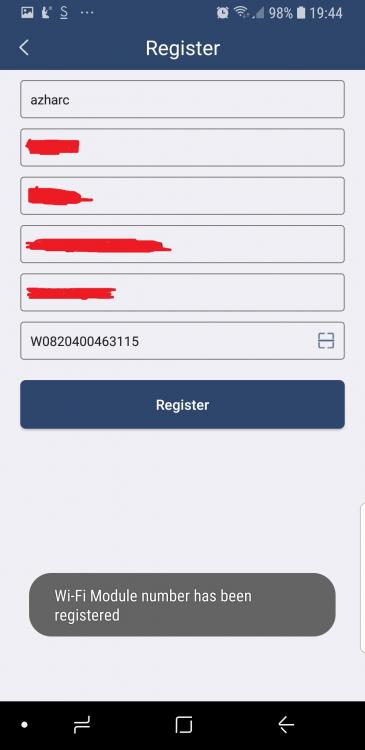
How do you setup the WiFi module on the Axpert 8kw to be able to use the WatchPower App on an android phone. I have tried numerous times to set it up but cannot do so. I get to a certain section where it tries to confirm the WiFi module and it goes to the diagnosis screen. I am also having a problem trying to register my PN on the WatchPower App. Any help will really, really be appreciated

-
Thanks so much for your advice. I have just changed the Output source to SBU and will monitor the Kwh usage over the next few days. I will change the back to grid voltage to 50V and back to discharge to 58V. The brand of the battery is Dixon a local brand. (Deep cycle) I would like to reduce my daily Kwh usage by at least 50% (if I can afford to do it!!!). Would I require additional PV panels and more batteries to get to this target. I am looking at installing Kwikot Kwiksol Vacum tubes to feed off my existing electrical geyser in the near future, this should reduce the Kwh I think!!!! Once again thanks so much for your advice.
-
I am new to solar energy. I have recently installed the following: 1 x Mecer (Axpert) Hybrid MKS 3Kva 48V inverter 4 x 330W (72 cell) PV panels 4 x10⁵Ah 12v deep cycle batteries. My current settings using Watch Power is: Back to grid voltage = 46V Back to discharge Voltage = 54V Battery cut off voltage = 42V Charger source = Solar Output source = Utility Battery type = AGM (not sure what this is) My question is - Are these settings correct? How do I set that the batteries get charged using solar? My average Kwh usage prior to installing the PV panels and inverter was 50Kwh per day and it has not changed much. Any advice on getting my daily Kwh usage down will be a great help. Regards