NathanL
Members
-
Joined
-
Last visited
-
-
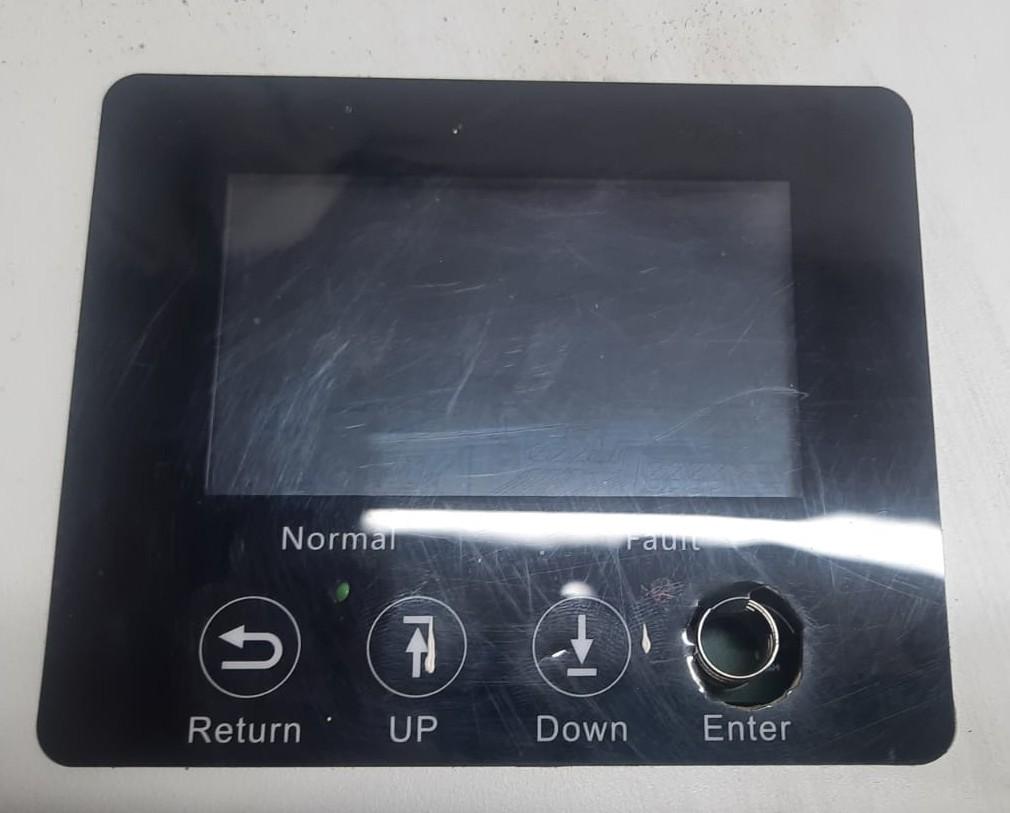
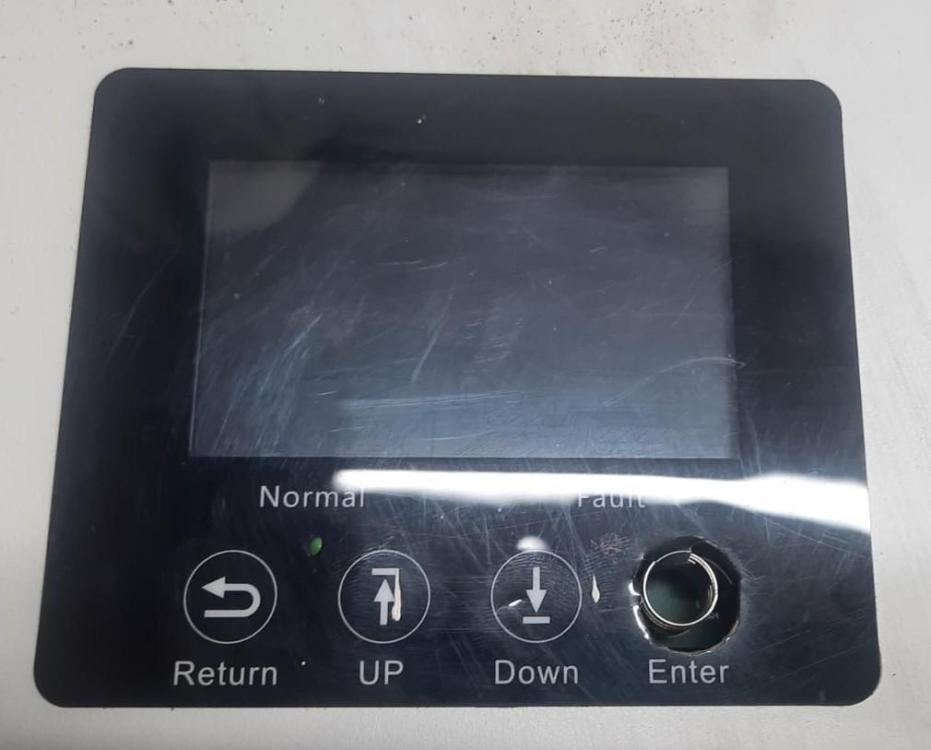
Hi everyone. I'm looking for the lid / top cover of a Luxpower SNA5000 WPV. Hopefully someone has a faulty unit collecting dust. Preferably in Durban so I can collect. My client damaged the buttons below the LCD. Let me know how much you want for it as well. Thanks.
-
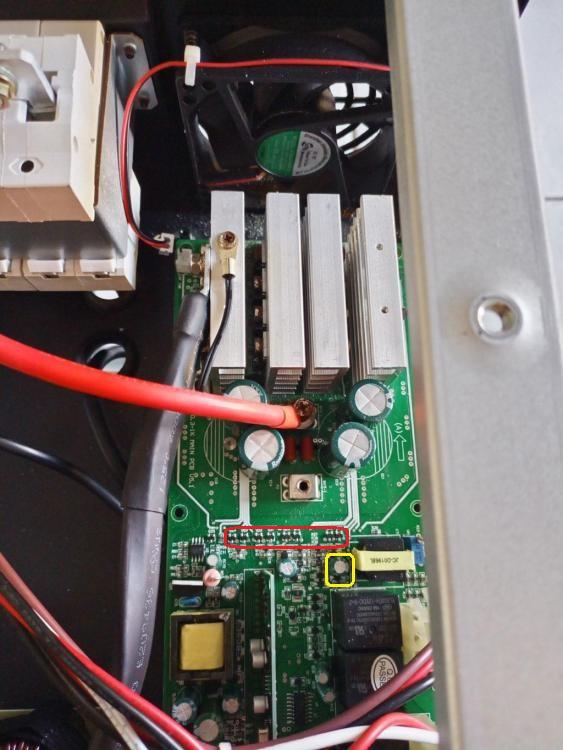
Hi Everyone Check all the 10 ohm gate driver resistors in front of the mosfets (and inbetween the heatsinks). You can use a multimeter to test them on the board. Normally some of these resistors blow when the mosfets blow. Also see the picture attached. The group of PNP & NPN transistors circled in red (marked 2F & 1P) almost always blows a few when the mosfets go. I'd guess thats where the problem lies. The 220uF 25V cap & zener diode (marked N4) circled in yellow also like popping at the same time. You can test all those diodes & transistors around that area on the board (below the red circle) with a diode tester / multitester once again. If any are shorted, replace them. Hope my two cents help.
-
-
-
It's a pleasure. I made money out of it & you helped, so I don't see why you shouldn't share in the spoils 😀. Yes success. The buck was damaged. Replaced. Sorted. Thank you. 😉
-
Spot on advice. Thank you Coulomb.
-
As usual Coulomb, you rock. Thank you. I just understood the charging curcuit a bit better. I did replaced the output IGBT's & buck, so it might be the optocoupler connected, or components in between the IGBT & optocoupler. Will strip the unit again and check later. Thank you once again. If I manage to fix it I will definitely buy you some coffee. 😉
-
Hi everyone Does anyone know what part of an axpert board controls the charging voltage? I have one with an integrated MPPT, and what happens is that the charging voltage is going up to 62V even though it's set to 57V or thereabouts. That'll cook the batteries. 🤔 This happens with both the grid charger & the MPPT. It's NOT the control card as I tried another one, nor the voltage divider resistors as it picks up the correct voltage on the screen, or should I say that the voltage on the LCD equals the voltage on my tester - 62V. I'm not sure where to look on the board. It's a Mark IV 5.6KW board, but it should be the same for any of the 5KW boards. Any help would be appreciated.
-
-
Morning everyone Does anyone know if you can parallel an older Voltronic MKS with one or more of the newer MKS2's inverters? Or do they HAVE to be the same model?
-
Morning All I'm looking for a blown SunSynk / Deye so i can strip it for spares. If anyone has or knows of a blown one sitting being used for a doorstop, please let me know. Preferably in Durban, but I will consider couriering from elsewhere. Thanks.
-
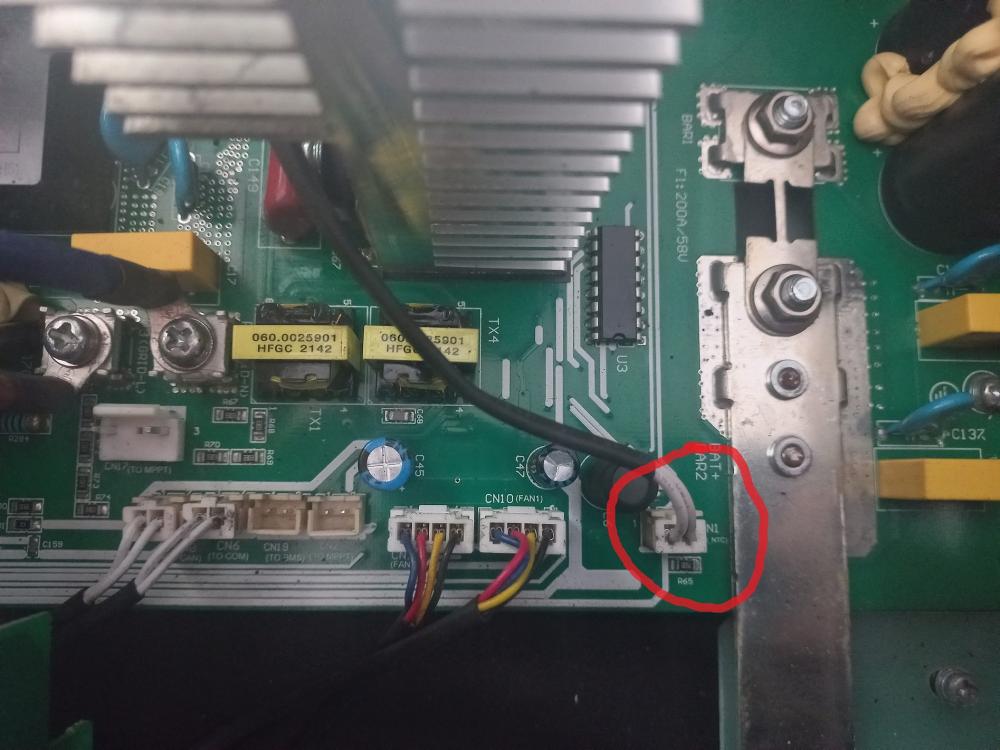
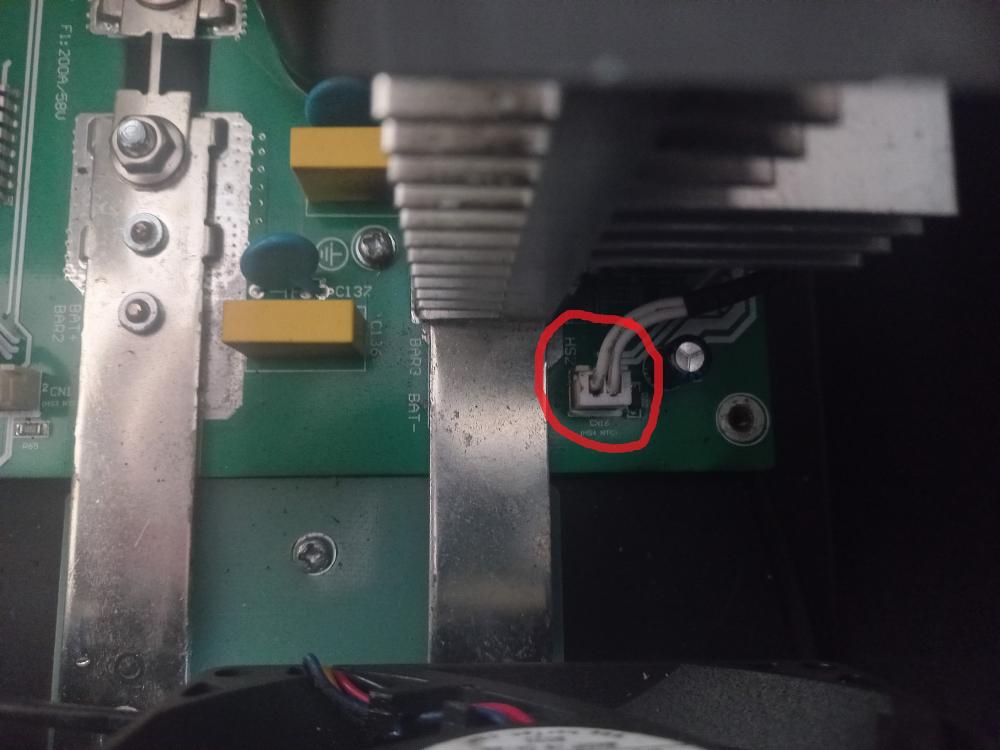
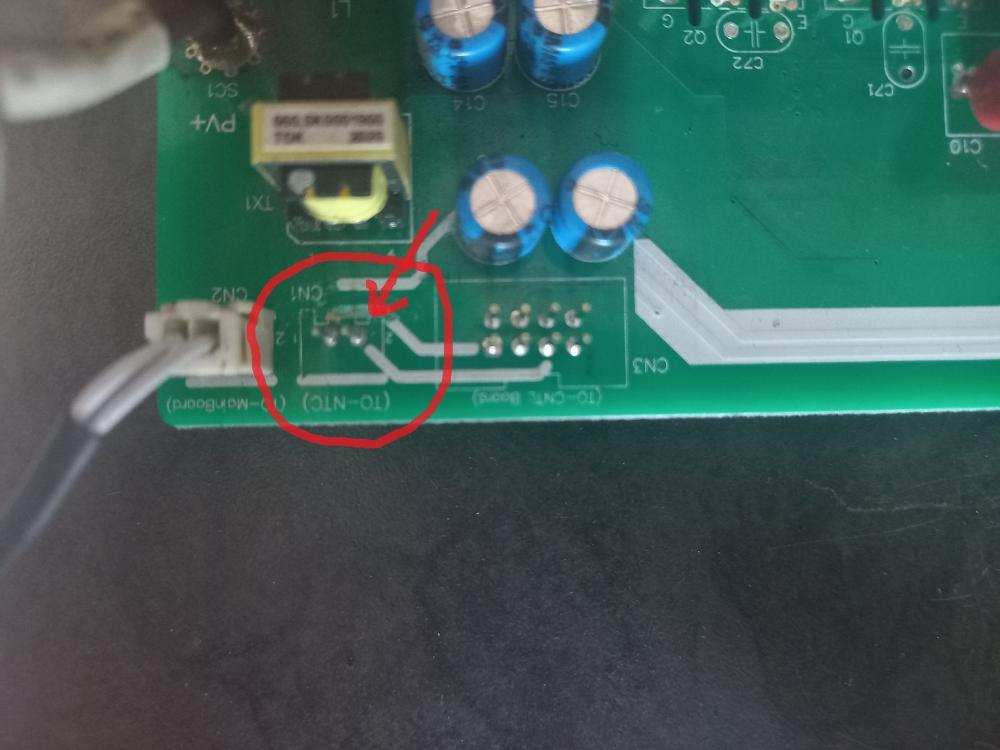
Hi everyone. I know this thread is old, but hopefully this helps someone in the future. There are four NTC's (heat sensors) in the machine that I know of. One screwed to each of the two heatsinks on the mainboard, one under the main transformer on the mainboard & one screwed to the heatsink on the front of the solar controller. Normally what happens is the fans pull air up through the bottom of the inverter, and moisture & dirt builds up on the front of the boards, which leads to rusting of the tracks. Often under the plastic connectors. To test if your NTC's are working use a multimeter, unplug them & test the resistance between the two wires. It should be around 15k. If they are shorted or no connection, replace them. Where the three that are screwed to the heatsinks are attached to the boards, use a small flat screwdriver to pry the plastic connector up off the two pins on the board. Your problem normally sits there. It's easy enough to use the multimeter to test both sides of the track for continuity. If there is no continuity just bridge out the two points with a small wire. You will notice the the one I'm working on in the pic, indicated with the arrow, has an issue on the solar charger. Hope this helps.
-
No worries. I appreciate you trying to help.
-
Hi Coulomb. Thanks for the reply. It is U1 15 84 firmware, a Voltex KS 2K-24 unit.
-
Morning Everyone Can anyone tell me what the fault code 12 is on an Axpert 2k? It's a fault code, not a warning. The manual gives a warning code (flashing) 12, but no fault code (constant) 12. Is there a more comprehensive list of fault codes other than the user manual a person can get for Axperts btw? Any input would be appreciated. Thanks.
-
Hi there Please can someone upload or give me a working link to the Windows 10 monitoring software for the above inverter. Like the Axpert Watchpower. I think it is called ShineNet 2. Might be mistaken. I don't have access to the disk that came with the unit. Somebody has pulled off the serial number sticker & I just need to get the serial number from the software. Thanks.
-
Thank you Coulomb. I appreciate the assistance.